Livery loading
UX case study · Mobile app

Livery
for riders

A delivery app for parcel riders. Take several orders at once, ride one route for all of them, and see what you earned, shift by shift.

  • UX · UIMy role
  • 27Screens
  • 5Users tested
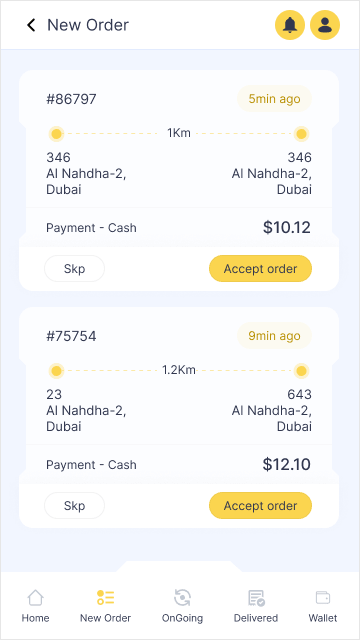
New orders, each with its pickup, drop, distance, fare and accept
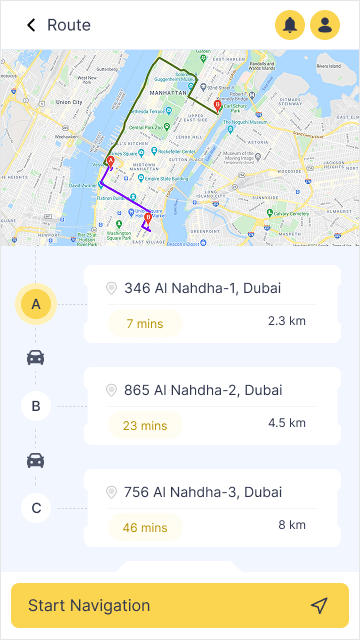
Route: three drops on one route, each with time and distance
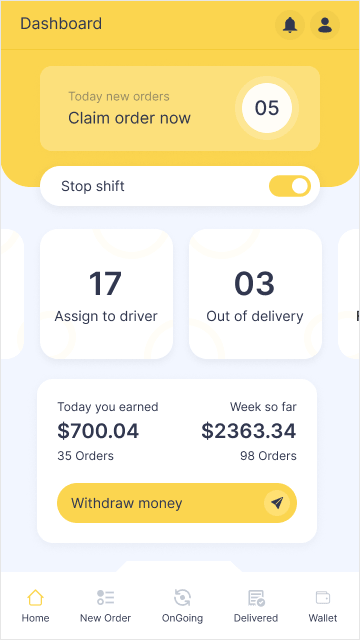
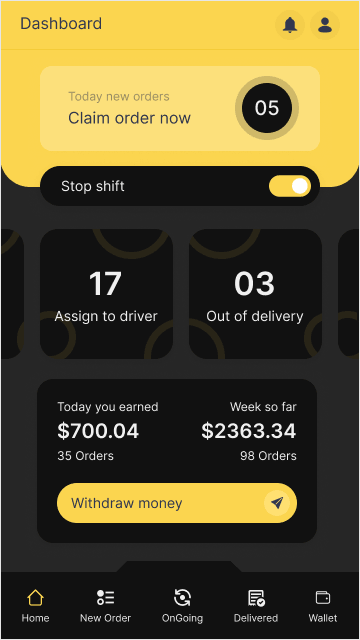
Dashboard: claim today's new orders, the shift switch, orders by status and today's earnings
Overview

Less riding, more delivering

The shift

  1. One order at a time
    Several orders at once
  2. A separate route for every parcel
    One route for every drop
  3. Unclear delivery status
    New, on the way and delivered, at a glance
  4. No way to reach the customer
    Call them from the order, ask for a landmark
  5. Always on, or not at all
    Start or stop your shift in one tap

My role

  1. 01ResearchMarket, competitors, interviews, 3 personas
  2. 02UXArchitecture, user flow and wireframes
  3. 03UI designDesign system and 27 screens in Figma
  4. 04TestingA prototype, tested with 5 riders

In numbers

27Screens, light and dark
4Languages
5Riders tested the prototype

Everything on one shift

  • OrdersNewOn the wayDeliveredSeveral at once
  • RouteOne route, many dropsNavigationCall the customer
  • ProofWhere it was leftPhotoSignatureNotes
  • EarningsWalletWithdrawReports
  • ShiftStart / stop shiftDelivery areaDark modeLanguagesSupport

Tools & methods

  • Figma
  • UI/UX design
Research

Designed with riders, tested by riders

  • 5Phases
  • 3Personas
  • 5Riders tested
01Design thinking, step by step
  1. Phase 01Discover

    Market research, competitor analysis and rider interviews.

    Learn about riders
  2. Phase 02Define

    Rider groups, personas and the value each feature brings.

    Decide the features
  3. Phase 03Ideate

    What sets it apart, task flows and the app's architecture.

    Brainstorm solutions
  4. Phase 04Prototype

    Style guide, low and high fidelity wireframes, a clickable prototype.

    Simulate the experience
  5. Phase 05Test

    Usability and A/B testing, then the feedback built in.

    Validate with riders
02Who it's for
  • BA
    Bilal Azad17 · Student
    RIDER LV-017
    Pain points
    • Can't tell where an order is
    • Can't take more than one delivery at a time
    • Can't plan routes for several drops
    Livery answersOrder statusSeveral ordersOne route
  • Primary persona
    AB
    Abdullah29 · Cab driver
    RIDER LV-029
    Pain points
    • Only one order at a time
    • No way to contact the customer
    • No clear location on the order
    Livery answersSeveral ordersCall the customerMap on every order
  • MO
    Mohammad29 · Freelancer
    RIDER LV-031
    Pain points
    • Earnings don't grow, each parcel takes too long
    • Wants several parcels on the same route
    Livery answersOne routeWallet & reports
03What testers said
5 riders

used a clickable prototype from the target audience. They found their way through the app and liked the design, and their ideas sharpened the next version.

What worked

  • Taking several orders at the same time
  • The route adjusting for several orders
  • The design overall

On the roadmap

  • Refer a friend from the app
  • One account for more than one rider
  • More than one vehicle per account
23 screens · 6 chapters
  1. Welcome to Livery

    Manage your deliveries at your fingertips.

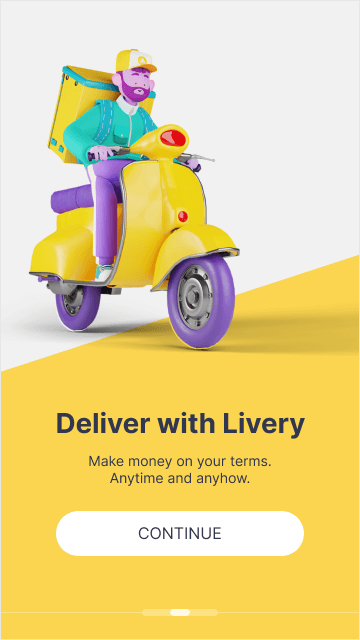
  2. Deliver on your terms

    Make money anytime and anyhow.

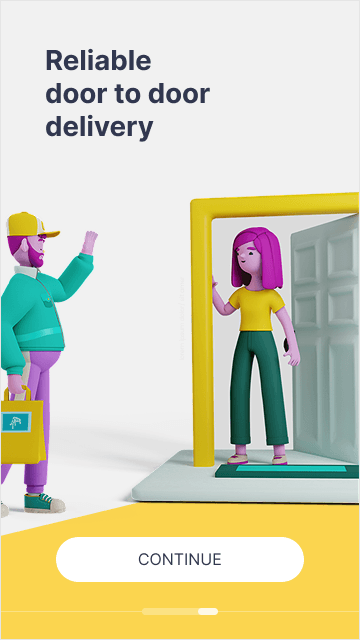
  3. Door to door

    Reliable delivery, right to the customer.

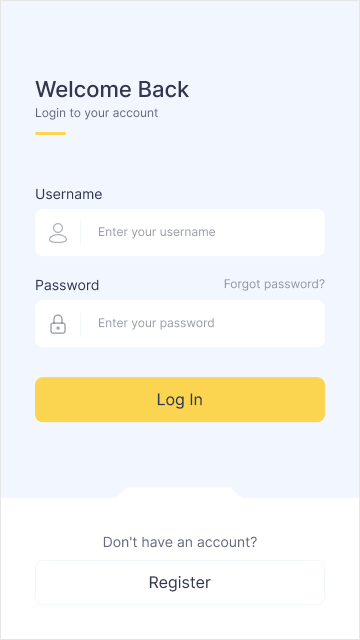
  4. Welcome back

    Sign in with your username and password.

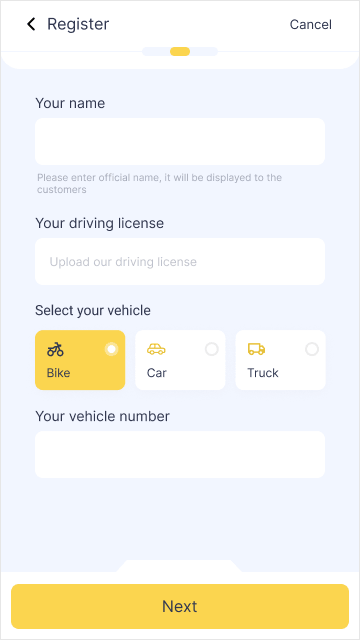
  5. Join as a rider

    Your name, driving licence and vehicle: bike, car or truck.

  6. Dashboard

    New orders to claim, your shift switch and today's earnings.

  7. New orders

    Pickup, drop, distance and fare. Accept one, or several.

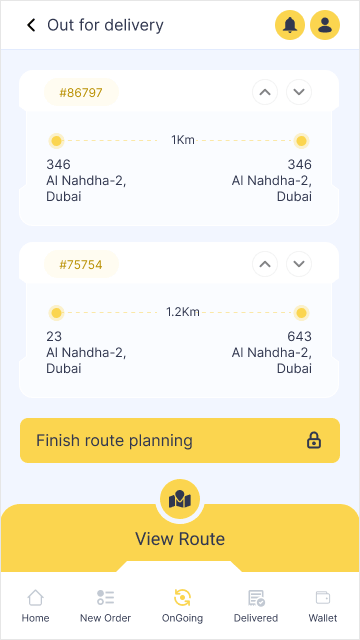
  8. Out for delivery

    Every order you're carrying, then plan the route.

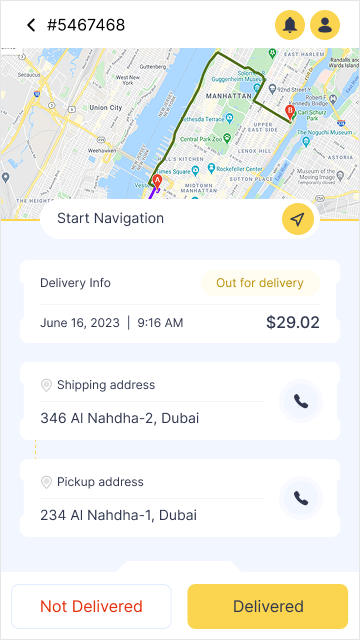
  9. Order details

    Shipping and pickup address, with a call button for each.

  10. One route

    Every drop in order, with the time and distance to each.

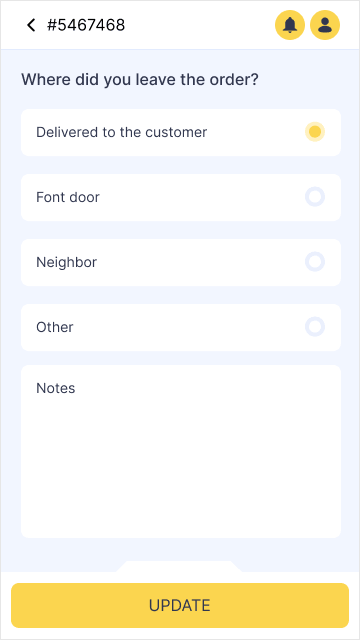
  11. Where you left it

    With the customer, at the front door or with a neighbour.

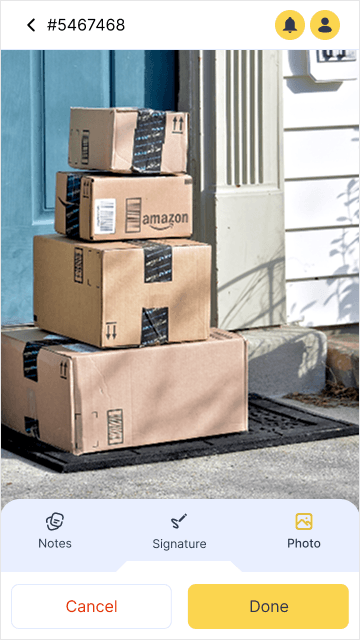
  12. A photo

    The parcel where you left it.

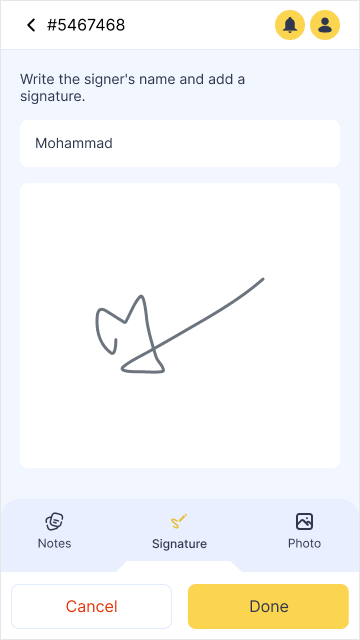
  13. A signature

    The signer's name and their signature.

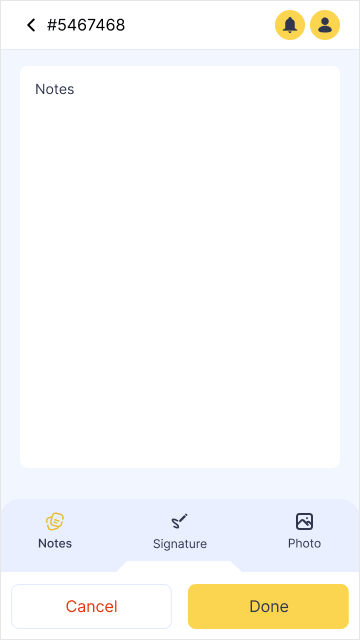
  14. A note

    Anything the next rider, or support, should know.

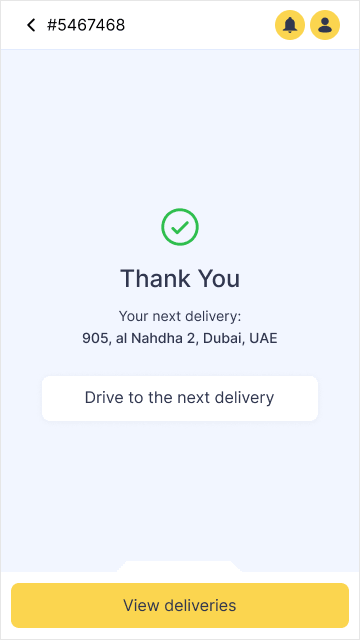
  15. Delivered

    Thank you, and the address of your next drop.

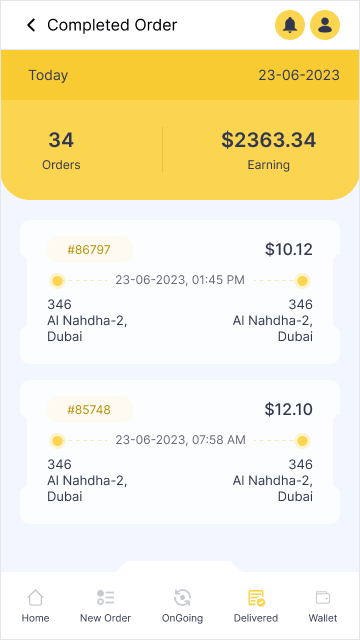
  16. Completed orders

    Today's orders and what they earned.

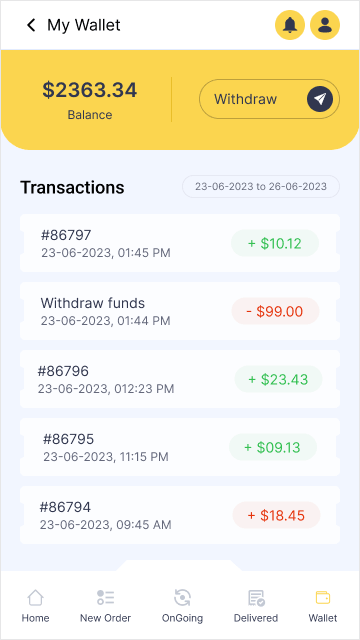
  17. My wallet

    Your balance, every payment in and out, and withdraw.

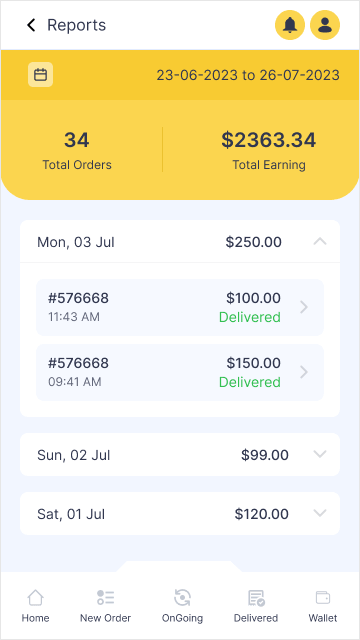
  18. Reports

    Orders and earnings, day by day, for any dates.

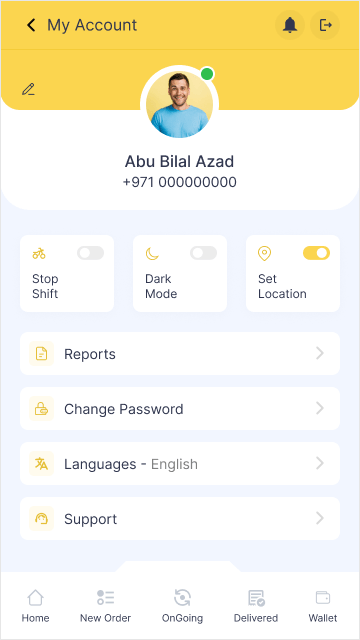
  19. My account

    Shift, dark mode and location switches, and your settings.

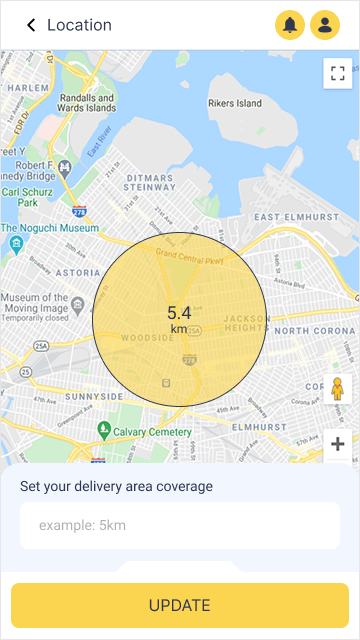
  20. Delivery area

    Set how far from you to take orders.

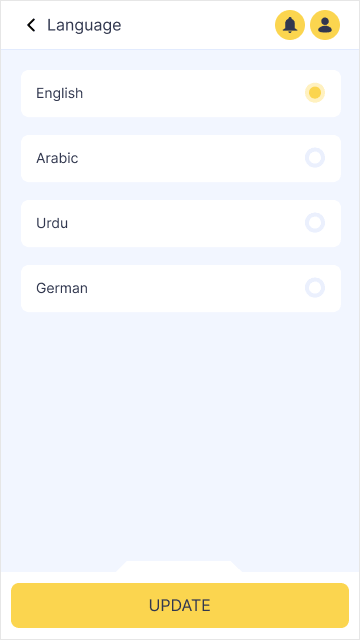
  21. Language

    English, Arabic, Urdu or German.

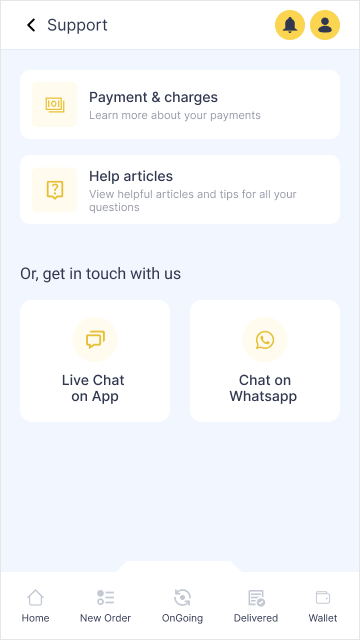
  22. Support

    Help articles, live chat and WhatsApp.

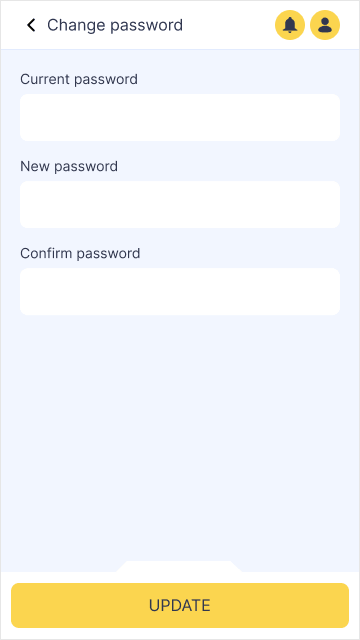
  23. Change password

    Current, new and confirm, then update.

01 / 23
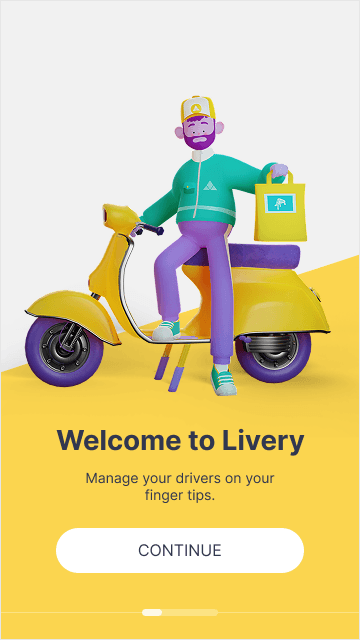
Onboarding 1: Welcome to Livery, a rider on a scooter
Onboarding 2: Deliver with Livery, make money anytime and anyhow
Onboarding 3: reliable door to door delivery
Log in with username and password
Register: name, driving licence, vehicle type and number
Dashboard: claim new orders, stop shift, orders by status, today's and this week's earnings
New orders with pickup, drop, distance, payment and accept
Out for delivery: the orders being carried, finish route planning, view route
Order details: map, delivery info, shipping and pickup address with call buttons
Route: drops A, B and C on one route with time and distance, start navigation
Where did you leave the order: customer, front door, neighbour or other
Delivery proof: a photo of the parcels at the door
Delivery proof: the signer's name and signature
Delivery proof: notes
Thank you, with the next delivery address and view deliveries
Completed orders: today's count and earnings, then each order
My wallet: balance, withdraw and transactions
Reports: total orders and earnings for a date range, day by day
My account: stop shift, dark mode, set location, reports, password, languages and support
Location: set the delivery area coverage on the map
Language: English, Arabic, Urdu or German
Support: payments and charges, help articles, live chat and WhatsApp
Change password: current, new and confirm
Click the phone for full size
Design challenge

Many orders, one route

Riders told us they could only carry one order at a time. Now they take several, and the app plans one route through every drop. Try it.

Take your orders

3 orders on one route

One per trip0 km
One route0 km

You ride 0 km less, about 0 minutes back on the shift.

Design challenge

Day shift, night shift

Riders work after dark too, so the key screens have a dark design. Drag across the phone to compare, point at it to inspect.

Same shapes, both themes

Surfaces and cards flip from white to near black, easy on the eyes at night. The brand yellow and every key action hold, so the next tap is just as easy to find.

Inspector x 180 · y 374
Dashboard, dark theme Dashboard, light theme
Next

More case studies