indija loading
Client project · Furniture e-commerce

Indija furniture, made easy to buy

A B2C furniture store for India: easy, convenient and wise shopping for affordable, well-made pieces. Rooms and collections to browse, product pages that answer every question, a short way through the cart and checkout, and every order tracked to the door.

  • UX · UIResearch to UI
  • 15Shoppers interviewed
  • 17Screens
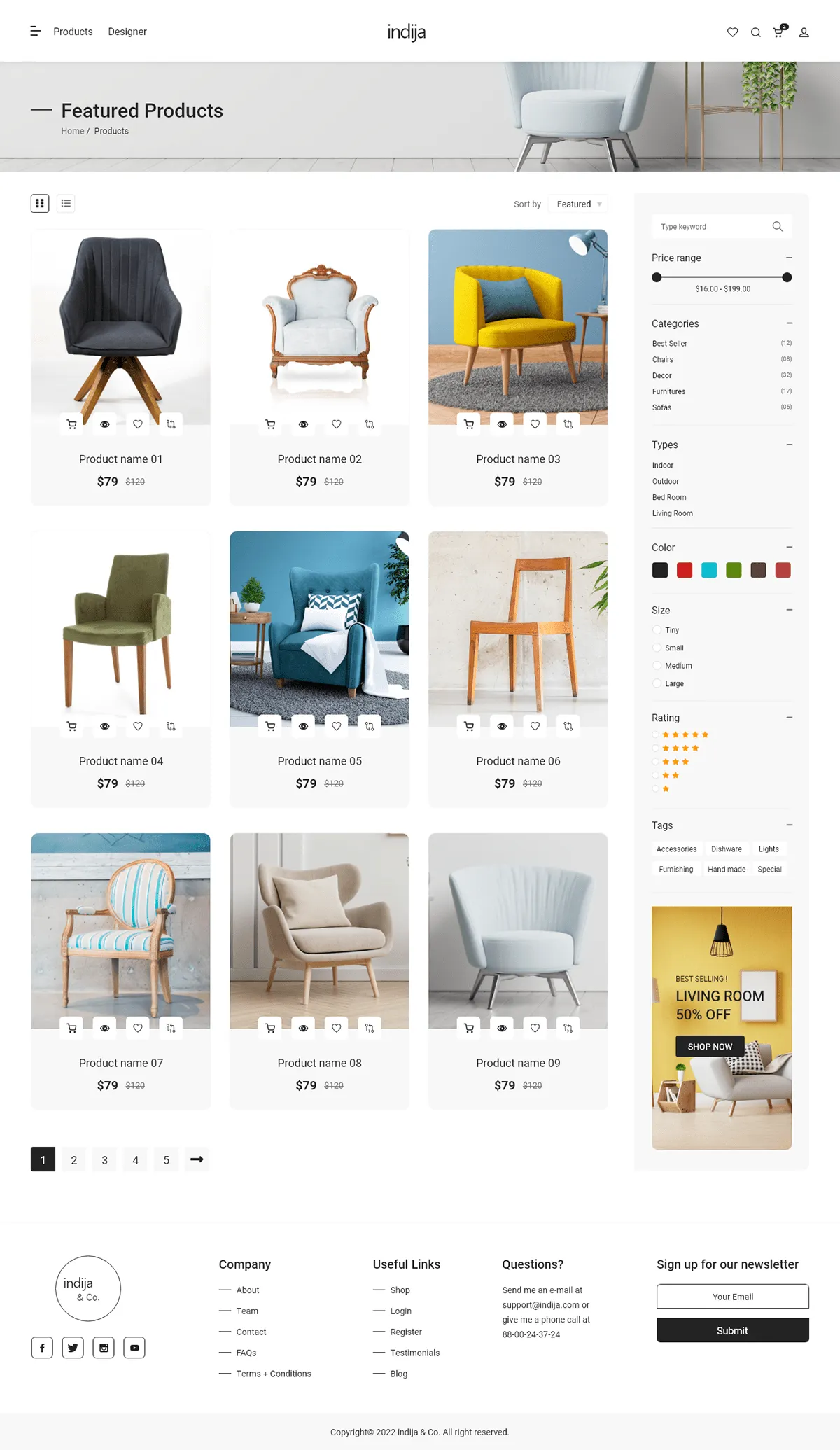
The shop: chairs in a grid, with filters by price, category, colour, size and rating
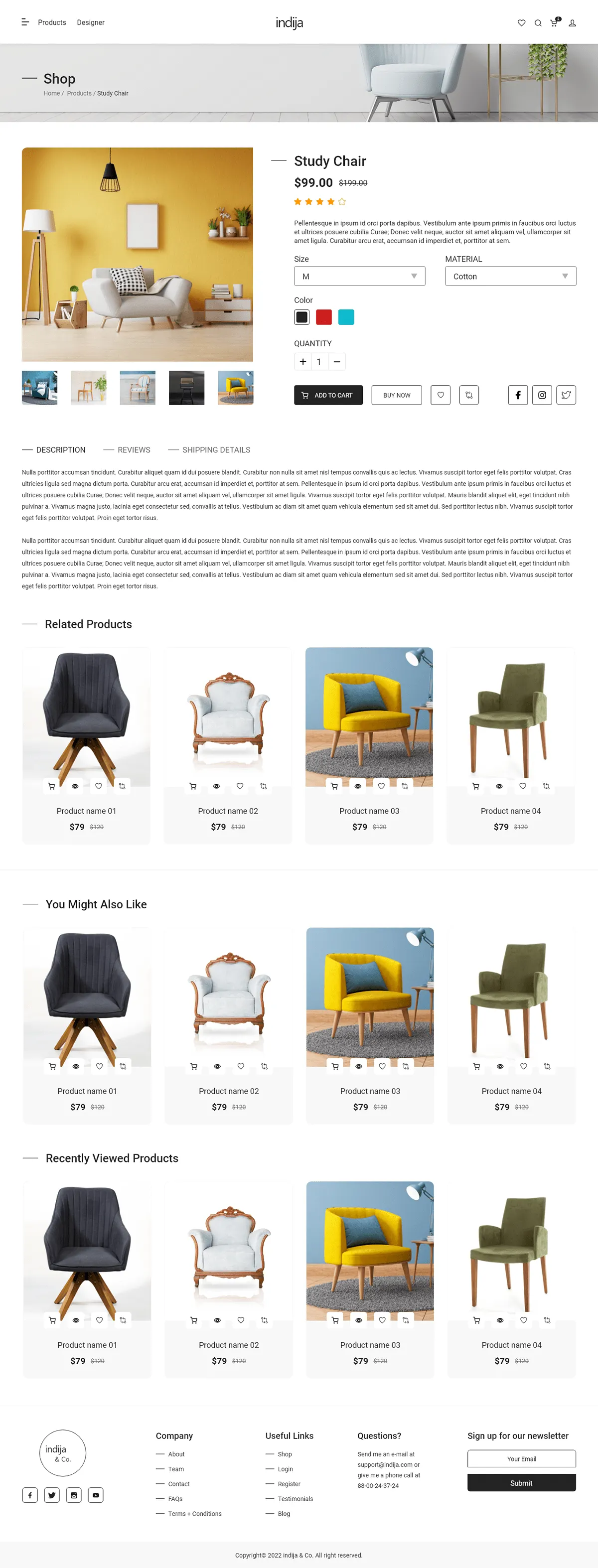
A product: the study chair with its size, material, colour and quantity
indija.in
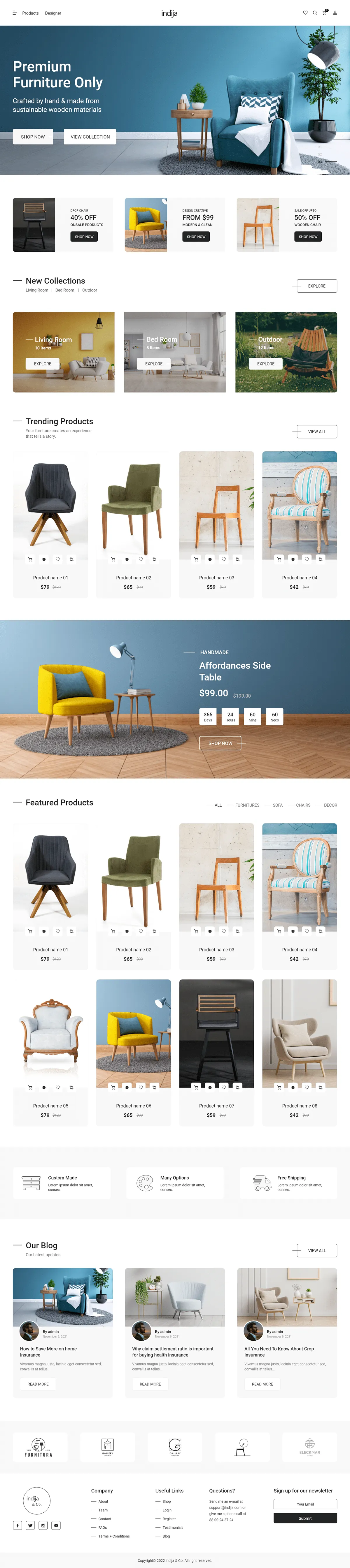
The home page: premium furniture, offers, new collections by room and trending products
Overview

From a crowded showroom to a store you can find your way in

The shift

  1. Busy, uninterested floor staff and little help
    Product pages that answer it all: size, material, colour, reviews and shipping
  2. Messy stores with layouts that are hard to follow
    Shop by room from a mega menu; filter by price, colour, size and rating
  3. No view of stock, slow delivery, long waits
    Every order tracked step by step, with the date it will arrive
  4. Expensive delivery and awkward returns
    Free shipping, flat rate or pickup, and cancellation in two fields

My role

  1. 01ResearchInterviews, persona, empathy map, user journey
  2. 02UXInformation architecture, user flow, brainstorming
  3. 03UI & buildThe brand’s first store, designed and built in HTML, Sass and Bootstrap

In numbers

15Department-store shoppers interviewed
7Categories, by room
17Screens

In three words

  • EasyFind the right piece, fast
  • ConvenientBuy from the sofa, tracked to the door
  • WiseFair prices, deals and coupons

What it covers

  • DiscoverCollections by roomMega menuDeal countdownTrendingBlog
  • ChooseFiltersSize, material, colourReviewsRelated & recently viewed
  • BuyCartCouponsShipping optionsCheckoutBank, cheque or cash
  • AccountOrdersDelivery statusAddressesRatingsCancellation

Tools & methods

  • Adobe XD
  • Photoshop
  • HTML
  • Sass
  • Bootstrap
  • npm
Research

Before the first screen

Indija was opening its first store in India and wanted its online store to carry the brand everywhere else. With no customers yet, we talked to 15 department-store shoppers about their needs, motivations and frustrations, and built from what they said.

The brief

Launch and grow the brand’s omni-channel experience, with the website as the customer’s main way in: one place to explore, buy and keep track, from desktop or phone.

  1. Become an established brand in India
  2. Create a loyal customer base
  3. Earn trust through excellent service
  4. Use technology to complement the store
  5. Stand out through innovation

How we found out

  1. Customer interviews
  2. Market research
  3. Persona & empathy map
  4. Customer journey
  5. Information architecture
  6. Prototype testing

Who we designed for

Abu Bilal 29 · Web developer · New Delhi · Married

A busy professional who wants to dress his drawing room and bedroom in the latest trends, still price-conscious and fond of a good sale. He finds ideas on social media on the go, and buys online.

DecorationConveniencePriceOffersTrustQuality

Frustrations

  • Untrained staff, little help on the floor
  • Messy stores and confusing layouts
  • Can’t find what fits his style and space
  • No view of what’s in stock
  • Slow, costly delivery and returns
  • Poor installation service

Goals

  • The right piece at the right time
  • Inspired and up to date with trends
  • Save time and money
  • Help when he needs it
  • His information kept safe
  • In control: order tracking, fair returns

Information architecture

Home page
  • ProductsDining & kitchenSofa setsOfficeBedroomChairsIndoorOutdoor
  • Designer
  • Favourites
  • CartCheckoutPayment
  • My accountDashboardOrdersAddressWishlistCouponsGift cardsSettings

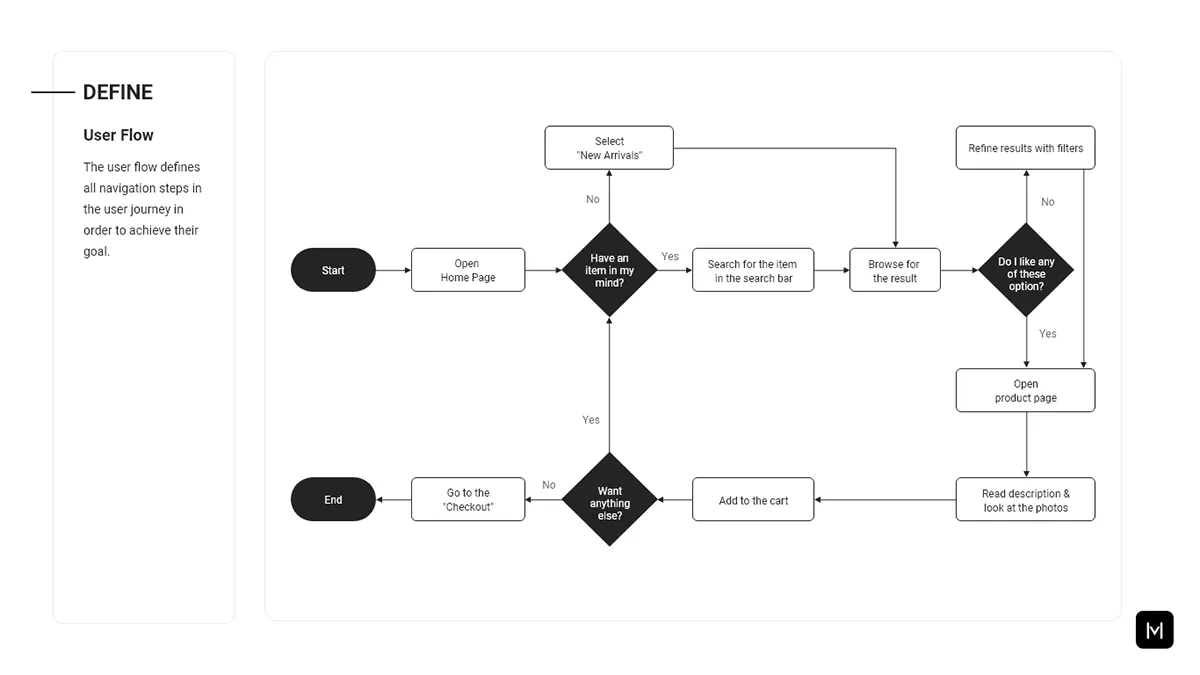
User flow

User flow: from the home page, search or browse, refine with filters, open a product, read and look, add to cart, and on to checkout

What I learned

Keep the customer in the room
Deadlines pull a client toward the next feature. Small workshops on what customers want would have brought the research back in.
A design system needs a keeper
It only lasts with constant reference and someone who champions it, above all when teams change.
The core

Shop the store

The path the research asked for, from browsing to the door. Filter the chairs, pick one, choose its size, material and colour, add it to the cart, apply a coupon, pick how it ships, place the order and follow it home. It shops on its own; click anything and the cart is yours.

Chairs

9 products
Oak study chair
$99$199
Size
Material
Colour
1

Your cart

0 items
    INDIJA10
    Subtotal
    $0
    Discount
    −$0
    Total
    $0
    17 key screens · 3 parts
    1. The home page

      Premium furniture up front, offers, new collections by room, trending products, a deal with a countdown and the blog.

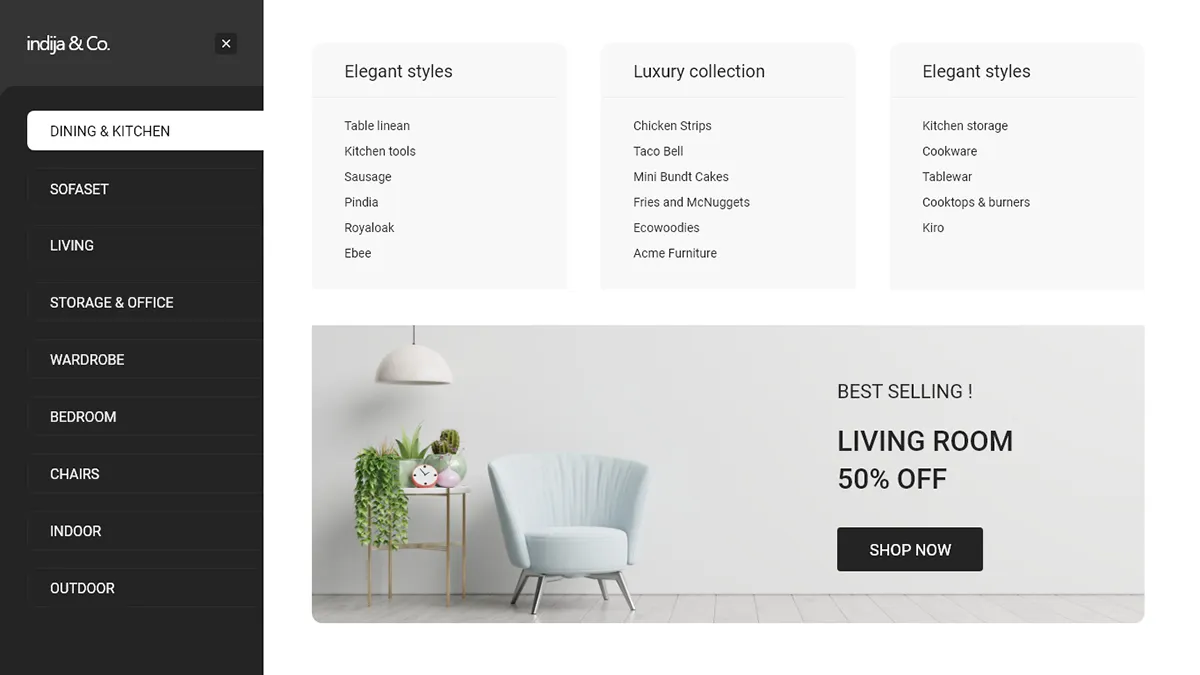
    2. Shop by room

      The mega menu: every room down the side, styles and collections beside it, and a best seller.

    3. The shop

      Chairs in a grid, with filters by price, category, type, colour, size, rating and tag.

    4. A product

      Price, size, material and colour, quantity, add to cart or buy now; then the description, reviews and shipping, and what else you might like.

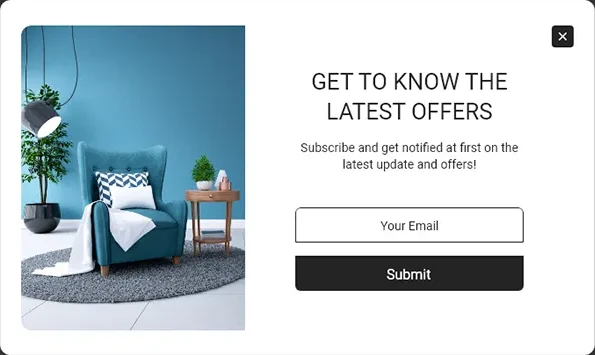
    5. Get to know the offers

      An invitation to the newsletter, with the latest offers first.

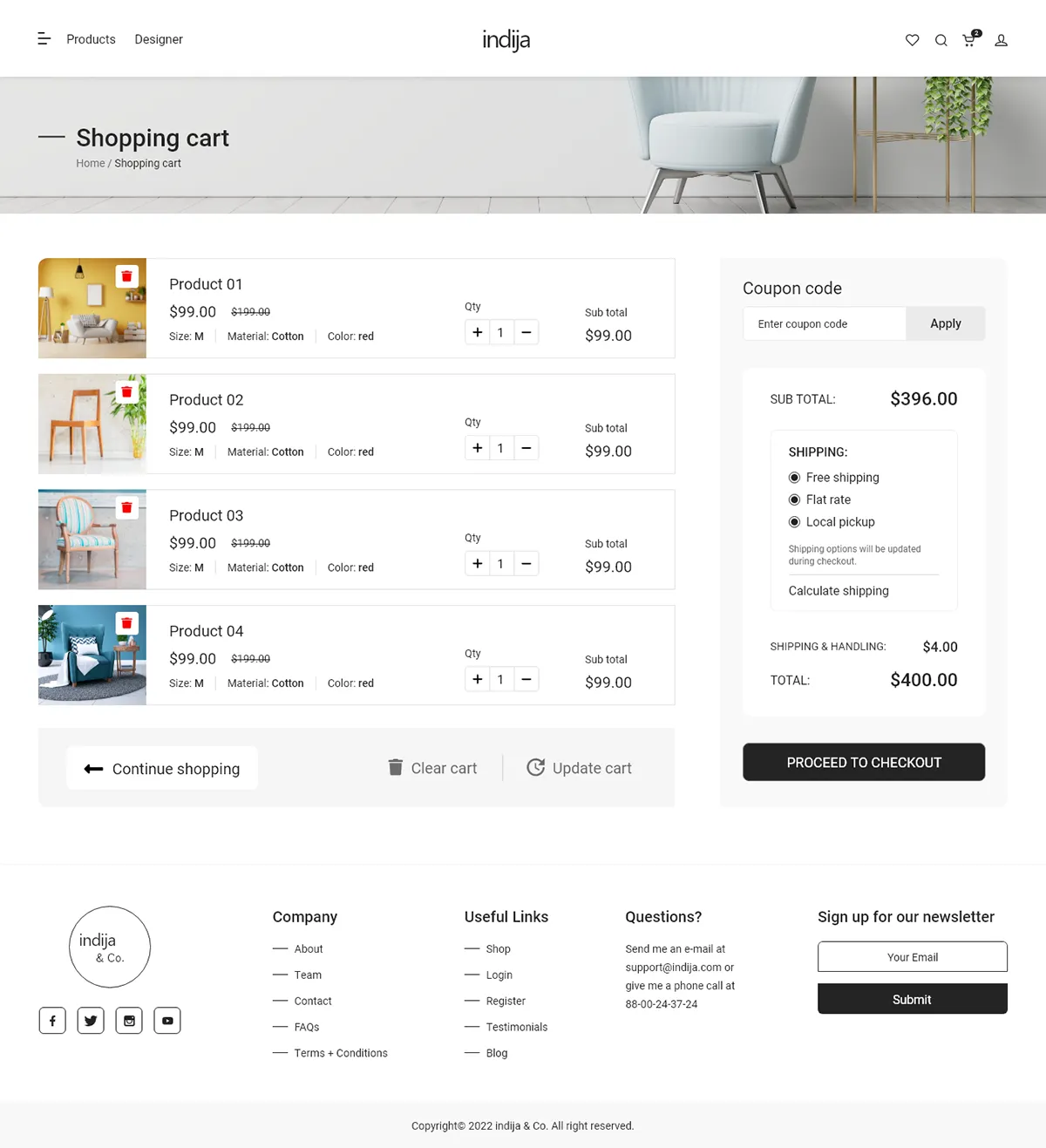
    6. The cart

      Each piece with its options, quantity and subtotal; a coupon, how it ships, and the total.

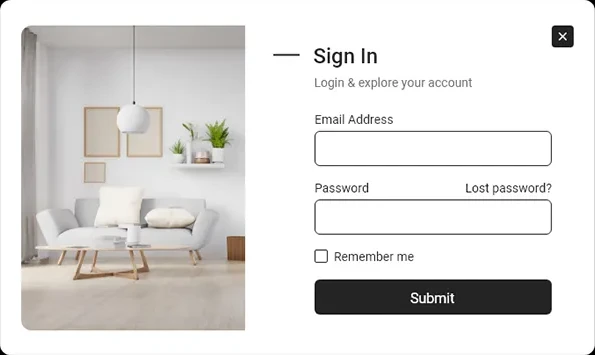
    7. Sign in

      Only when it’s needed: at checkout, with a lost-password link.

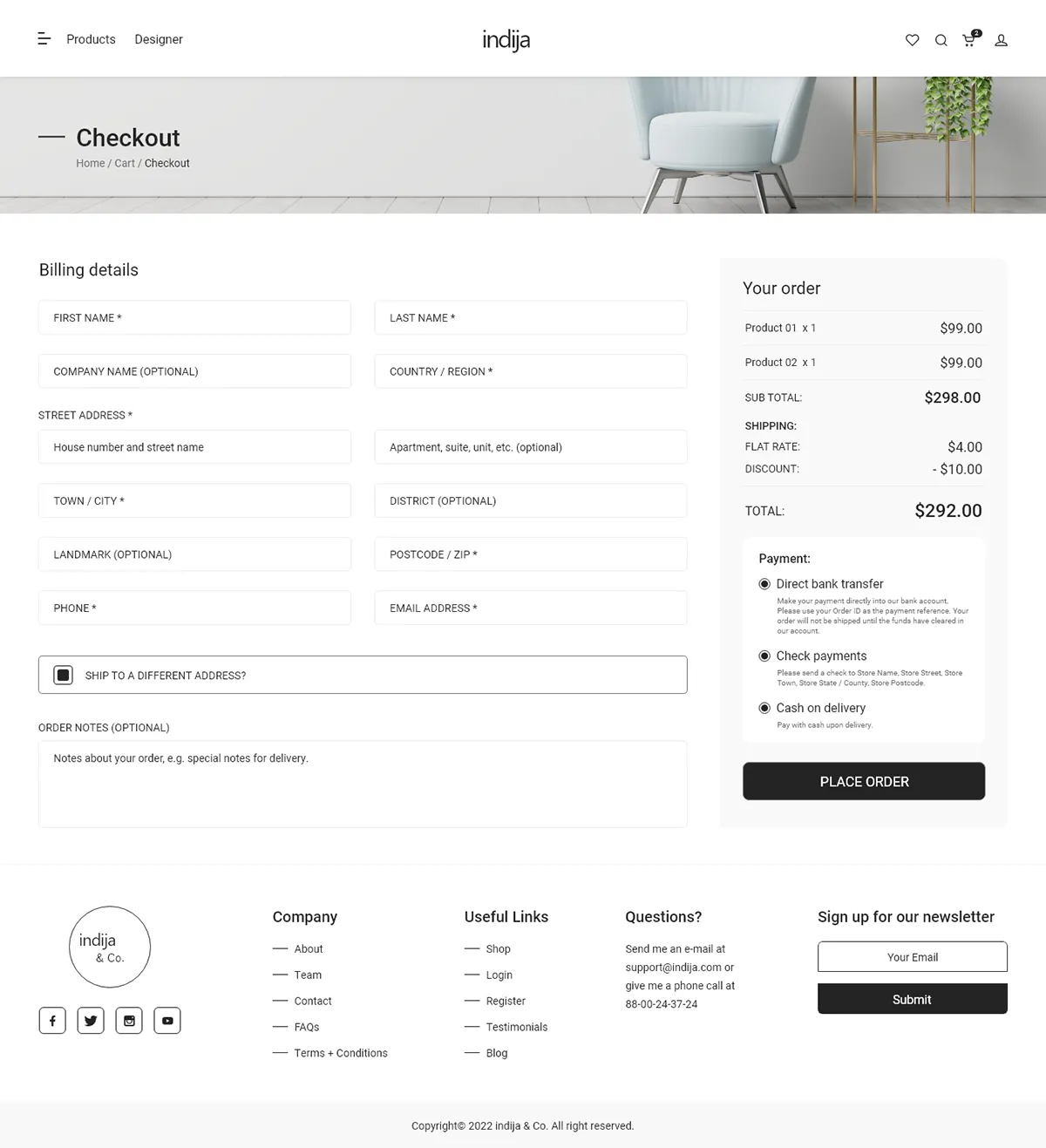
    8. Checkout

      Billing details, another address if needed, notes, then bank transfer, cheque or cash on delivery.

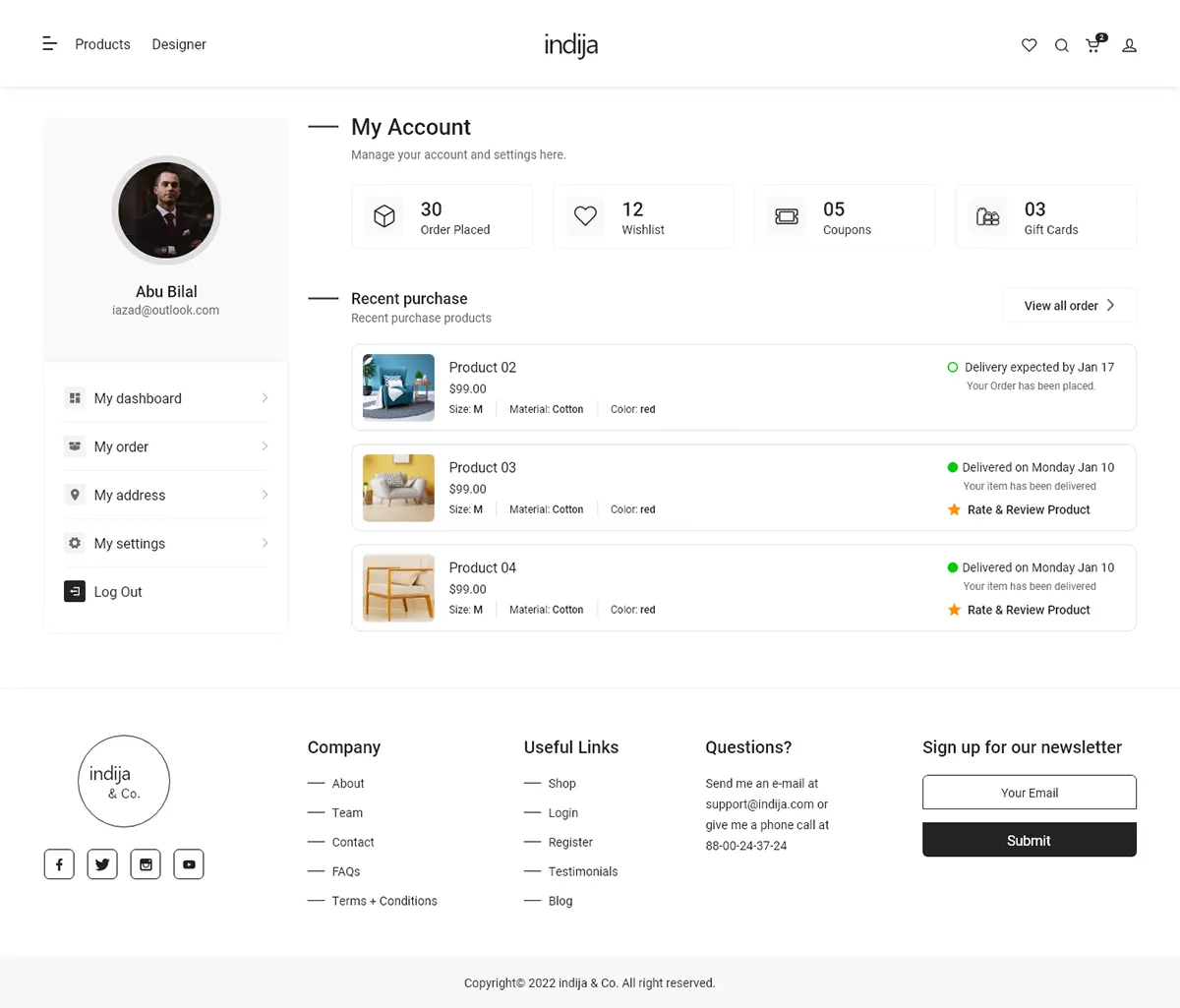
    9. My account

      Orders, wishlist, coupons and gift cards, and the latest purchases with their delivery.

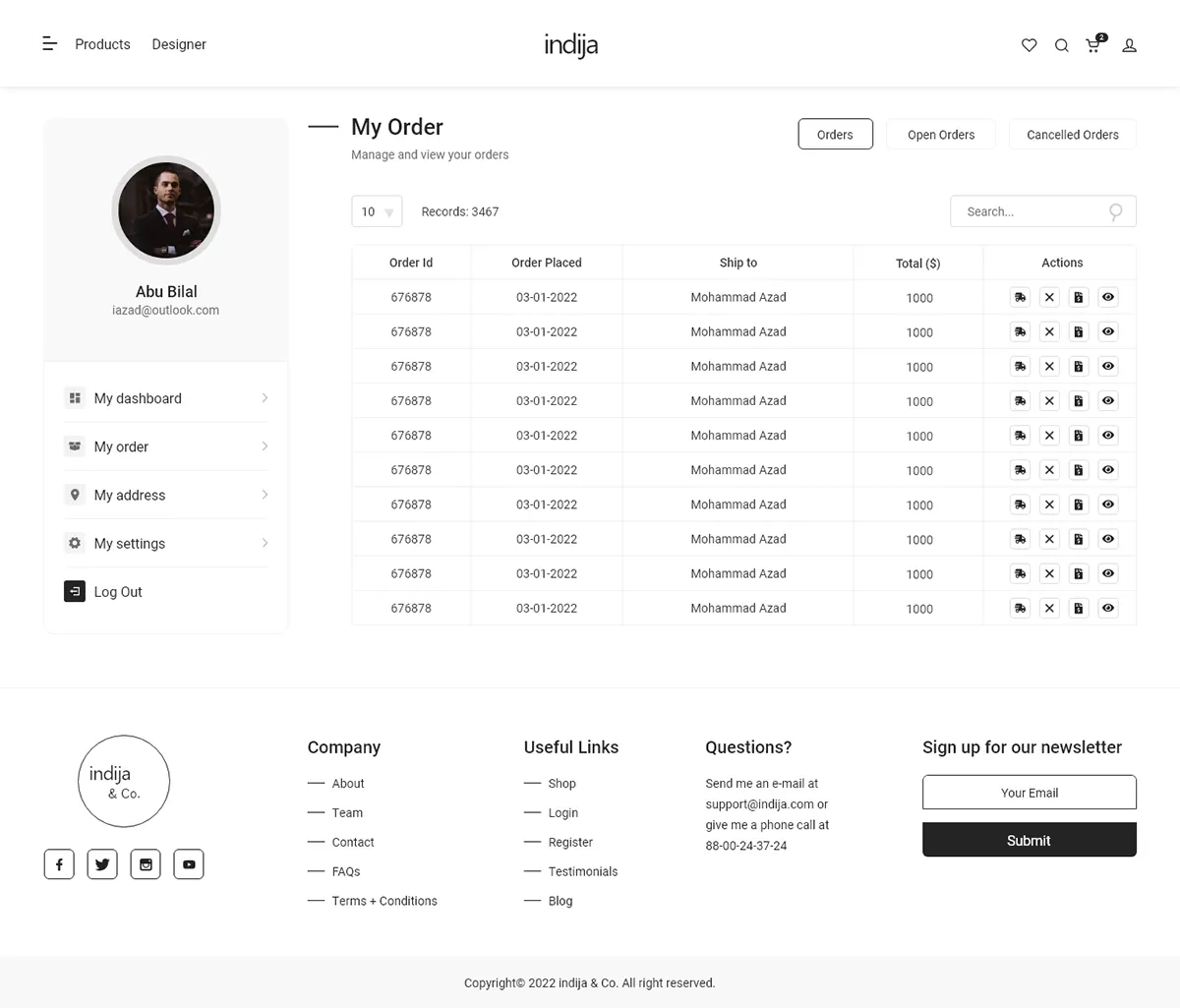
    10. My orders

      Every order with its date, address and total; open, cancelled or all.

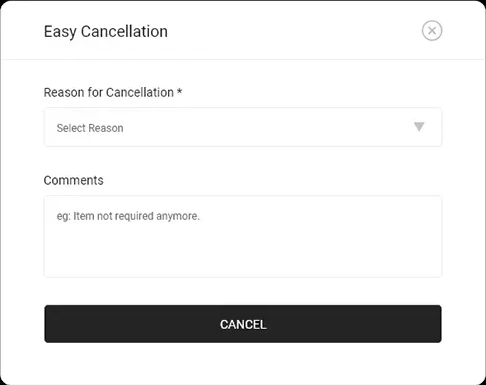
    11. Easy cancellation

      A reason and a comment, and it’s cancelled.

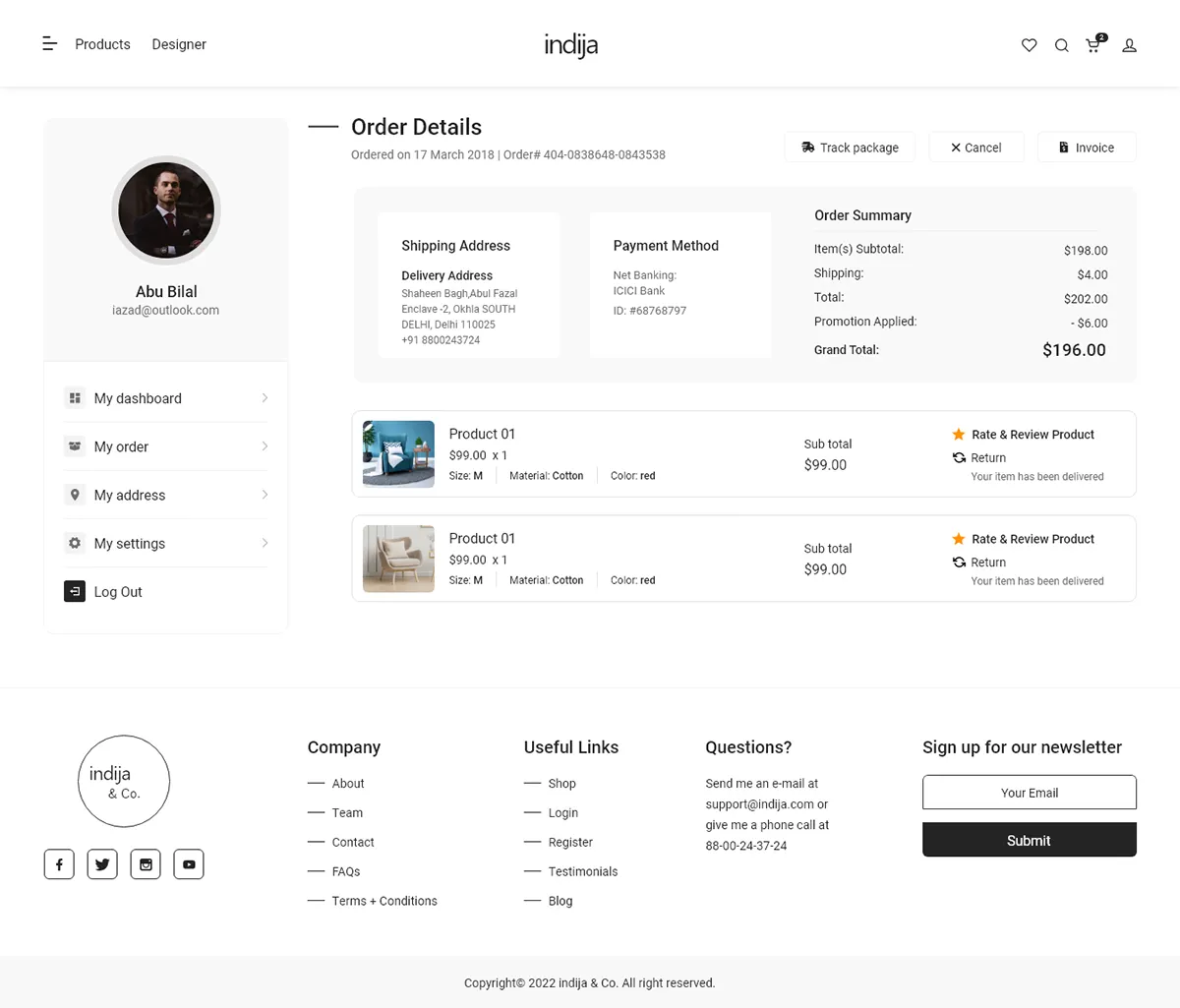
    12. An order

      What was bought, where it goes and how it was paid.

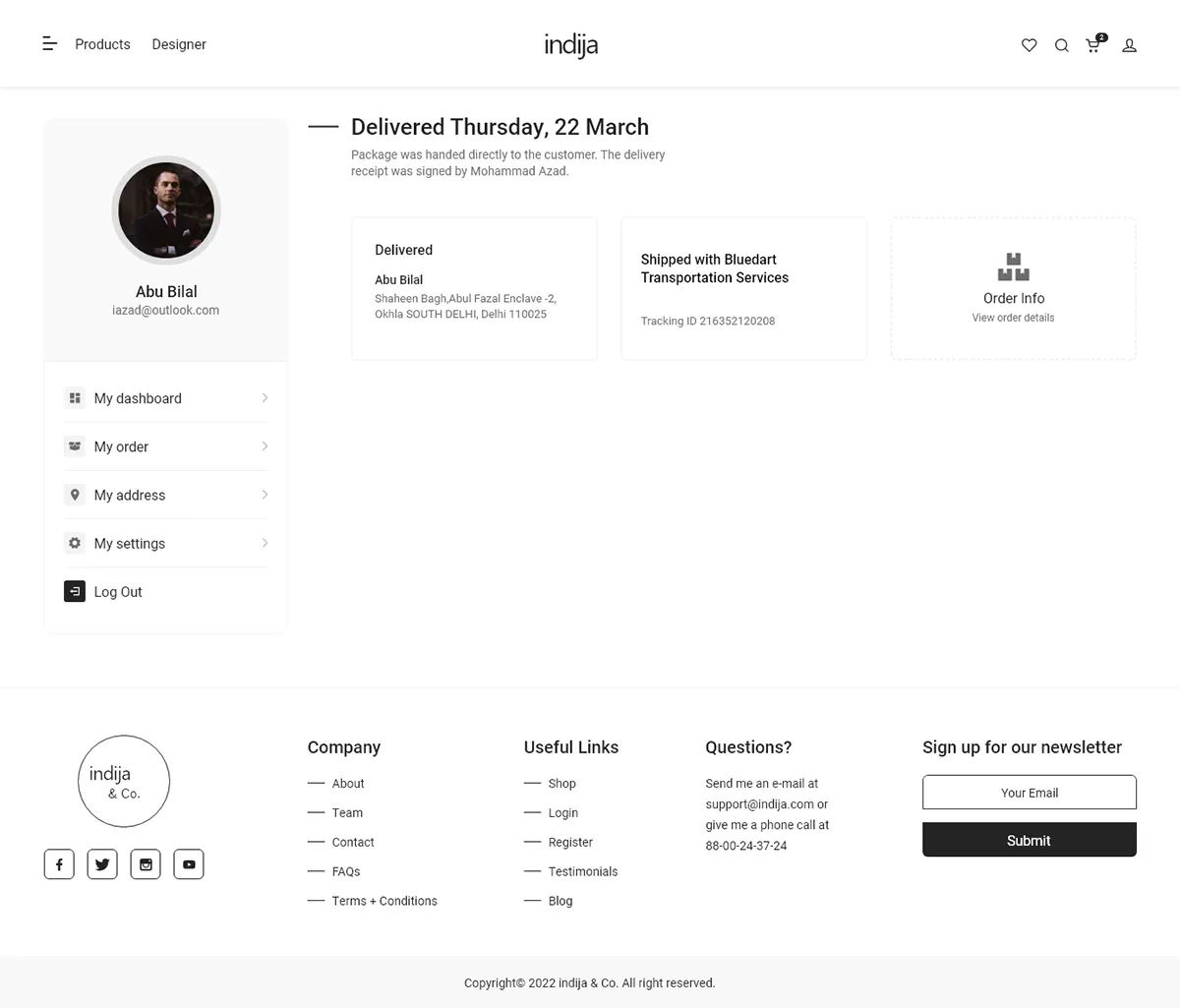
    13. Delivery status

      Where the order is, step by step, and when it arrives.

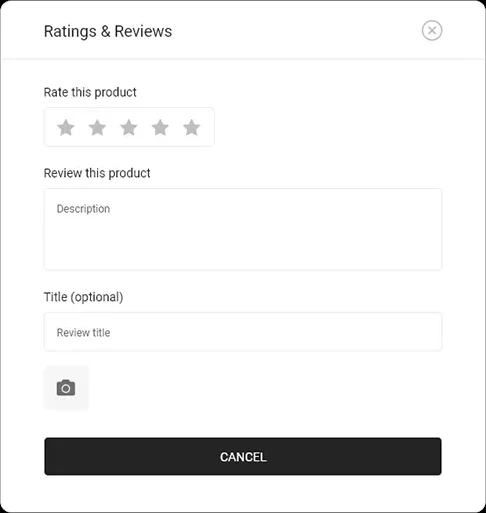
    14. Rate and review

      Stars, a few words and a photo, for the next shopper.

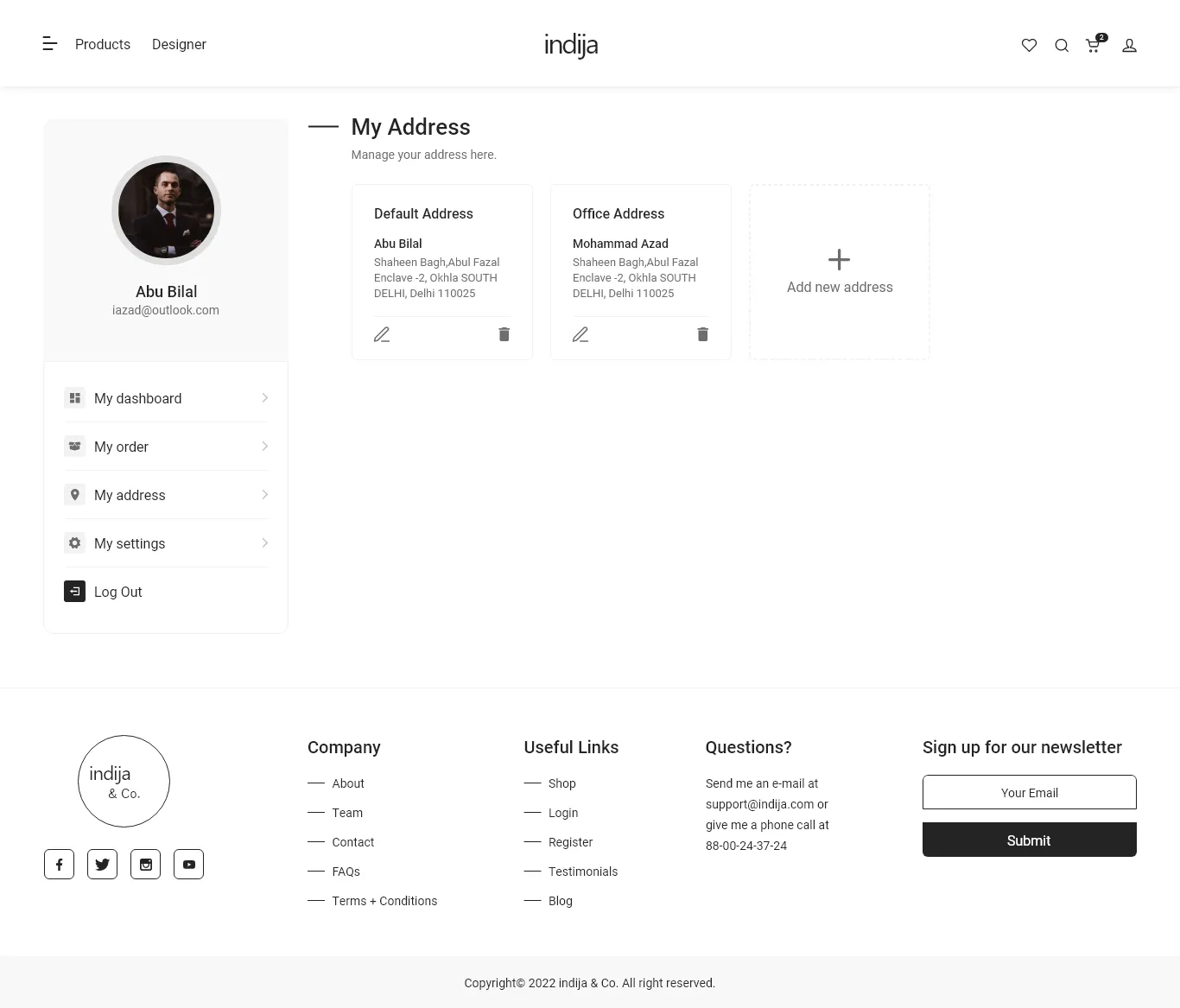
    15. My addresses

      Home and work, with delivery hours.

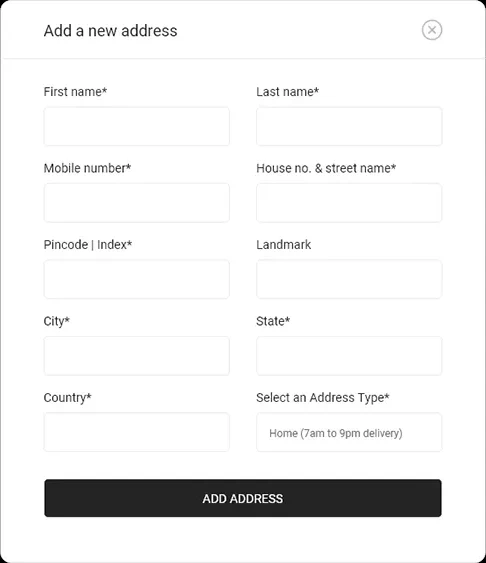
    16. Add an address

      Name, phone, pincode, landmark, and when to deliver.

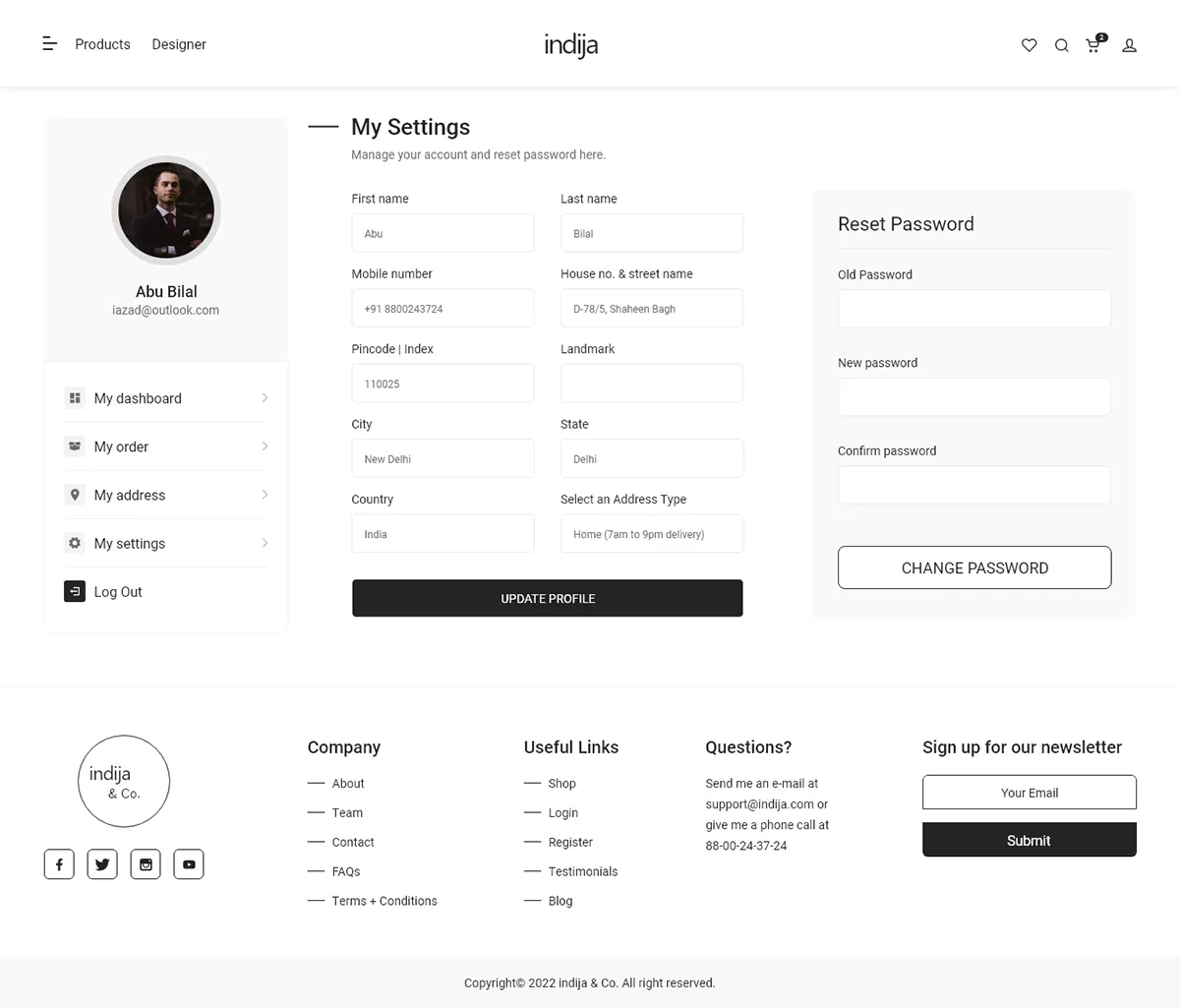
    17. Settings

      Profile, password and notifications.

    01 / 17
    indija.in · Home
    The home page, top to bottom: hero, offers, collections, trending, the deal, featured products, promises and the blog
    The mega menu: rooms, styles, collections and a best-selling offer
    The shop: products in a grid with filters on the right
    A product page: gallery, options, description tabs, related, suggested and recently viewed products
    Get to know the offers: An invitation to the newsletter, with the latest offers first
    The shopping cart: items, coupon, shipping options and totals
    Sign in: Only when it’s needed: at checkout, with a lost-password link
    Checkout: billing details, the order summary and payment
    My account: counts and recent purchases with their delivery
    My orders as a table, with actions
    Easy cancellation: A reason and a comment, and it’s cancelled
    Order details
    Delivery status as a timeline
    Rate and review: Stars, a few words and a photo, for the next shopper
    Saved addresses
    Add an address: Name, phone, pincode, landmark, and when to deliver
    Account settings
    Next

    More company work