security loading
Company project · Enterprise web app

Security Maturity Assessment

One platform to assess, score and approve the security of 100+ departments, instead of email and Excel.

  • UX/UI LeadMy role
  • 8User roles
  • 49Screens
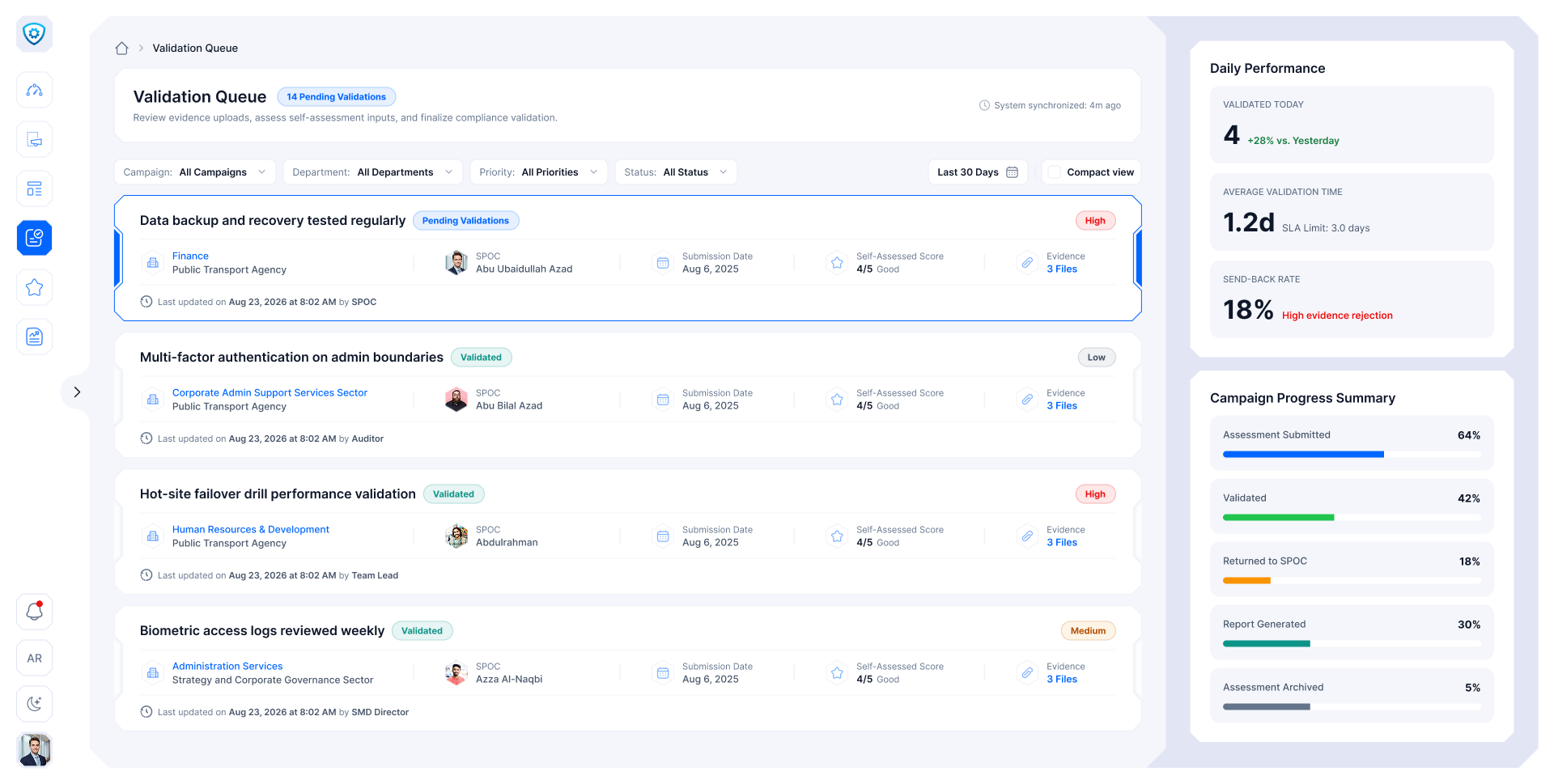
Validation queue
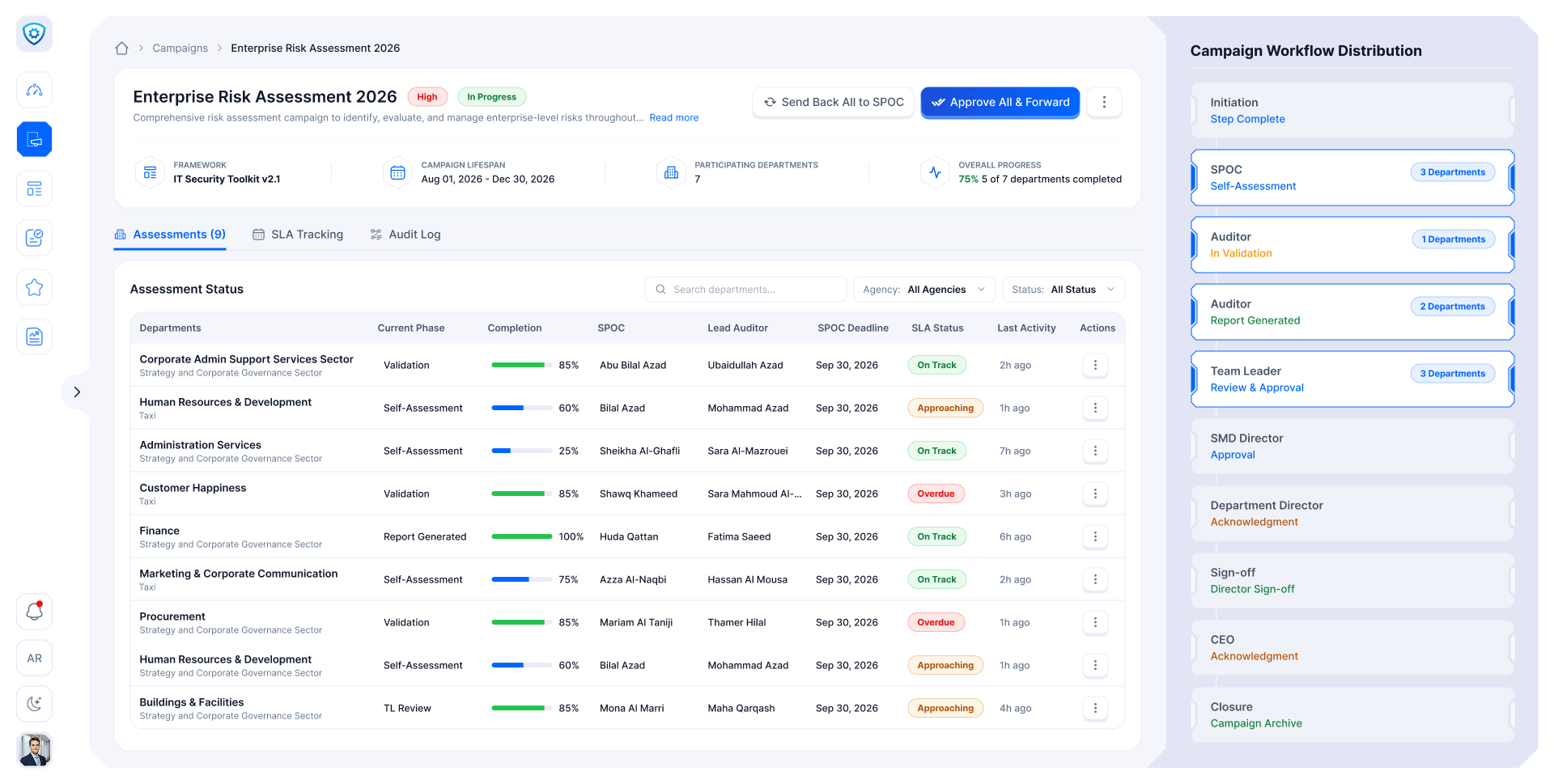
Campaign detail
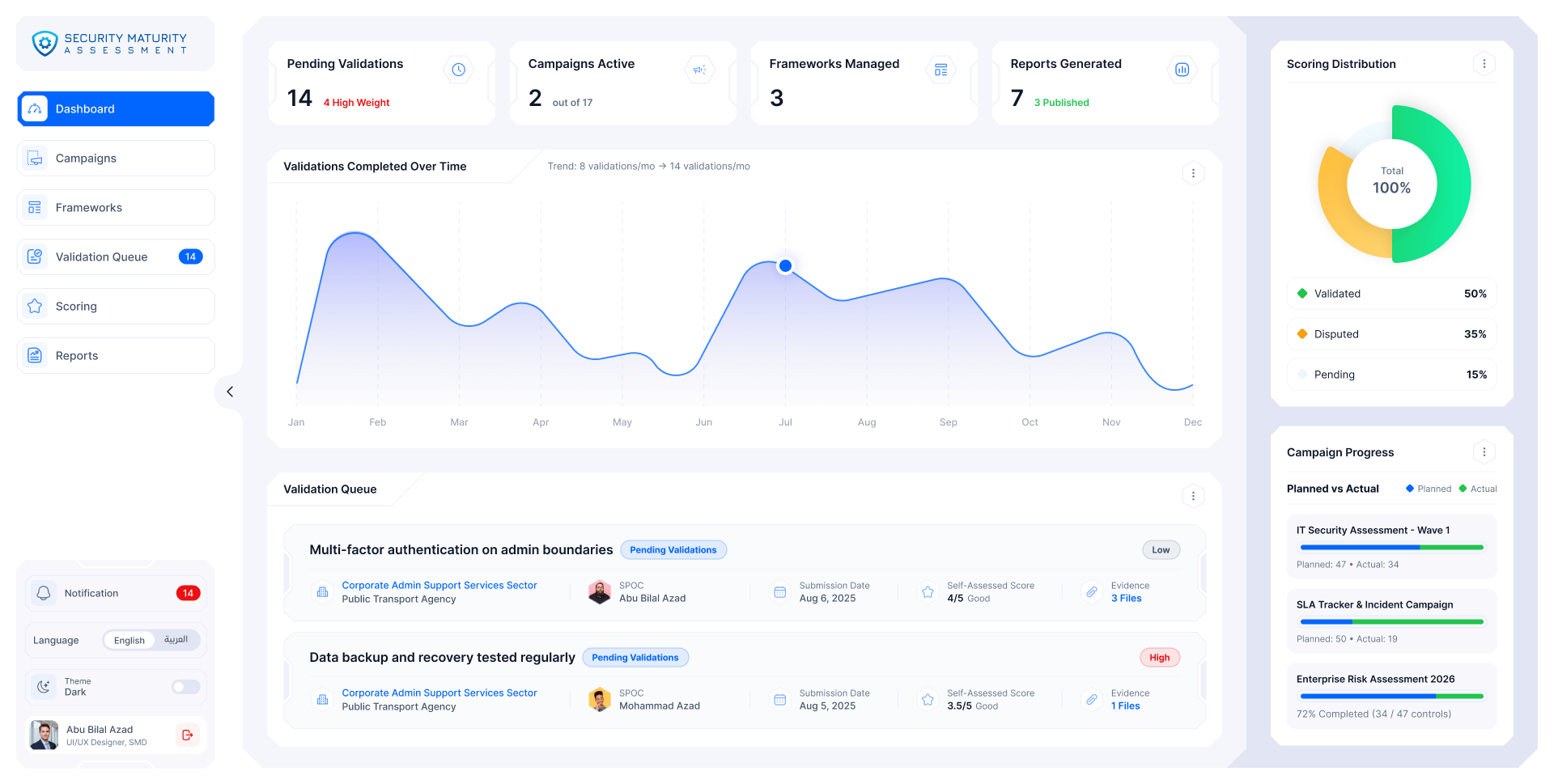
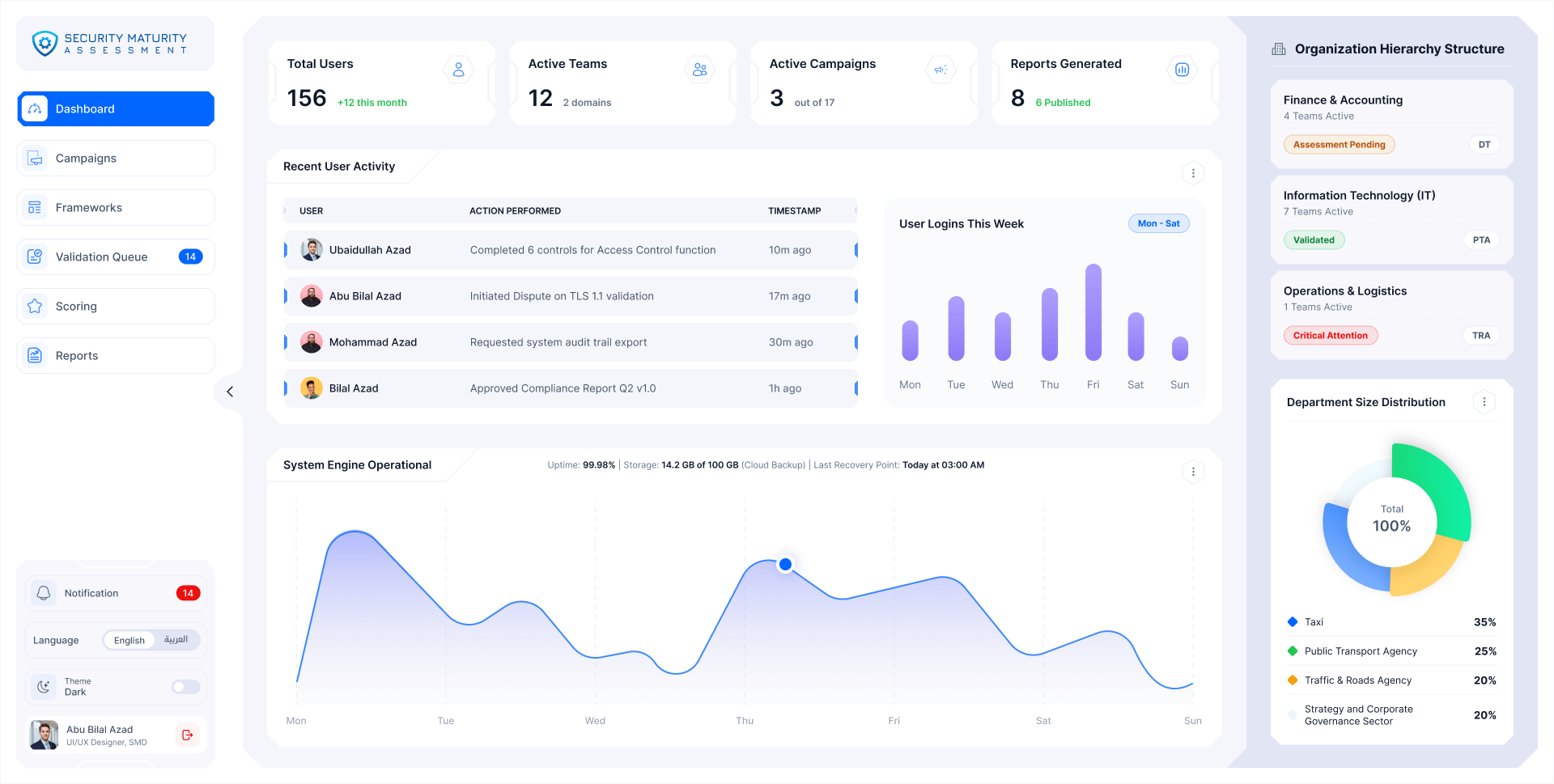
SMA · Auditor dashboard
Auditor dashboard with pending validations, active campaigns, validations over time and the scoring distribution
Overview

From email chains to one source of truth

The shift

  1. Files lost in email chains
    One source of truth
  2. Scores worked out by hand
    One scoring engine, used everywhere
  3. No one knew who was late
    A deadline on every step
  4. Whole reports sent back
    Only flagged items reopen

My role · UX/UI design lead

  1. 01ResearchStakeholders, personas, structure
  2. 02UXThe 9-step flow, the 6-step wizard
  3. 03UI designDesign system and 49 screens in Figma

In numbers

8User roles
9Workflow steps
49Screens

Four domains, one score

  1. Control
  2. Function
  3. Domain
  4. Department
  5. Organisation
  • IT SecurityOwn team and toolkit
  • OT SecurityOwn team and toolkit
  • Fraud & CorruptionNo "not applicable"
  • Physical SecurityOwn team and toolkit

50 to 60 controls per assessment, each scored 0 to 5 with its own weight.

Arabic first

Right to left by default, English second. Every screen, report, alert and empty state exists in both.

The workflow

Nine steps, two sides

An assessment moves between the security team and the department. Tap a step to see who acts.

01

Prepare

Builds the framework, sets up the campaign and publishes it.

Auditor
  • Every return is partialOnly flagged items unlock. Everything else stays frozen.
  • Two-hop ruleApprovers never reach the SPOC directly. Returns go through the auditor.
20 key screens · 6 stages
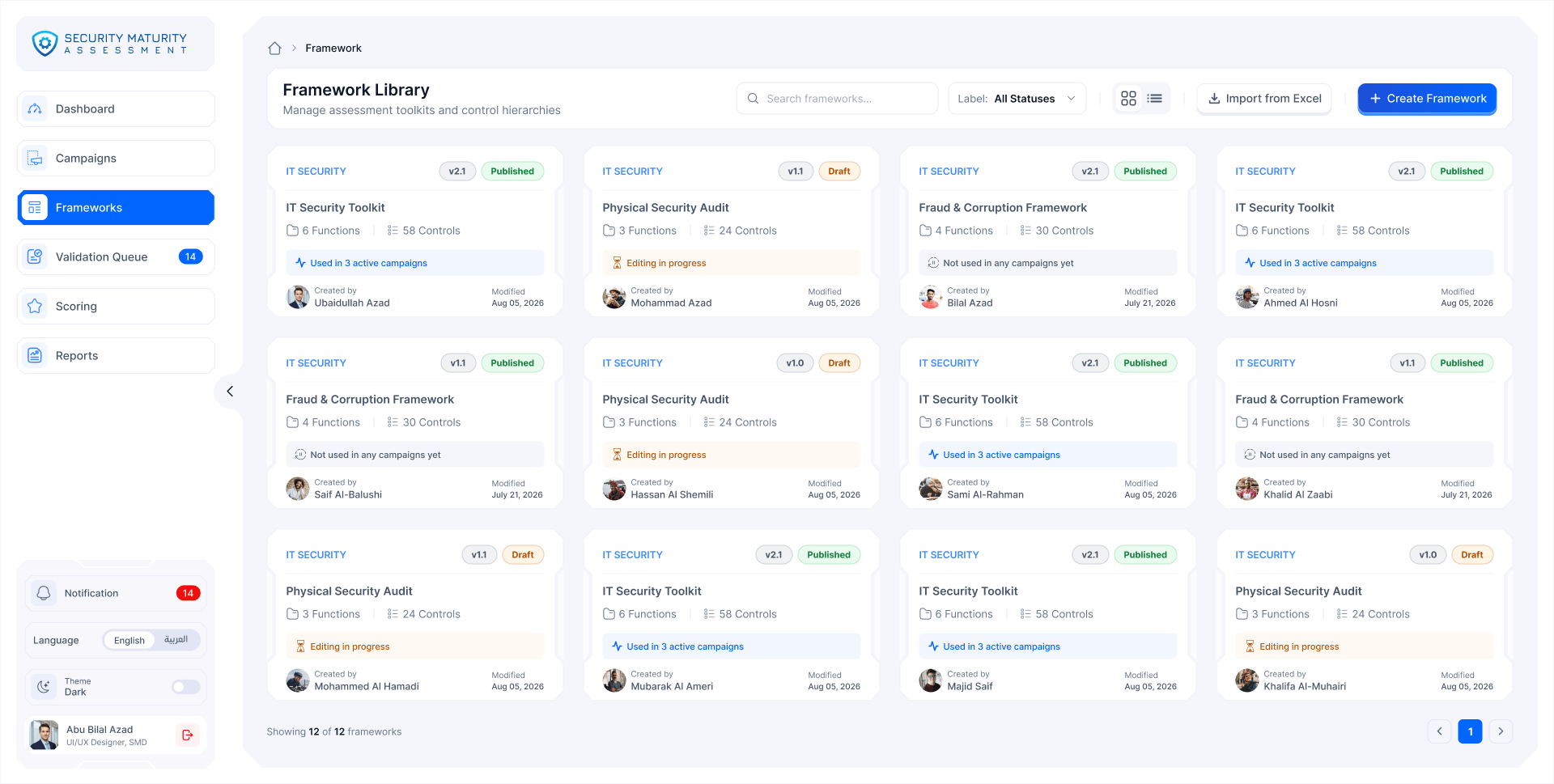
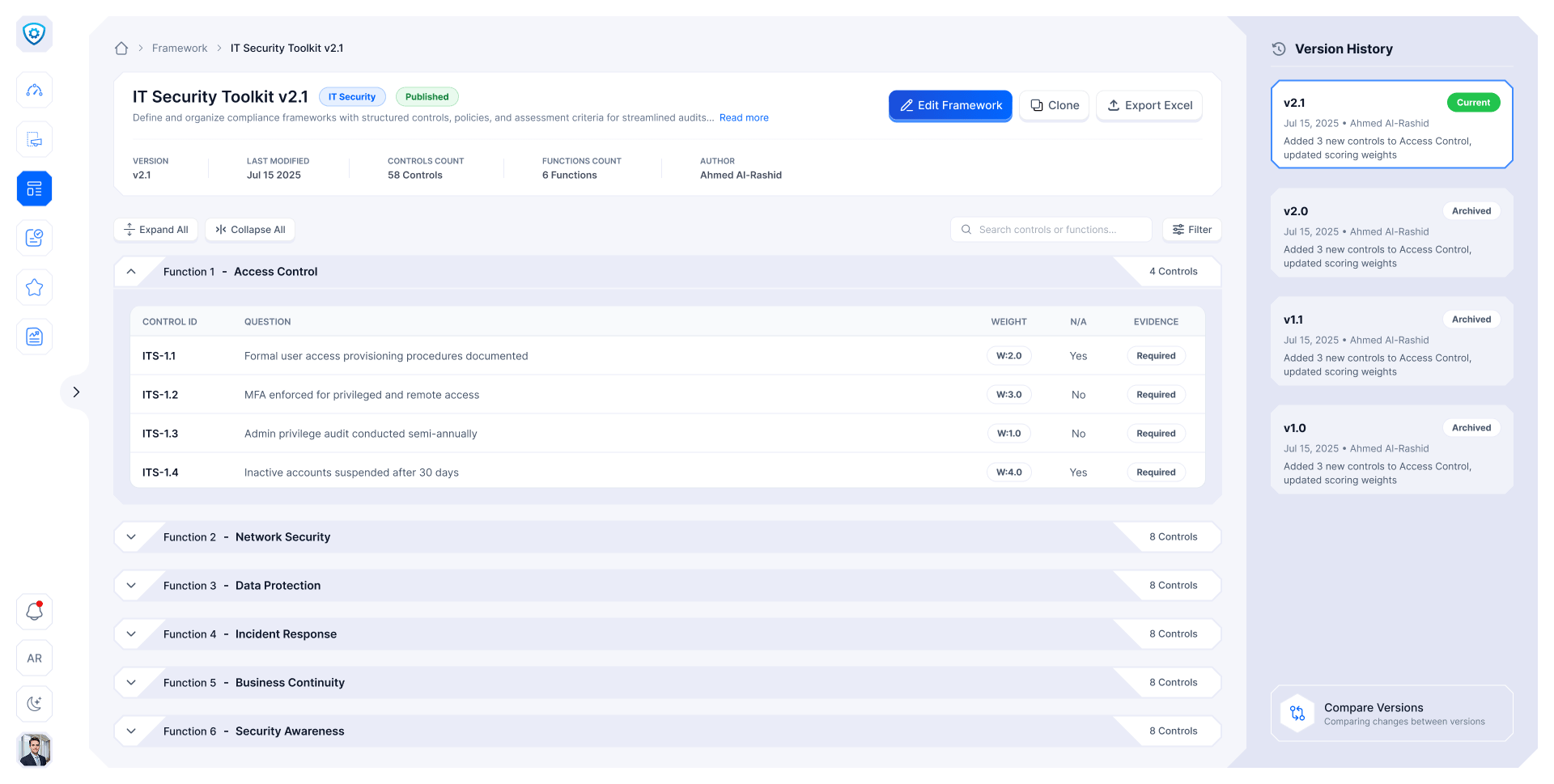
  1. Framework library

    Every toolkit, its version and where it's used.

  2. Framework detail

    Functions and controls, each with its weight.

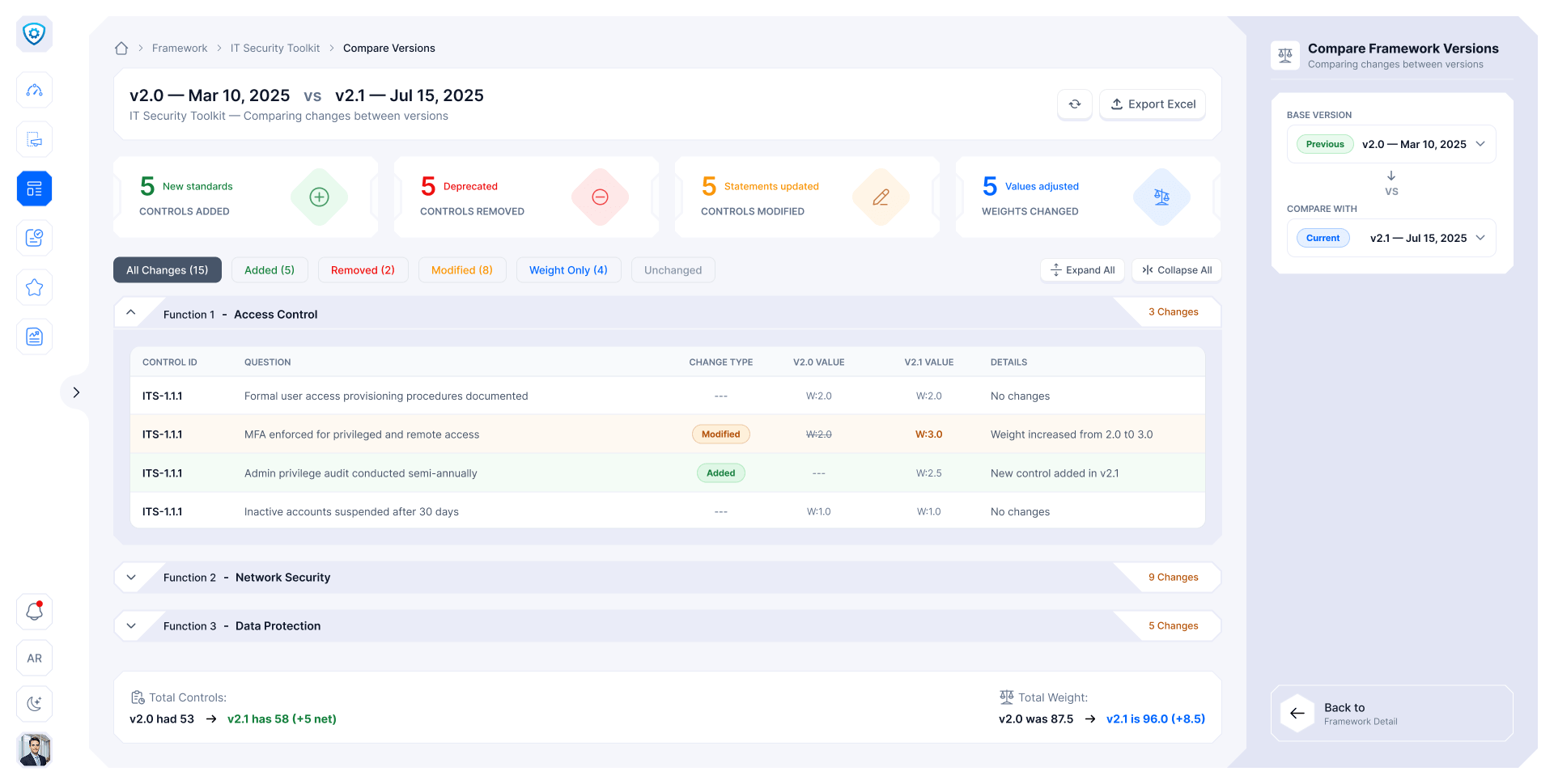
  3. Compare versions

    What changed between two versions, row by row.

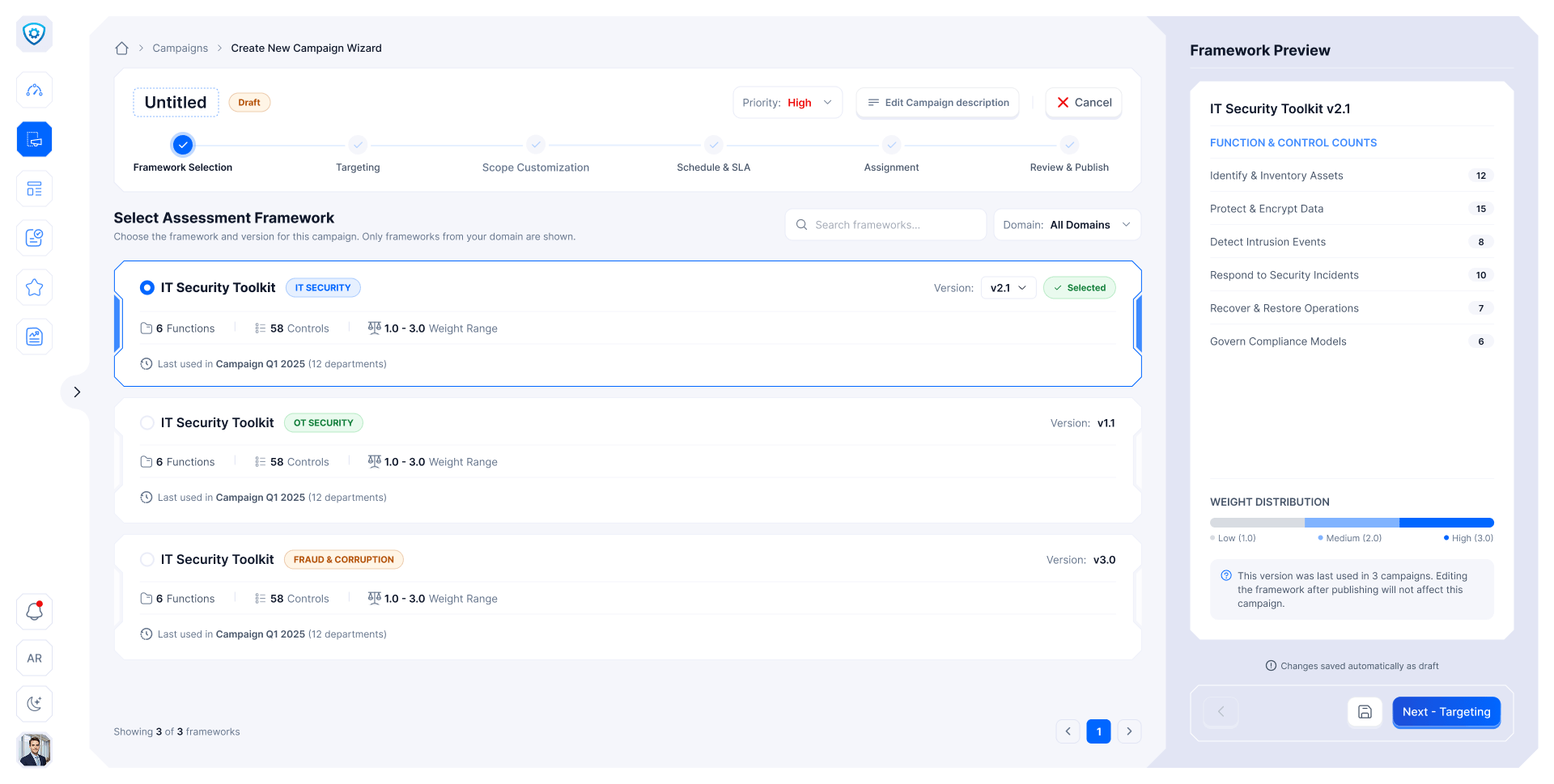
  4. 1 · Framework

    Pick the framework. Its version locks at publish.

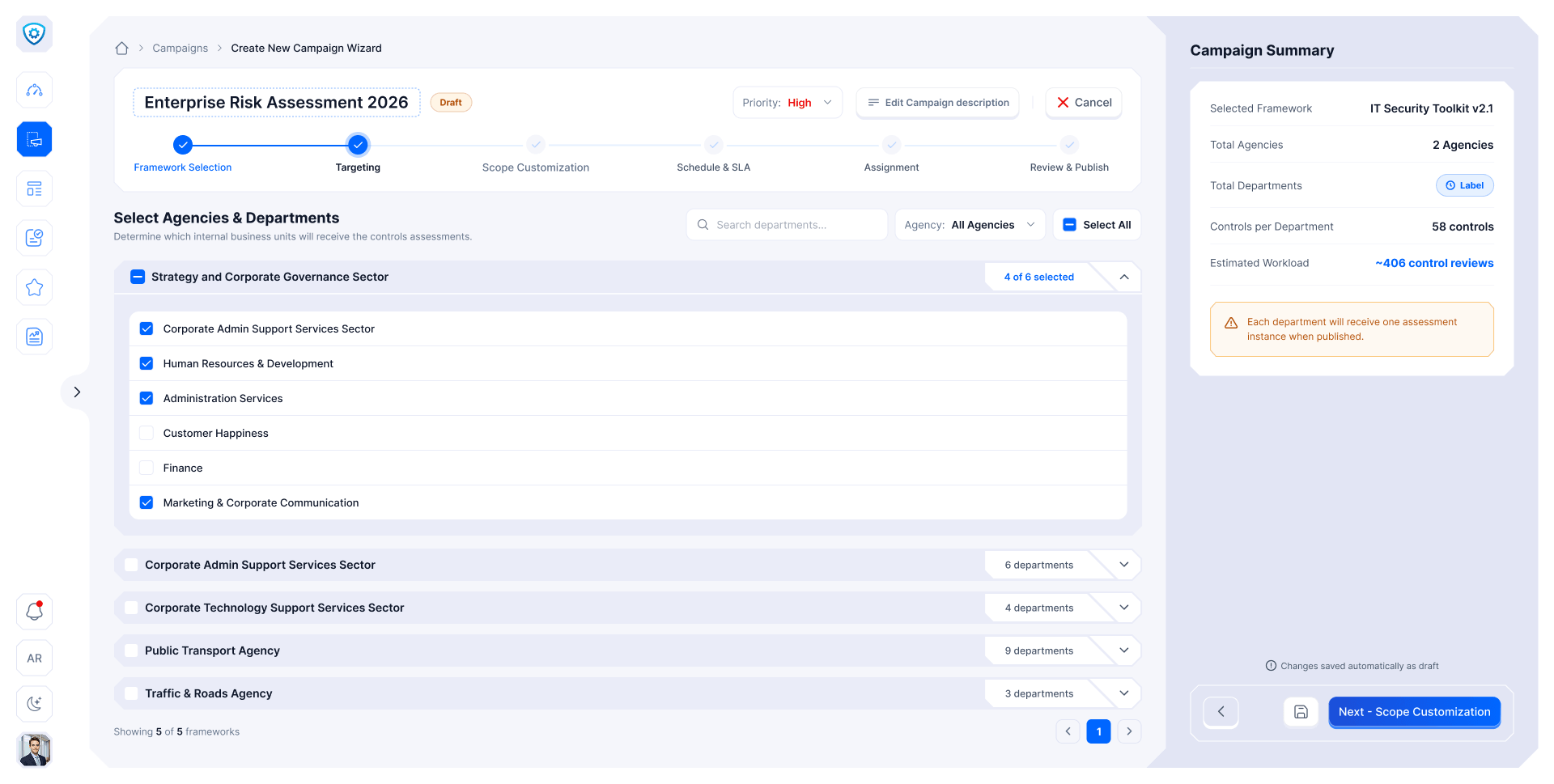
  5. 2 · Targeting

    Choose the agencies and departments.

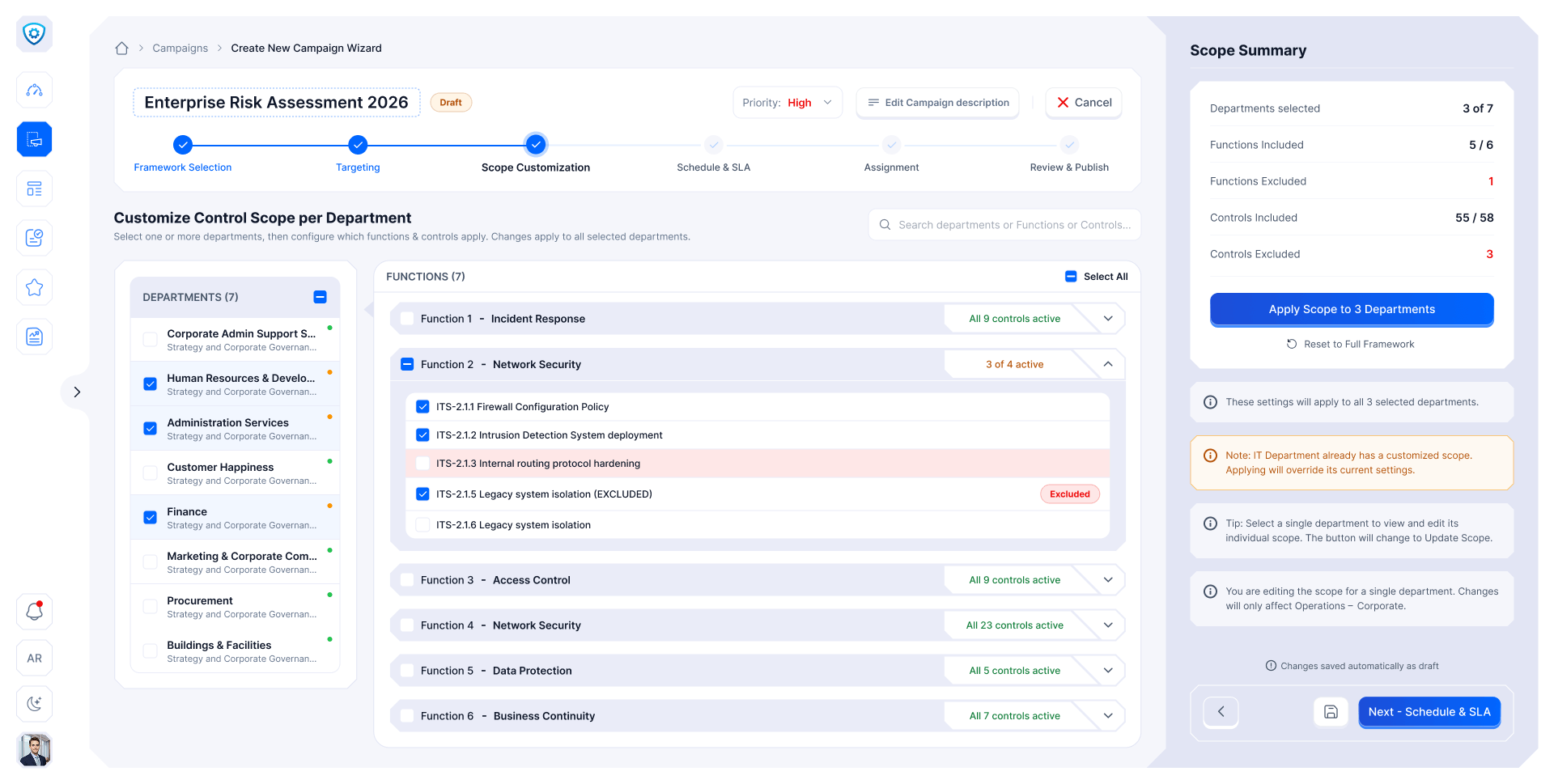
  6. 3 · Scope

    Switch controls off for one department only.

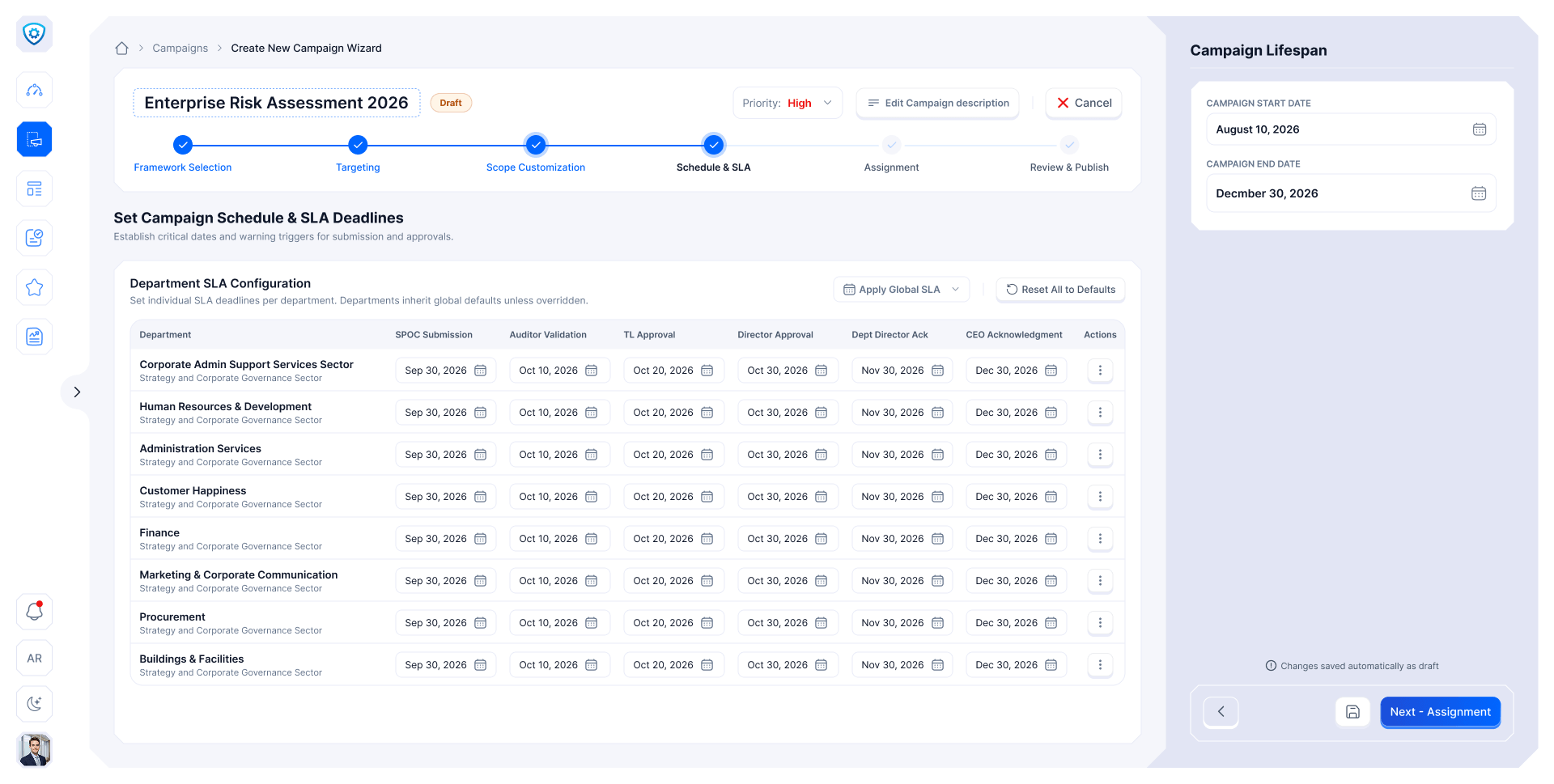
  7. 4 · Schedule & SLA

    A deadline for every step, per department.

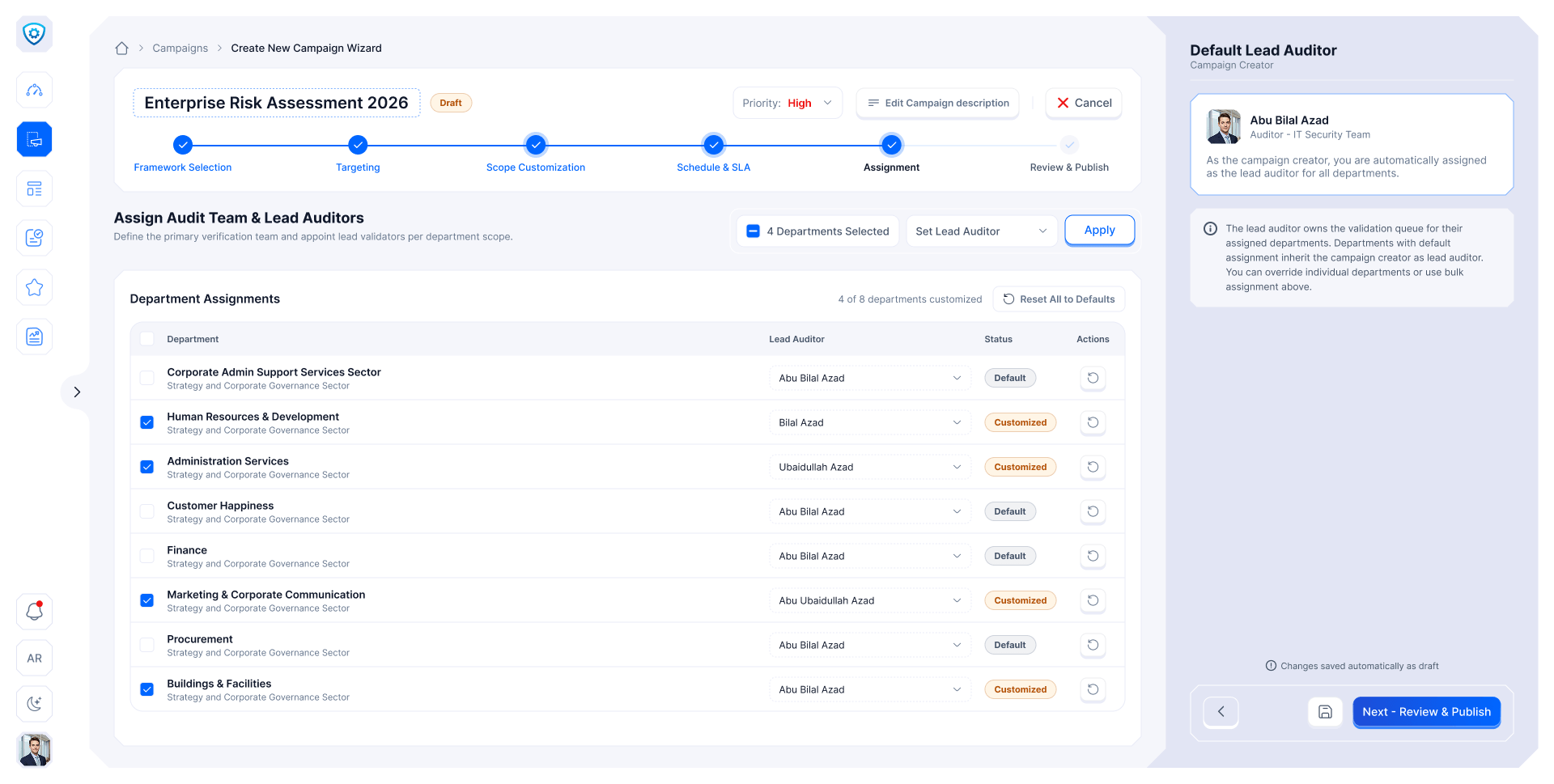
  8. 5 · Assignment

    A lead auditor for each department.

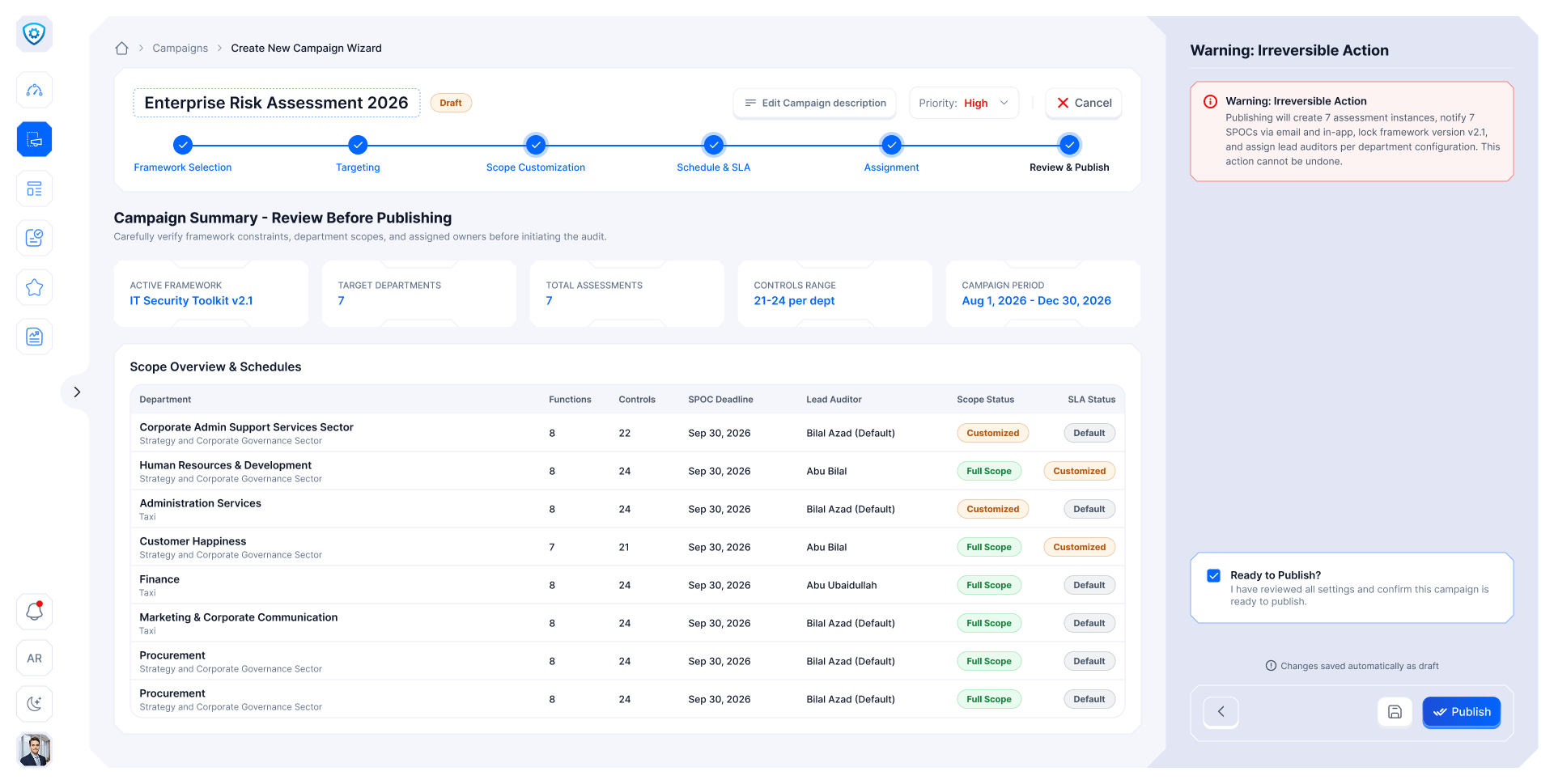
  9. 6 · Review & publish

    Check everything once, then publish.

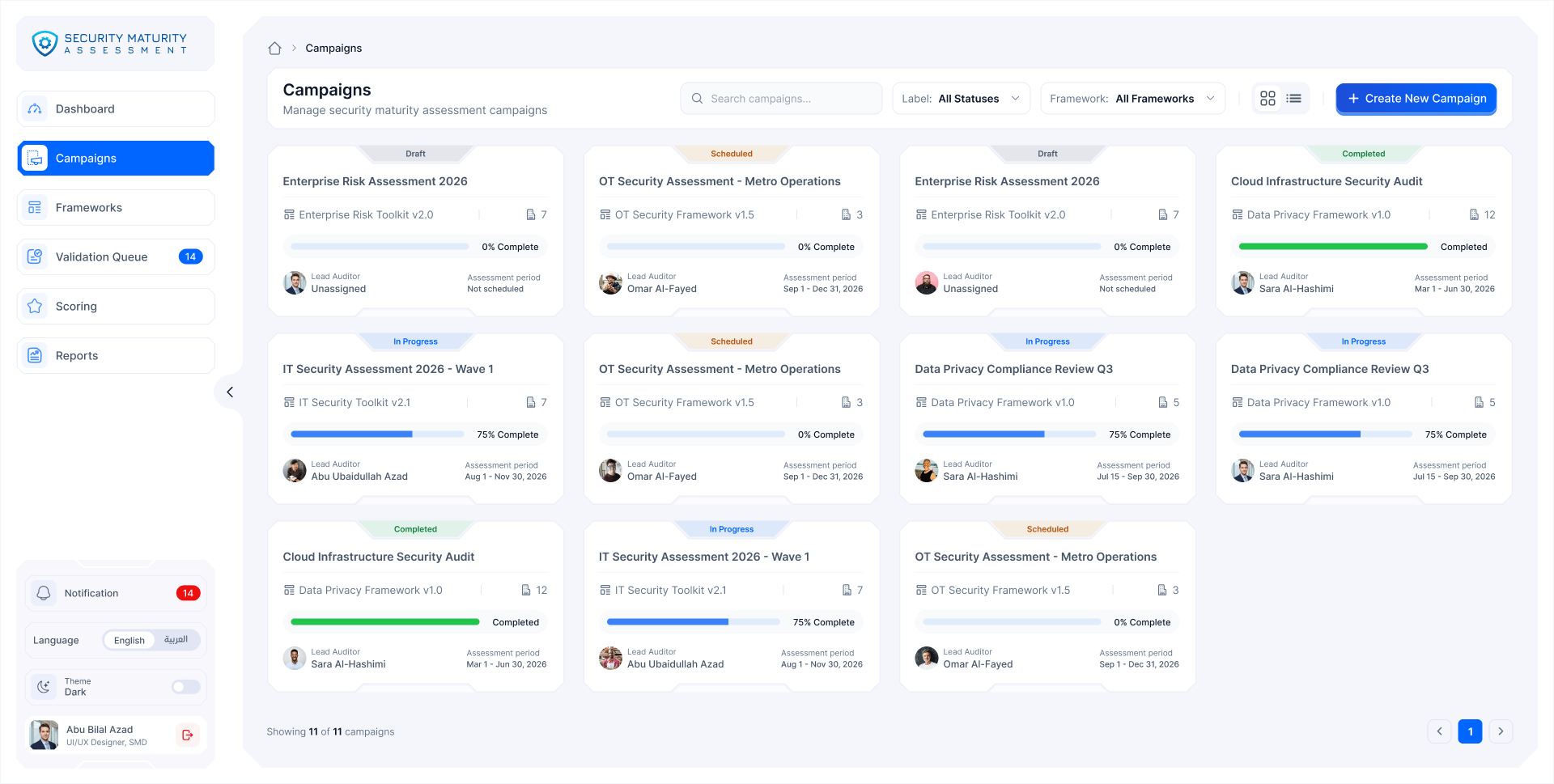
  10. Campaigns

    Every campaign with its progress and status.

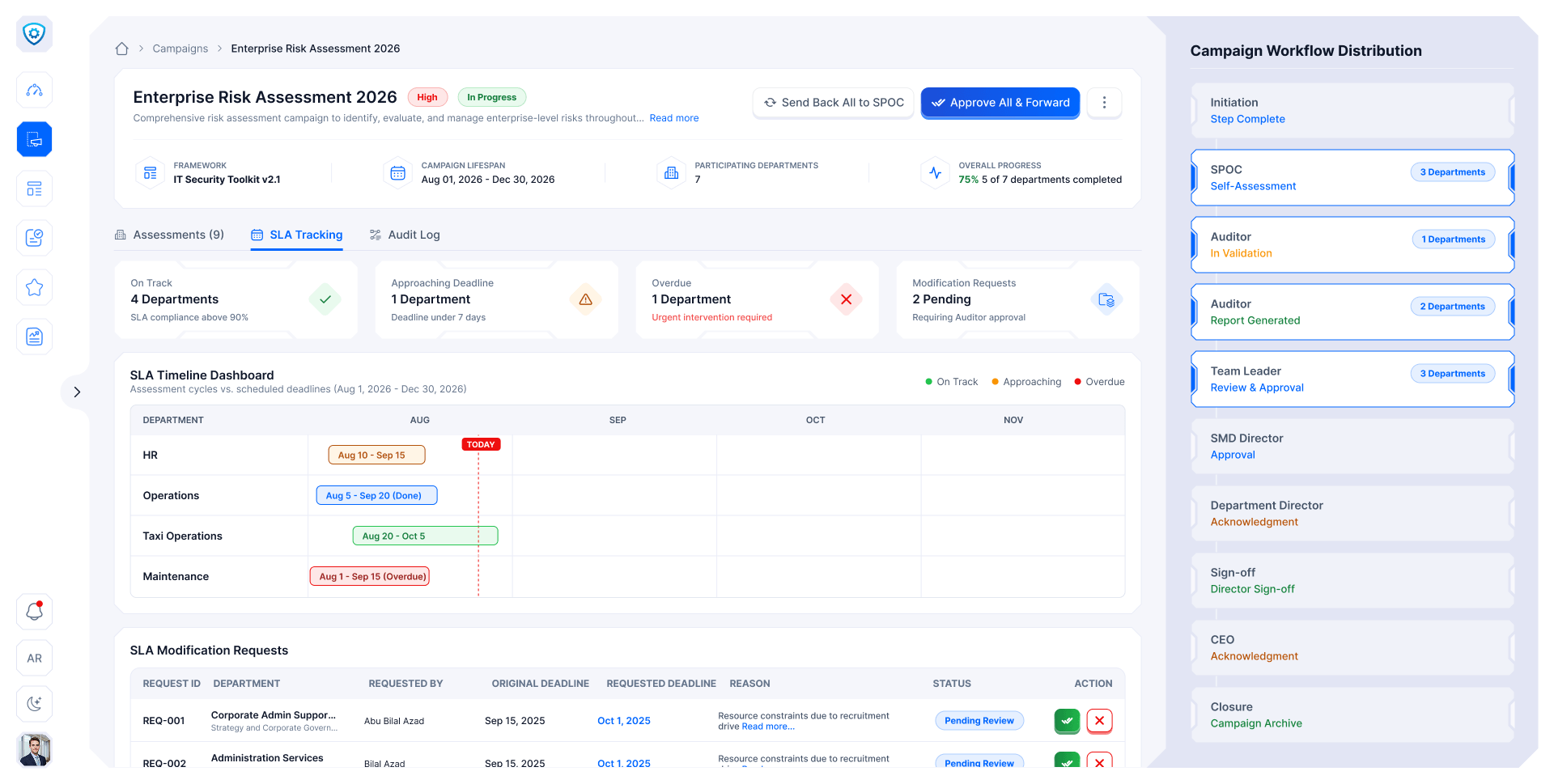
  11. Campaign detail

    Each department's step, deadline and progress.

  12. SLA tracking

    On track, near the deadline or overdue.

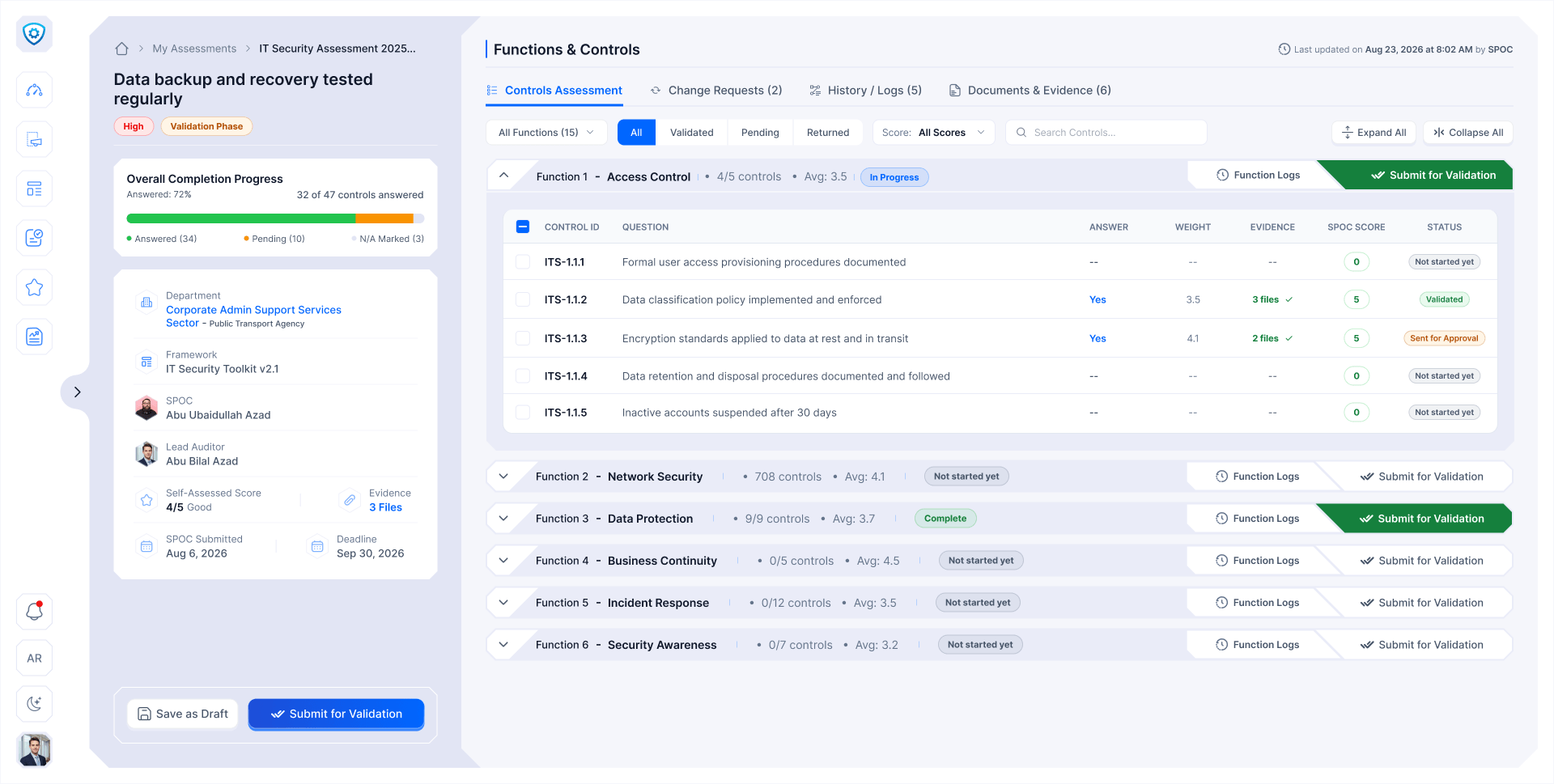
  13. Self-assessment

    The SPOC answers one function at a time.

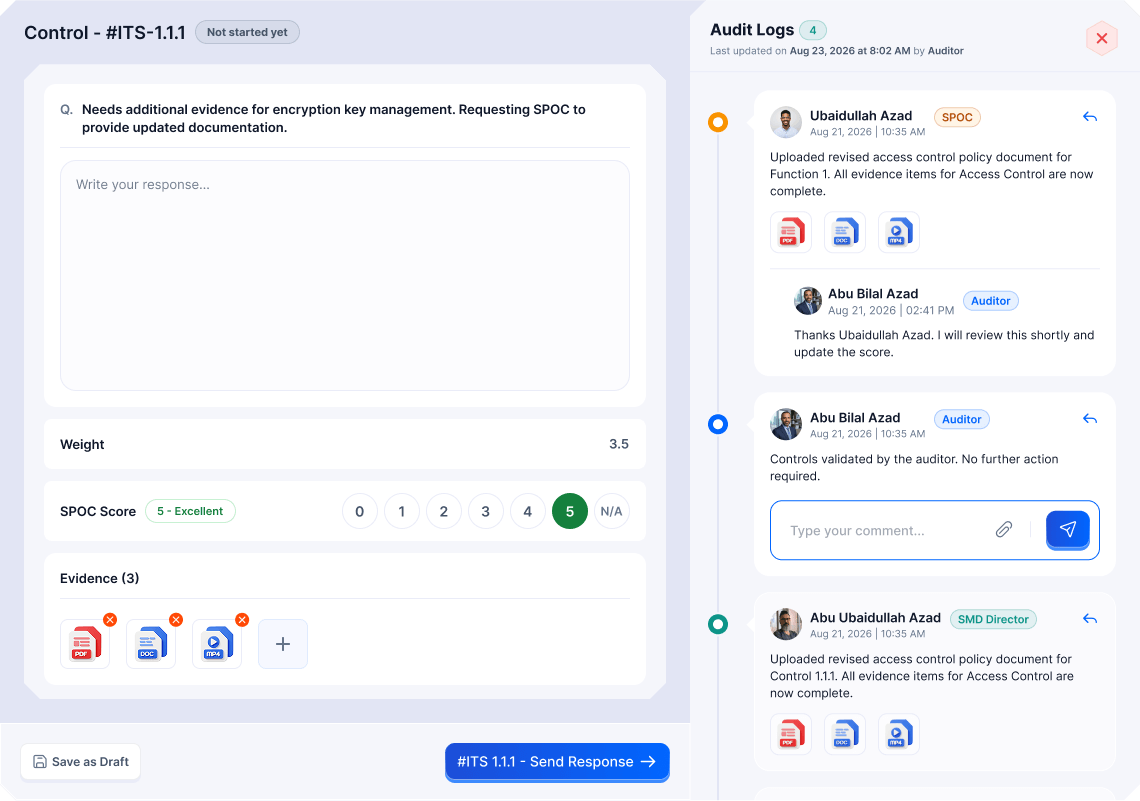
  14. Answer a control

    A score, the evidence and the thread, in one place.

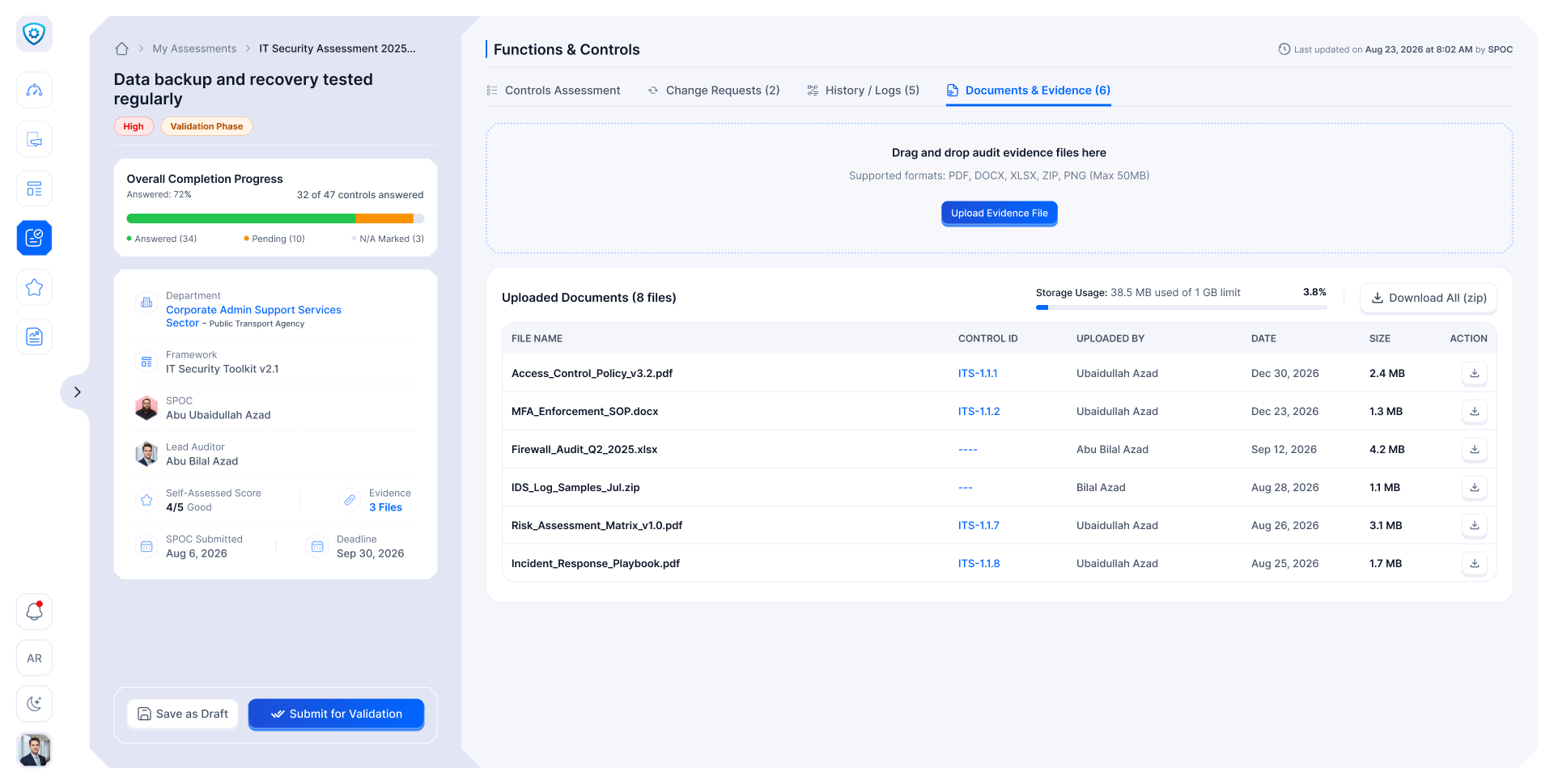
  15. Evidence

    Every file, linked to its control.

  16. Validation queue

    Submissions waiting for the auditor.

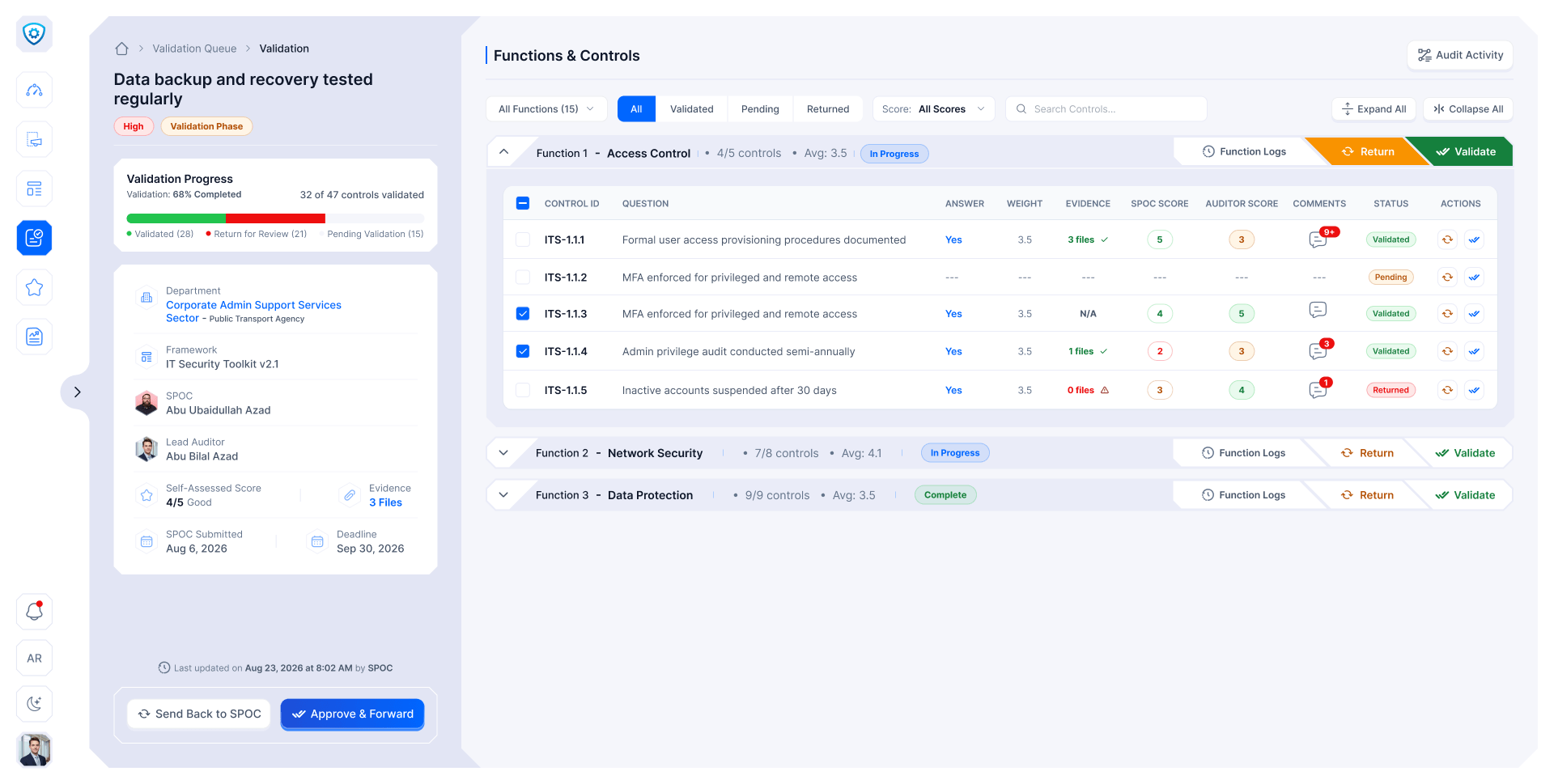
  17. Validate

    Check the evidence, score it, or send it back.

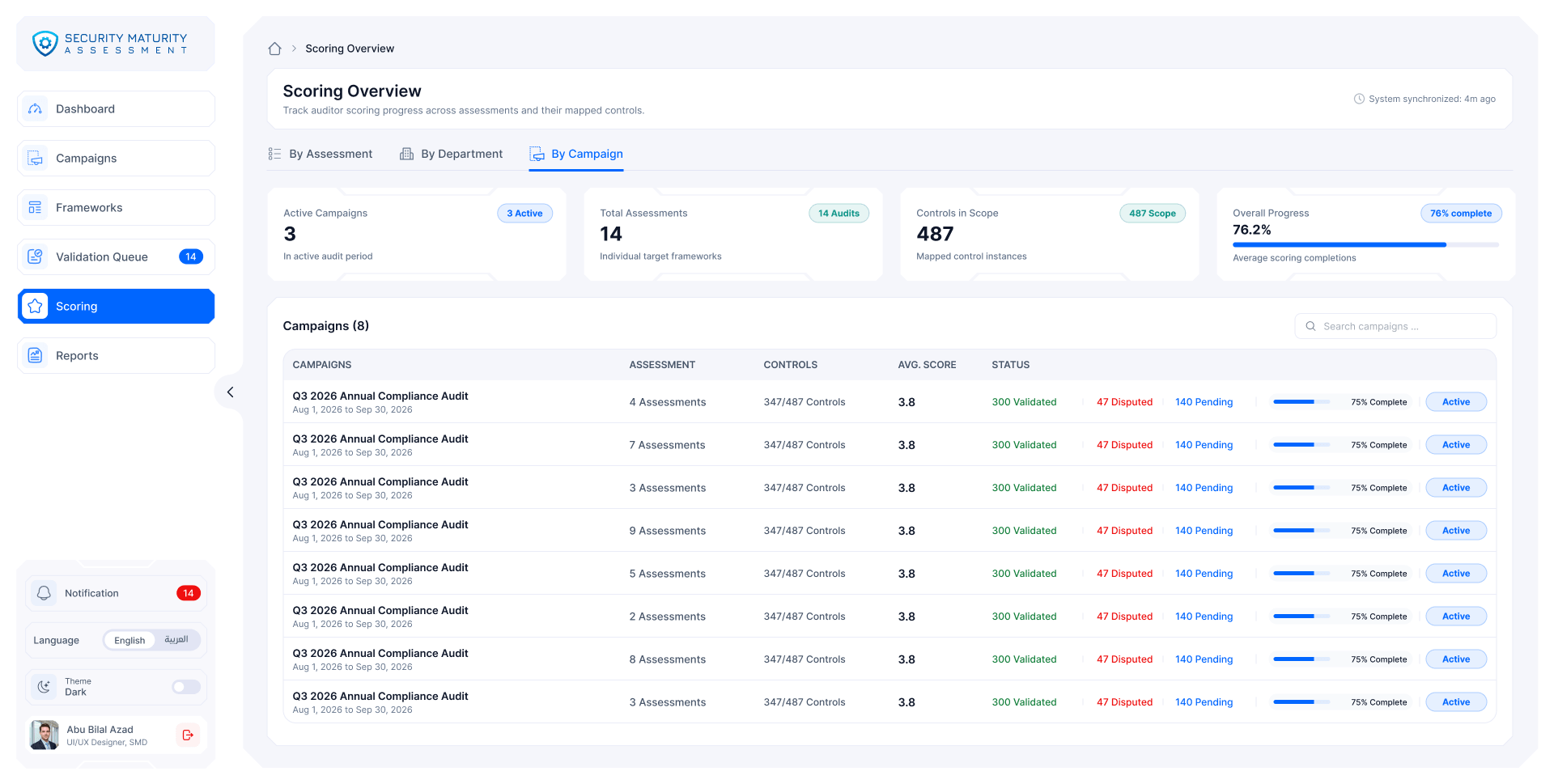
  18. Scoring

    One score, from each control up to the campaign.

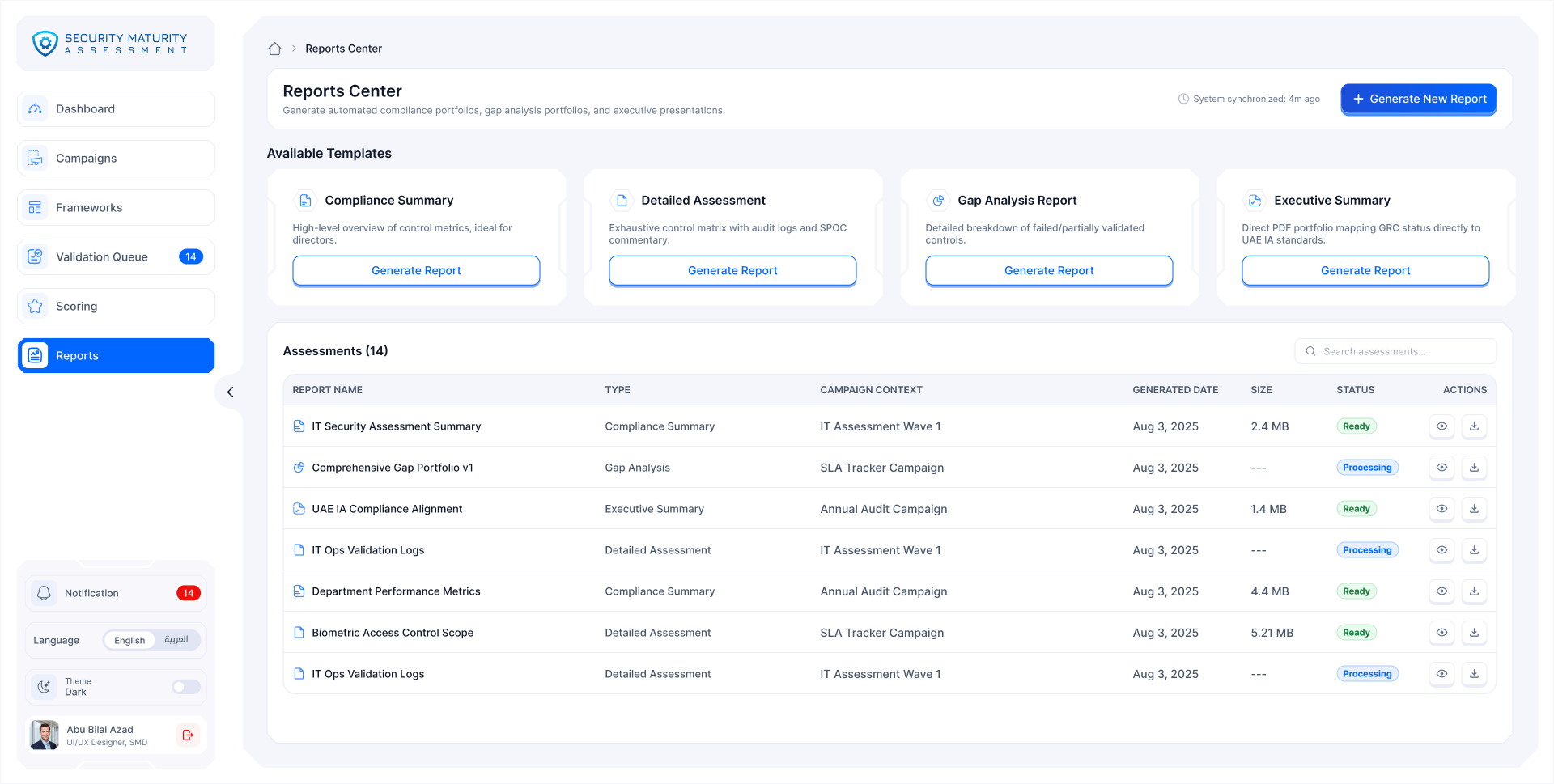
  19. Reports

    Four templates, built in the background.

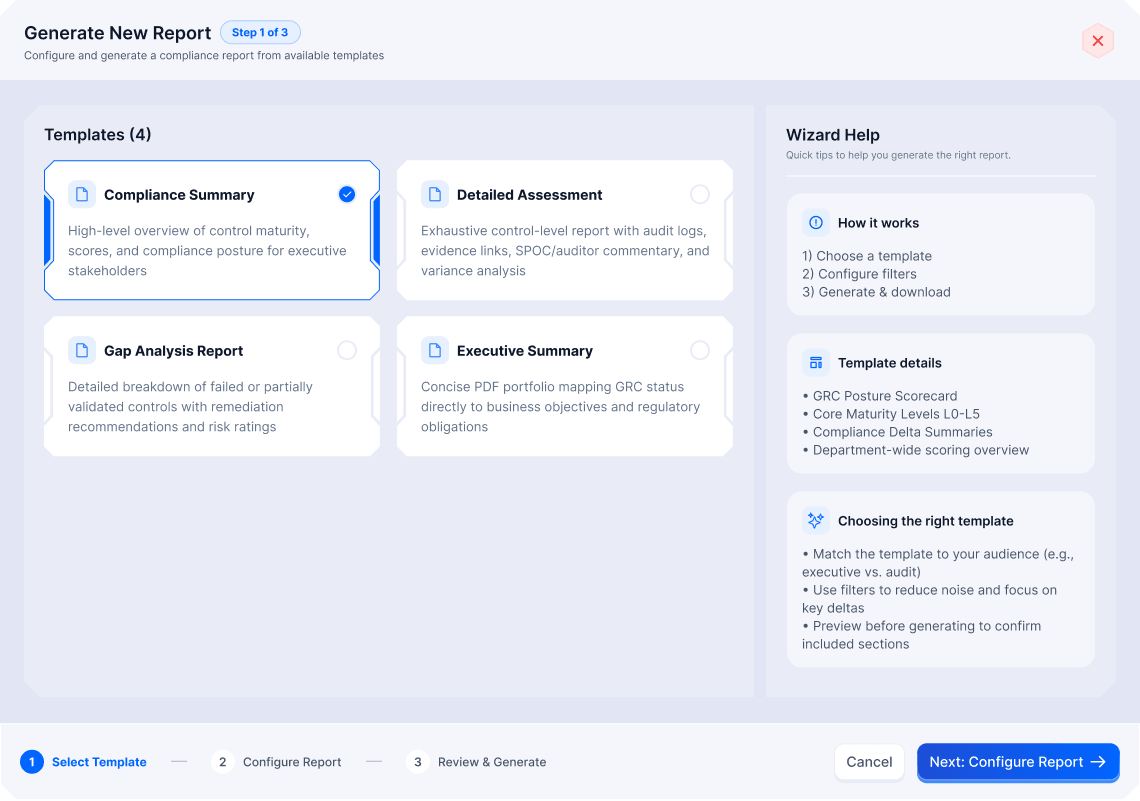
  20. Generate a report

    Template, settings, review: three steps.

01 / 20
SMA · Framework library
Framework library as cards
Framework detail with functions, controls and version history
Two framework versions compared
Campaign wizard, step 1: framework selection
Campaign wizard, step 2: targeting
Campaign wizard, step 3: scope per department
Campaign wizard, step 4: schedule and SLA
Campaign wizard, step 5: assignment
Campaign wizard, step 6: review and publish
Campaigns as cards
Campaign detail with each department's phase
SLA tracking with a timeline per department
Self-assessment by function
Answer a control: score, evidence and audit log
Evidence files linked to controls
Validation queue
Validation detail for one submission
Scoring overview by campaign
Reports center with four templates
Generate a report, step 1 of 3: pick a template
Eight roles

One platform, eight views

Each role opens on its own dashboard and sees only its own scope, by role, domain, department and status.

Security team Department Across both
SMA · Admin
Admin dashboard

Sees The whole platform: users, teams, frameworks and set-up.

Design challenge

One calculation, everywhere

An earlier attempt failed because screens showed different numbers. So there is one scoring engine, and every screen reads from it. Try it.

Score the controls

  • ITS-1.1.1Access provisioning documented
    w 2.0
  • ITS-1.1.2MFA for privileged and remote access
    w 3.0
  • ITS-2.1.1Firewall configuration policy
    w 1.5
  • ITS-3.1.4Backups tested regularly
    w 2.5

Σ(w × s) / Σw(6 + 12 + 3 + 12.5) / 9

3.72out of 5

Full precision 3.7222…, rounded once, on screen.

  • Dashboard3.72
  • Approval3.72
  • Report3.72

Partial, not binary

Flag the items to fix. Only those reopen. The rest stay frozen, so nobody redoes forty items to fix three.

Nothing flagged. Everything stays frozen.

Next

More company work