tickly loading
Product design · Support & ticketing

Tickly support, without the friction

A support system and ticketing platform for teams: raise a ticket in three short steps, route it to the right team, follow every transaction on it, complete it or forward it, and see what the whole team did today.

  • UX · UIMy role
  • 3Steps to a ticket
  • 13Screens
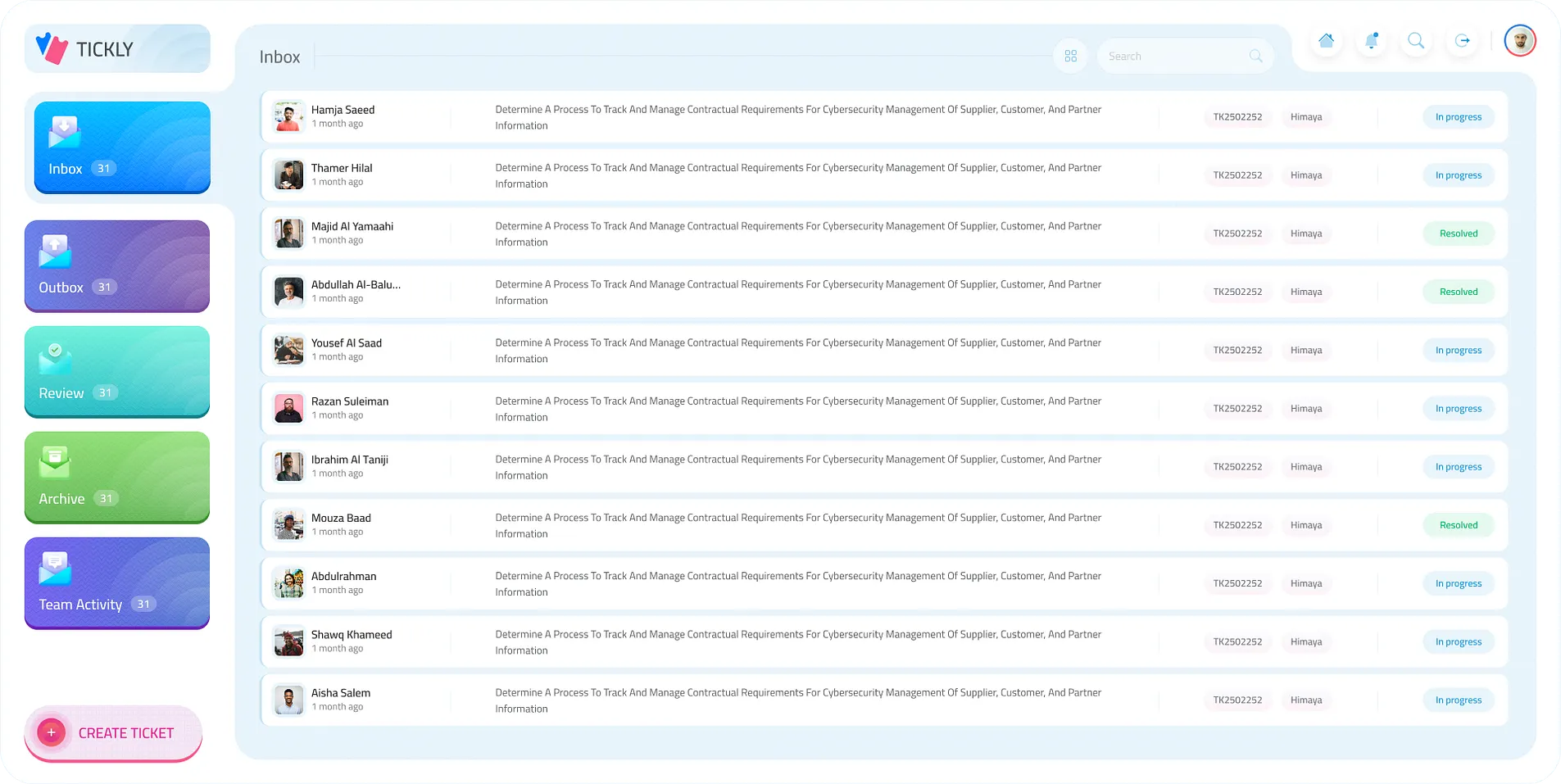
The inbox as a list
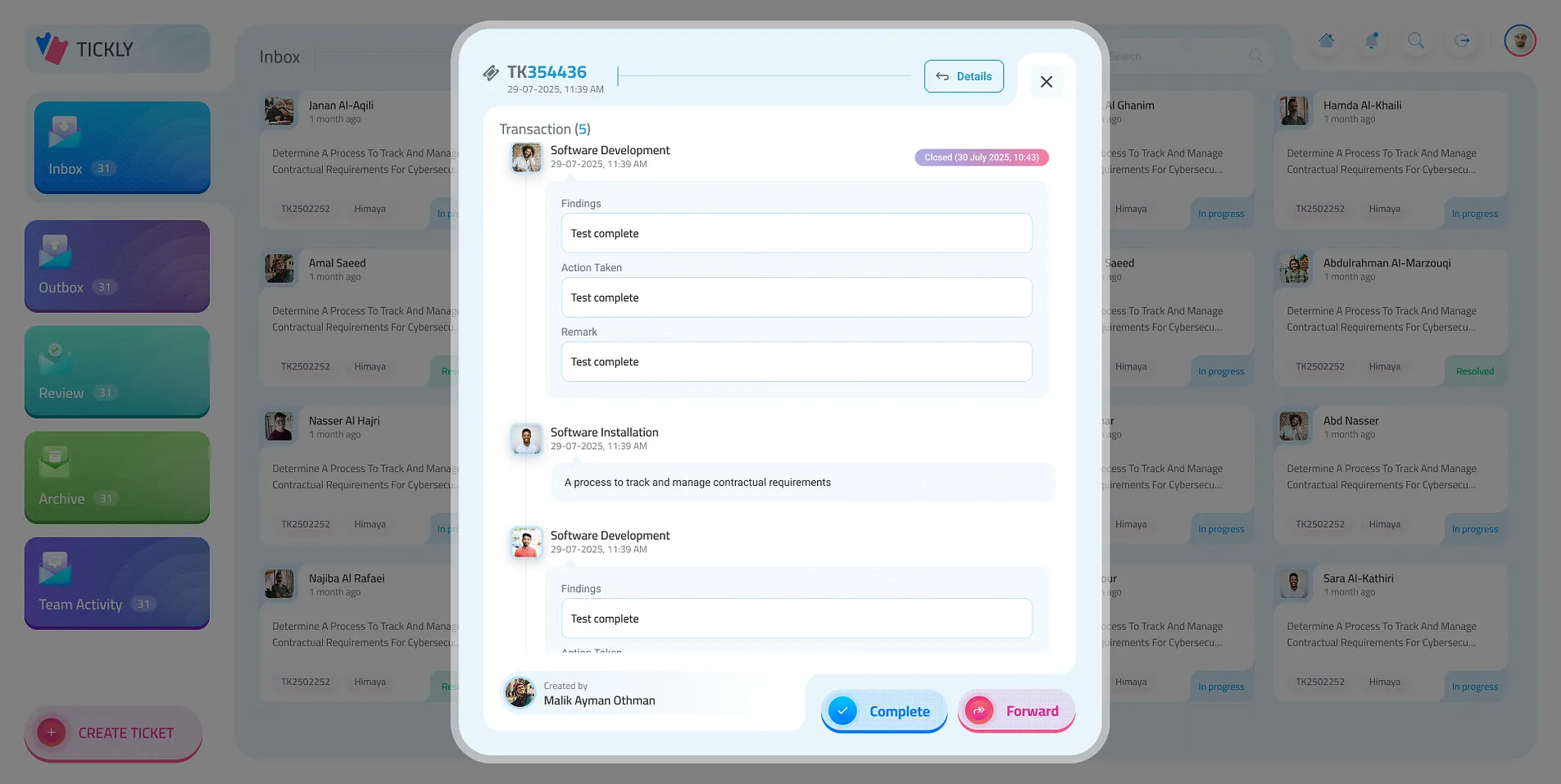
A ticket with its transactions
Tickly · Inbox
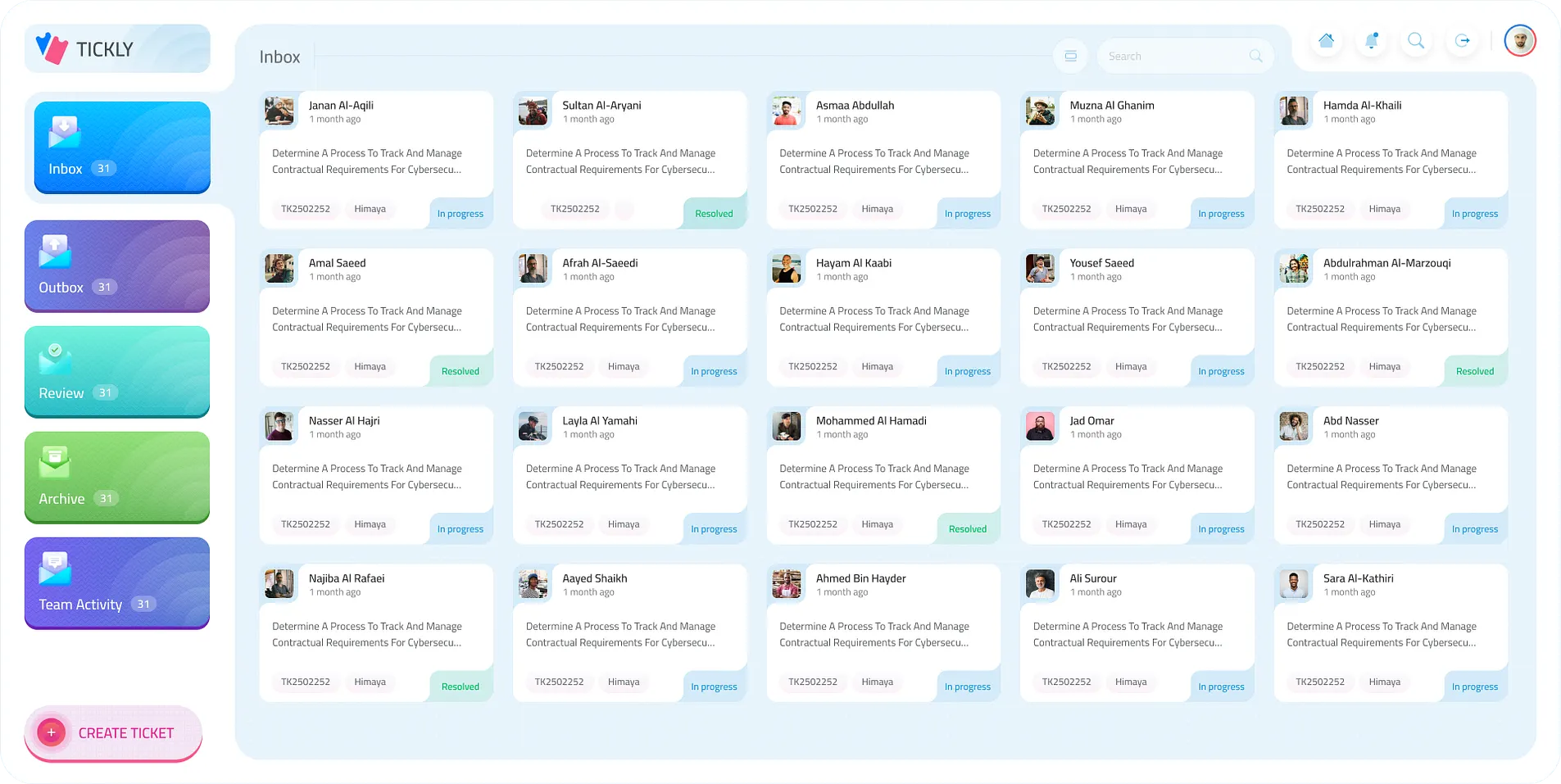
The inbox: ticket cards with who raised them and their status, the folders on the left
Overview

Every request, somewhere you can see it

The shift

  1. Requests by email and phone, half the details missing
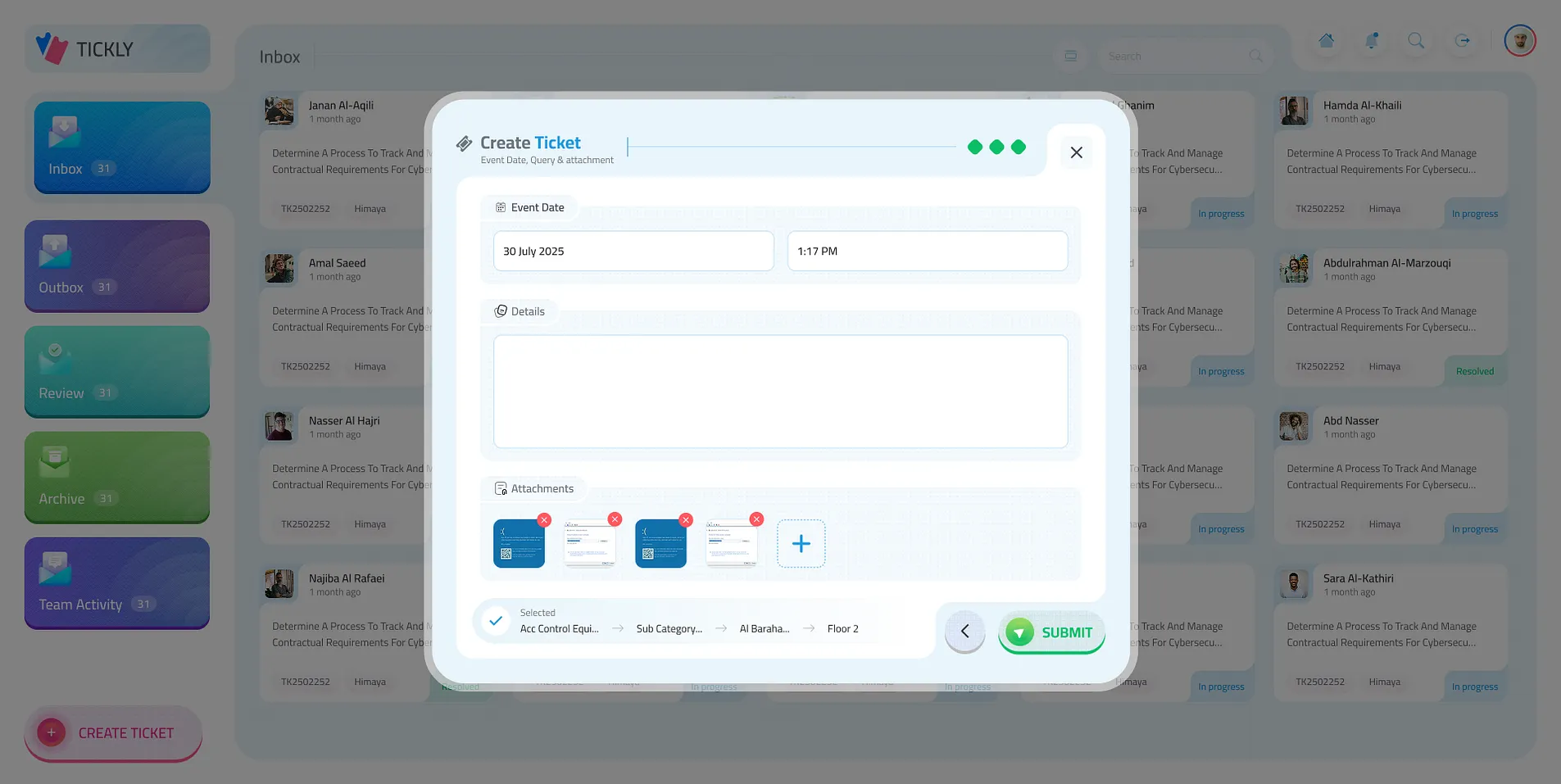
    Three steps: what, where (building and floor) and the details with attachments
  2. Someone decides who should handle it
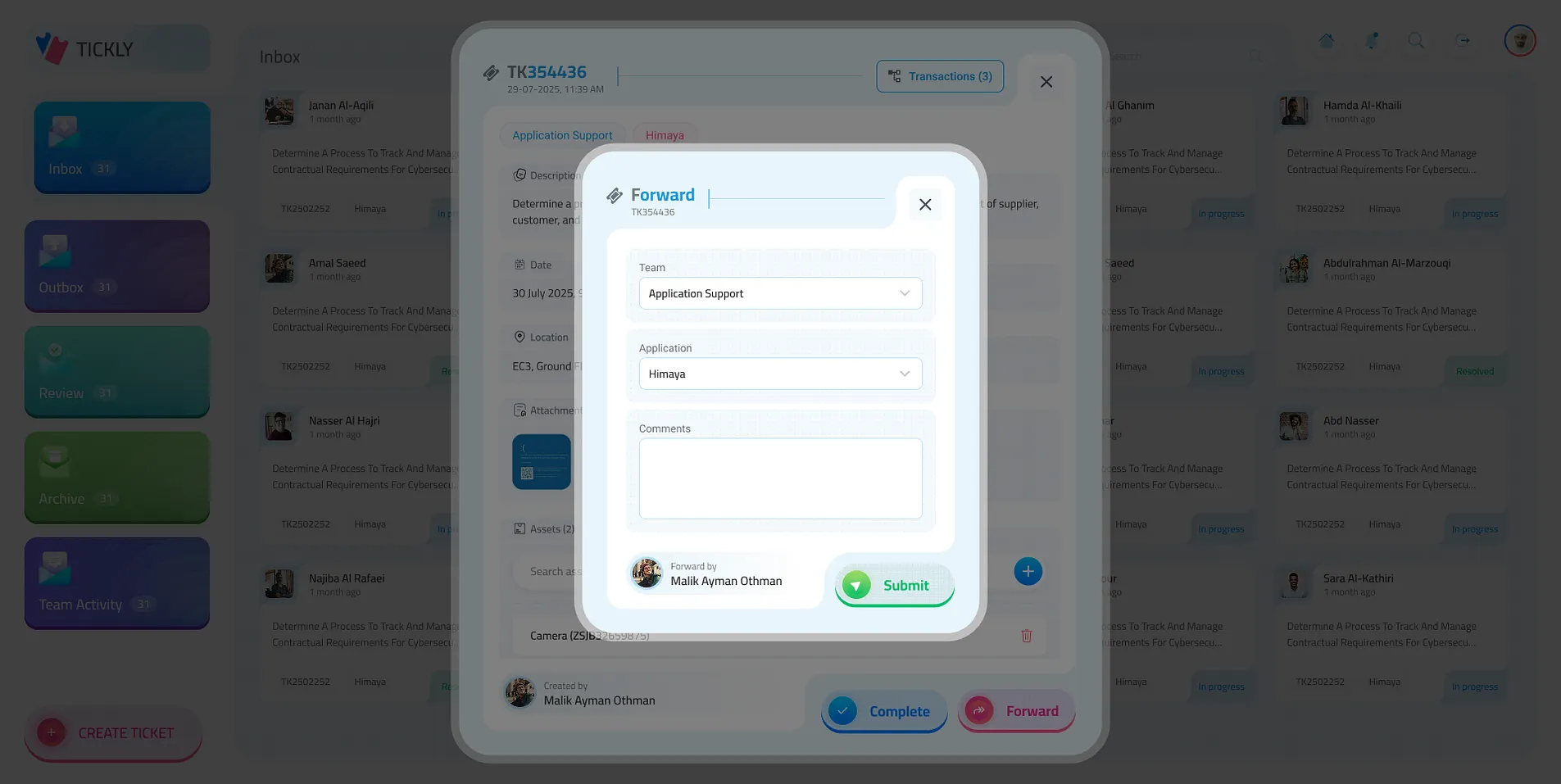
    The category routes it to the right team, and it can be forwarded with a comment
  3. No one knows what was already tried
    Every transaction on the ticket: findings, action taken and remarks
  4. Managers ask around for status
    Inbox, outbox, review and archive at a glance, and the team’s activity live

My role

  1. 01UXThe ticket’s path, from raised to resolved
  2. 02UI design13 screens: folders, cards, the wizard and the details
  3. 03Design systemGlassy pop-ups, gradient folders and status chips

In numbers

3Steps to raise a ticket
5Folders, one colour each
2Views: cards and a list

A ticket carries

  • Category & sub category1
  • Building & floor2
  • Details & attachments3
  • Transactions∞

What it covers

  • RaiseCategoryBuilding & floorEvent dateAttachments
  • RouteAutomatic routingForward to a teamComments
  • ResolveTransactionsFindings & actionConfirm completion
  • TrackFoldersTeam activitySearchNotifications

Tools & methods

  • Figma
  • UI/UX design
The core

Raise it, route it, resolve it

Raise a ticket in three steps and it lands in the inbox. Open one to complete it with what was found and done, or forward it to another team; every move shows up in the team’s activity. It works on its own; click anything and the desk is yours.

  • Inbox31
  • Outbox31
  • Review31
  • Archive31

Create ticket

Three steps

    Inbox

    Pick a ticket

      Team activity

      Every move
        13 key screens · 4 parts
        1. The inbox

          Every ticket a card: who raised it, what it’s about, its number and where it stands.

        2. Or as a list

          The same tickets in rows, for when there are many.

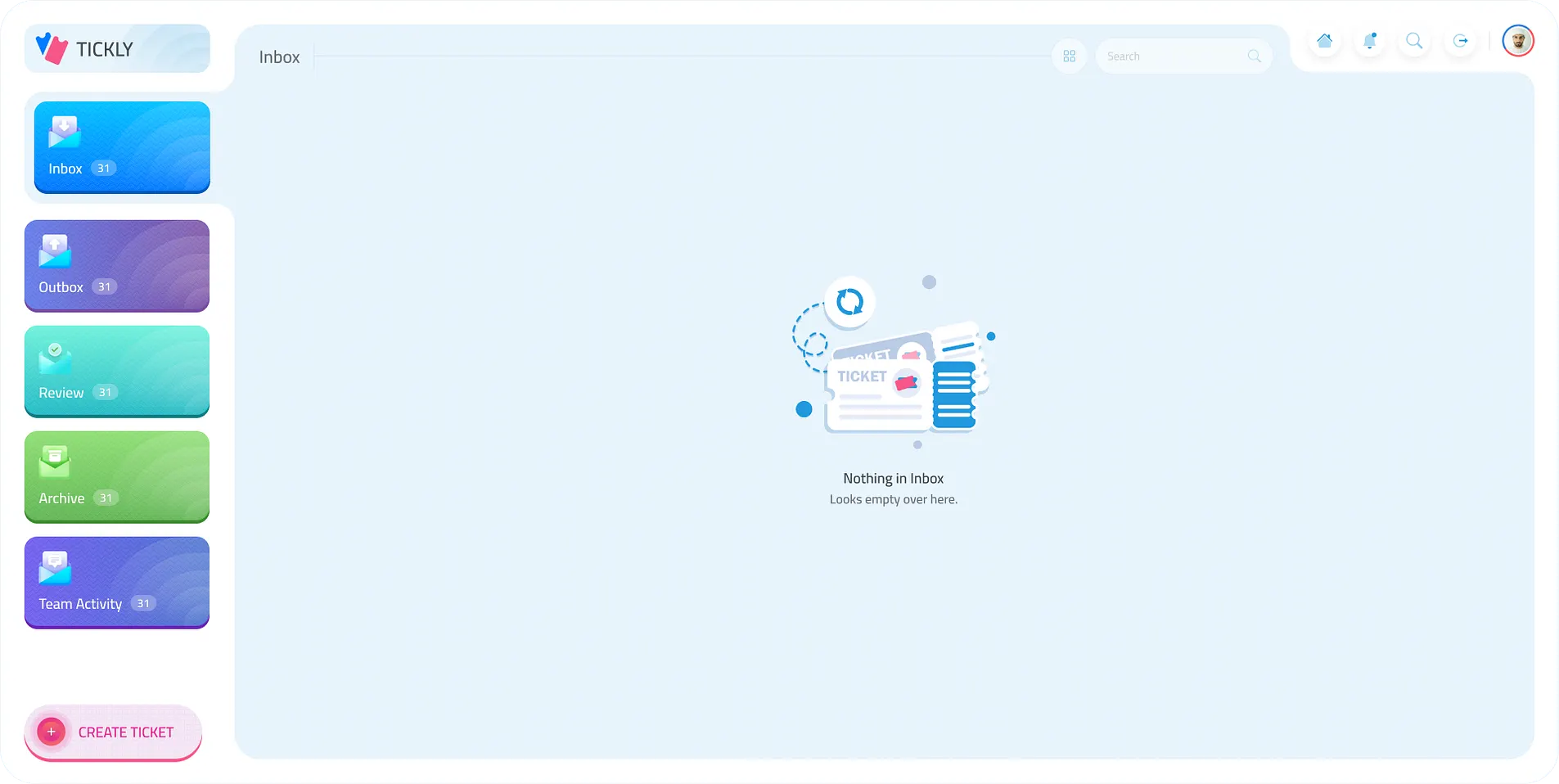
        3. Nothing here yet

          An empty folder says so, kindly, and points to what to do.

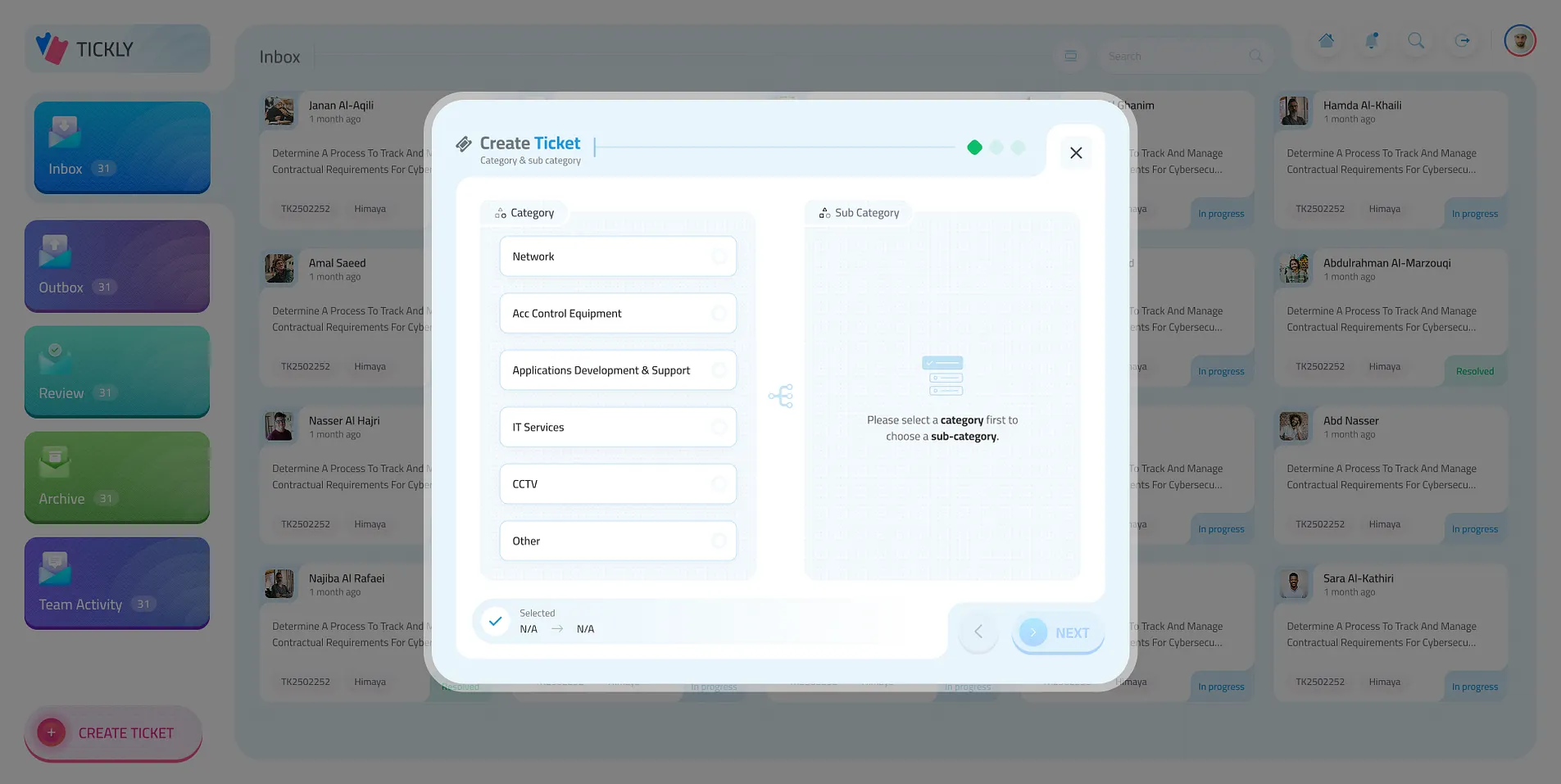
        4. What is it about?

          Pick a category, then its sub category.

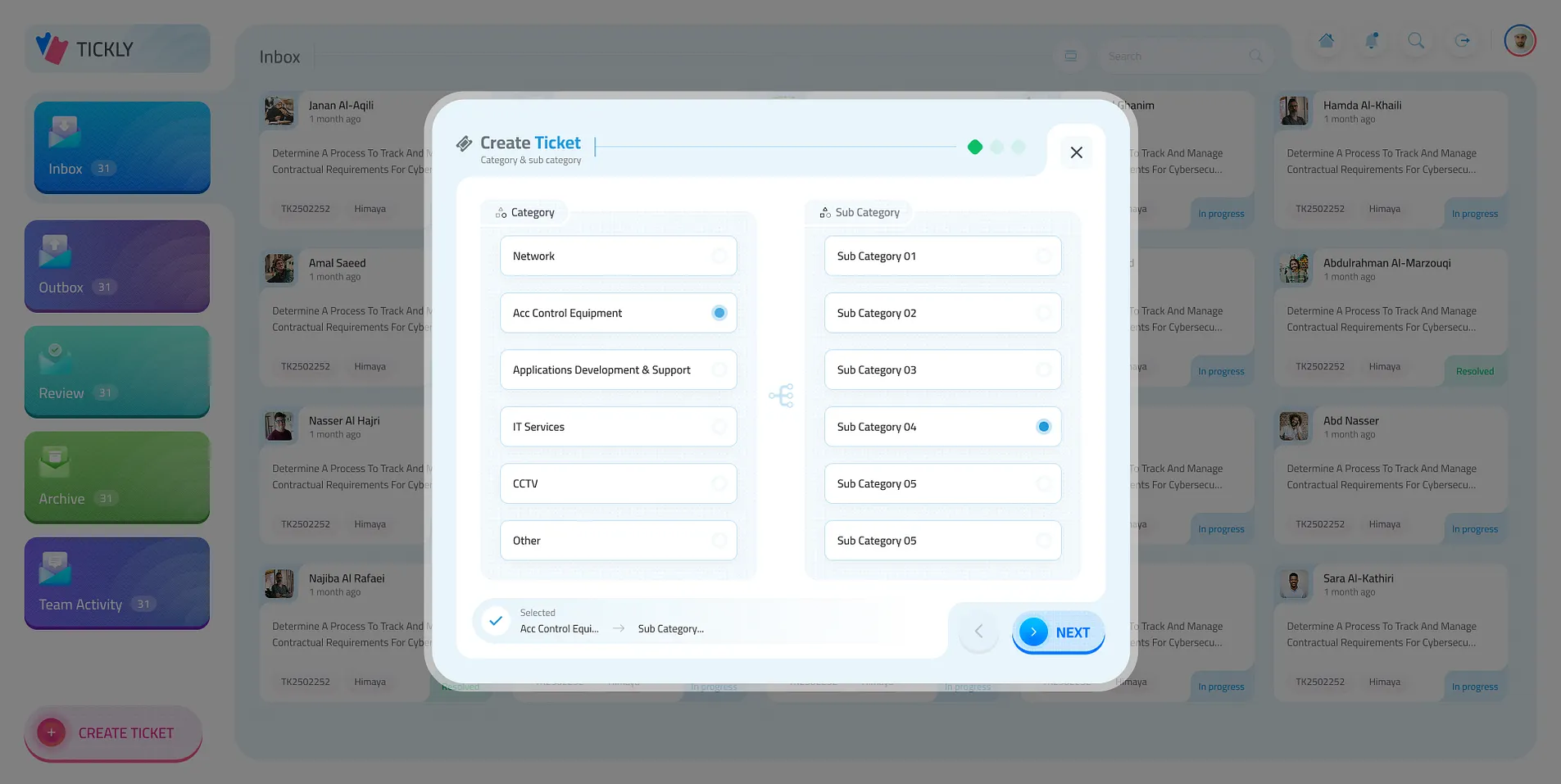
        5. Narrow it down

          The sub categories of the one picked.

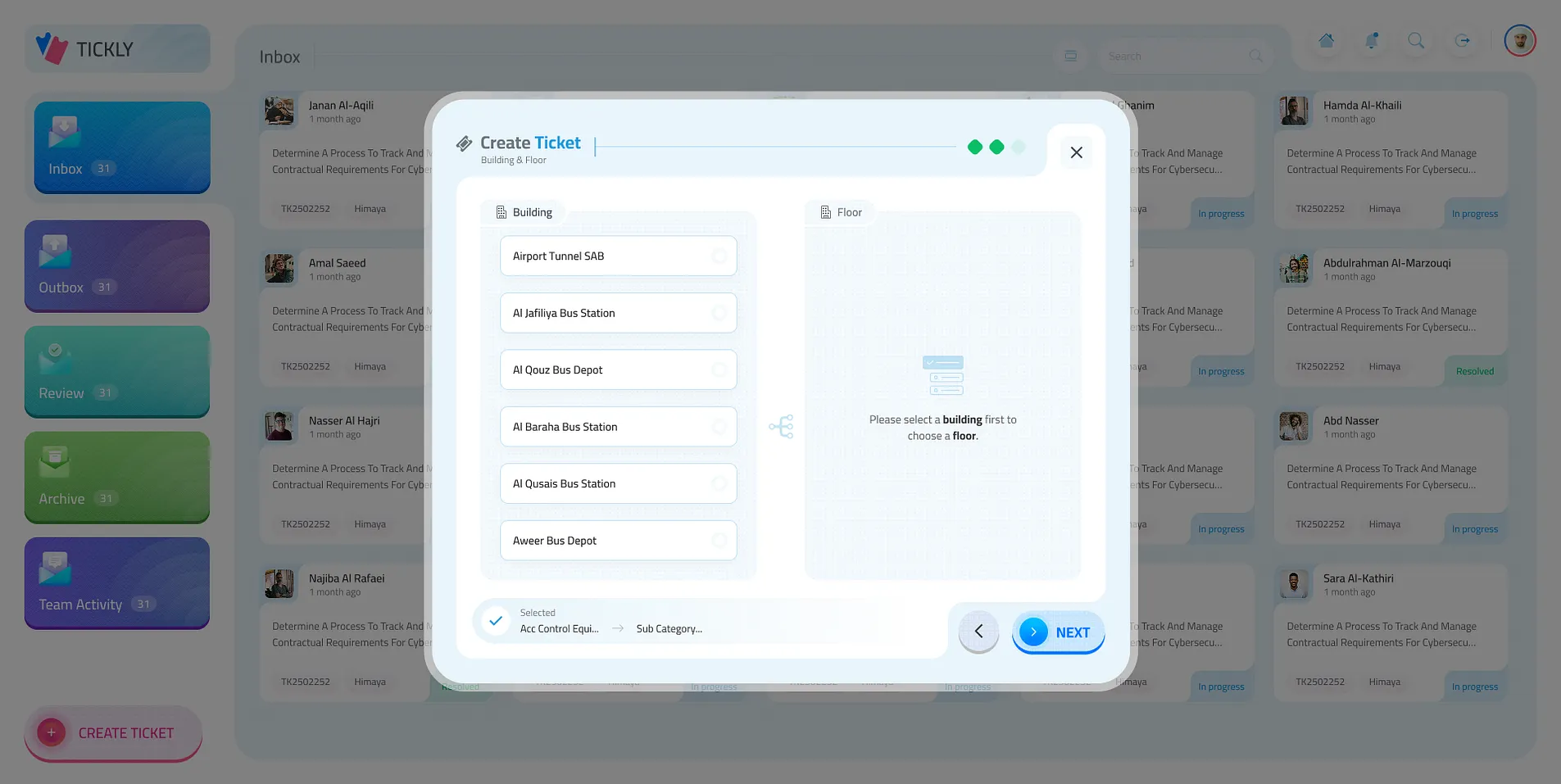
        6. Where is it?

          The building, then the floor.

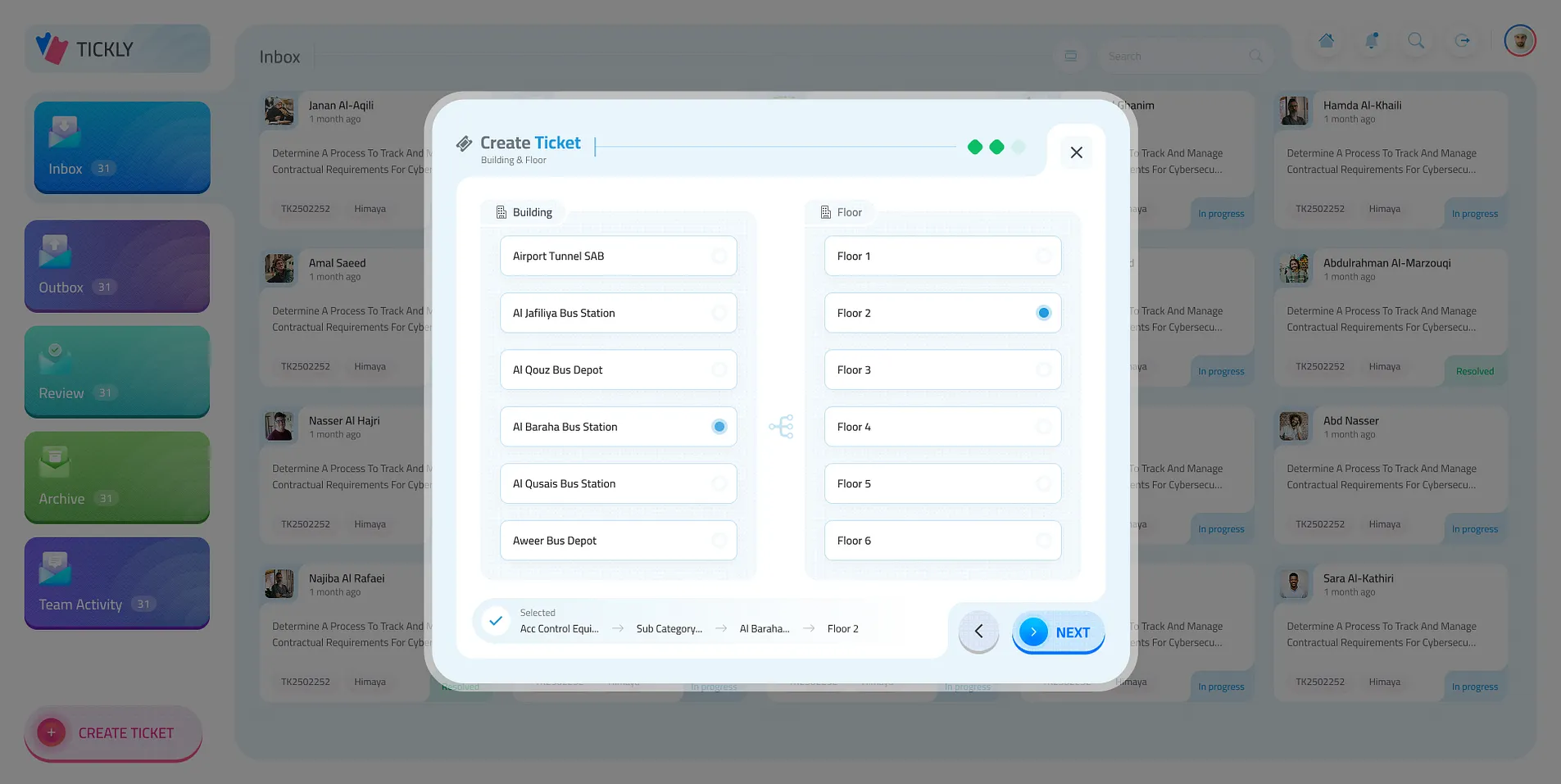
        7. Which floor

          Floors of the building picked.

        8. The details

          When it happened, what happened, and photos or files, then submit.

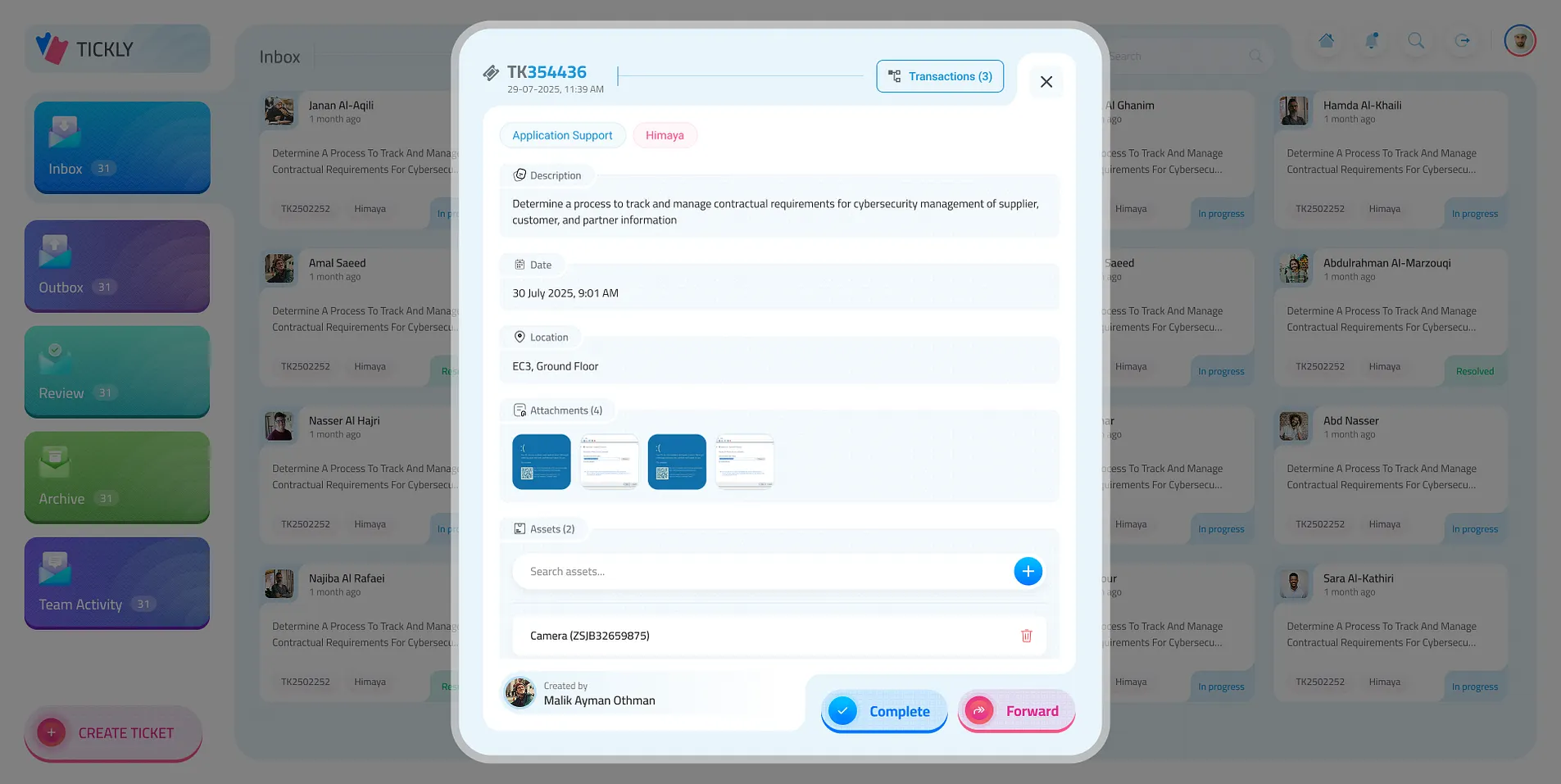
        9. A ticket, opened

          The description, date, location, attachments and remarks; complete it or forward it.

        10. What was done

          Every transaction on the ticket, with findings, action taken and remarks.

        11. Send it on

          Forward to another team and application, with a comment.

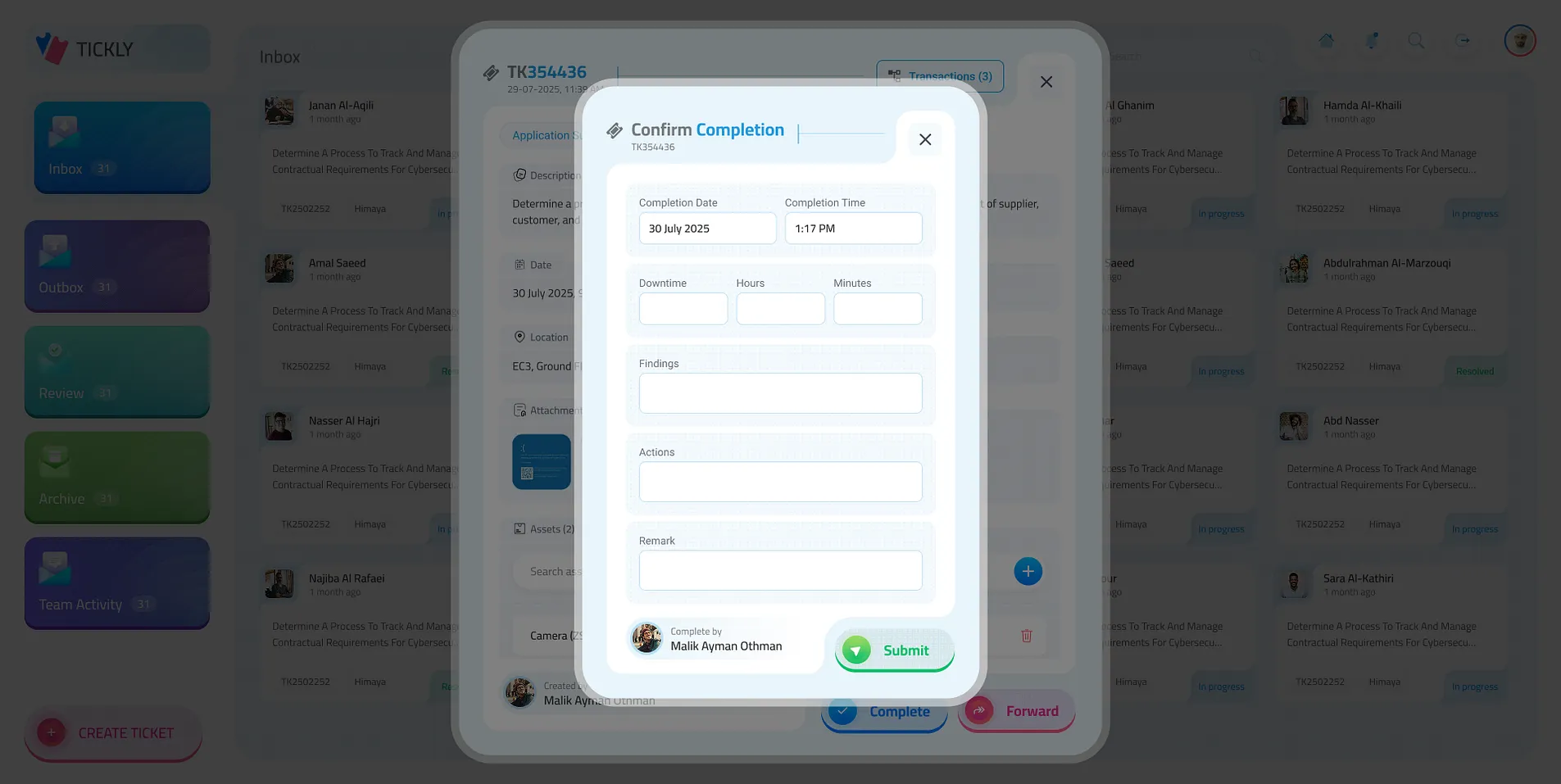
        12. Close it out

          Confirm the completion and what was found.

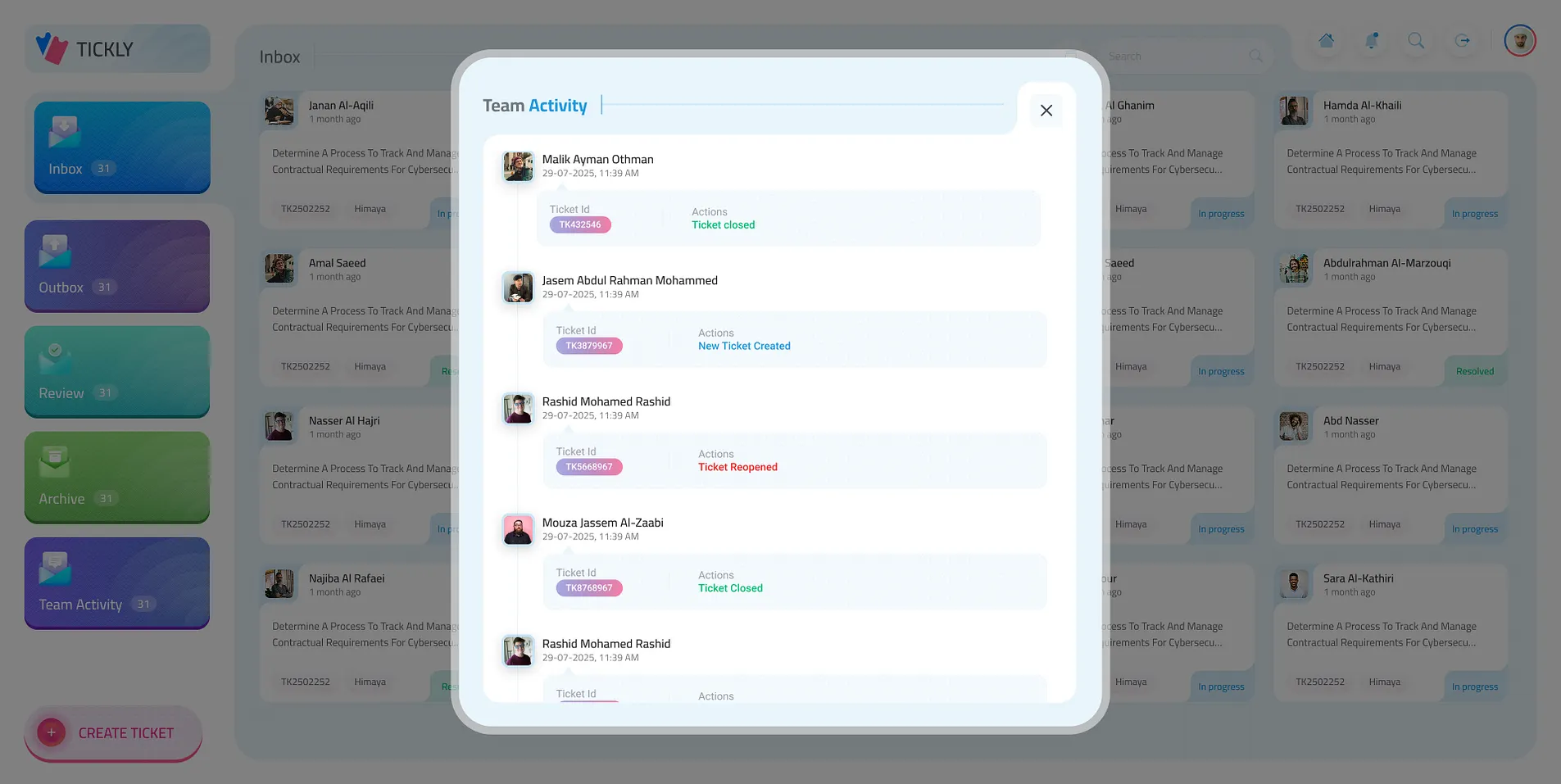
        13. What the team did

          Every ticket created, forwarded and closed, by whom and when.

        01 / 13
        Tickly · Inbox
        The inbox as cards, with the folders on the left
        The inbox as a list
        An empty folder
        Creating a ticket: categories
        Creating a ticket: sub category
        Creating a ticket: building and floor
        Creating a ticket: floor
        Creating a ticket: date, details and attachments
        A ticket’s details
        A ticket’s transactions
        Forwarding a ticket
        Confirming completion
        Team activity
        Next

        More company work