
mizan loading
  • 100% Offline & Private
  • No Account Needed
  • Built Solo with AI Antigravity

Your Money. Your Privacy. Finally in Balance.

I built Mizan because I was tired of budget apps demanding my email, asking for my bank passwords, and selling my data to advertisers. Mizan is a simple, beautiful personal accountant that lives completely on your phone.

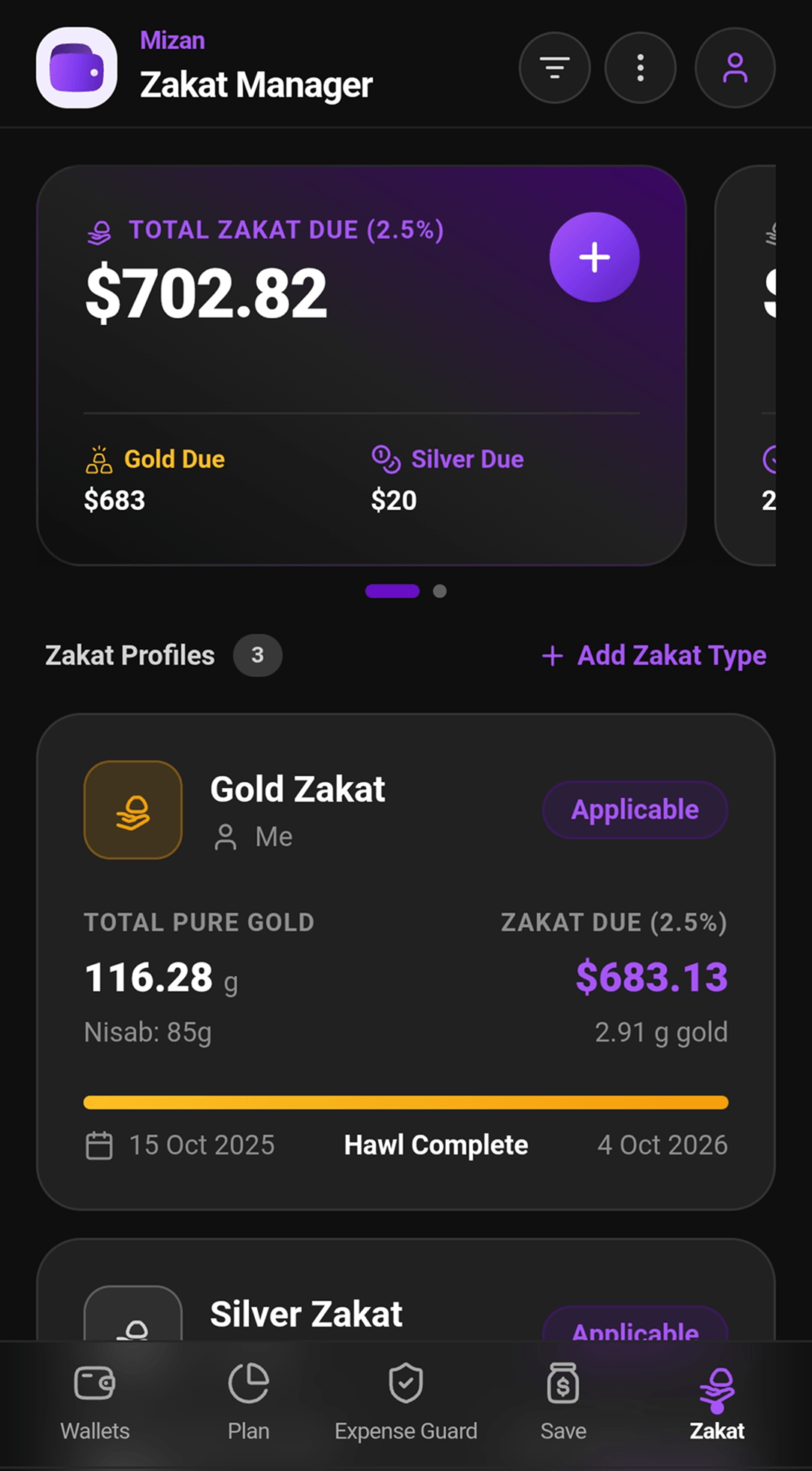
Track daily cash flow, keep friendly loans organized, cut ghost subscriptions and cool off impulse buys with Expense Guard, and let Mizan manage your Zakat: every gold and silver wealth on its own lunar year, with a reminder when it’s due. No subscriptions, no ads, no cloud servers.

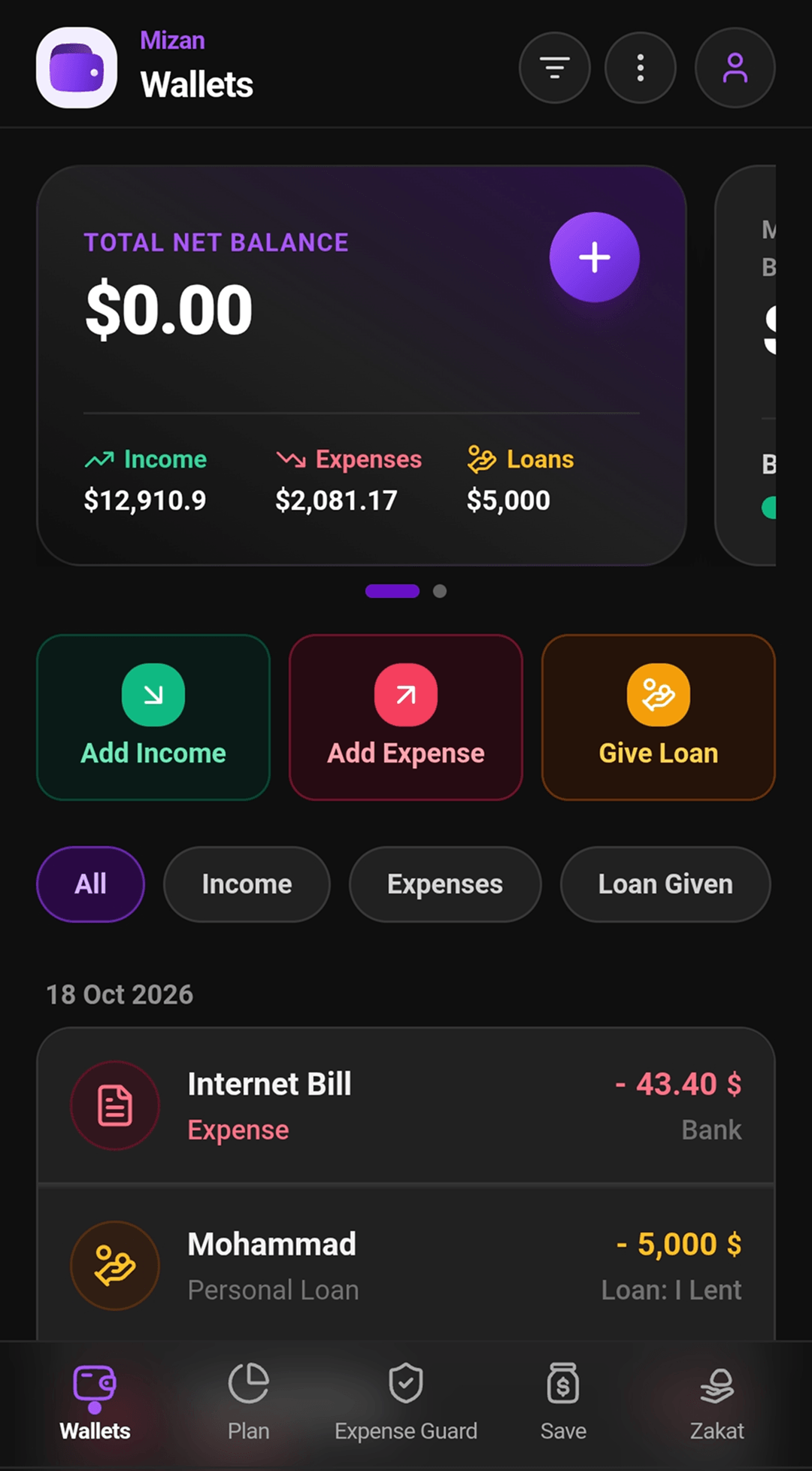
Mizan Wallets tab: total net balance with income $12,910.9, expenses $2,081.17 and loans $5,000; Add Income, Add Expense and Give Loan; and recent transactions such as an Internet bill and a personal loan

Tap any tab above to preview real app screens

Instant
Opens in 0.1s (No servers)
Zero
Financial data collected or shared
8
Languages (Arabic & Urdu RTL)
Free
No $10/mo paywalls

01 — The story

Why did I build Mizan?

I didn’t build Mizan to create another startup pitch deck. I built it to solve real, everyday frustrations that I and millions of ordinary people face with modern finance apps.

No. 001

“Why do you need my bank password to track my coffee?”

Almost every budgeting app today forces you to link your online bank credentials or sign up with Google so they can monitor where you spend money. With Mizan, your phone is the only vault. Even I, the developer, have zero way to see your balances.

No. 002

“Why do I rebuild my Zakat list every year?”

Every year, families make the same list again: which gold and silver they hold, whose it is, when each one’s lunar year began, and whether last year’s Zakat was paid. Mizan is a Zakat manager, not just a calculator: each wealth stays on its own Hawl, a reminder comes when it’s due, and every payment is kept.

No. 003

“Real loans are personal, not corporate invoices.”

Lending $100 to a friend or borrowing from a family member isn’t an “Accounts Receivable” entry. It’s a personal trust. Mizan has a dedicated Loans Lent & Borrowed tracker with partial settlements so you never have awkward money conversations again.

02 — Common headaches vs. real solutions

How Mizan makes money management easy.

Compare what you normally deal with against what Mizan actually does.

Solved 4 / 4
  1. What usually annoys people: Cloud Outages & Login Walls: Want to quickly write down a grocery expense? First wait for a server to load or log back in because your session expired.

    How Mizan solves it: Instant Offline Speed: Opens immediately, even on airplane mode or underground. Transactions save instantly on your device storage.

  2. What usually annoys people: Paywalls on Everything: Exporting an Excel sheet of your own data or making a 5th category suddenly requires a $9.99 monthly subscription.

    How Mizan solves it: Completely Free & Unlocked: Unlimited wallets, custom categories, one-click Excel (.xlsx) export, and backups are 100% free forever.

  3. What usually annoys people: 2 AM Impulse Spending: Shopping apps make buying too frictionless, leaving you with buyer’s remorse the next morning.

    How Mizan solves it: Expense Guard Cooling-Off: Want that expensive gadget? Put it on a 24-hour reflection timer. If you change your mind, send the money straight into savings!

  4. What usually annoys people: Clunky Arabic & Urdu Support: Translation in most apps looks backwards, broken, or awkwardly placed from left to right.

    How Mizan solves it: Natural Right-to-Left (RTL): In Arabic or Urdu, the entire screen cleanly flips direction like a native book, with proper Arabic typography.

03 — What Mizan does

Six everyday tools in one pocket app.

Designed to replace messy spreadsheets, sticky notes, and three different financial apps.

  1. 01

    Multi-Wallet & Cash Ledger

    Keep separate balances for your physical cash, your main bank account, and digital wallets. Move money between them with one tap, and see your exact net worth in real time.

    Tracks Income, Expenses & Transfers

  2. 02

    Monthly Budget Burn Rate

    Set monthly spending targets for things like Groceries, Fuel, or Dining out. A visual burn-bar shows you whether you’re spending too fast before the month is over.

    Visual warnings before you overspend

  3. 03

    Zakat Manager

    Enter each gold and silver wealth once, for you or your family. Mizan checks it against the Nisab, runs its own lunar Hawl, reminds you when Zakat is due and keeps a record of what’s been paid.

    Gold and silver, year after year

  4. 04

    Expense Guard

    Put non-essential purchases on a 24-hour to 30-day “pause timer” to prevent regret, and catch ghost Netflix, gym or software renewals. Whatever you keep is counted and can go to a savings goal.

    Includes Repair vs. Replace calculator

  5. 05

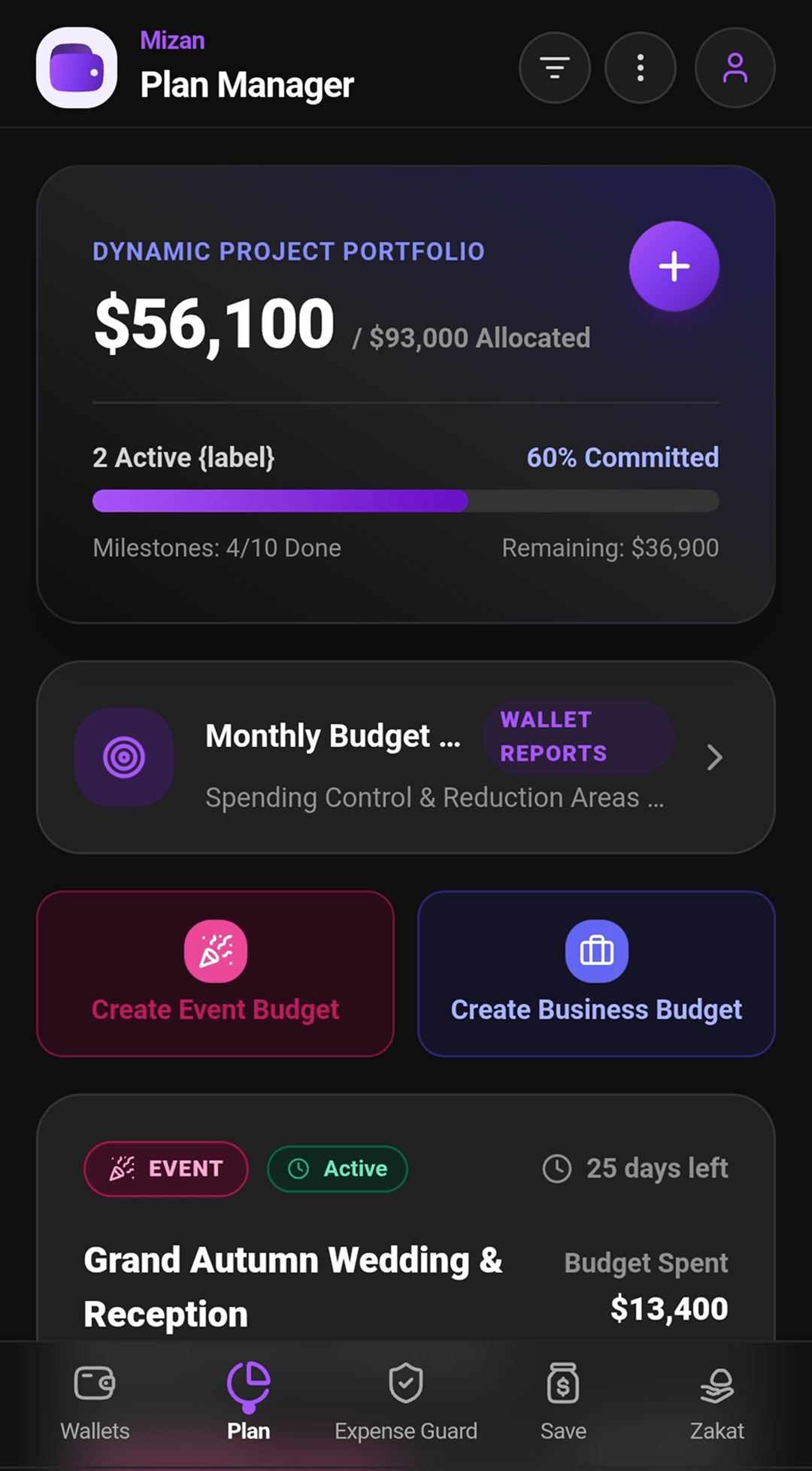
    Wedding & Big Project Budgets

    Planning a family wedding, home renovation, or small business project? Track vendor deposits, agreed contract totals, and remaining dues in a clean checklist with WhatsApp shortcuts.

    Keeps vendor contacts & deposits organized

  6. 06

    Saving Goals (Gullak)

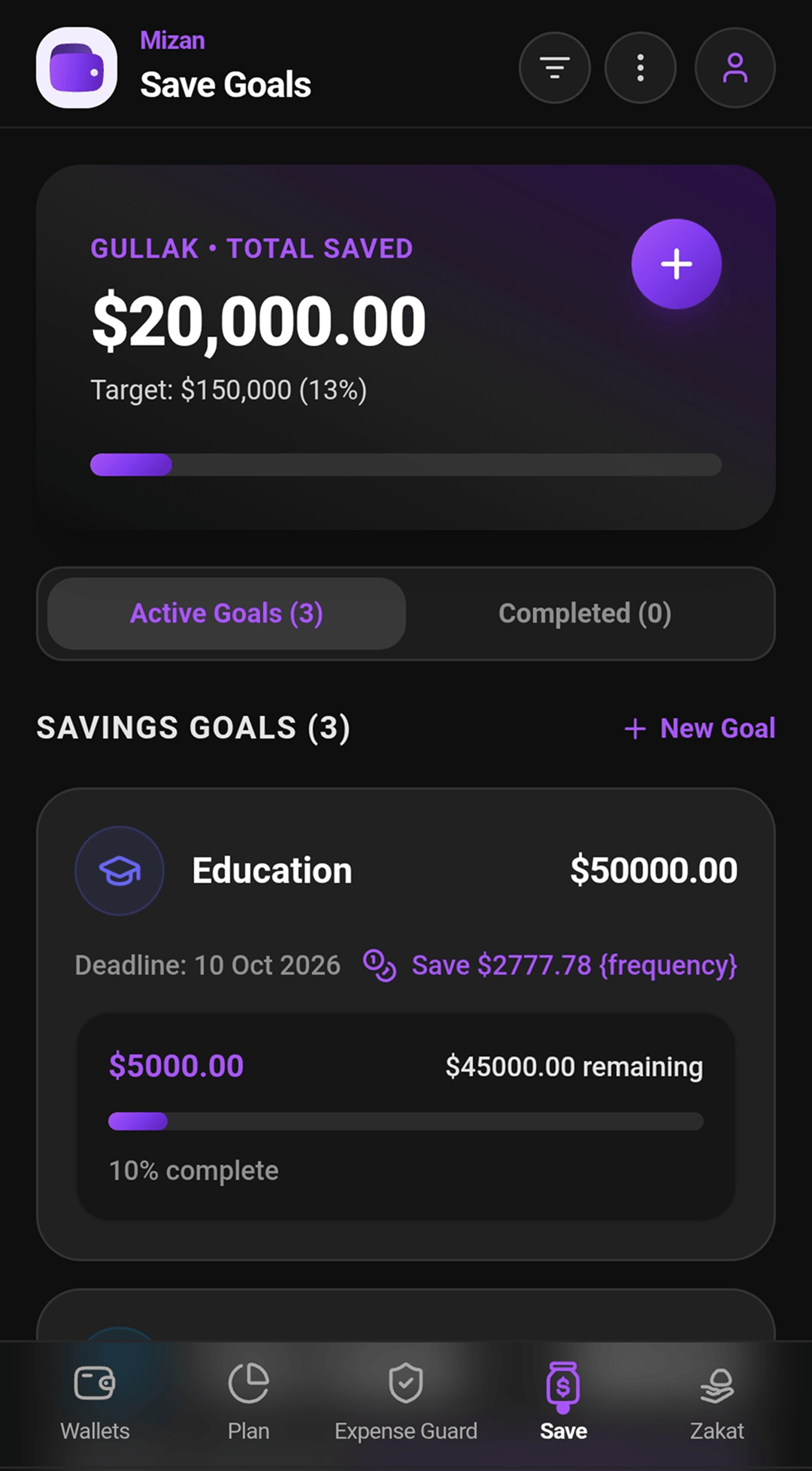
    Saving for a car, a home, Hajj or your children’s education? Set a target and a deadline, choose how often you save, and Mizan works out how much to put aside each time, with a progress bar for every goal.

    Expense Guard savings flow straight in

04 — Inside the app

Every screen, straight from the app.

Turn the dial to walk through Mizan, from the first launch to the recovery kit. Tap the phone in front to see it full size.

Getting started · 01 / 20 100% offline & private security No cloud servers and no tracking of your data: PIN, biometrics and an encrypted offline backup with emergency recovery.

In this part of the app

←→ browseM magnifierEsc close

05 — Expense Guard

Stop the leaks before they drain you.

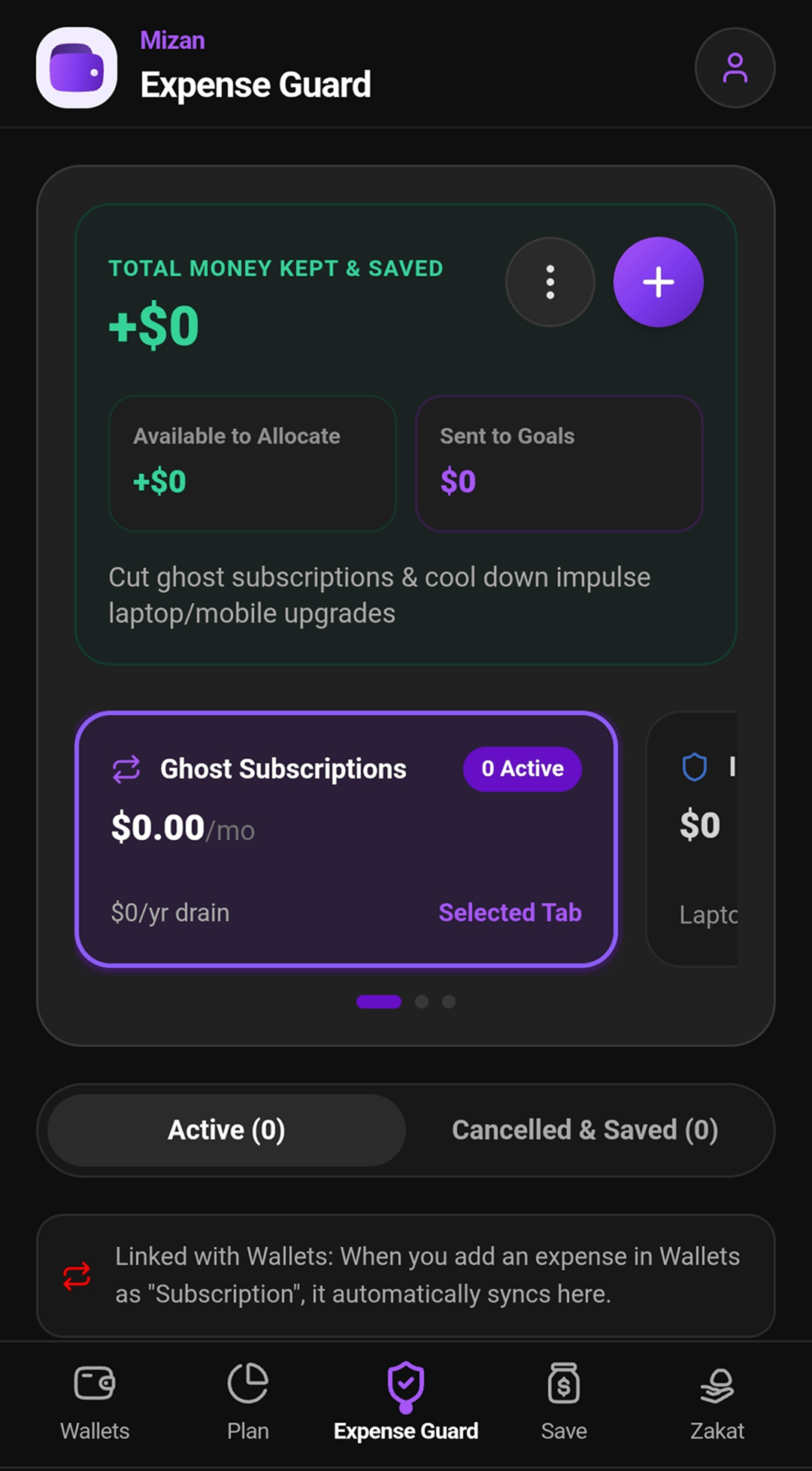
Money slips away quietly: subscriptions you forgot you pay for, and the 2 AM upgrade you regret by morning. Expense Guard puts a price on both, and every dollar you keep is counted and can go straight to a savings goal. Try it:

Total money kept & saved +$0
Available to allocate +$0
Sent to goals $0

Ghost subscriptions

$99.45/mo

Renewals you stopped using but still pay for. Cancel one and its yearly cost moves to kept & saved.

  • Video streamingLast watched 3 months ago
    $15.49/mo
  • Gym membershipLast check-in 7 weeks ago
    $39.99/mo
  • Photo editor ProOpened twice this year
    $22.99/mo
  • Music appLast played 5 weeks ago
    $10.99/mo
  • Cloud storage 2 TBUsing 40 GB of it
    $9.99/mo

That’s $1,193.40 a year draining away.

Impulse cooling-off

24 h to 30 days

Want that upgrade right now? Put it on a pause timer first. If the urge passes, the money stays yours.

I want
Cool off for
Urge: red-hot 24h 00m left
  • Linked with Wallets: an expense marked “Subscription” shows up here on its own
  • Daily & monthly limits
  • Overspend alerts

06 — Zakat manager

Not a Zakat calculator. A Zakat manager.

A calculator answers one question, once. The headache is everything around it: a list of every gold and silver you and your family hold, when each one’s lunar year began, which have completed it, and what has been paid. Mizan keeps that list for you, year after year. Run the calendar forward and watch it work:

Today in the demo 28 Oct 2026
  • Wedding jewellery

    Gold · 120 g · Wife

    Counting

    Hawl 2 · 40 days left · completes 7 Dec 2026

  • Silver tea set

    Silver · 900 g · Me

    Counting

    Hawl 1 · 150 days left · completes 27 Mar 2027

  • Gold coins

    Gold · 95 g · Me

    Counting

    Hawl 2 · 290 days left · completes 14 Aug 2027

  • Gold chain

    Gold · 30 g · Son

    Below Nisab

    30 g of the 85 g Nisab · no Hawl yet

07 — Notifications

Reminders on your phone, at the time you choose.

Two kinds of local notification, both scheduled by the phone itself, so they work offline with no server and no account. Set them up, then run a day or a lunar year and watch them land.

Wednesday 28 October
    6:00 AM11:59 PM
    SettingsNotifications

    Zakat Hawl reminders

    When a wealth’s Hawl completes, with heads-ups before it does.

    Heads-ups before the due day
    On the day

    End-of-day wallet reminder

    A nudge to record the day’s income and expenses before you forget them.

    Remind me at

    Scheduled on the device: no server, no account, and they still arrive in flight mode.

    08 — Try it yourself

    Interactive live simulators.

    Test the real mathematical and security logic used inside Mizan right in your browser.

    The Nisab check

    Gold Nisab Benchmark: $5,680

    The maths the Zakat manager runs for each wealth, at one moment in time. Change the numbers to see whether it reaches the Nisab and what 2.5% comes to:

    Total Net Eligible Wealth:
    $7,400.00
    Nisab Threshold Status:
    Qualifies for Zakat (Above $5,680)
    Annual Zakat to Distribute (2.5%):
    $185.00

    Emergency Paper Key Simulator

    100% Offline

    In Mizan, there is no “Forgot Password” link that sends an email to a server. Instead, you get a 16-character key you can write down or print. Tap the button to see how it looks:

    16-Character Backup Key MZ-7K2X-9P4W-3N8L-V5TY Grouped into 4 easy-to-read blocks. You can print this directly to an offline PDF file.

    09 — Built for everyone

    Natural right-to-left (RTL) & languages.

    Mizan isn’t just an English app that was translated through Google. It was engineered so Arabic, Urdu, Hindi, Bengali, Spanish, French and German speakers feel right at home.

    • English
    • العربية
    • اردو
    • हिन्दी
    • বাংলা
    • Español
    • Français
    • Deutsch

    Interactive Demo: How Mizan Flips for Arabic & Urdu

    Click the button on the right to see how the layout, arrows, and numbers naturally mirror from Right to Left.

    Monthly Groceries
    Al-Madina Hypermarket • Cash Wallet
    -$142.50
    26 Oct 2026
    Category Budget Burn 65% used ($357.50 remaining)

    8 Real Languages

    English, Arabic, Urdu, Hindi, Bengali, Spanish, French, and German—translated with real cultural idioms, not robotic machine text.

    Notch & Island Friendly

    Automatically respects your phone’s camera cutouts, notches, dynamic islands, and bottom gesture bars.

    Big, Easy Tap Targets (45px)

    Buttons and inputs are comfortably sized so you never accidentally misclick with one-handed thumb use.

    Easy On The Eyes

    High-contrast dark mode designed for clear reading at night without blinding glare or washed-out text.

    10 — Under the hood

    Questions developers & interviewers ask me.

    Clear, honest answers about the architectural decisions made in Mizan.

    Q.01 Why did you choose Dexie.js (IndexedDB) instead of simple LocalStorage or SQLite?

    LocalStorage has a strict 5MB limit and blocks the main thread synchronously. If someone has a few thousand transactions with notes, LocalStorage would freeze the screen. Native SQLite requires heavy native plugins that often break across versions. Dexie.js gives us the best of both worlds: asynchronous IndexedDB with reactive live-queries so the UI updates instantly with virtually unlimited storage.

    Q.02 How does the 16-character backup key work without a cloud database?

    The emergency key is generated using random entropy directly from the device’s Web Crypto API, formatted into 16 base-32 characters. When the user prints or writes this key down, it serves as an offline cryptographic secret to re-verify identity if they forget their daily PIN. Everything happens strictly inside the phone’s memory—no server is ever contacted.

    Q.03 How did you make Arabic and Urdu flip to Right-to-Left without breaking the design?

    Instead of hardcoding left and right margins, the entire design system uses CSS logical properties (like padding-inline-start and margin-inline-end) and flexbox gaps. When the app detects Arabic or Urdu, setting dir="rtl" automatically and gracefully mirrors transaction cards, swipe actions, and chevrons without messy manual overrides.

    Q.04 What was the hardest bug you solved during development?

    On Android, the OS was automatically restoring old IndexedDB data after an uninstall because of Google Cloud Auto-Backup (android:allowBackup="true"). When a user uninstalled the app and reinstalled it, they expected a clean start, but old data reappeared! I disabled the OS backup flags in AndroidManifest.xml and built an explicit in-app factory reset manager that safely purges all local tables on demand.

    Q.05 Can I back up or sync Mizan to the cloud if I want to?

    Yes, if you choose to. Mizan has no servers of its own and works 100% offline out of the box. If you want a cloud copy, or to reach your data from another device, you can switch on Personal Firebase Sync in Settings and connect your own Google Firebase project by entering its configuration details. It stays off until you enable it, and your data goes to your Firebase project, never to me: whether anything is uploaded to or read from the cloud is entirely in your control.

    Q.06 Does Mizan collect any of my data?

    No financial data, ever. Your balances, transactions, notes and PIN stay on your phone (unless you switch on sync to your own Firebase), and nothing is used for ads or profiling. The only thing the app sends is anonymous crash and stability diagnostics through Google Analytics, so I can find and fix bugs. It never includes passwords or your financial records, and you can switch it off any time in Settings under Anonymous App Analytics.

    Take Control of Your Wealth.

    Mizan is completely free, 100% offline, and ready to install on your Android phone today.

    • Platform Android 8.0+
    • Size 13.4 MB
    • Price 100% Free

    11 — Solo development story

    How I built this app solo with AI.

    A few years ago, building an Android app with local encryption, multi-currency support, eight languages, and full accounting logic required an entire 5-person agency. Here is how I shipped it alone with Google DeepMind’s Antigravity AI.

    1. Step 1: I Architected the System

      I made the core product decisions: no remote cloud databases, no user accounts, and no tracking of your data. I directed Antigravity to help structure an ultra-fast local database using Dexie.js (IndexedDB) that handles thousands of transactions instantly.

      Database: IndexedDB / Dexie.js

    2. Step 2: We Pair-Programmed the Hard Math

      Instead of getting stuck on manual math, I worked with Antigravity as my pair-programmer to write and verify the formulas for Zakat Nisab benchmarks, the 16-character cryptographic recovery key, and the CapEx/OpEx wedding planner.

      Math: Shariah Nisab & PBKDF2 Keys

    3. Step 3: We Debugged & Shipped to Android

      When hardware bugs showed up—like Android restoring data after an uninstall or floating status bars overlapping headers—I used Antigravity to quickly isolate the root causes, patch the native Capacitor bridge, and assemble clean release APKs.

      Hybrid Build: Capacitor 6 & Android Gradle

    Hybrid app, built with

    • Ionic Framework
    • React
    • Capacitor 6
    • Dexie.js (IndexedDB)
    • Web Crypto API
    • Android Gradle
    • Google Firebase (optional, your own)

    About me

    Mohammad Azad · Senior UI/UX Designer, Product Designer, UI Developer and UI Engineer

    One person. Idea to hybrid app.

    I designed, built and launched Mizan on my own. Google DeepMind’s Antigravity AI worked beside me like a coding partner, helping with everything from setting up the database to building the Android app. That’s how one person finished an app that would usually take a small team.

    The four hats I wore

    How it looks and feels

    • I drew all five tabs and the twenty screens you saw earlier.
    • I kept the colours dark and easy on the eyes, with buttons big enough for one thumb.
    • I flipped every layout so it reads naturally in Arabic and Urdu.

    What it should (and shouldn’t) do

    • No sign-up, no cloud and no tracking. Your money stays on your phone.
    • Zakat remembers your gold and silver year after year, so you never start a new list.
    • Expense Guard catches forgotten subscriptions and late-night impulse buys.

    Turning the designs into a real app

    • I wrote the app in Ionic Framework and React.
    • I used Capacitor 6 to turn it into an Android app.
    • I made it work in eight languages.

    Making it fast, offline and safe

    • Your data lives in a database on the phone (Dexie.js), so it opens instantly, even with no internet.
    • The 16-character recovery key uses the phone’s own encryption (the Web Crypto API).
    • When Android bugs came up, I tracked them down, fixed them and built clean releases.