

Zero cloud.
Zero accounts.
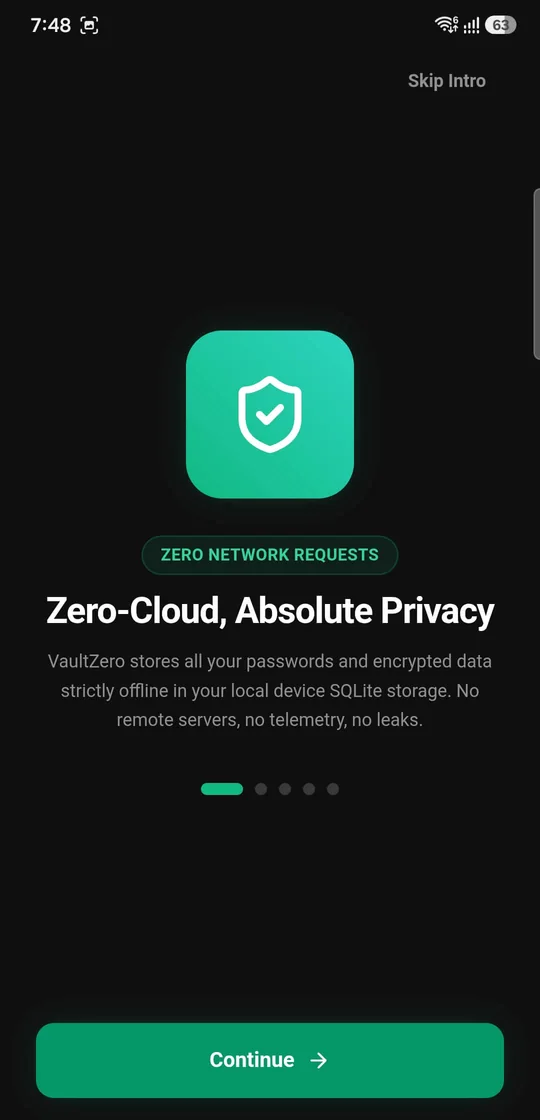
Your vault lives only on your Android device. No registration, email or phone number, and vault data is never sent to a remote server.
- No registration
- No email or phone
- Works fully offline

100% offline password manager
Store website logins, app passwords, bank cards and private notes in one AES-256-GCM encrypted vault on your phone and PC, synced peer to peer over your own Wi-Fi. No account. No cloud database. Your vault, your privacy.
01 — The product
Cloud password managers ask you to trust their servers with your most sensitive data. Vault Zero takes the opposite approach: no account, no cloud database, nothing to breach. Your vault stays on your phone, encrypted, under your control.
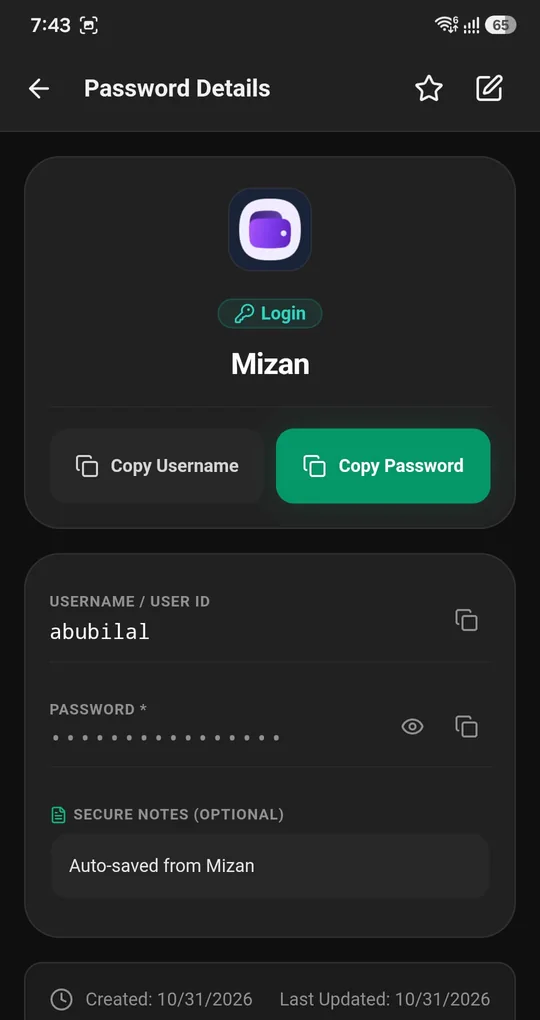
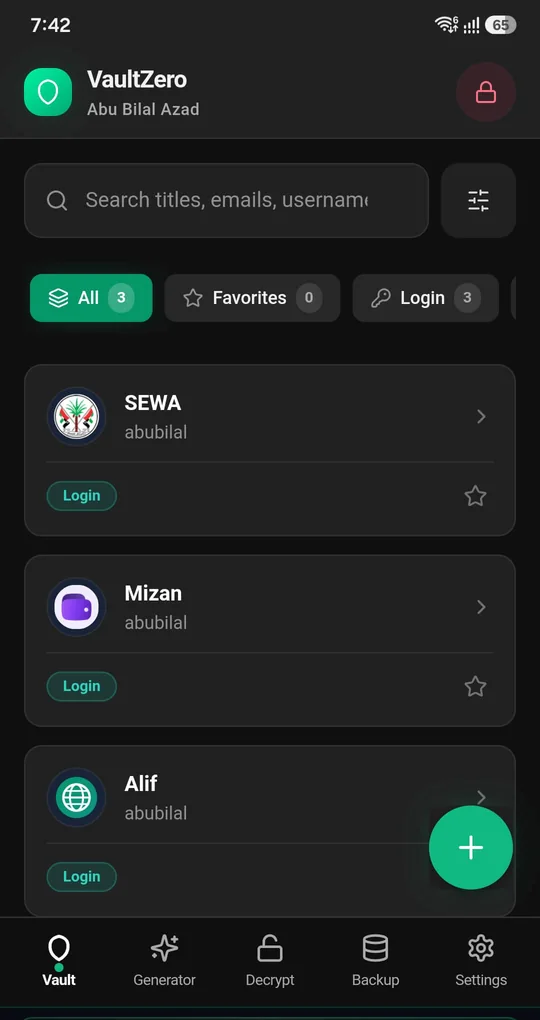
A free, offline-first password manager and encrypted personal vault for Android. It keeps website and app logins, bank cards, secure notes, secret keys and identity documents in one place, protected on your own device.
Cloud password managers ask you to trust their servers with your most sensitive data. Vault Zero takes the opposite approach: no online registration, no email or phone number, and no cloud database to breach. Your vault, your privacy.
Designed and developed end to end: on-device AES-256-GCM encryption with salted PBKDF2 key stretching, native Android autofill behind a biometric gate, adaptive system icons, and a fully localised interface in 8 languages with right-to-left layouts.
“My passwords sit on a company’s server. One breach and they’re exposed.”
Your vault is encrypted with AES-256-GCM and never leaves your phone, so there is nothing central to breach.
“Every app wants my email or phone number before I can even start.”
No registration, no email, no phone number. Install it and start saving.
“Autofill needs the internet and I can’t see where my data goes.”
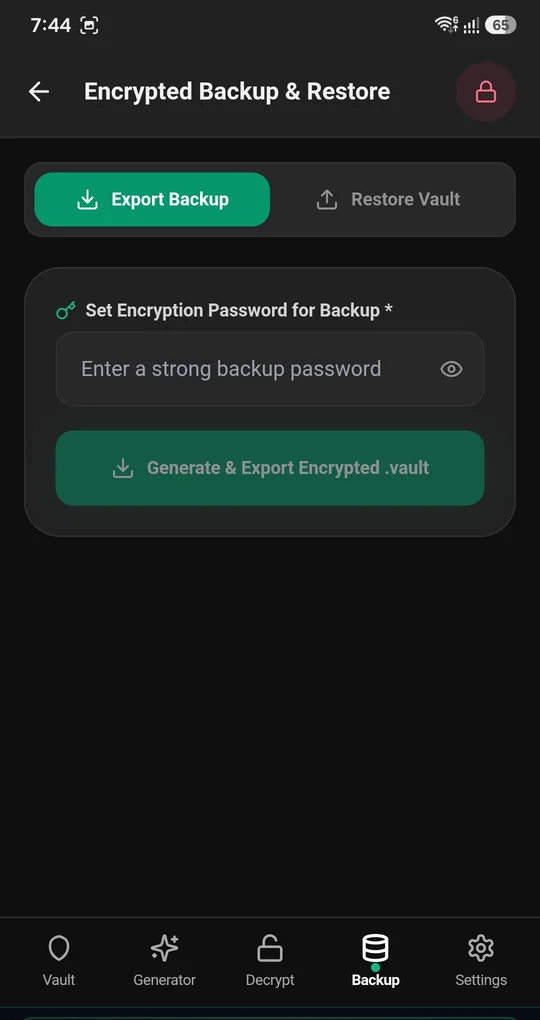
Native Android autofill that works 100% offline, and only after a biometric check.
“If I forget my master password, I’m locked out for good.”
An Emergency Recovery Key is created by default, with optional security-question recovery.
“My backups are stuck inside one vendor’s cloud.”
Export password-protected .vault archives to your phone, a PC, a USB drive or an SD card.
02 — Features
Six reasons Vault Zero is different, told one screen at a time.
Your vault lives only on your Android device. No registration, email or phone number, and vault data is never sent to a remote server.
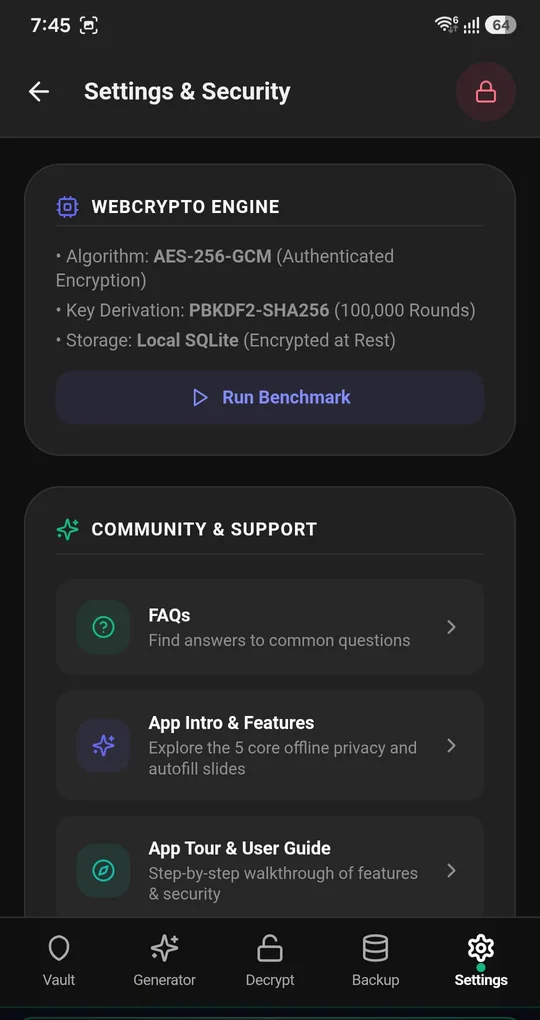
Passwords, cards and notes are protected with authenticated AES-256-GCM encryption. Master keys are derived on-device with 100,000 rounds of salted PBKDF2 key stretching.
Saved logins appear right above your keyboard, and new logins are captured as you sign in, with native app names and icons. A biometric check runs before anything is filled. Zero network requests.
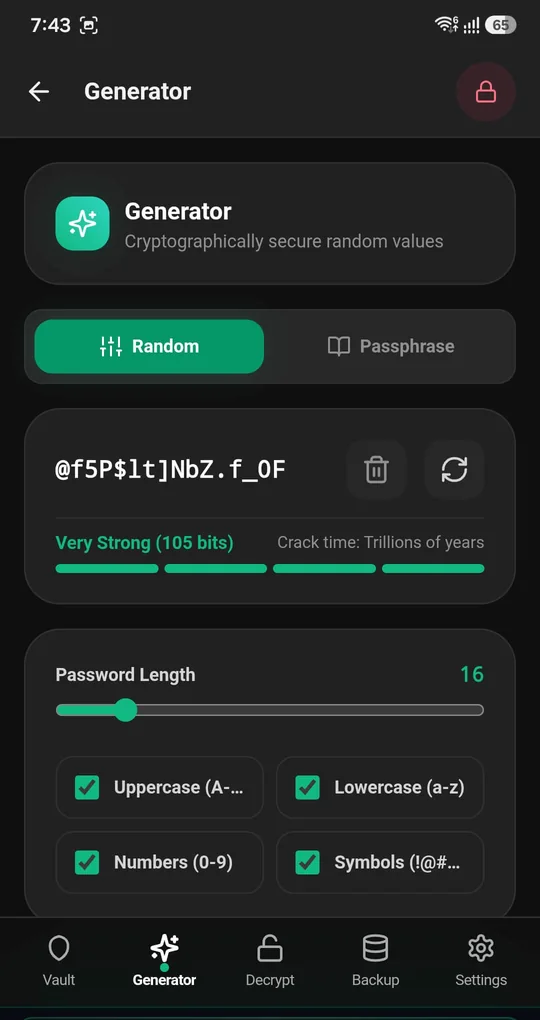
Generate strong passwords and passphrases with custom length and character sets, then check the estimated brute-force crack time before you save.
The Smart Hint analyzer checks password hints before you save them, and flags overlap or sensitive patterns that could expose a clue to your real password.
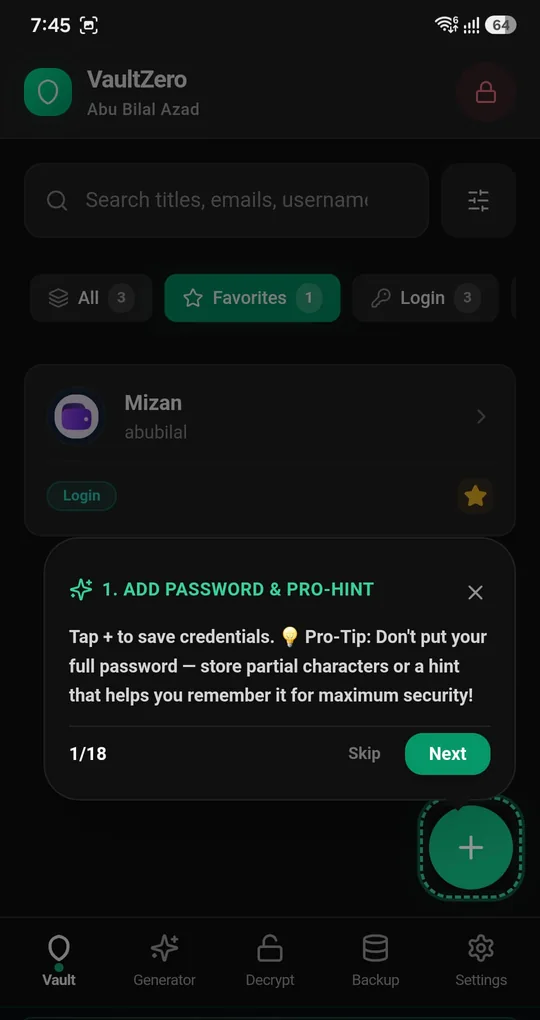
Export and import password-protected .vault archives to local storage, a PC, a USB drive or an SD card. Standalone, encrypted, and never dependent on a cloud.
Unlock with fingerprint, face or your master PIN. The randomised keypad rearranges its numbers to stop shoulder-surfing in public.
K7QM-X2PD-9HRT-4WNB
16 characters · on by default
Generated by default so you can get back in if you forget your PIN. Security-question recovery is available as an optional extra layer.
Move credentials between your trusted devices with time-limited encrypted codes, without any server in between.
03 — Desktop app
The same zero-cloud vault, rebuilt for a keyboard and a big screen. Your passwords are encrypted in a local database on your PC, and nothing is sent to a server.
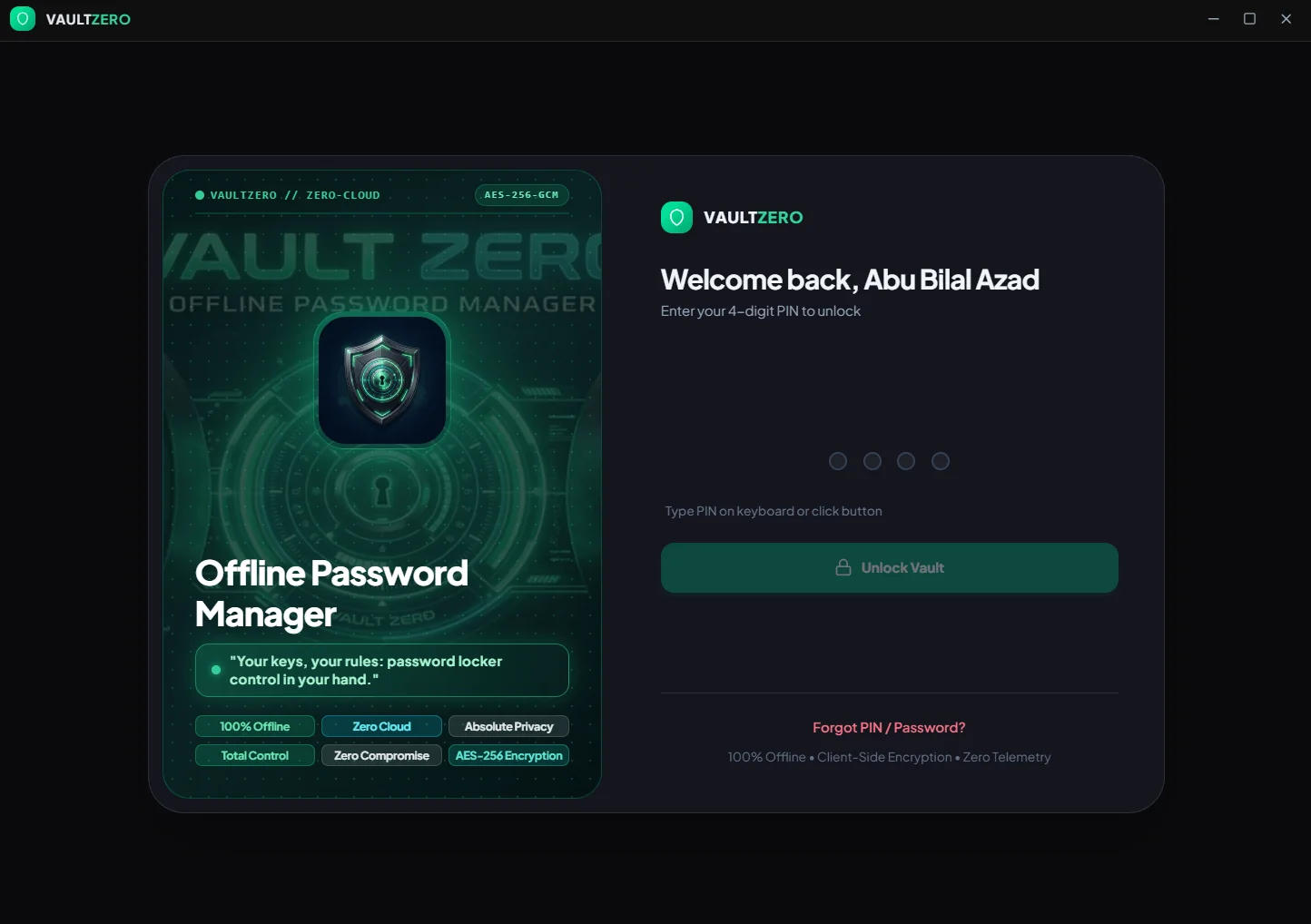
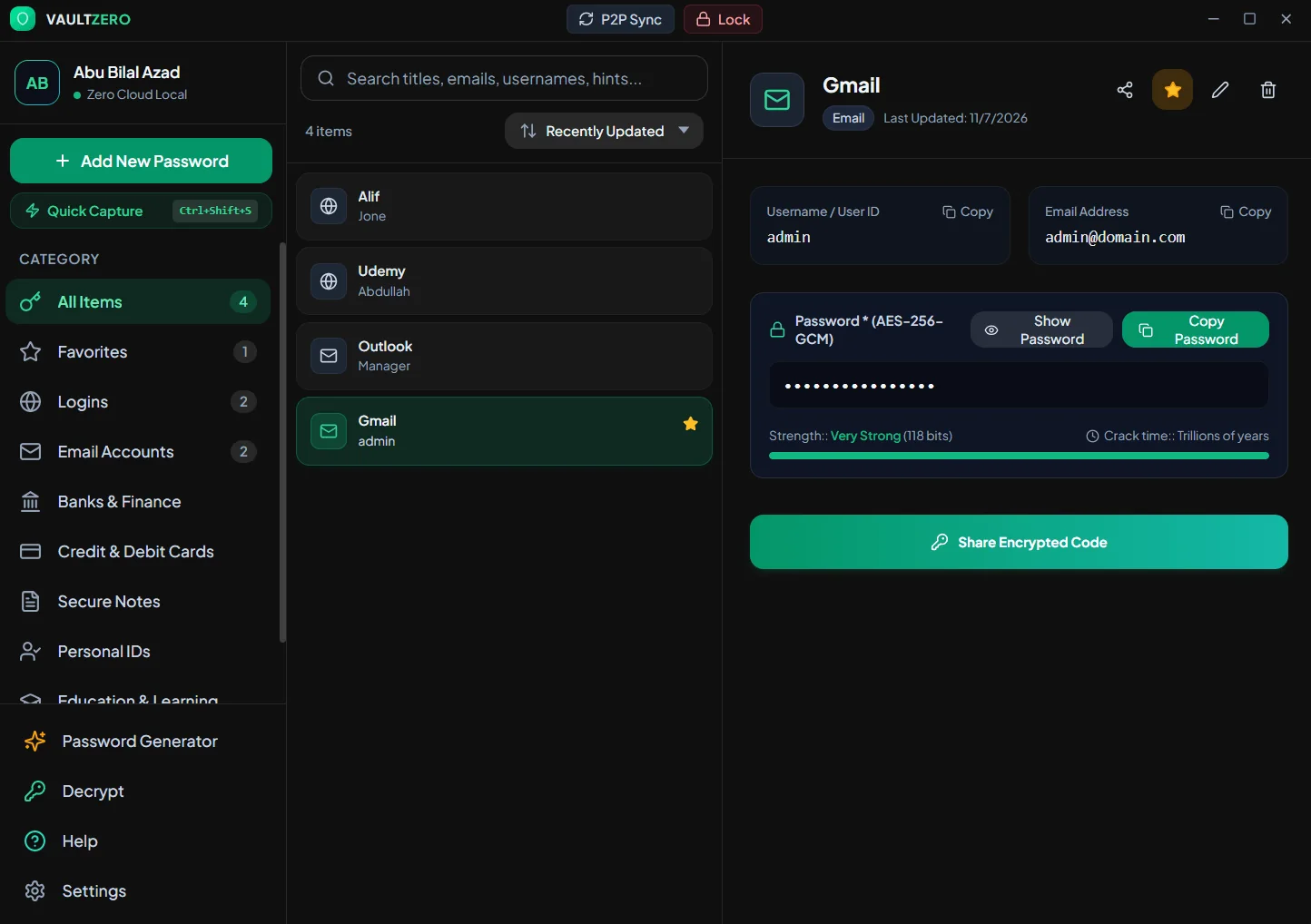
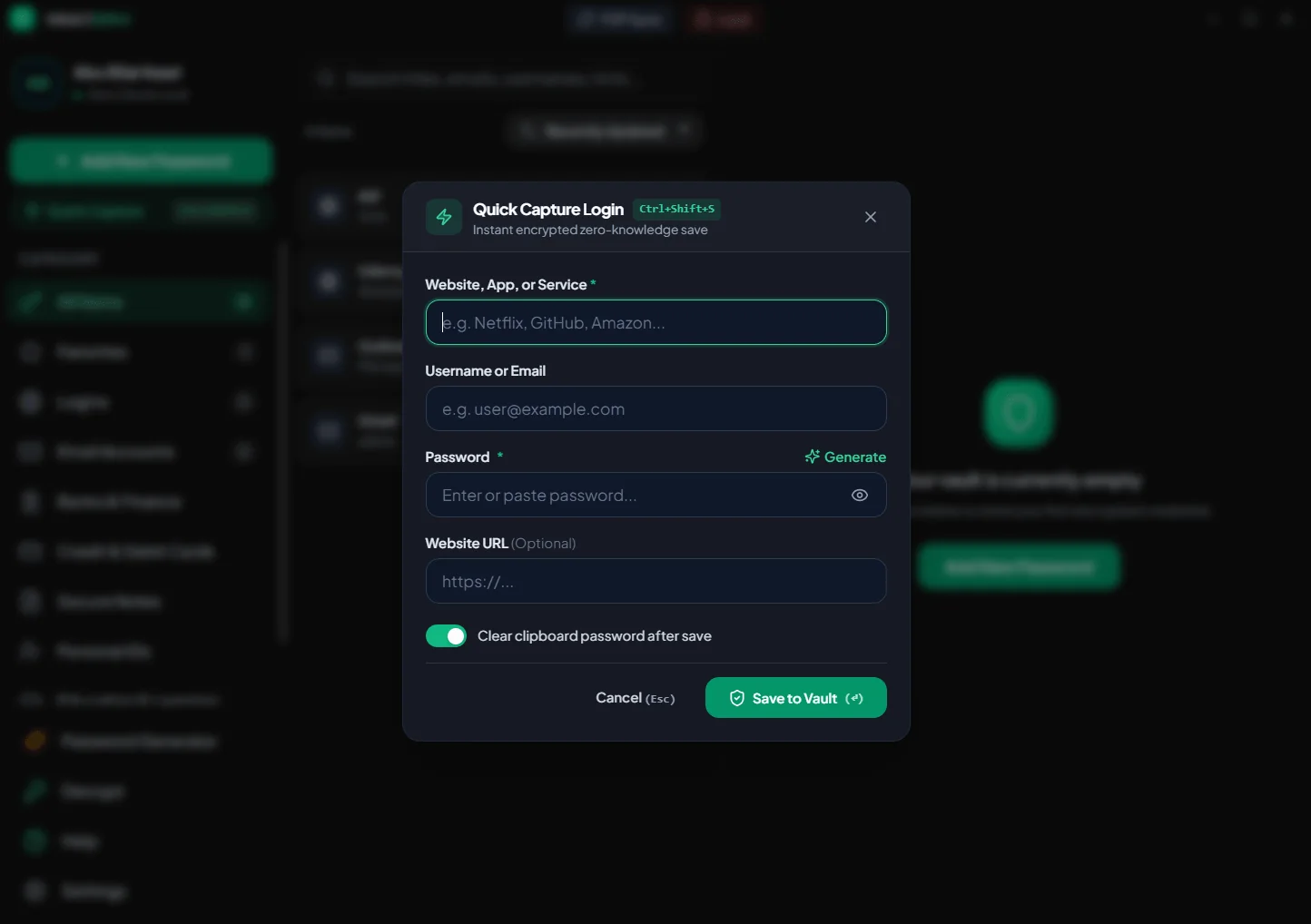
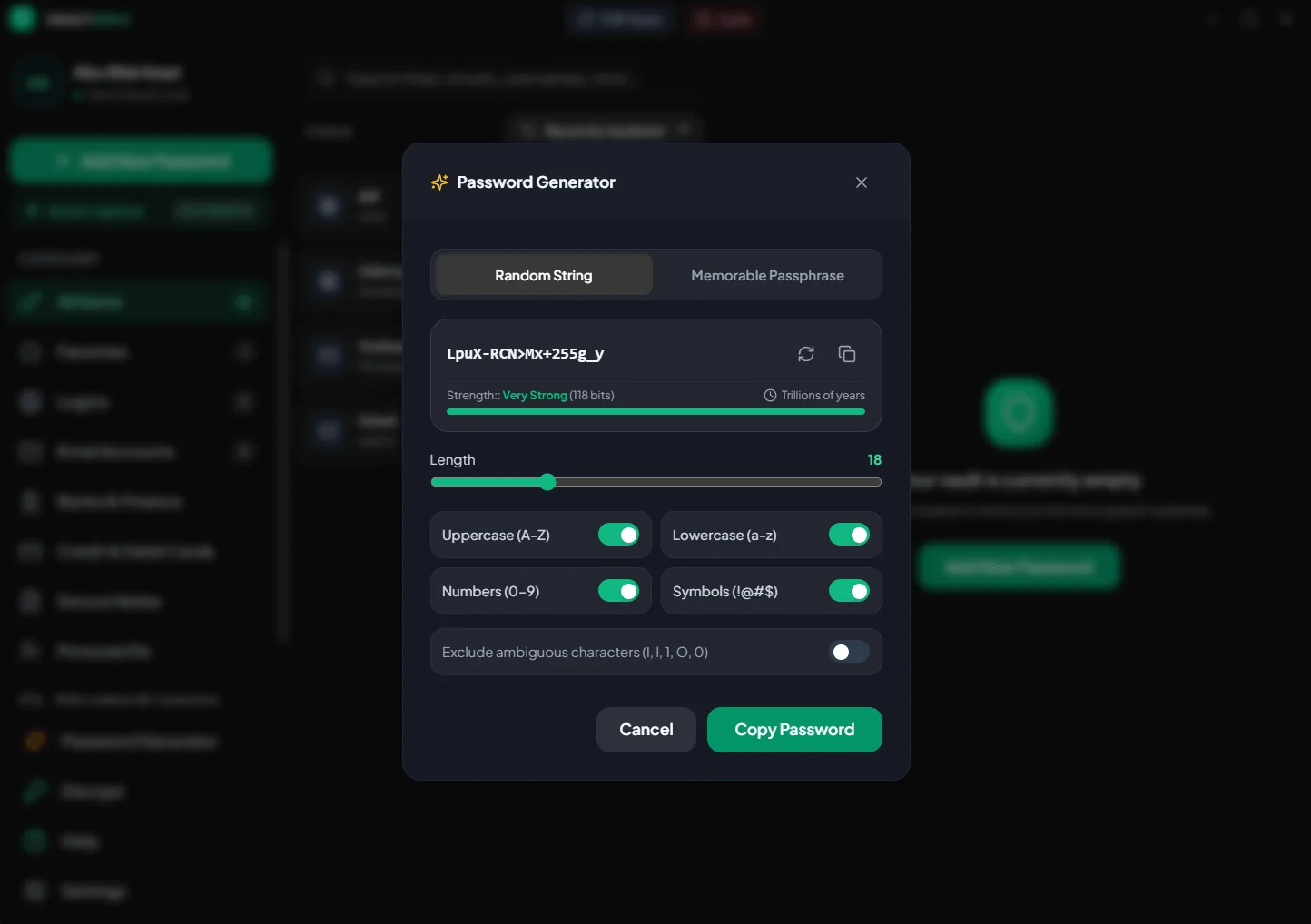
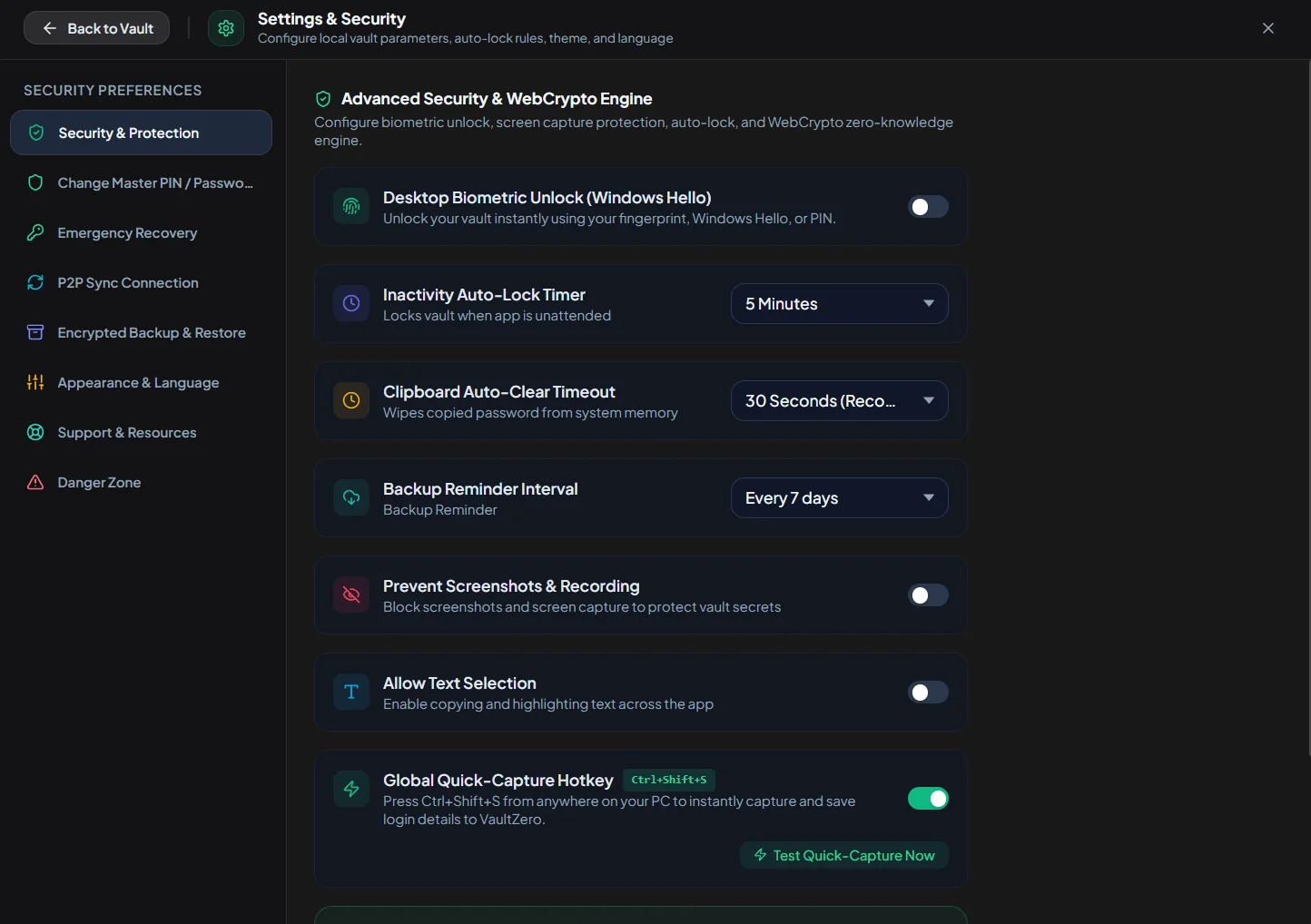
Press Ctrl+Shift+S anywhere in Windows, even in a game, to save a login without opening the app. The copied password can be wiped from the clipboard after saving.
Open the vault with your fingerprint, face or PIN through Windows Hello, or use a 4- or 6-digit PIN or a master password.
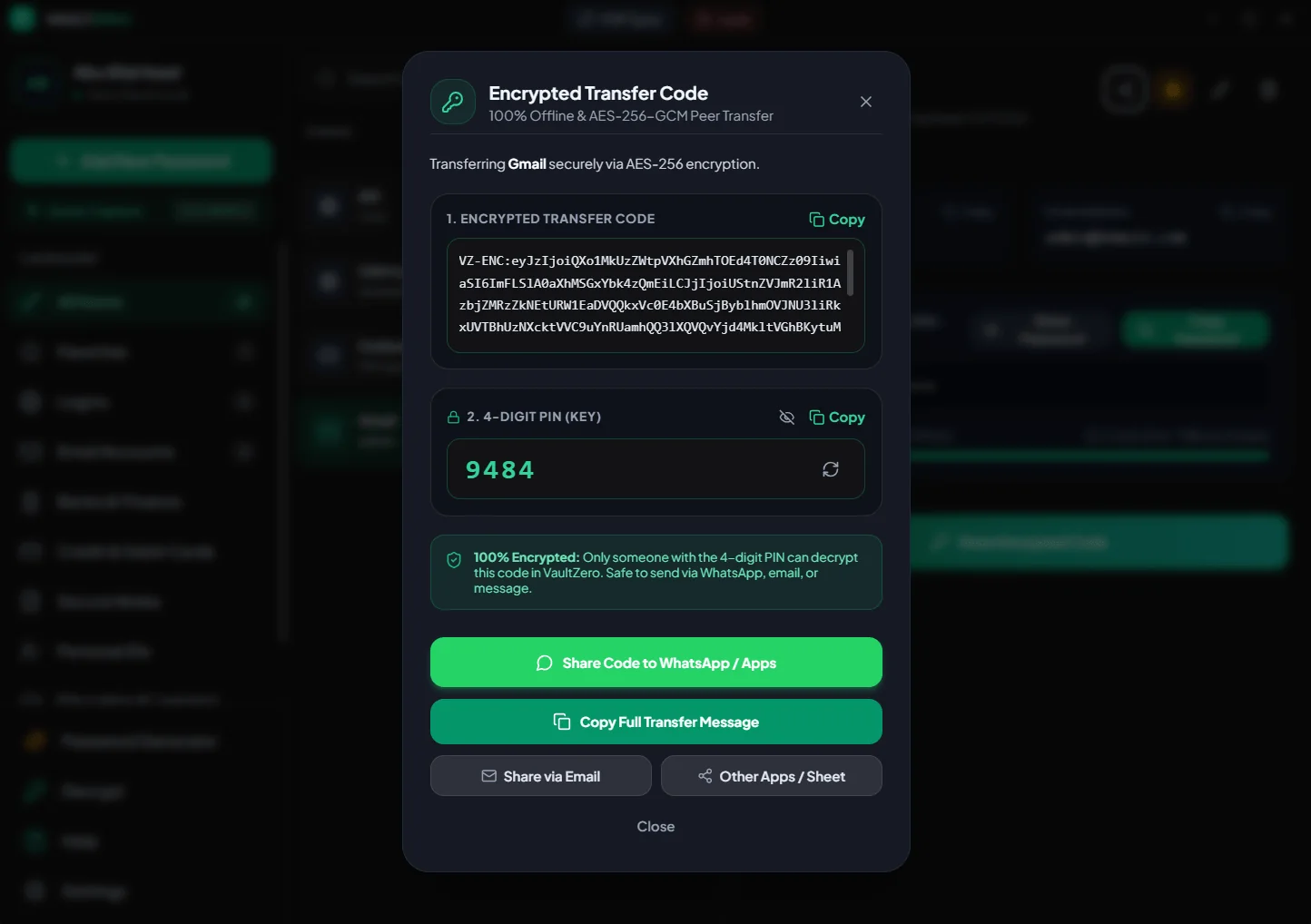
Turn any credential into an AES-256-GCM transfer code locked with a 4-digit PIN. Send it over WhatsApp or email; only someone with the PIN can decrypt it in Vault Zero.
Inactivity auto-lock, clipboard auto-clear, and blocking of screenshots and screen recording keep the vault private on a shared or busy desk.
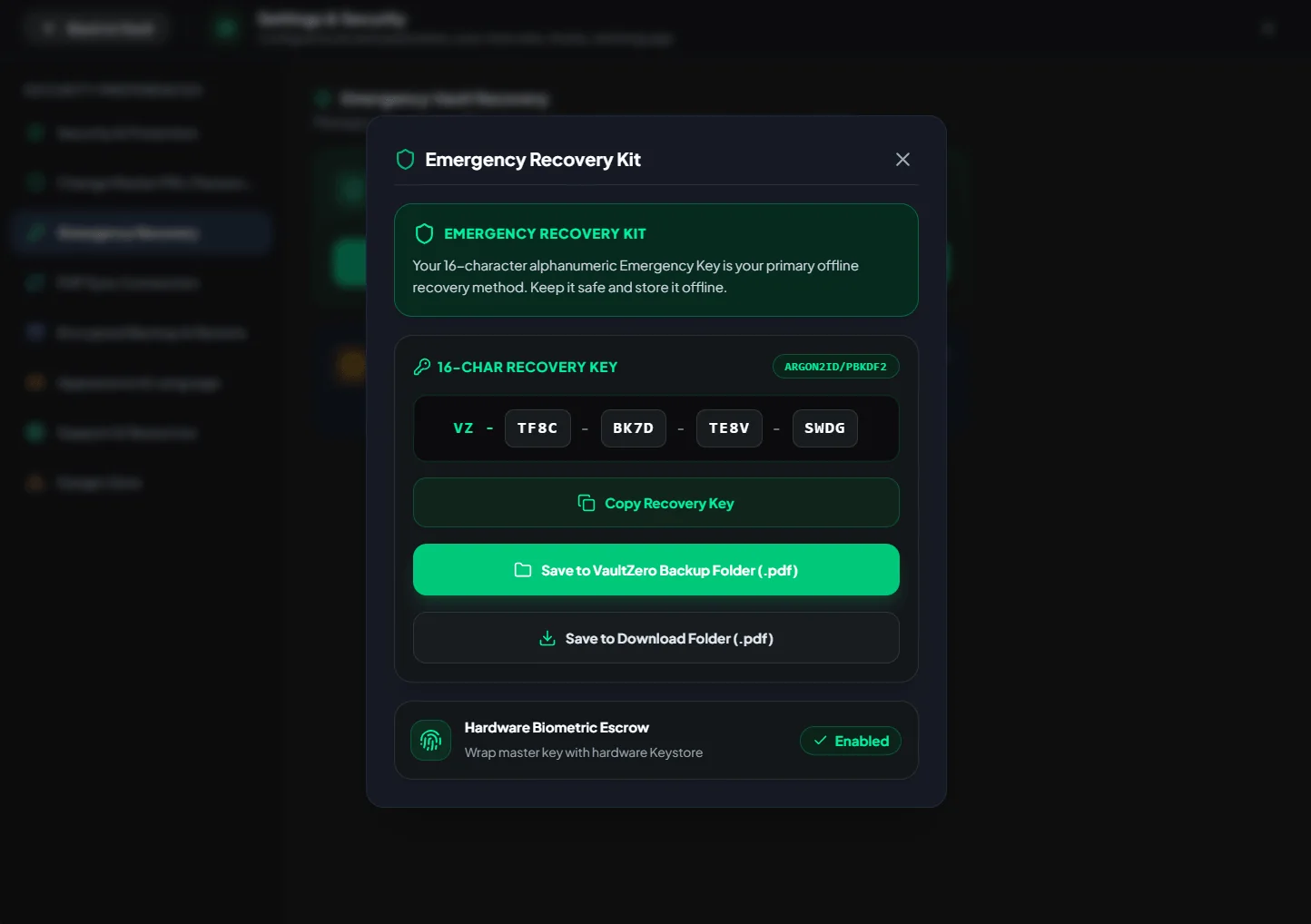
Export encrypted .vault backups with backup reminders, and save your 16-character Emergency Recovery Key as a PDF kit.
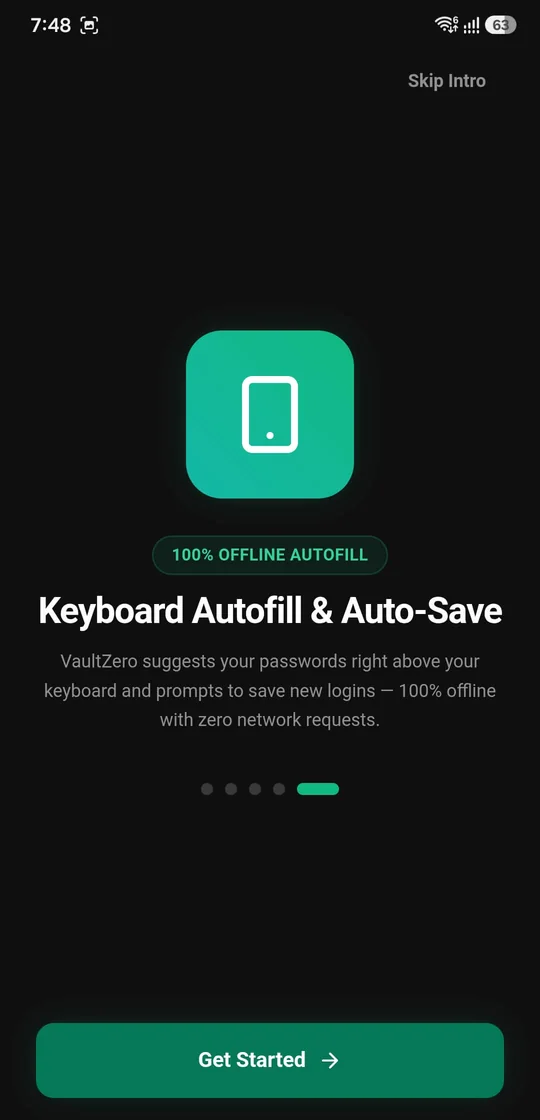
A five-step onboarding and an in-app tour explain encryption, recovery, backups and sync before you save your first password.
04 — Phone ↔ PC sync
Vault Zero syncs your Android phone and Windows PC directly over your own Wi-Fi. Scan one QR code and encrypted records travel device to device, peer to peer. No server, no account, no internet.
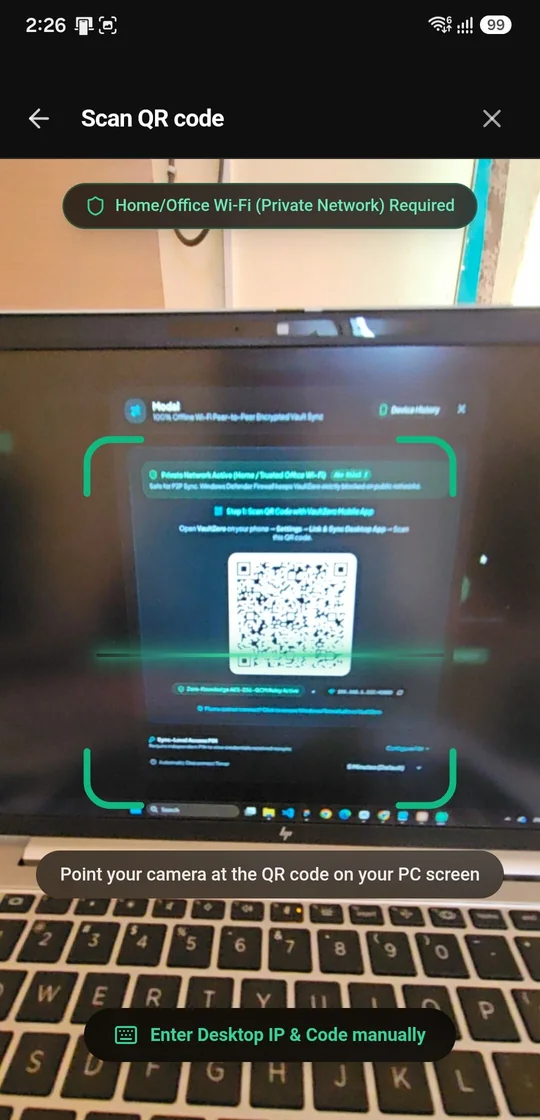
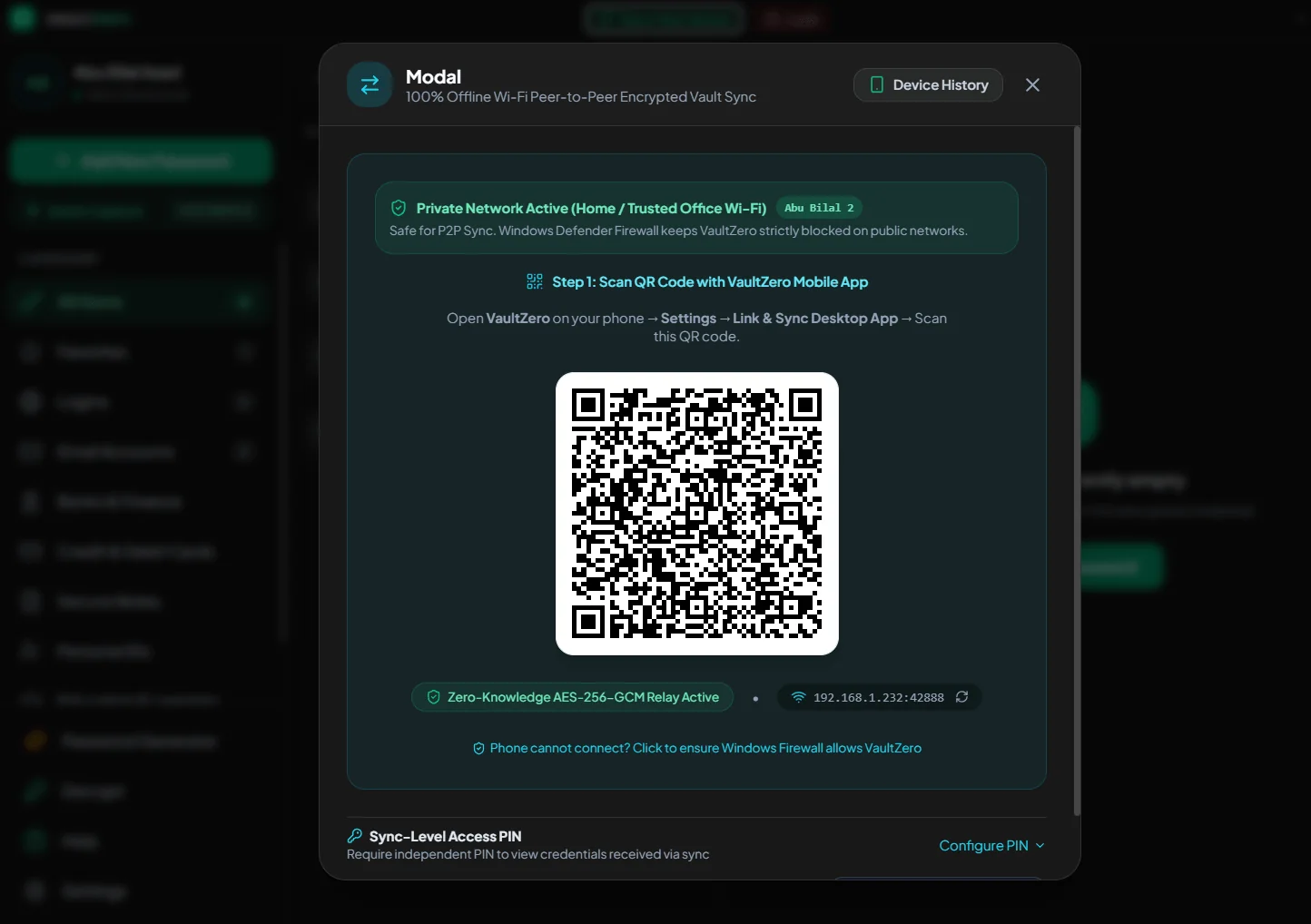
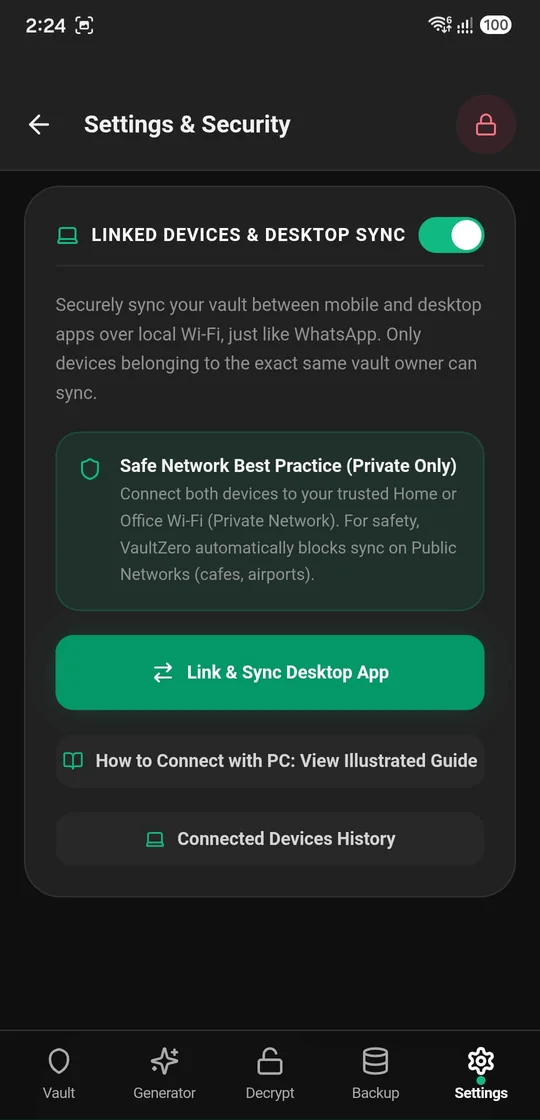
How to connect
The Android app walks you through linking your PC, right inside Settings.
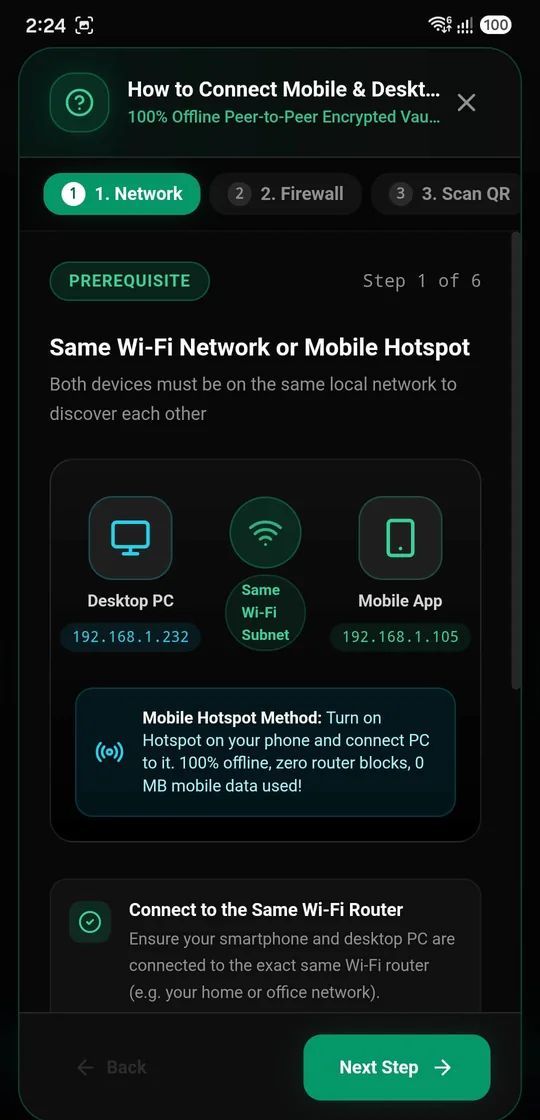
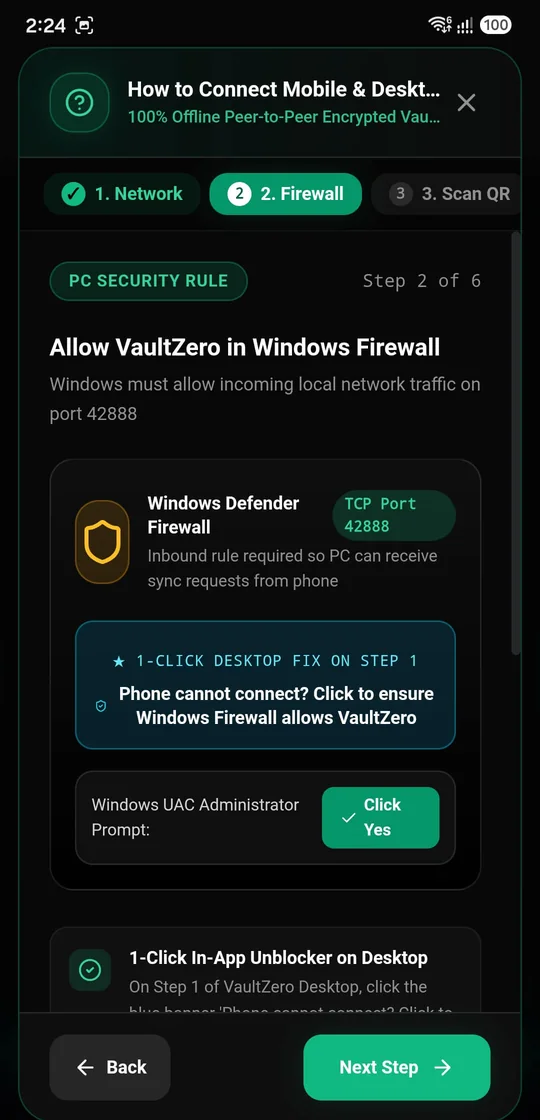
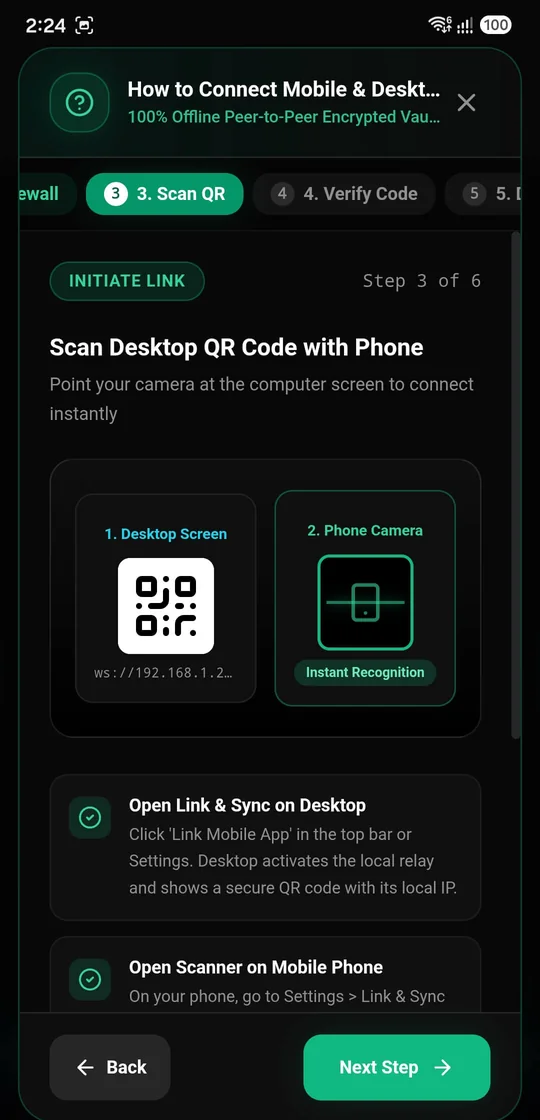
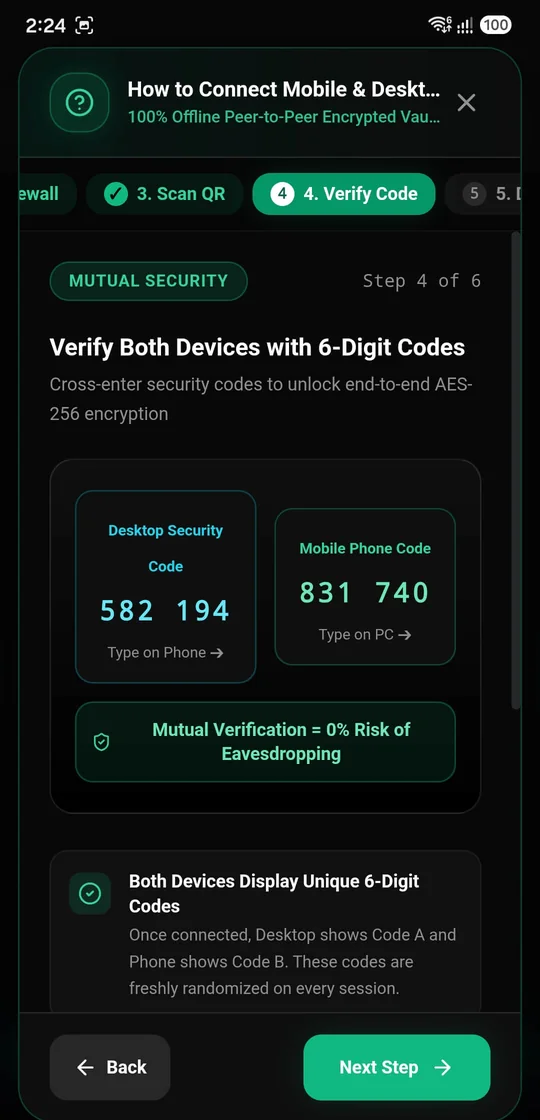
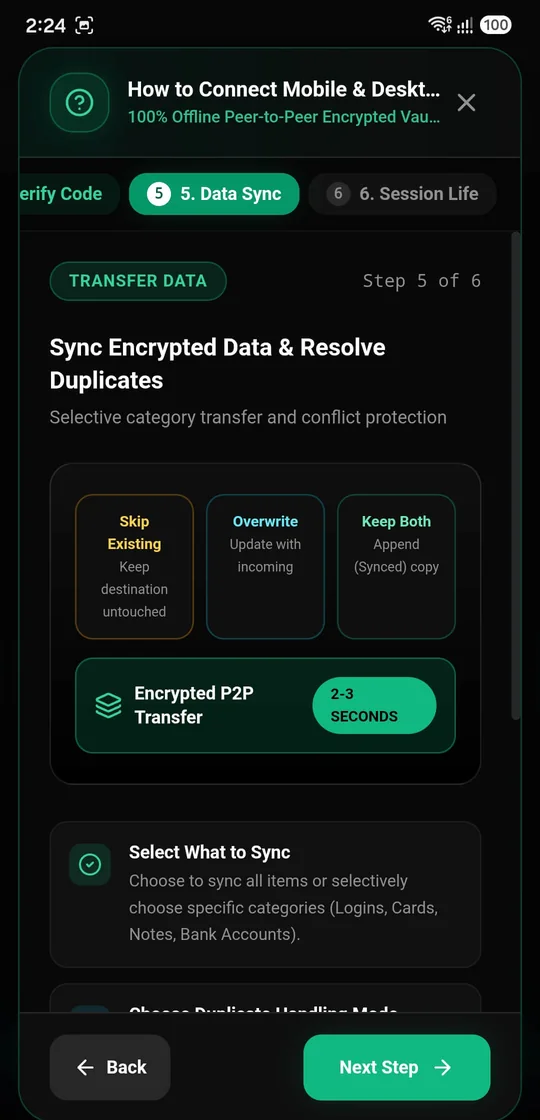
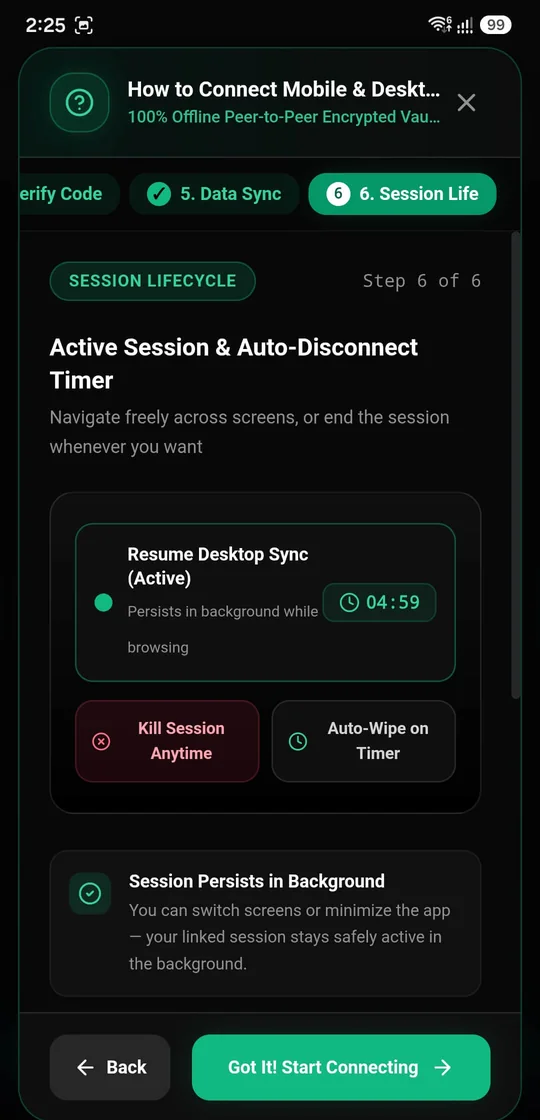
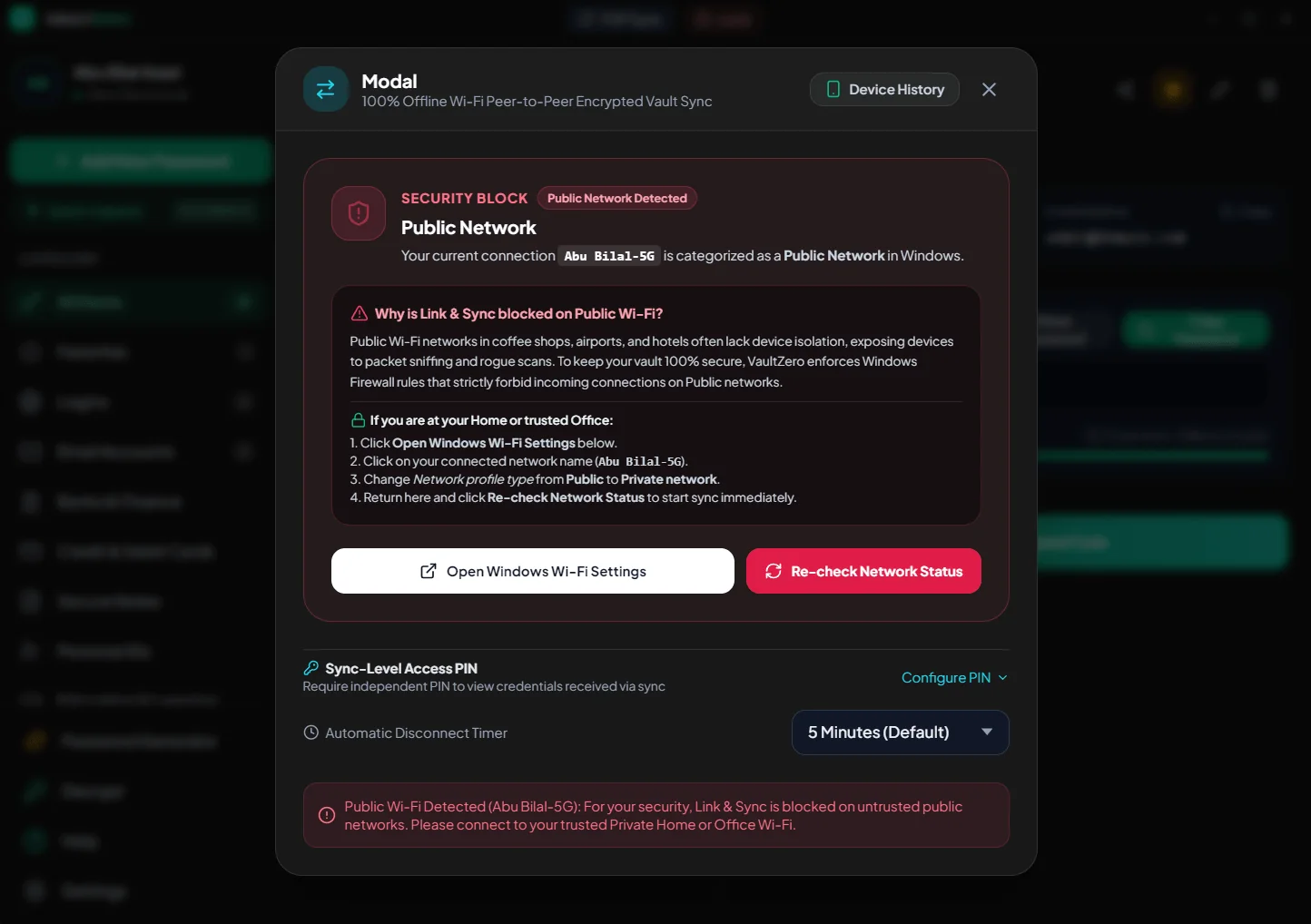
Sync runs on private home or office Wi-Fi, or your own hotspot. On public networks the firewall keeps it blocked.
Both devices confirm each other with fresh codes before any data moves, so no one in between can join.
Optionally require a separate PIN before anyone can view credentials received through sync.
The session wipes itself after a set time, 5 minutes by default, and you can kill it at any time.
Skip existing items, overwrite them, or keep both copies. Nothing is merged without your choice.
See which devices have linked to your vault, so an unknown one stands out.
05 — Zero-knowledge architecture
From the moment you unlock to the moment a record is saved, every step happens on your phone.
Master PIN, fingerprint or face, verified locally by Android.
Your key is stretched on-device with 100,000 rounds of salted PBKDF2.
Every record is sealed with authenticated AES-256-GCM.
The encrypted vault stays in local storage on your phone. Nowhere else.
06 — Your vault
A fully localised interface in eight languages, with right-to-left layouts for Arabic and Urdu.
07 — Latest release
A desktop app with Windows Hello unlock, a global Quick Capture hotkey and encrypted share codes.
Pair by QR code and sync the vault directly over your own Wi-Fi, encrypted, with no server in between.
Seamless autofill for apps and websites with zero internet access.
Instant biometric verification before credentials are filled.
Captures app and web logins automatically, with native app names and icons.
Clean save dialogs with a "100% Offline & Encrypted" security badge.
Symmetrical adaptive icons across Xiaomi, Samsung, Pixel and other Android devices.
Faster, smoother and more reliable everywhere.
Download
Your offline password manager and encrypted personal vault for Android and Windows, synced peer to peer without a cloud.
08 — The maker
I designed, engineered and shipped Vault Zero single-handedly, with AI as my development partner (Antigravity). Research, UX, UI, front-end and release, end to end.
Mohammad Azad · Senior UI/UX Designer, Product Designer, UI Developer and UI Engineer
As a user, I found it genuinely difficult to store my login details somewhere that was actually secure.