attendance loading
Company project · Mobile app

Attendance Management System

Punch in, fix a missed punch and check your leave, all from your phone.
  • UX · UIMy role
  • 17Key screens
  • 2Themes
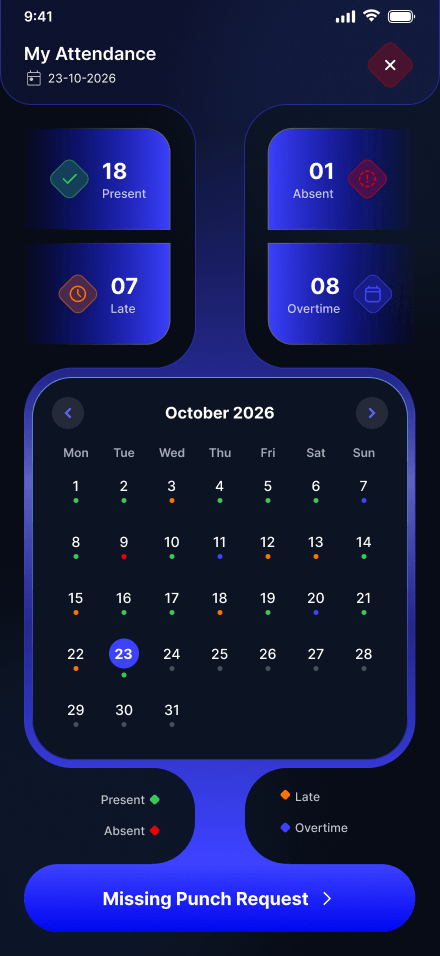
My attendance: present, absent, late and overtime with the month's calendar
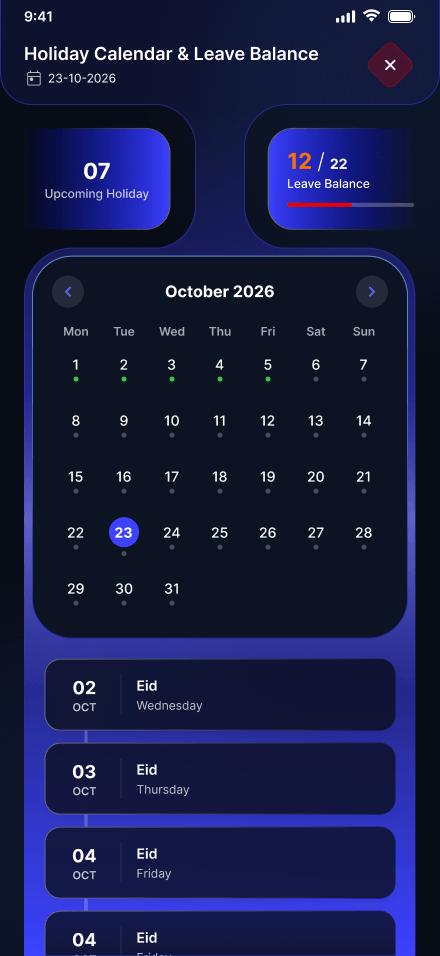
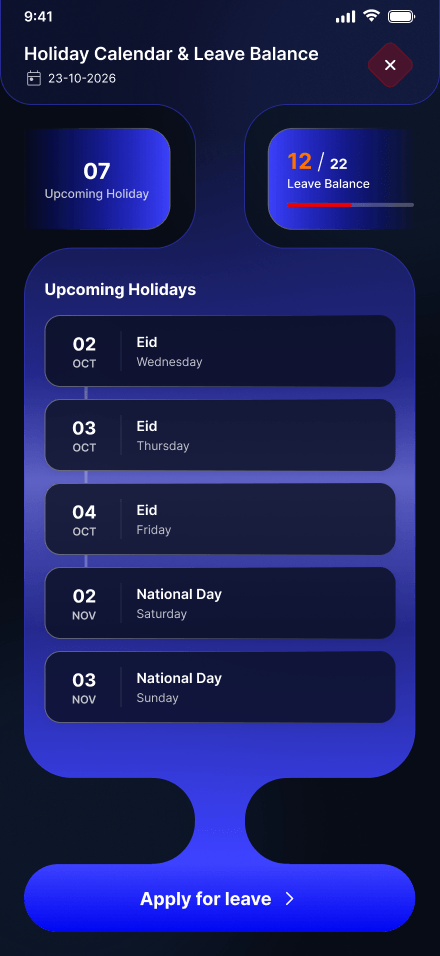
Holiday calendar with leave balance
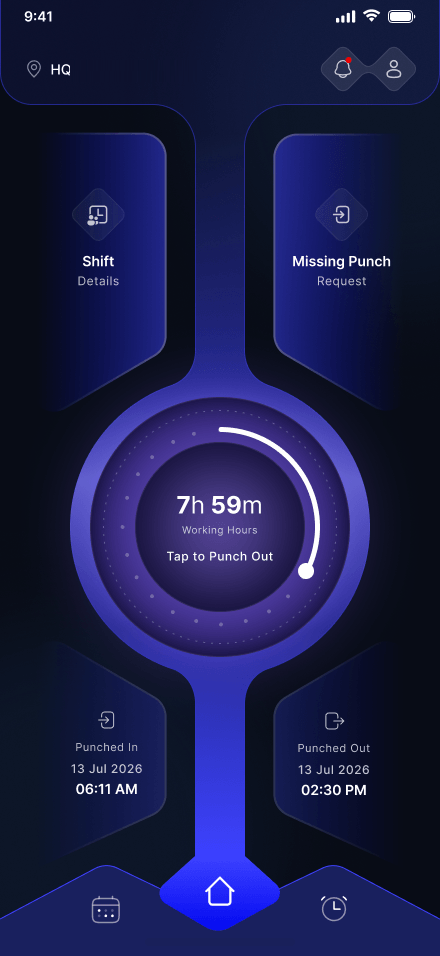
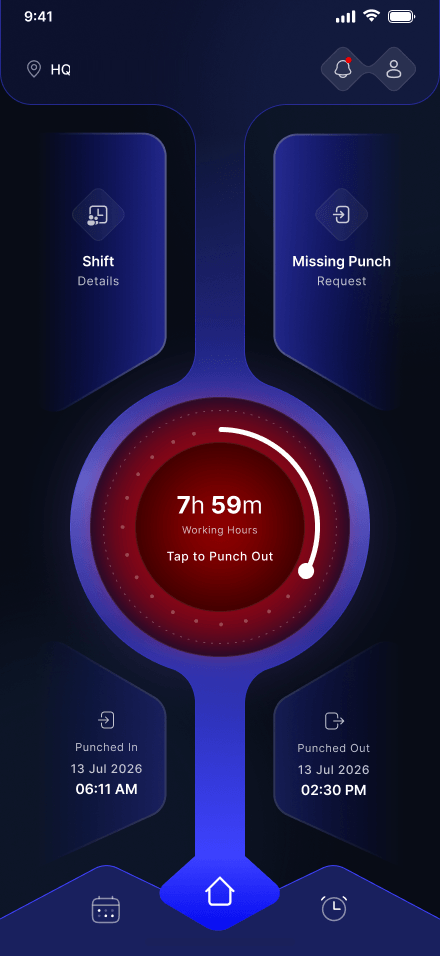
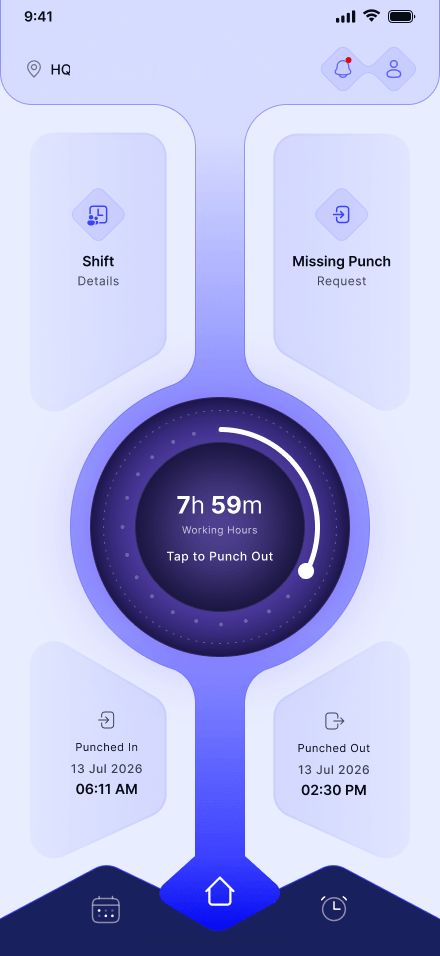
Home screen: working hours on the punch ring, shift details, missing punch request, punch in and out times
Overview

From the desk to one tap

The shift

  1. Built for a desktop
    Built for the phone
  2. Many steps to punch
    One tap to punch in
  3. Status hidden in reports
    Hours, late marks and leave at a glance

My role

  1. 01UXFlows for punch, requests and leave
  2. 02UI design17 screens in dark and light
  3. 03HandoffSpecs for the Flutter team

In numbers

17Key screens
2Themes
1Tap to punch in

Status colours

  • PresentOn time
  • LateAfter the shift starts
  • AbsentNo punch that day
  • OvertimePast the shift end

Tools & technology

  • Figma
  • Flutter
17 screens · 5 flows
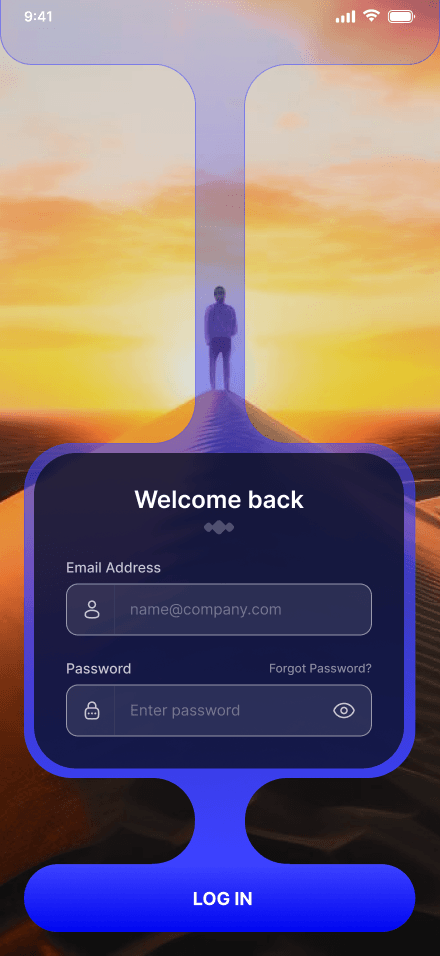
  1. Sign in

    Work email and password, nothing more.

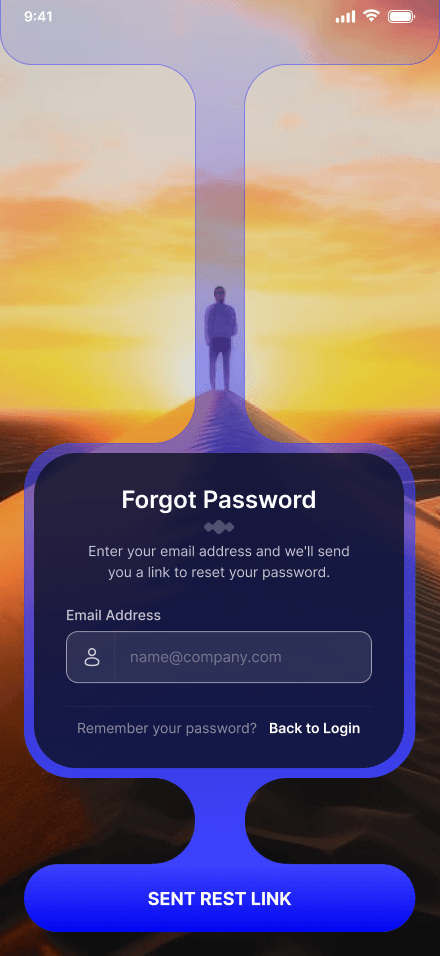
  2. Forgot password

    A reset link, one field away.

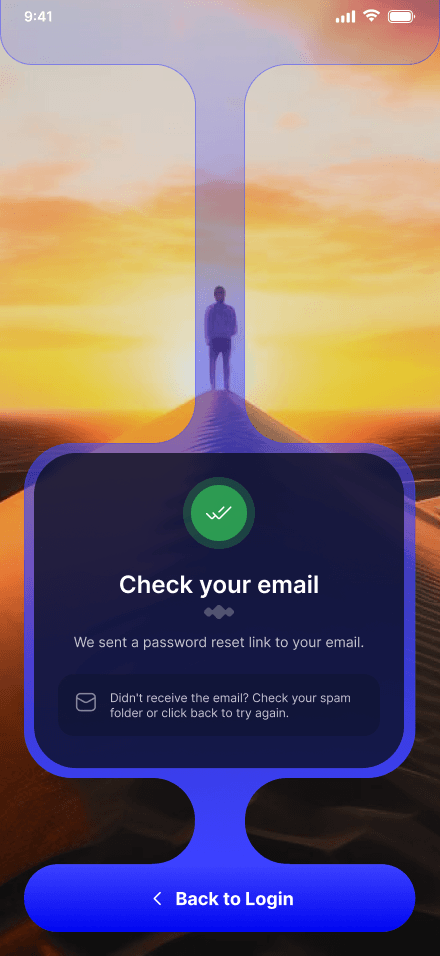
  3. Check your email

    A clear next step, and a way back.

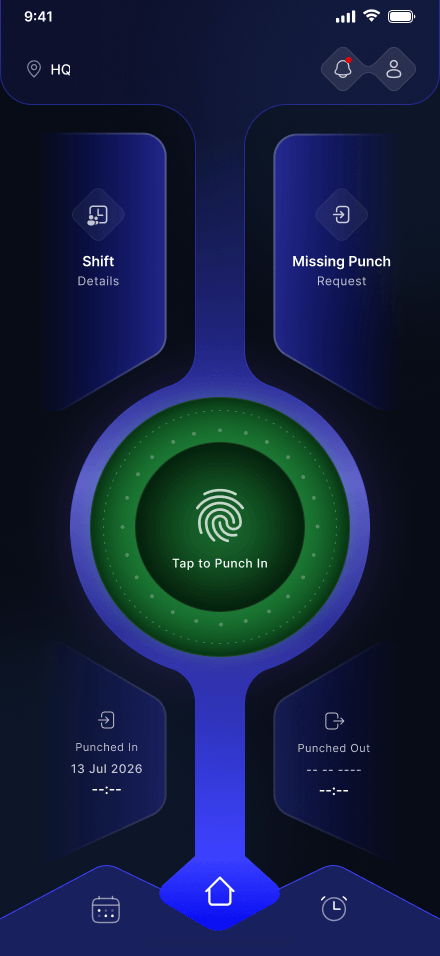
  4. Punch in

    One tap on the fingerprint starts the day.

  5. Working hours

    The ring fills as the shift goes on.

  6. Punch out

    In and out times, side by side.

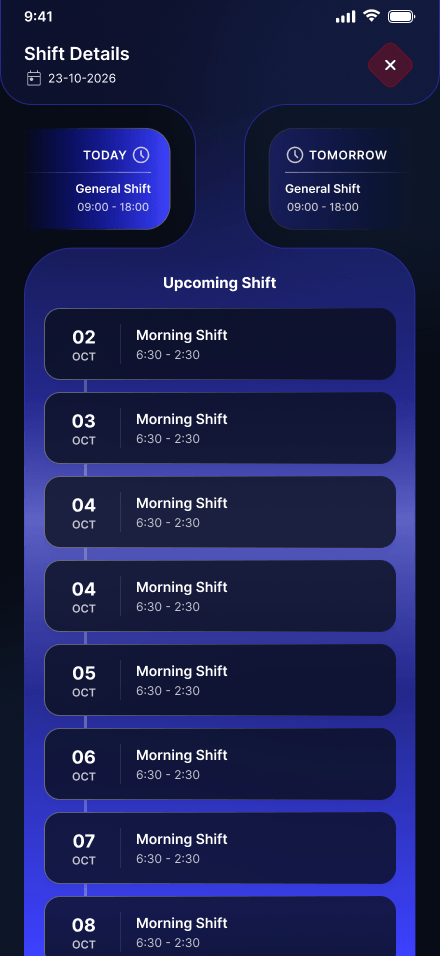
  7. Shift details

    Today, tomorrow and the days ahead.

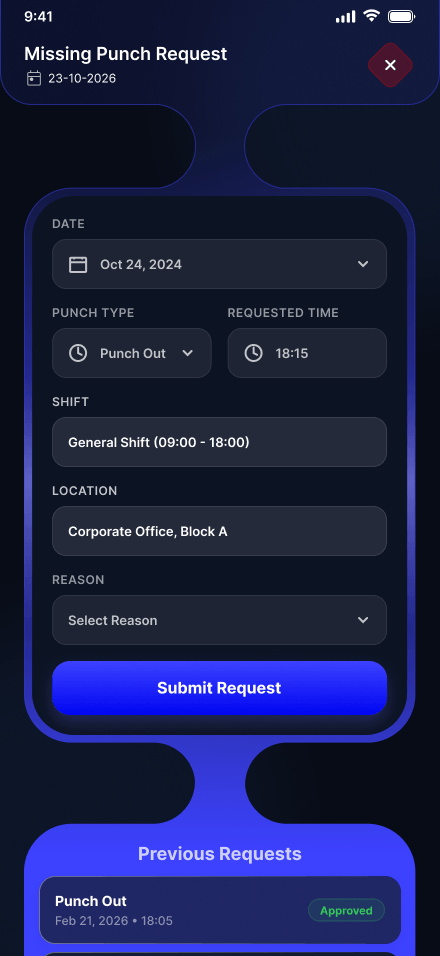
  8. Missing punch

    Forgot to punch? Ask for a fix.

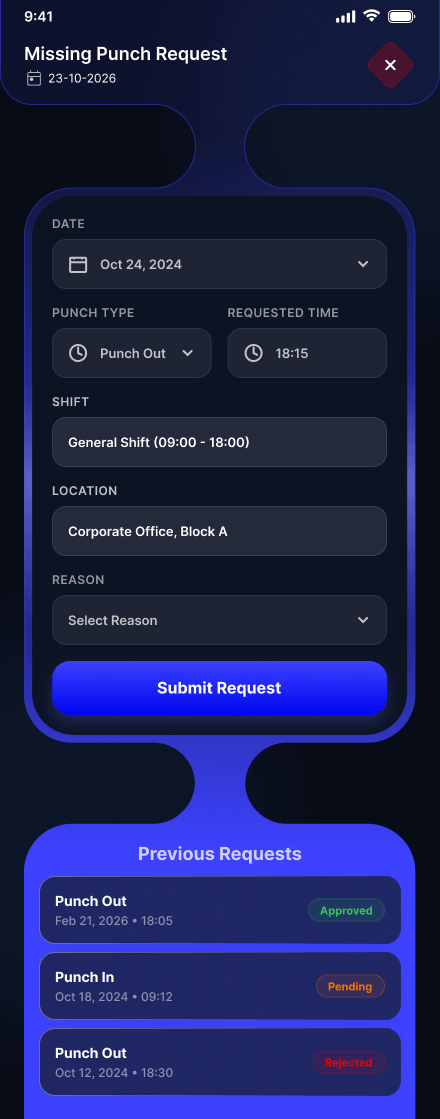
  9. Request history

    Approved, pending or rejected, in one list.

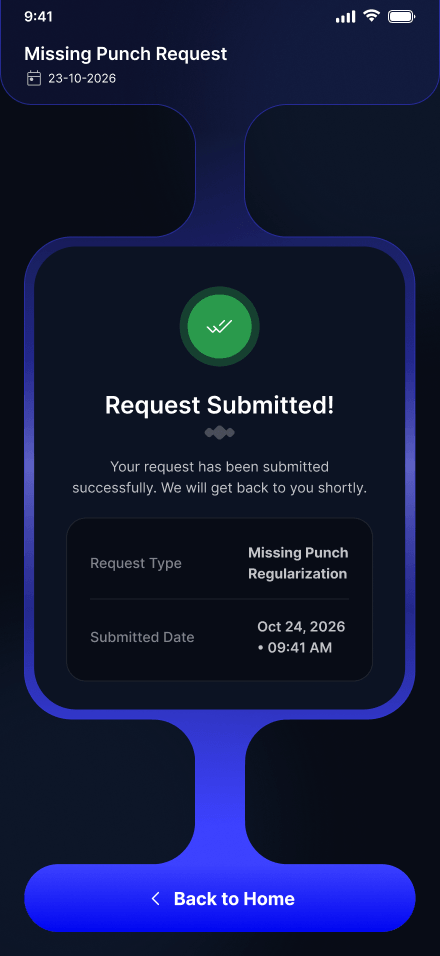
  10. Request sent

    A receipt of what was asked, and when.

  11. Holiday calendar

    The month, with every holiday marked.

  12. Leave balance

    Days left and the next holidays, then apply.

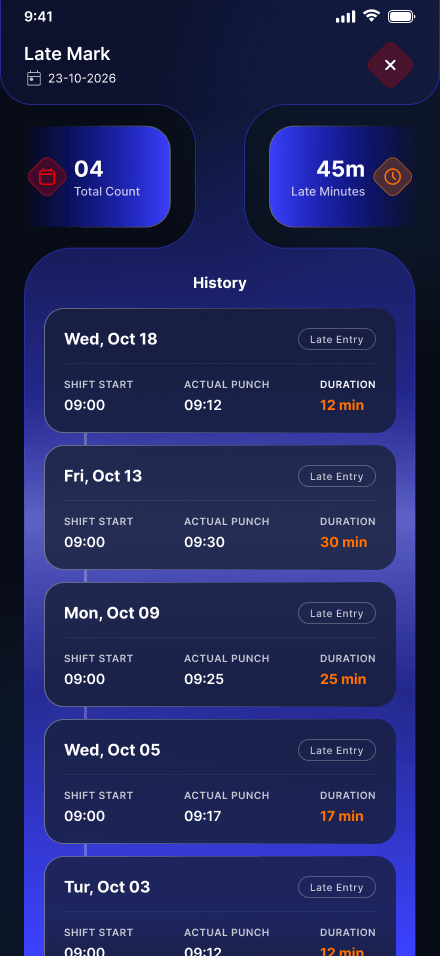
  13. Late marks

    Every late day, with its minutes.

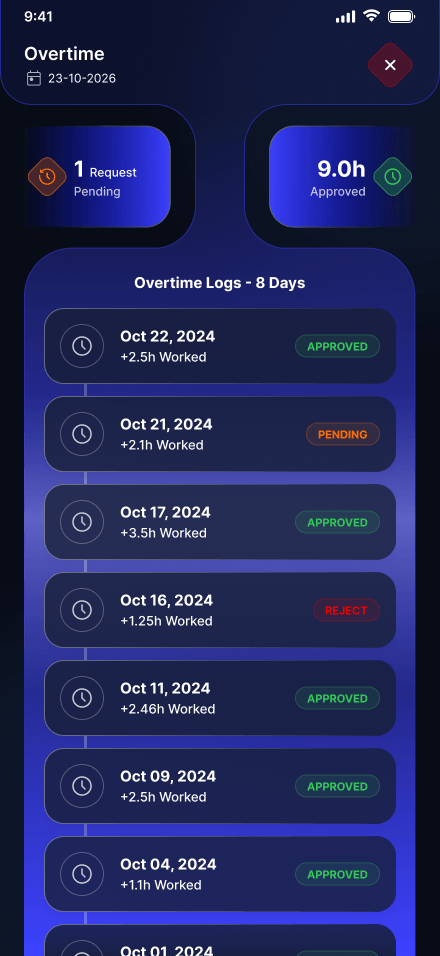
  14. Overtime

    Extra hours and whether they're approved.

  15. My attendance

    Present, absent, late and overtime for the month.

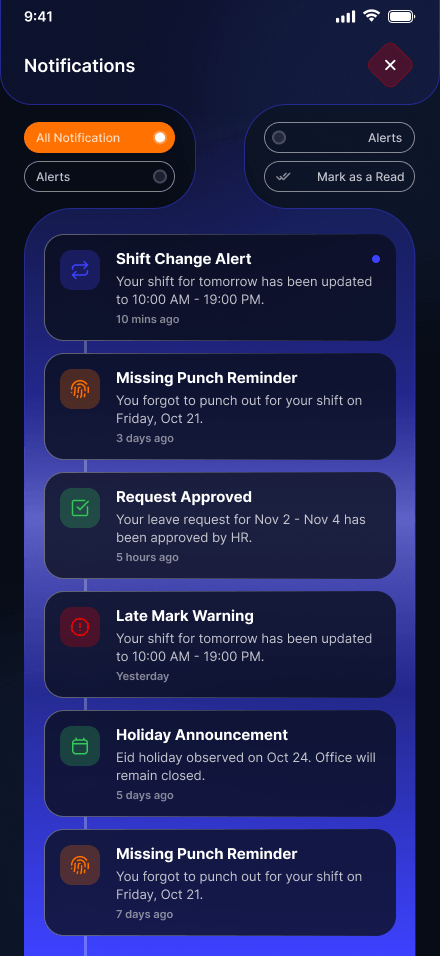
  16. Notifications

    Shift changes, reminders and approvals.

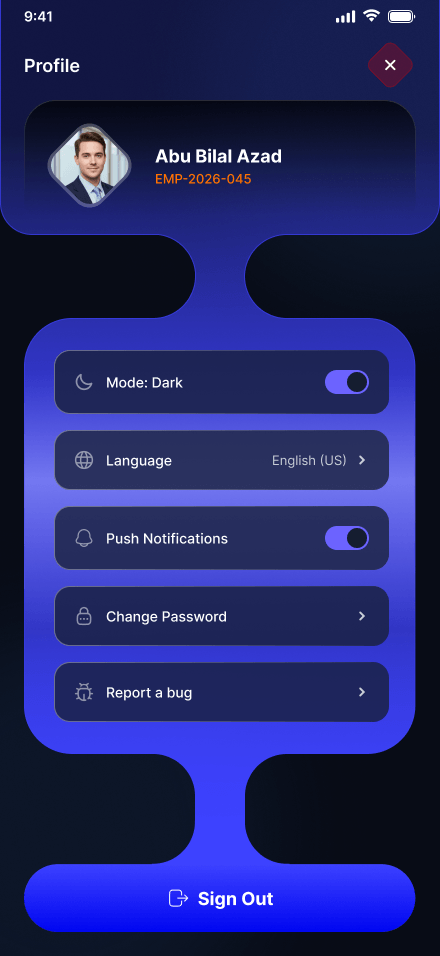
  17. Profile

    Theme, language and alerts.
01 / 17
Sign in with email and password
Forgot password with one email field
Check your email, with a way back to sign in
Home with the green fingerprint ring: tap to punch in
Home with working hours on the ring
Home with the red ring: tap to punch out, with punch in and out times
Shift details for today, tomorrow and upcoming days
Missing punch request: date, punch type, time, shift, location and reason
Missing punch request with previous requests: approved, pending and rejected
Request submitted, with its type and date
Holiday calendar for the month with upcoming holidays
Leave balance and upcoming holidays with apply for leave
Late marks with total count, minutes and history
Overtime logs with approved, pending and rejected hours
My attendance: present, absent, late and overtime with the month's calendar
Notifications: shift changes, reminders, approvals and announcements
Profile with dark mode, language, notifications and sign out
Click the phone for full size
Design challenge

One app, two themes

Every screen has a dark and a light design. Drag across the phone to compare, point at it to inspect.

Same shapes, both themes

Surfaces flip from dark to light. The shapes, the layout and the brand blue hold, so both themes read as one app.

Inspector x 220 · y 526
Home with working hours, dark theme Home with working hours, light theme
Next

More company work