itracker loading
Company project · Enterprise web app · Security

iTracker facility access

Who may enter which facility, when, and who let them in. Admin and security grant access to staff, contractors and visitors; turnstiles check it at the gate; guards, doors, cameras and gate tablets are tracked. It used to run on paper and email.

  • UX · UIMy role
  • 3Kinds of people
  • 15Screens
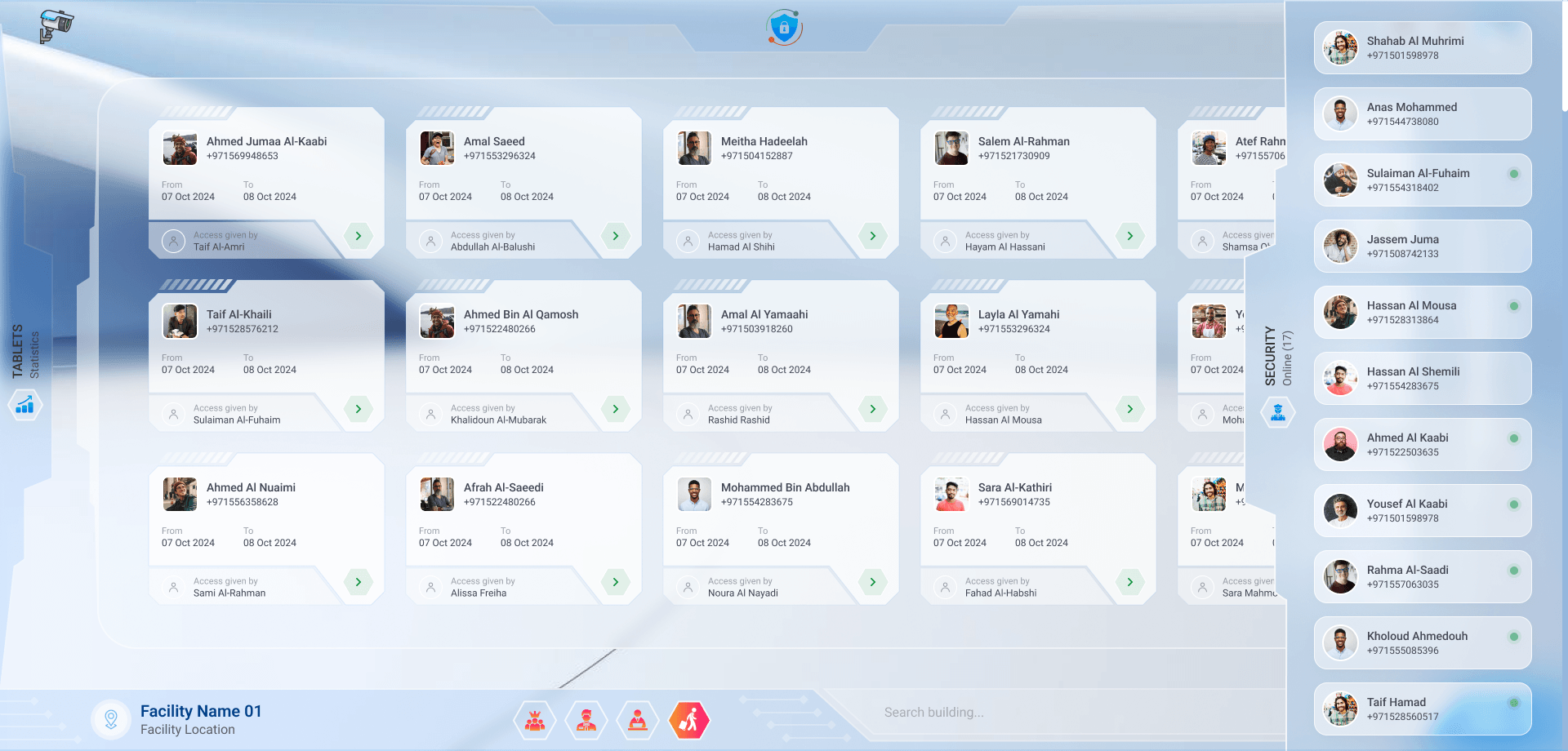
Security: the guards on duty and who they let in
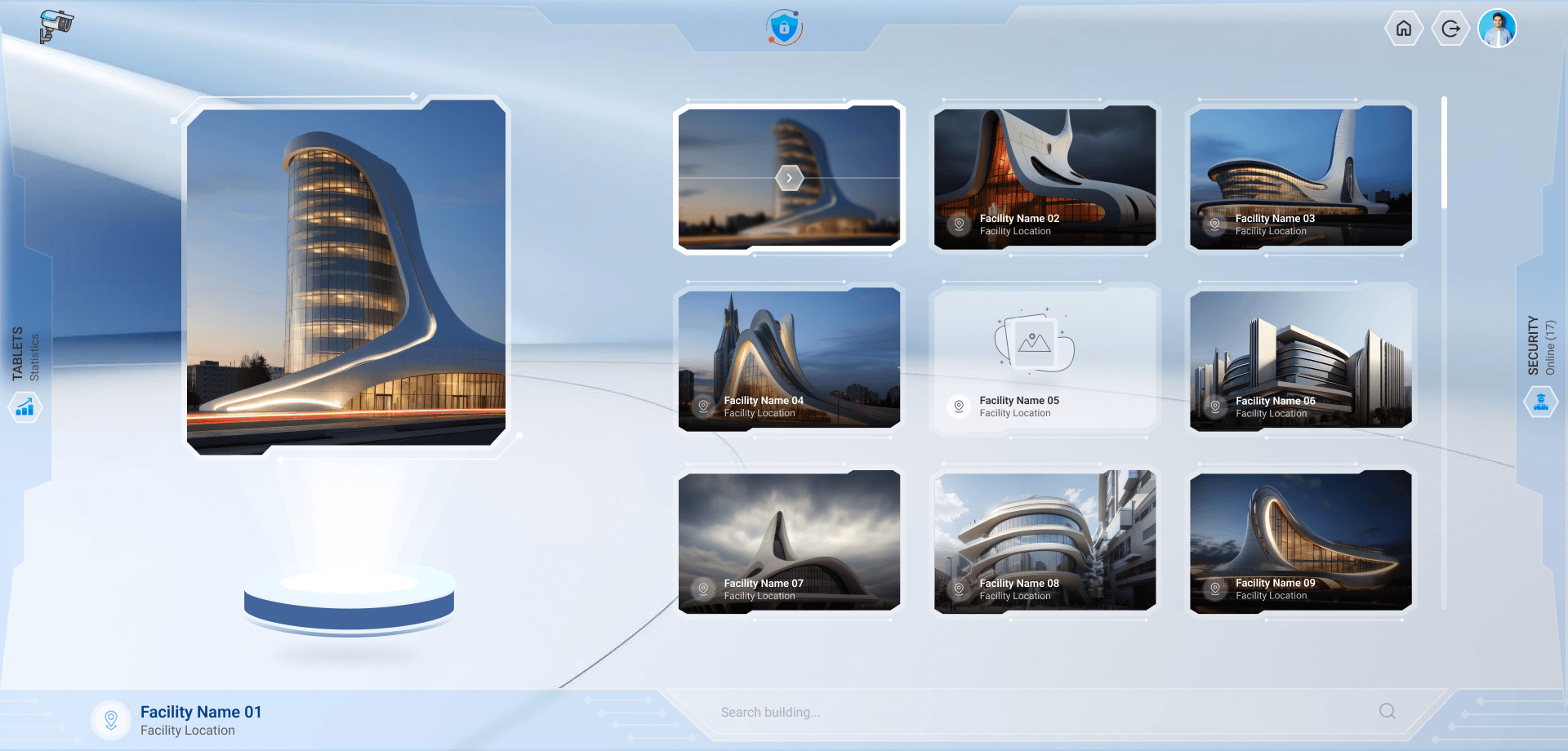
The facilities, one card each
iTracker · Access list
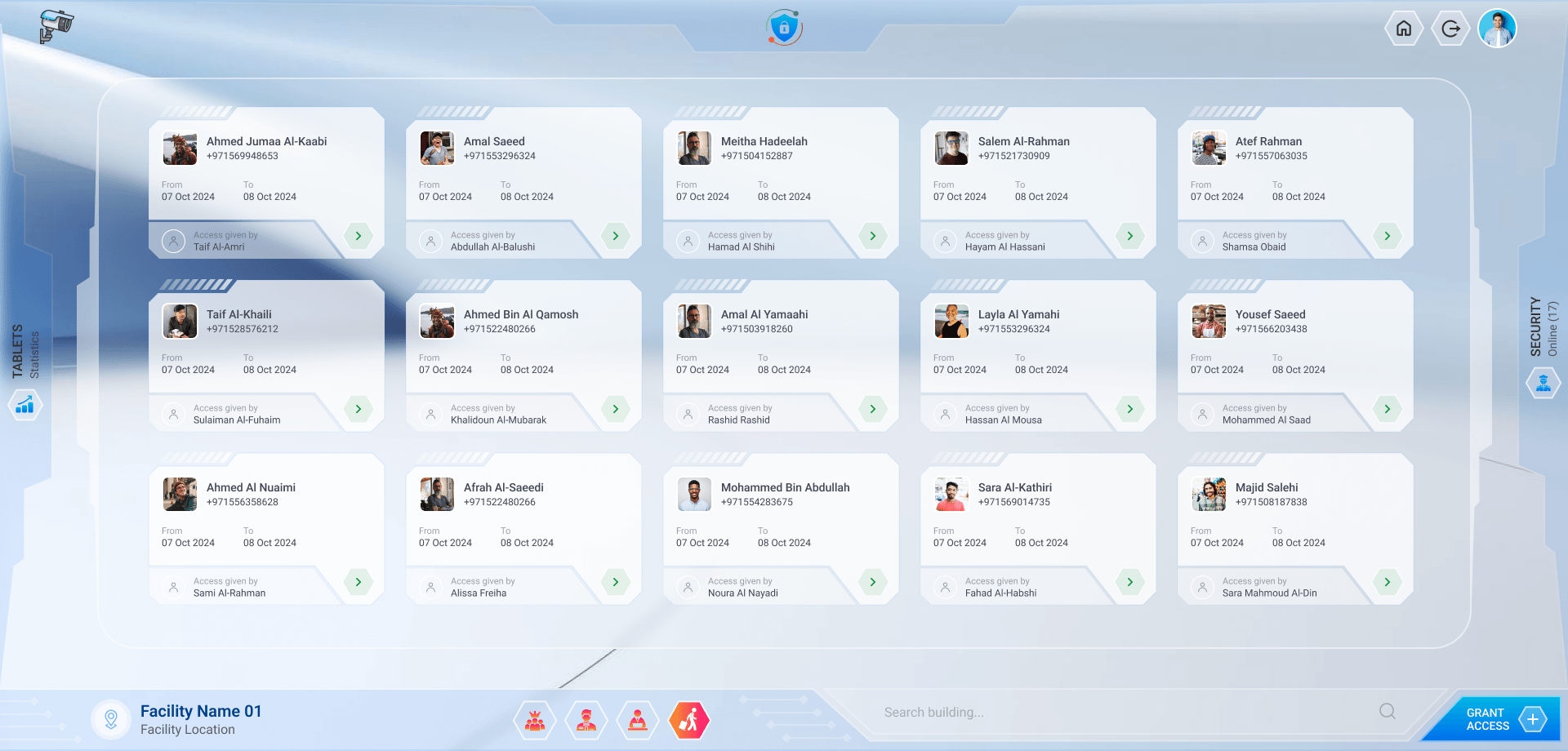
The access list of a facility: each person, their dates and who gave them access
Overview

From paper lists to a checked gate

The shift

  1. Access asked for on paper forms and by email
    Access granted in one place, per person and per facility, with its rules
  2. Guards checked names against printed lists at the door
    The turnstile checks the permission on every badge
  3. Nobody knew who was inside a facility
    Every entry on record, with the guard who verified it
  4. Guards and gate devices followed up by phone
    Guards on duty and every gate tablet's status, live

My role

  1. 01UXOne access model for staff, contractors and visitors, across every facility
  2. 02UI design15 screens and panels, from the landing to the control room
  3. 03Design systemGlass panels, hexagon filters and access cards

In numbers

3Kinds of people, each with its form
15Screens and panels
580Gate tablets tracked, 234 online

Where it runs

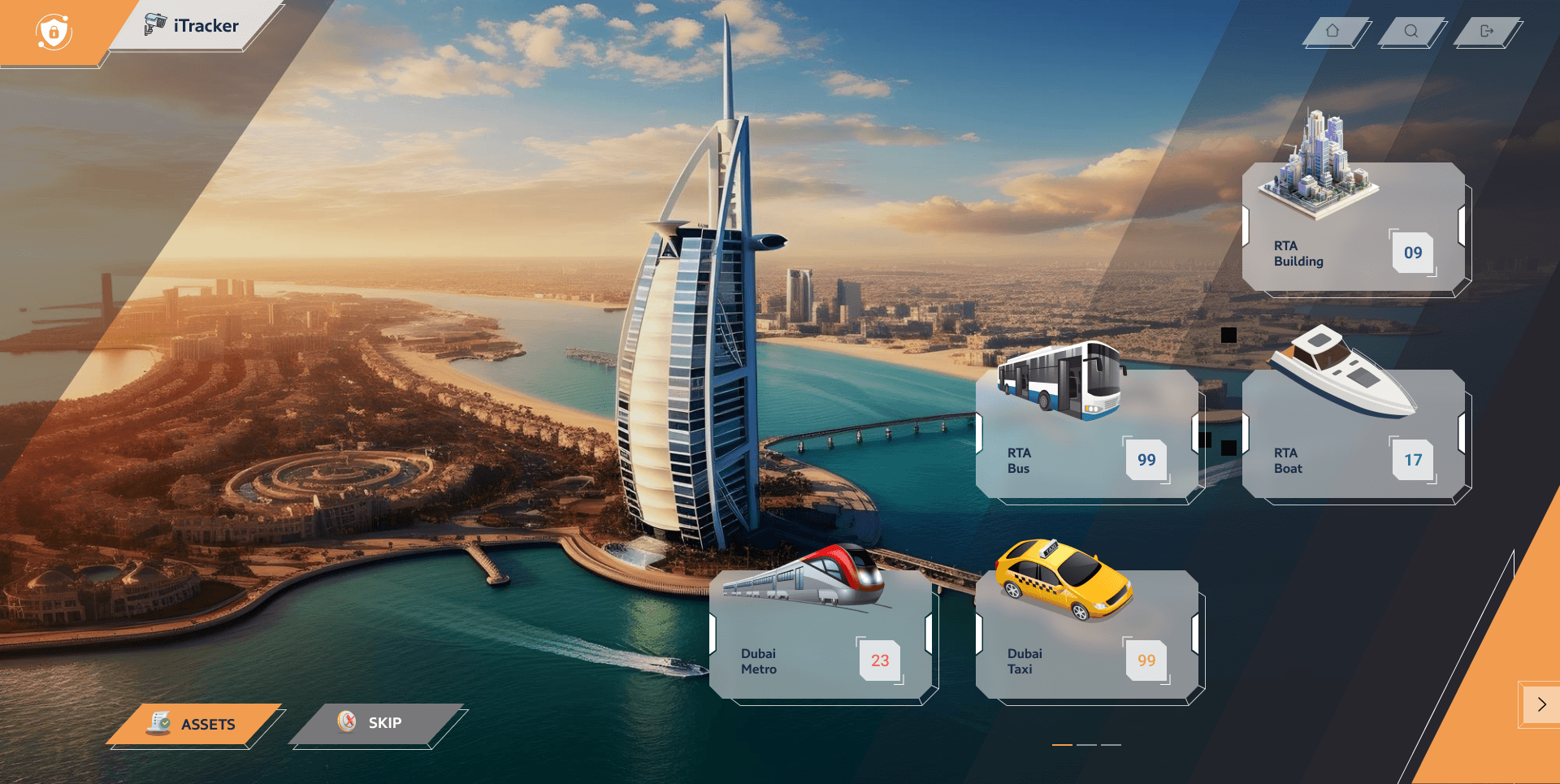
  • Buildings09
  • Bus depots99
  • Metro stations23
  • Marine stations17
  • Taxi sites99

What a permission holds

  • The personEmirates IDPassportDriving licenceExpiry dates
  • The timeStart & end dateStart & end timeTill end of contractWorking hours
  • The rulesWeekend accessOne-time accessWhich facilities
  • The recordAuthorized byVerified byStatusHistory per facility

Tools & methods

  • Figma
  • UI/UX design
The core

Grant it, then try the gate

A permission is a person, the facilities they may enter and the rules for when. The turnstile checks it on every tap and says why when it won't open. It plays on its own; change anything and it's yours.

01

Grant access

Admin · security office
AB
Abu Bilal AzadUI/UX Designer · Staff
Not authorized

Facilities

Rules

02

At the turnstile

The gate checks the badge
Tap a badgePick a gate, a day and a time.
03

Gate log

Every tap, with who verified it
    • The saved permission countsA change only reaches the gate once it is authorized again.
    • A form for eachStaff, contractors and visitors, with their IDs and expiry dates.
    • Every entry, verifiedEach tap is logged with the facility and the guard on duty.
    • One-time passesA visitor's pass opens the gate once, then it's spent.
    15 key screens · 3 parts
    1. The assets

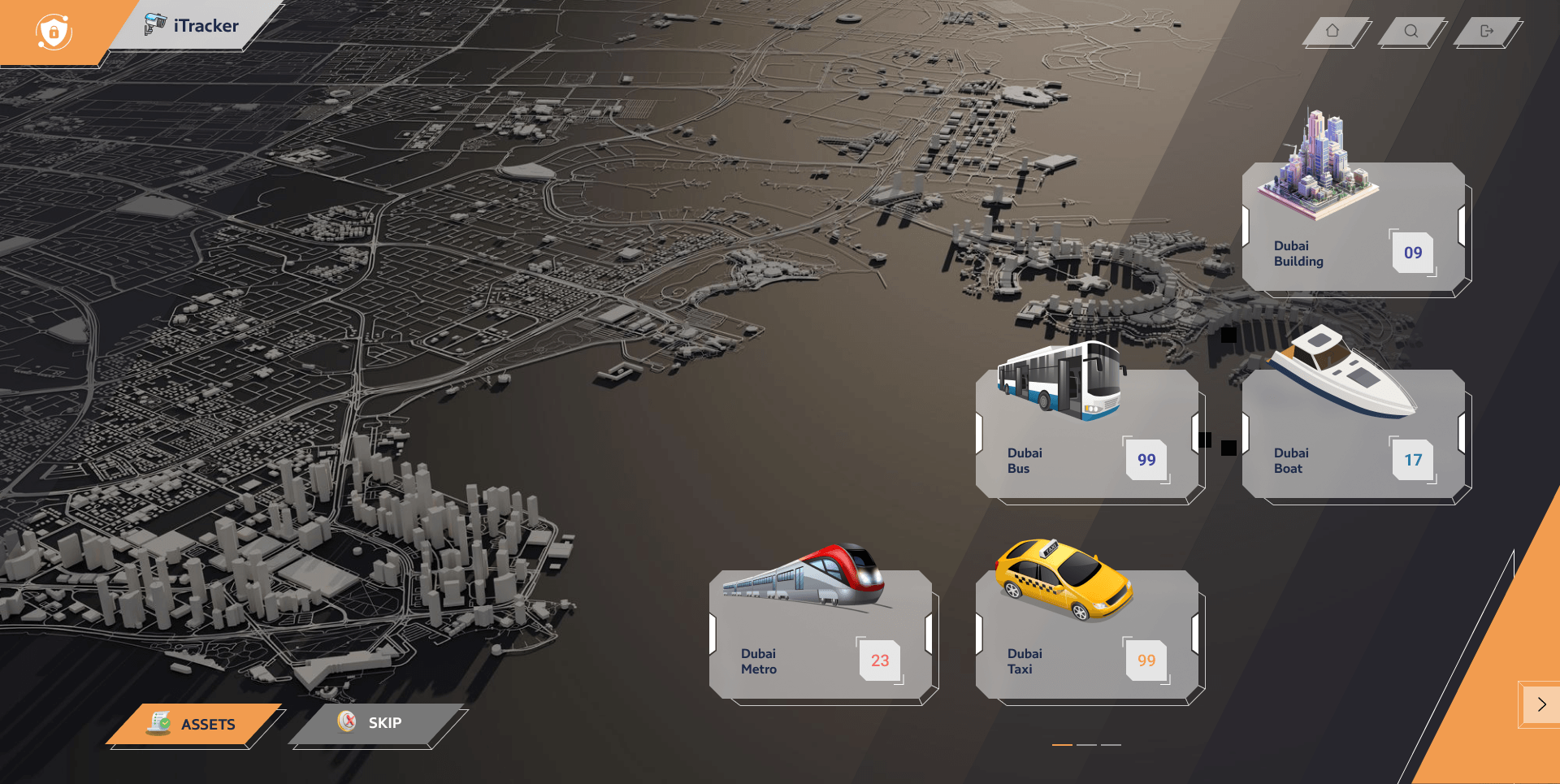
      Every kind of facility on one map: buildings, bus depots, metro, marine and taxi.

    2. Over the city

      The same assets, over the real city.

    3. The facilities

      Each facility of an asset as a card; pick one to manage who may enter.

    4. Who may enter

      A facility’s access list: each person, their dates and who gave them access.

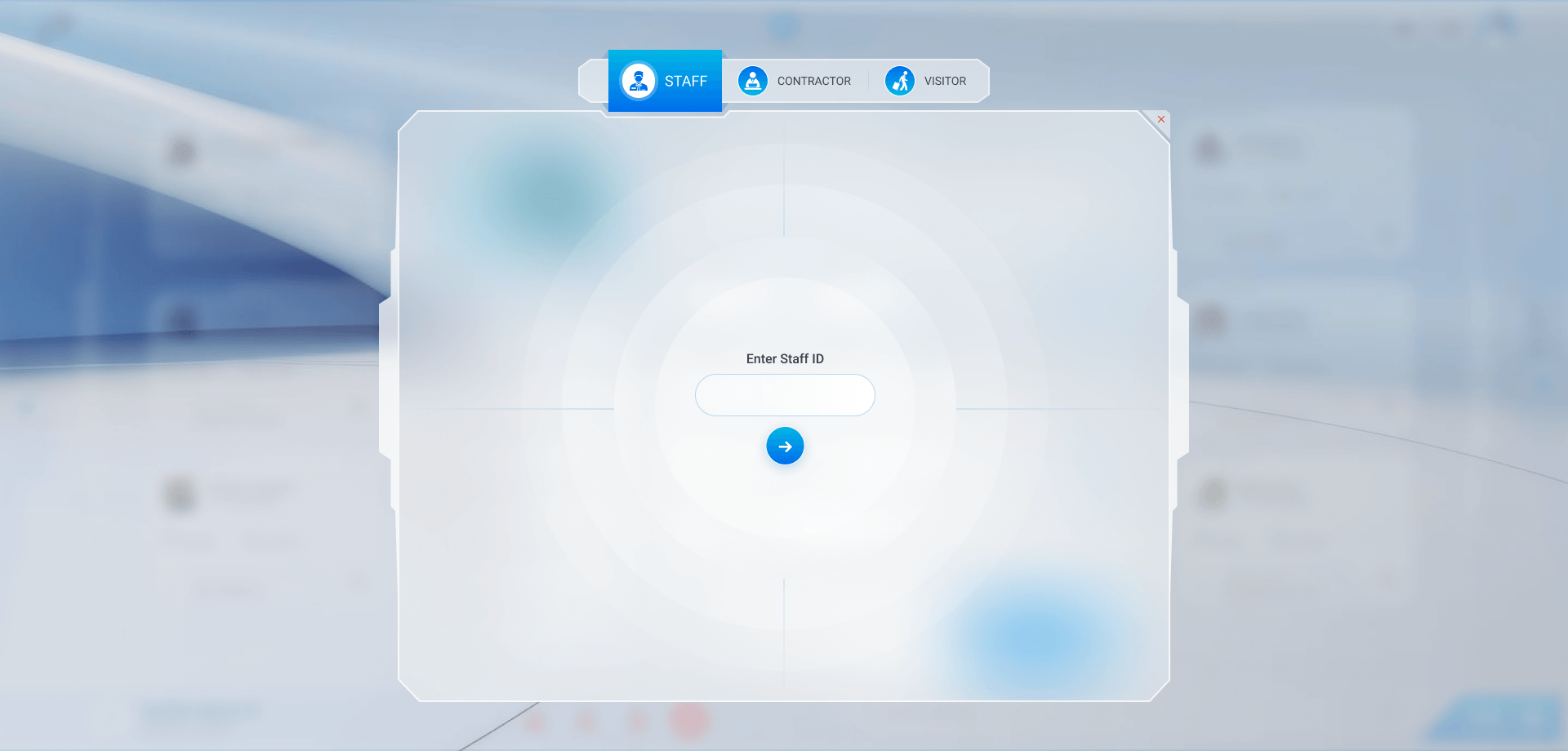
    5. Find the person

      Start from their staff ID; their details come in.

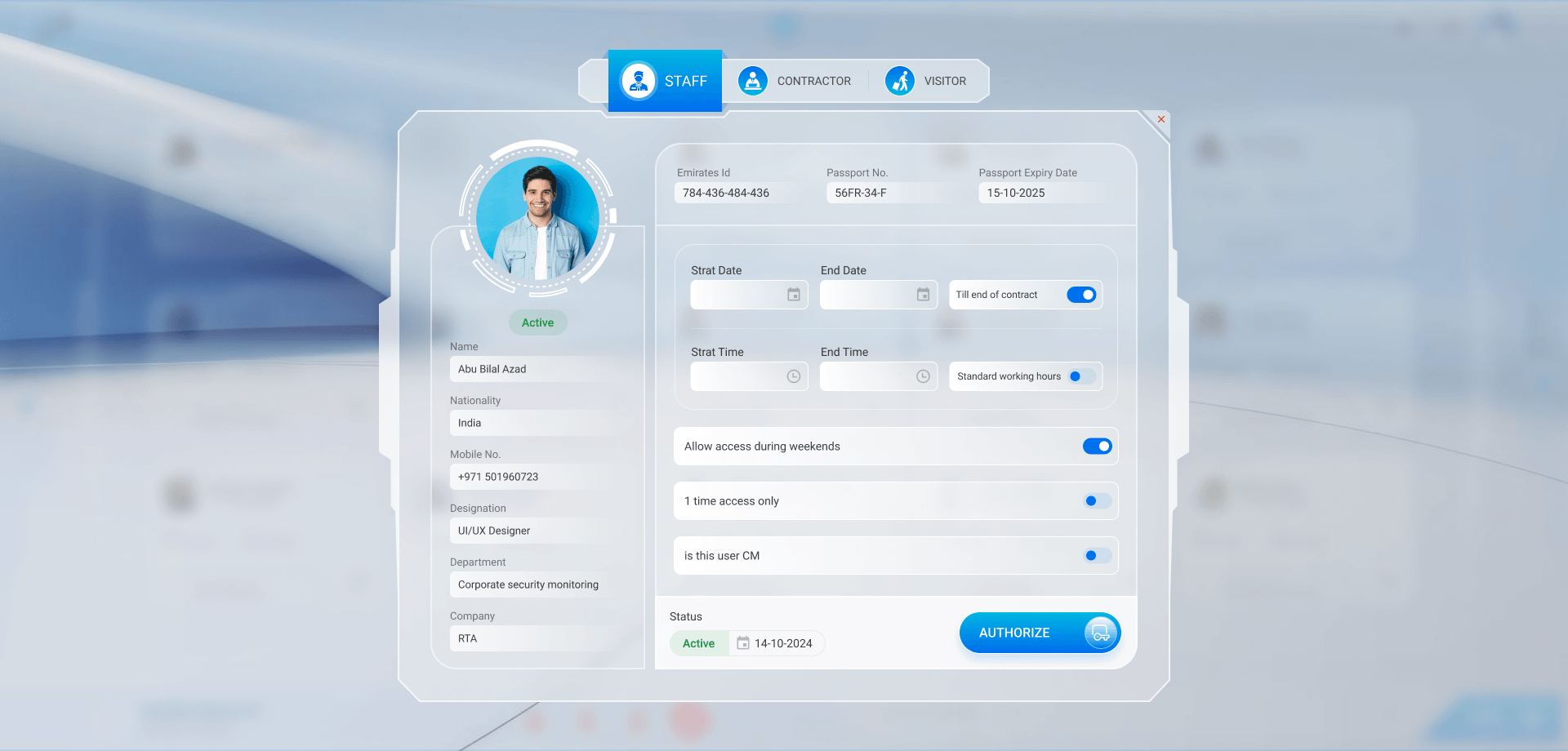
    6. Grant a staff member

      Dates and times, weekends, one time only, then authorize.

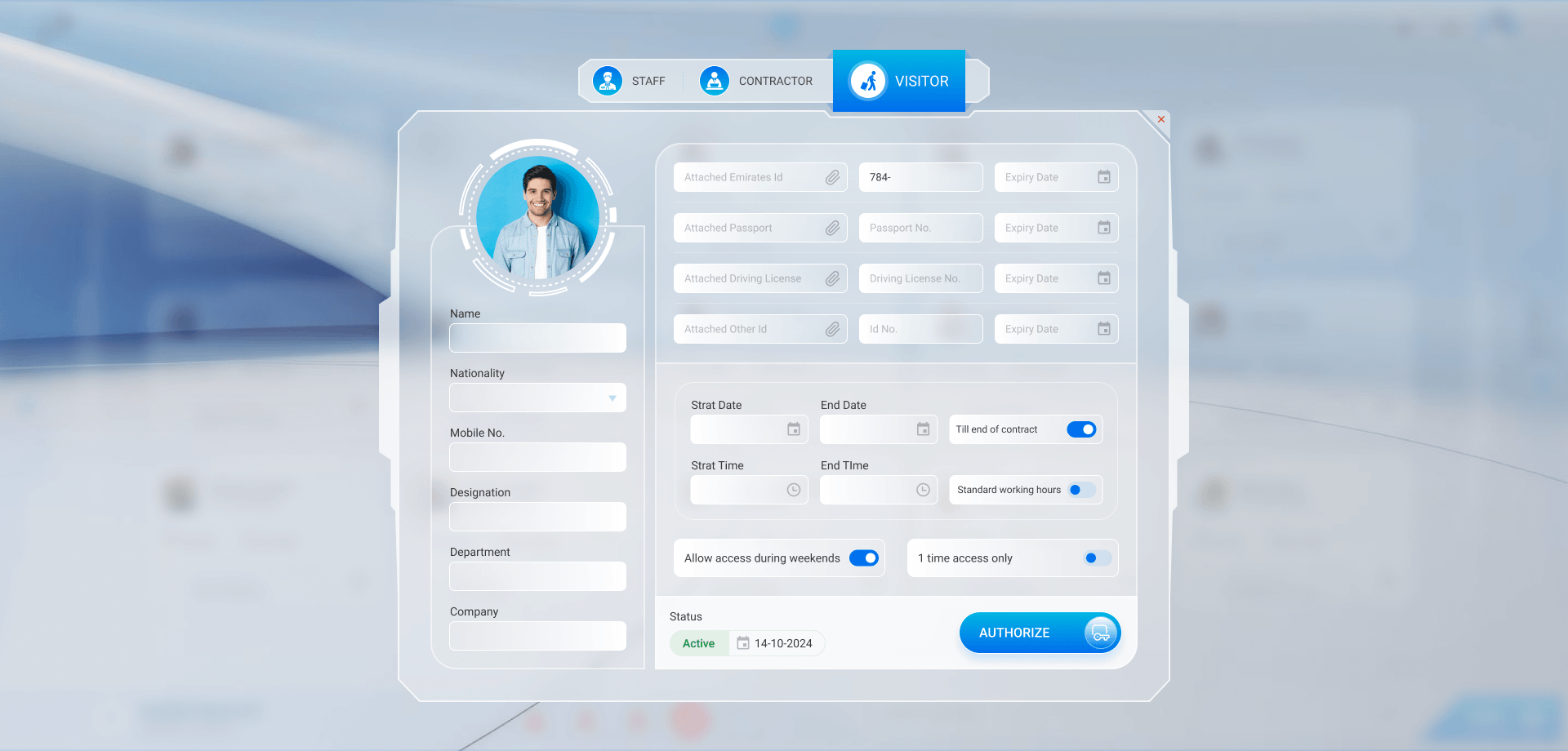
    7. Grant a visitor

      Their IDs, each with its expiry date, then the same rules.

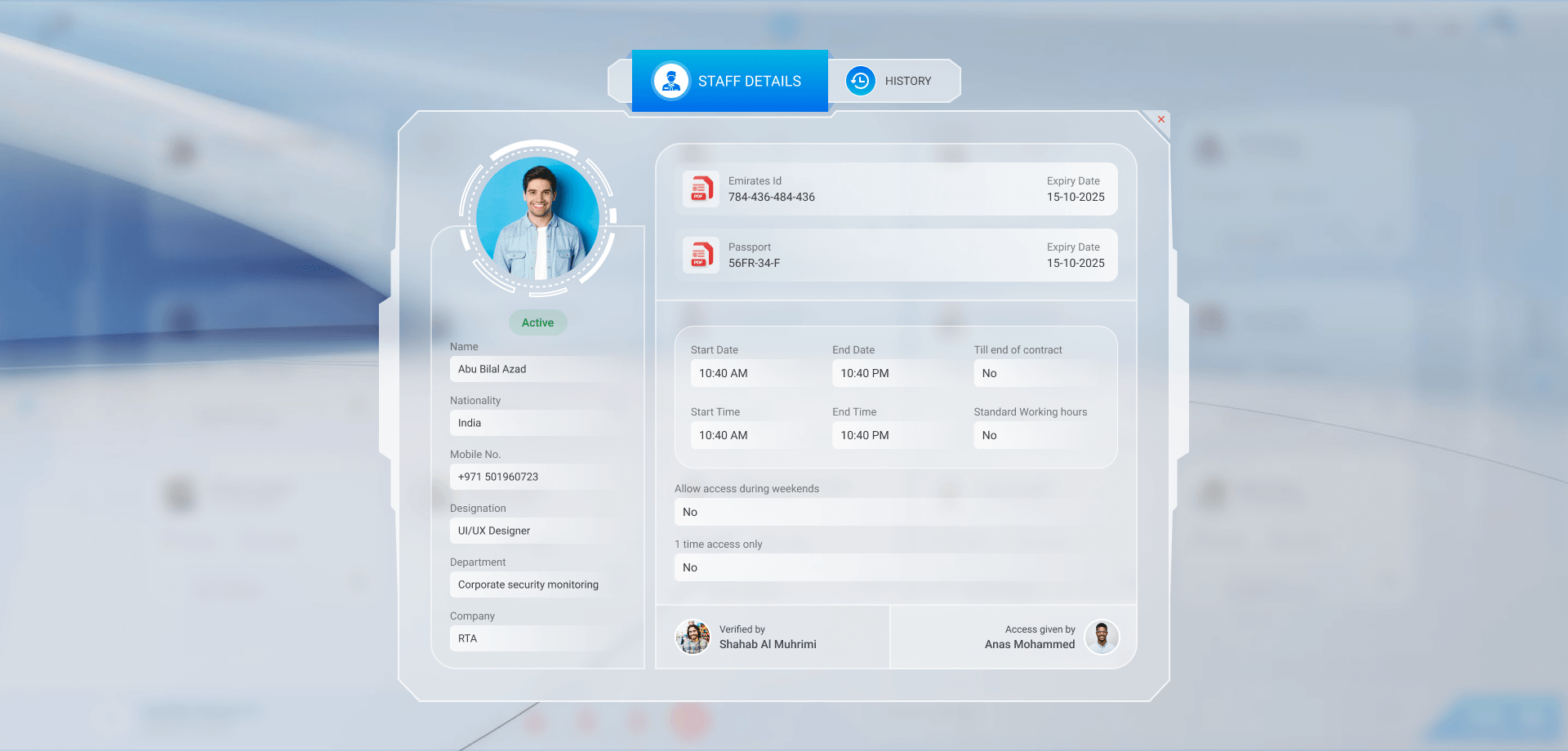
    8. A staff member’s access

      IDs, dates and rules, who verified it and who gave it.

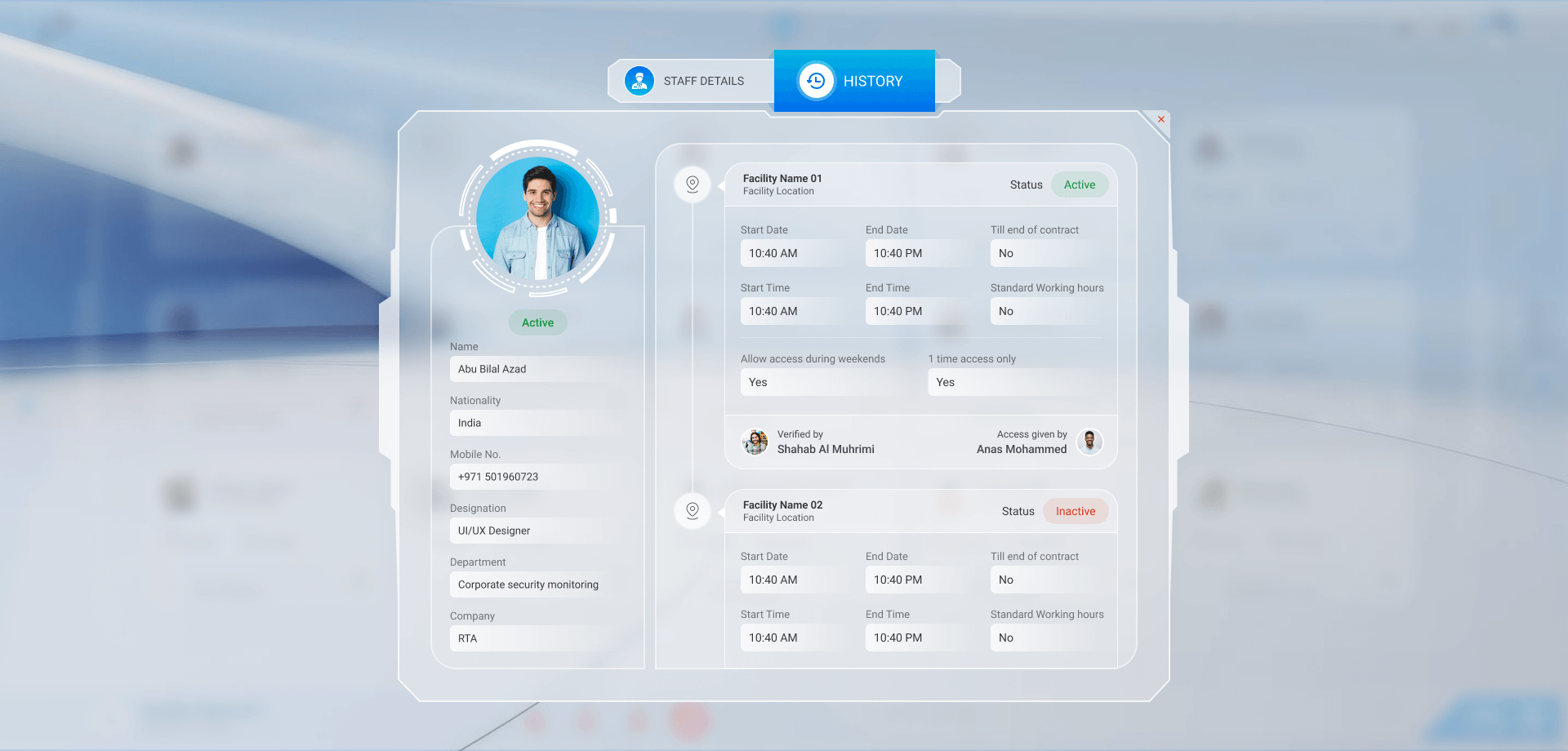
    9. Their history

      Every facility they had access to, active or not.

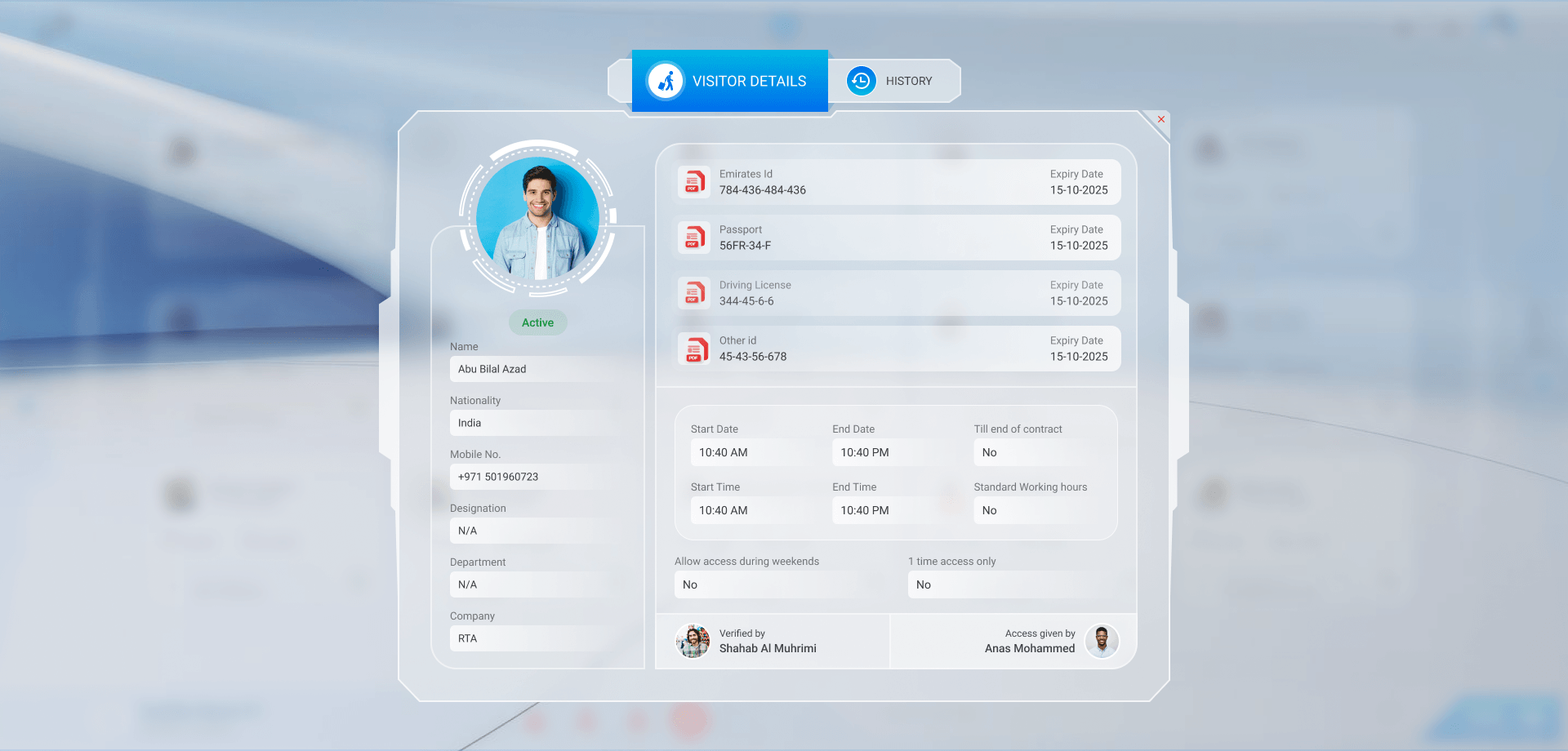
    10. A visitor’s access

      The same record for a visitor, their IDs on top.

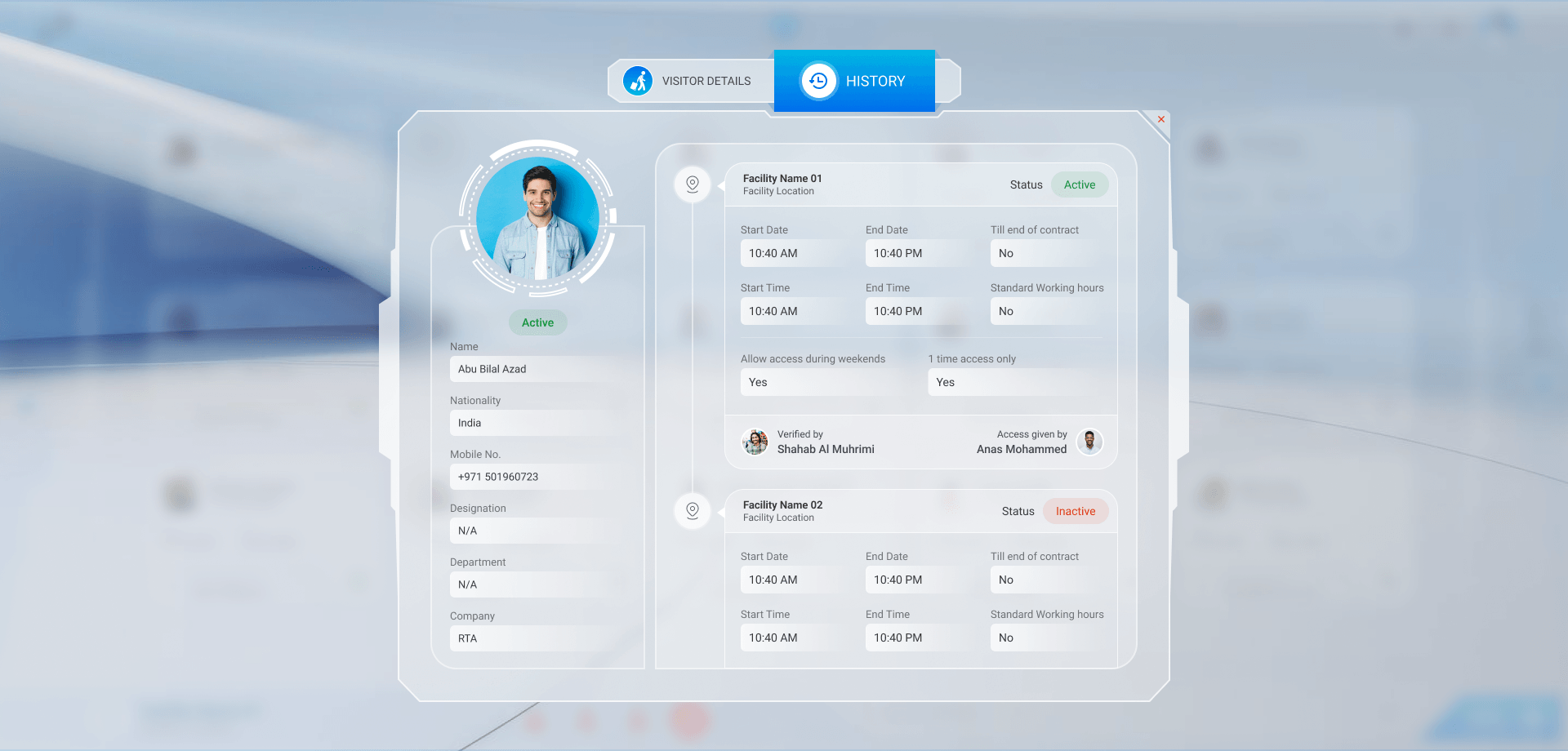
    11. A visitor’s history

      Where they could go and whether it still stands.

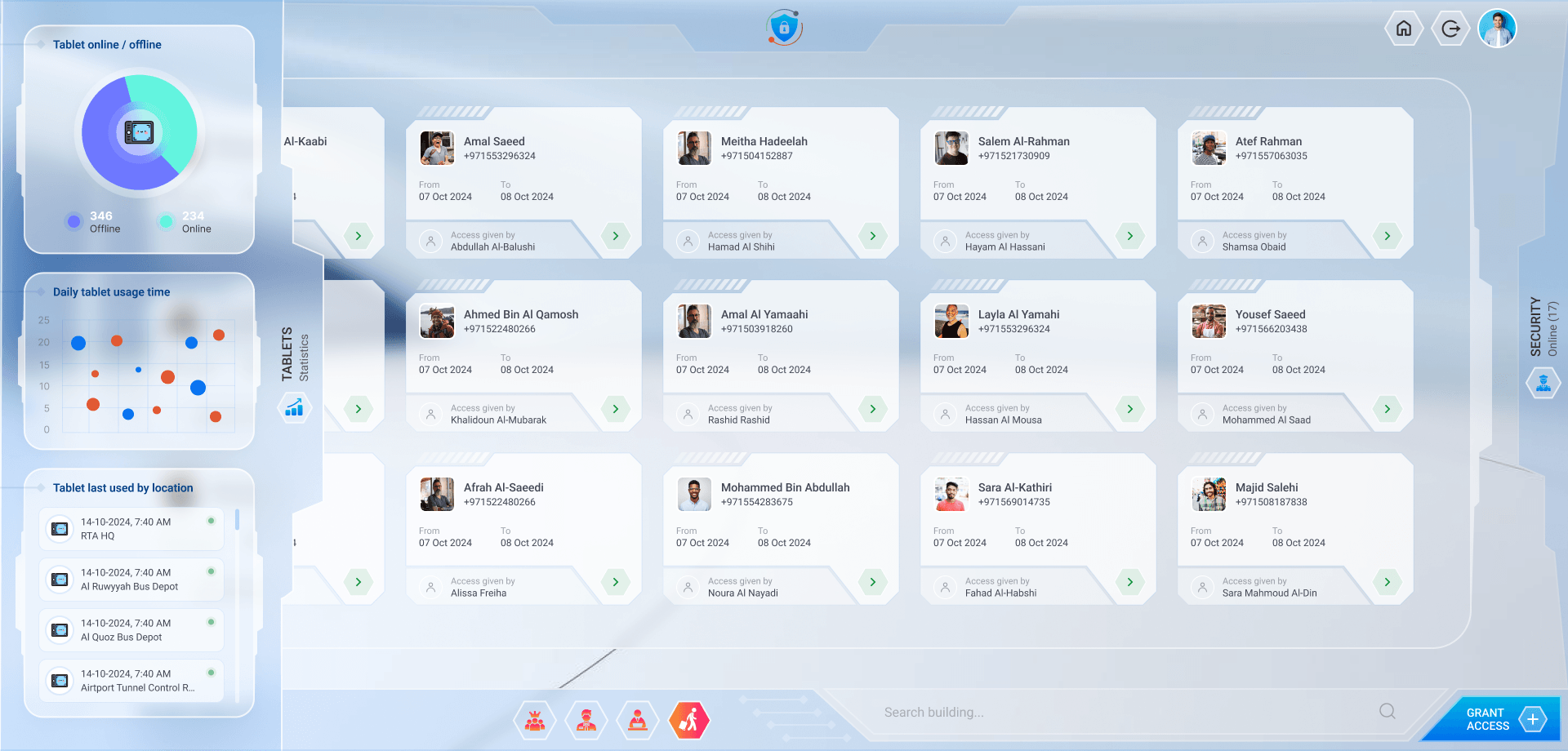
    12. Security

      The guards on duty, and the people each has let in.

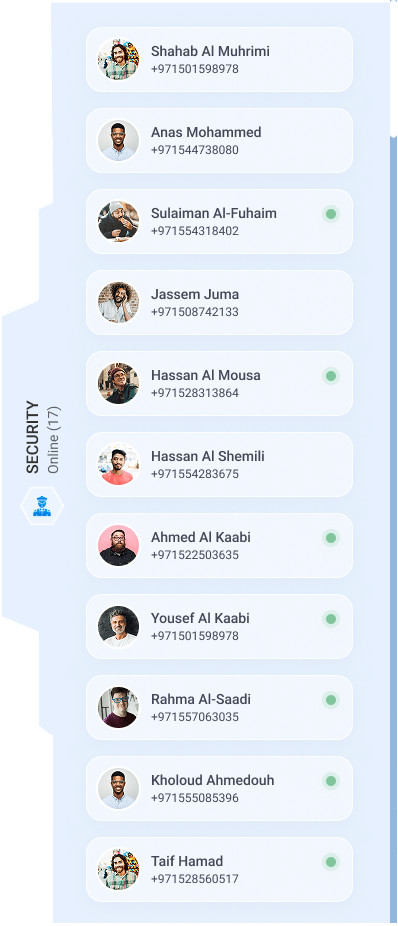
    13. Guards online

      Who is on duty now, with a number to call.

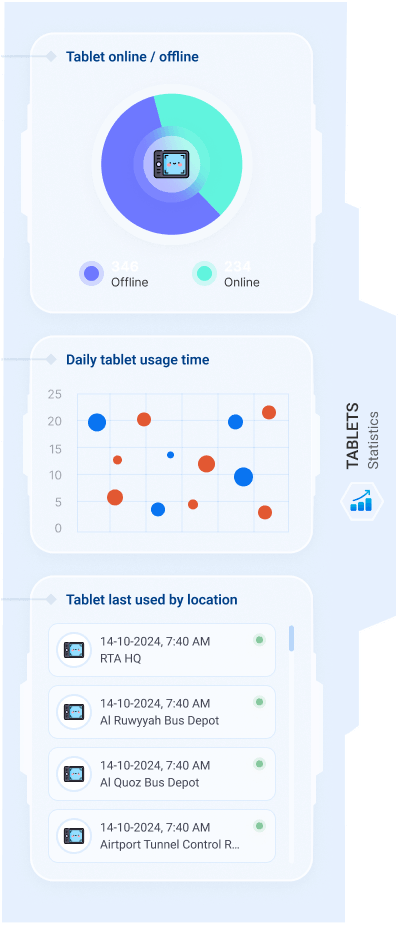
    14. Gate tablets

      Tablets online or not, daily use, and where each was last used.

    15. The tablets, up close

      Online and offline, how long each is used, and where.

    01 / 15
    iTracker · Assets
    The landing: a 3D city map with the assets and how many facilities each has
    The landing in daylight, over the city
    The facilities of an asset, one card each, with the selected one large on the left
    The access list of a facility, with filters and the grant access button
    Grant access: enter the staff ID
    Grant access to a staff member: their details, dates, times and rules
    Grant access to a visitor: attached IDs with their expiry dates, then dates, times and rules
    Staff details: IDs, dates, rules, verified by and access given by
    Staff history: each facility with its dates, rules and status
    Visitor details: IDs with expiry dates, dates, rules, verified by and access given by
    Visitor history: facilities with their status
    Security: access cards and the guards on duty in the side panel
    Guards online: Who is on duty now, with a number to call
    Statistics: the gate tablets online and offline, daily usage and last used by location
    The tablets, up close: Online and offline, how long each is used, and where
    Next

    More company work