projects loading
Company project · Project & support management

Projects and the help desk, together

One portal for delivering projects and supporting the people who use them: tasks on boards, lists and calendars, Gantt and milestones, time tracked to the minute, team capacity, operational reports, and a help desk whose tickets turn into planned work.

  • UX · UIMy role
  • 2Portals in one
  • 25Screens
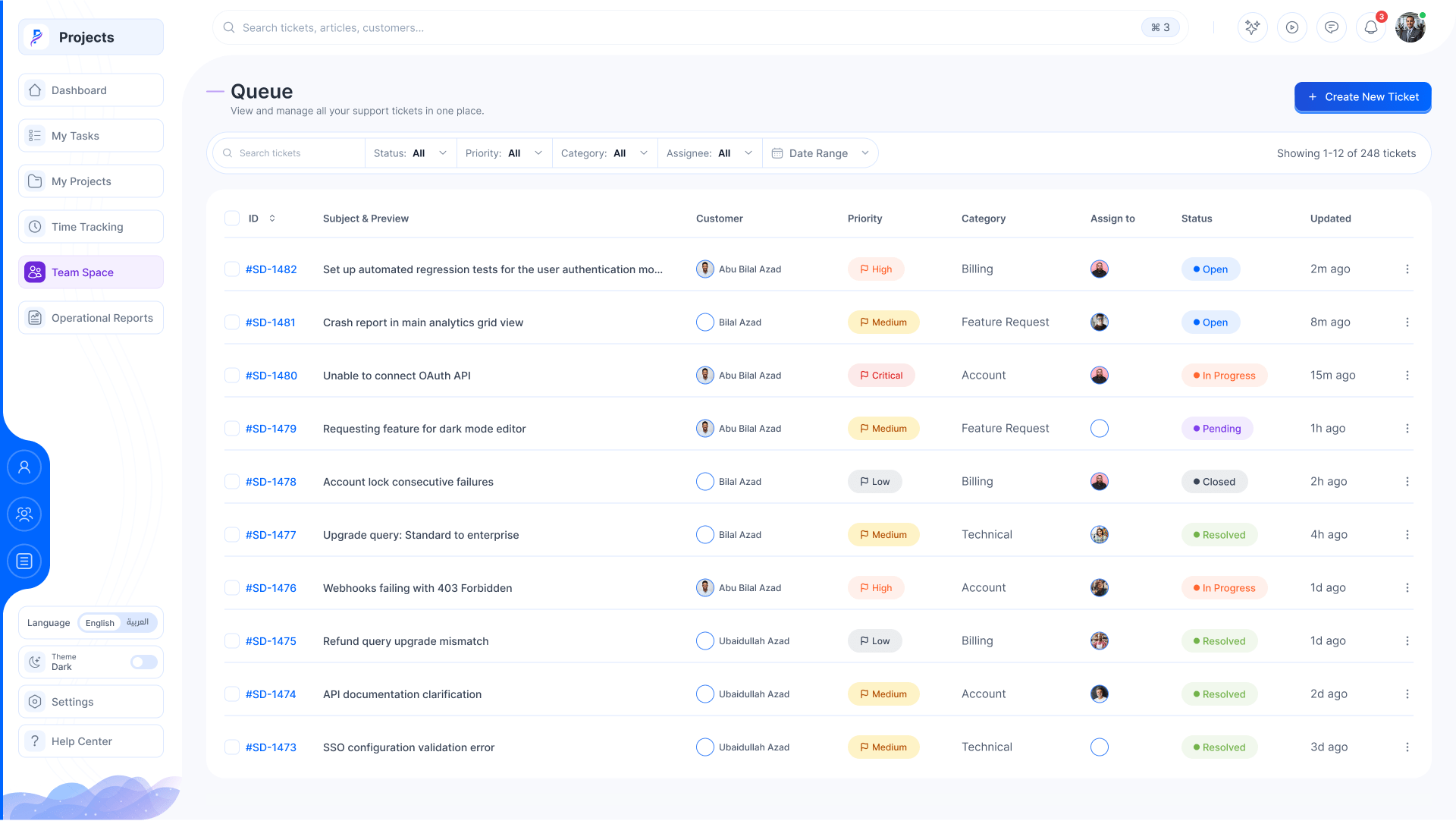
The support queue: tickets with customer, priority, category and status
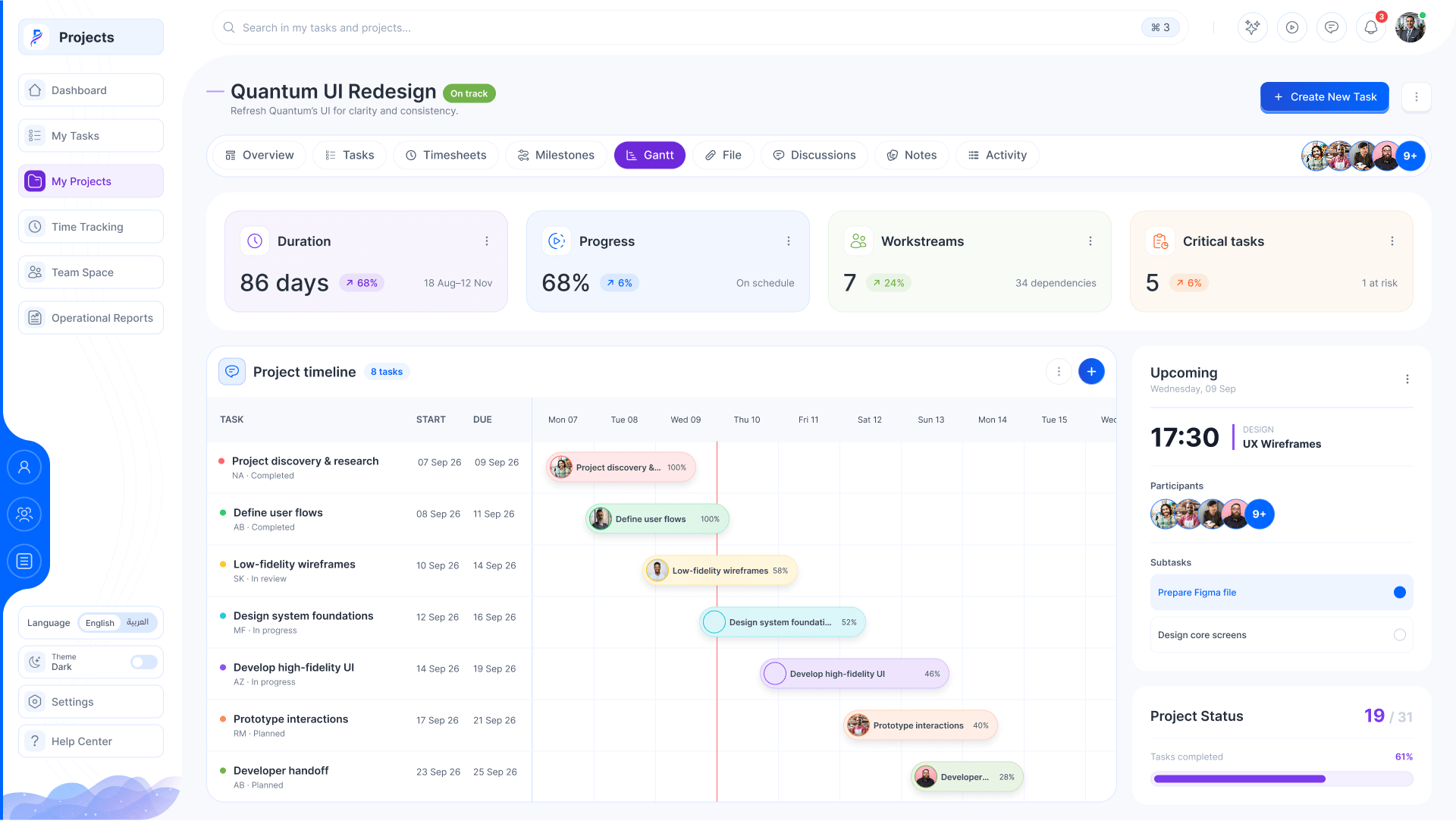
A project's Gantt: tasks on a timeline with their progress
Projects · Dashboard
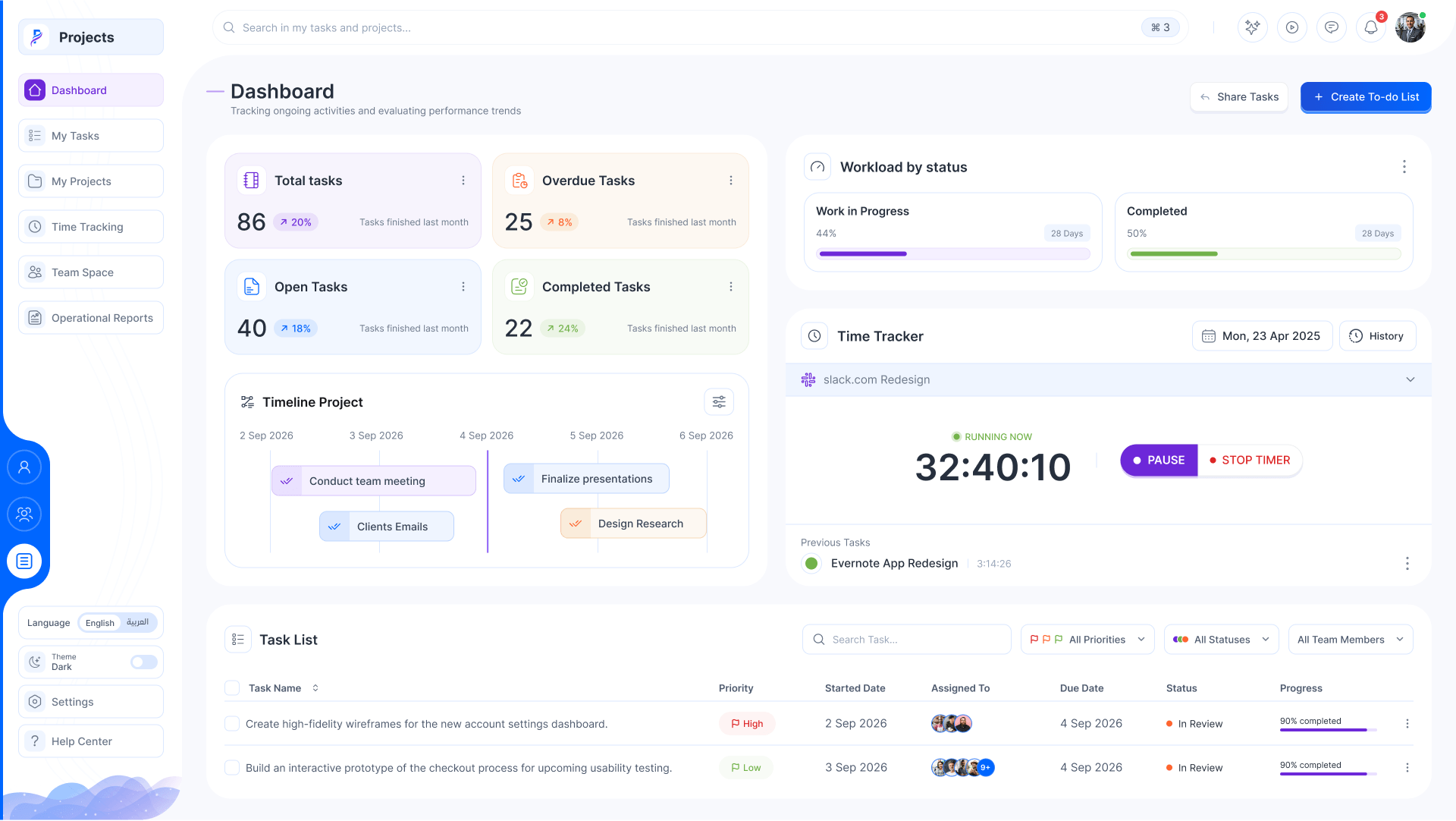
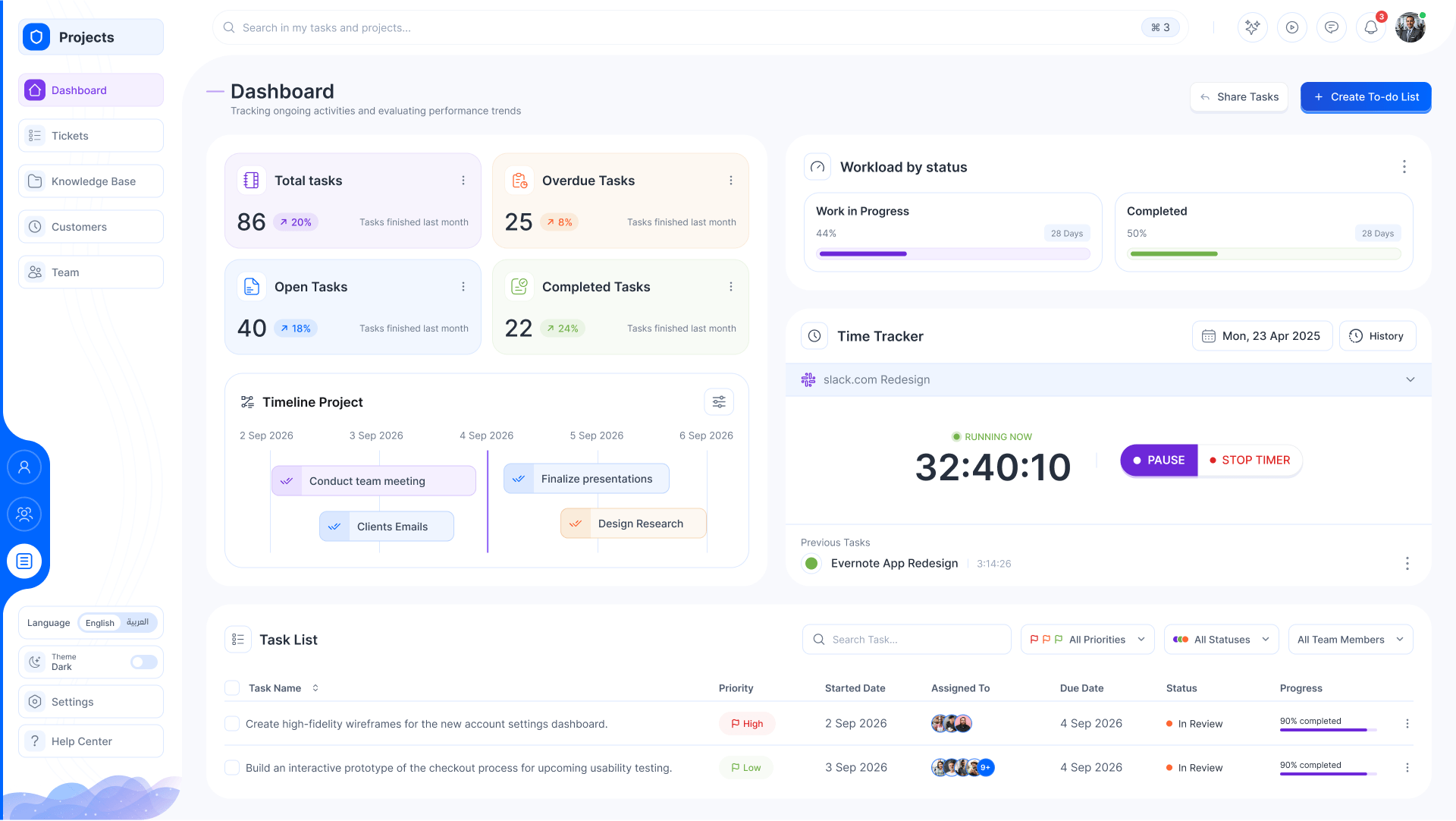
The dashboard: task counts, workload, the time tracker, a project timeline and the task list
Overview

From spreadsheets and inboxes to one place to deliver

The shift

  1. Plans in spreadsheets, tasks in chats, files in mail
    Each project with its tasks, Gantt, milestones, files, notes and discussions
  2. Customer issues lost in a shared inbox
    A help desk with an SLA on every ticket, and tickets that become planned tasks
  3. Hours filled in on Friday, from memory
    A timer on the task, timesheets approved by project
  4. Who is overloaded found out too late
    Team capacity, absences and operational reports, live

My role

  1. 01UXOne product for delivery teams and the help desk
  2. 02UI design25 screens, light and dark, English and Arabic
  3. 03Design systemStat cards, boards, Gantt bars, ticket and timer patterns

In numbers

8Views of a project
25Screens
2Themes, light and dark

One project, at a glance

  • Duration86 days
  • Progress68%
  • Workstreams7
  • Critical tasks5
  • Time logged642h

What it covers

  • My workDashboardBoard, list, calendarNotificationsWorkspace copilot
  • ProjectsTasksGanttMilestonesTimesheetsFiles & notesDiscussions
  • Team & timeTime trackingTeam spaceCapacityOperational reports
  • SupportTicket queueSLACustomer profileInternal notesHelp center

Tools & methods

  • Figma
  • UI/UX design
The core

From a ticket to done

Support tickets come in with their priority and SLA. Plan one and it lands on the project’s board as a task; move work across the board, the timer follows whatever is in progress, and every task done moves the milestone on. It runs on its own; click a ticket or a card and it’s yours.

  • 40Open tasks
  • 22Done this week
  • 3Open tickets
  • 148hLogged this week

Support queue

Plan a ticket

Quantum UI Redesign On track

19 / 31 tasks

To do 0

In progress 0

In review 0

Done 0

Time tracker

Running now
32:40:10 Design system foundations

Milestones

Moves with the board
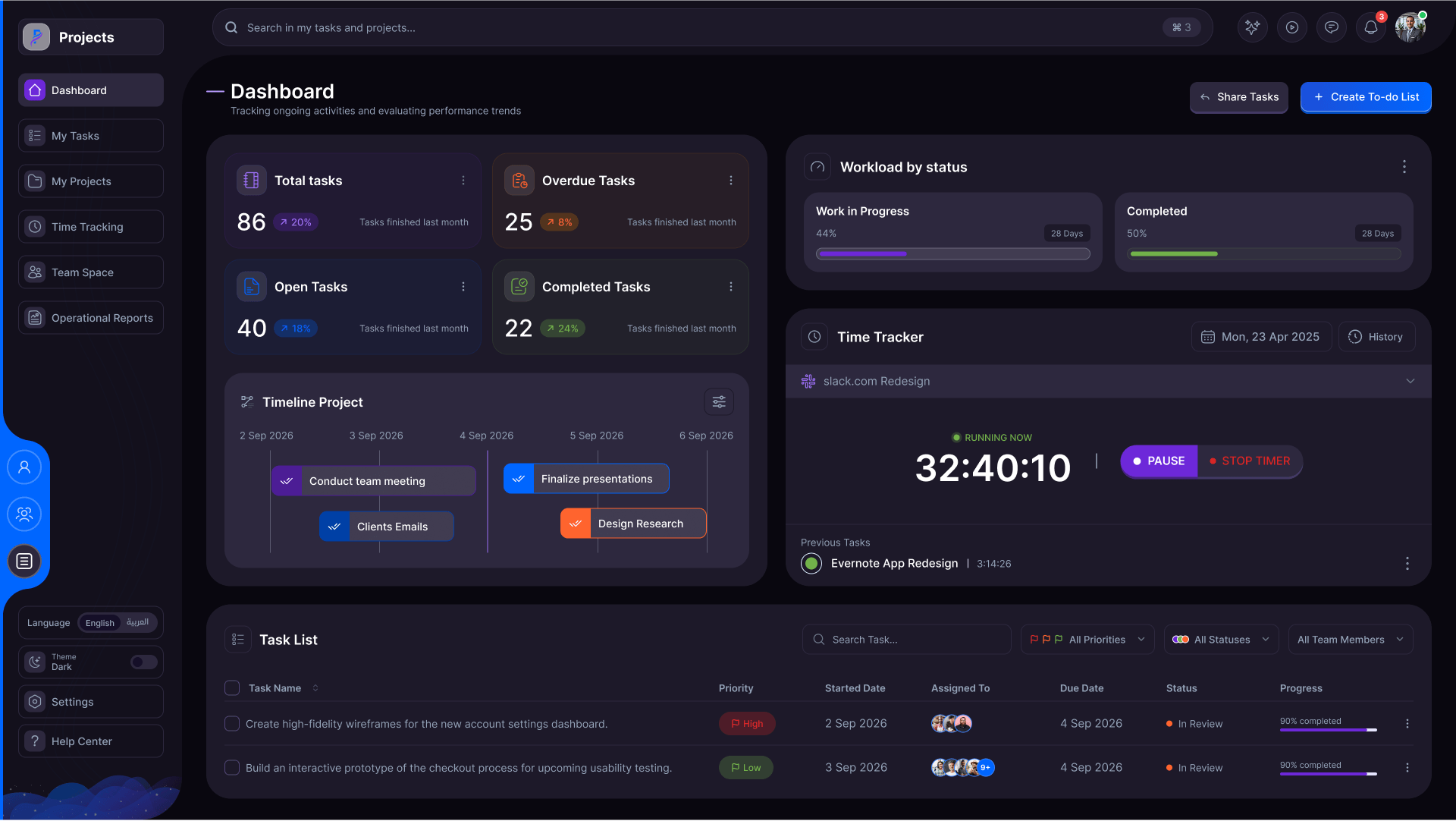
    Two themes

    Light for the day, dark for the late shift

    Every screen in both themes, from the same tokens. Drag across the screen to wipe between them.

    Projects · Dashboard
    Light Dark
    25 key screens · 4 parts
    1. The dashboard

      Tasks by state, the workload, today’s timer, a timeline and the task list.

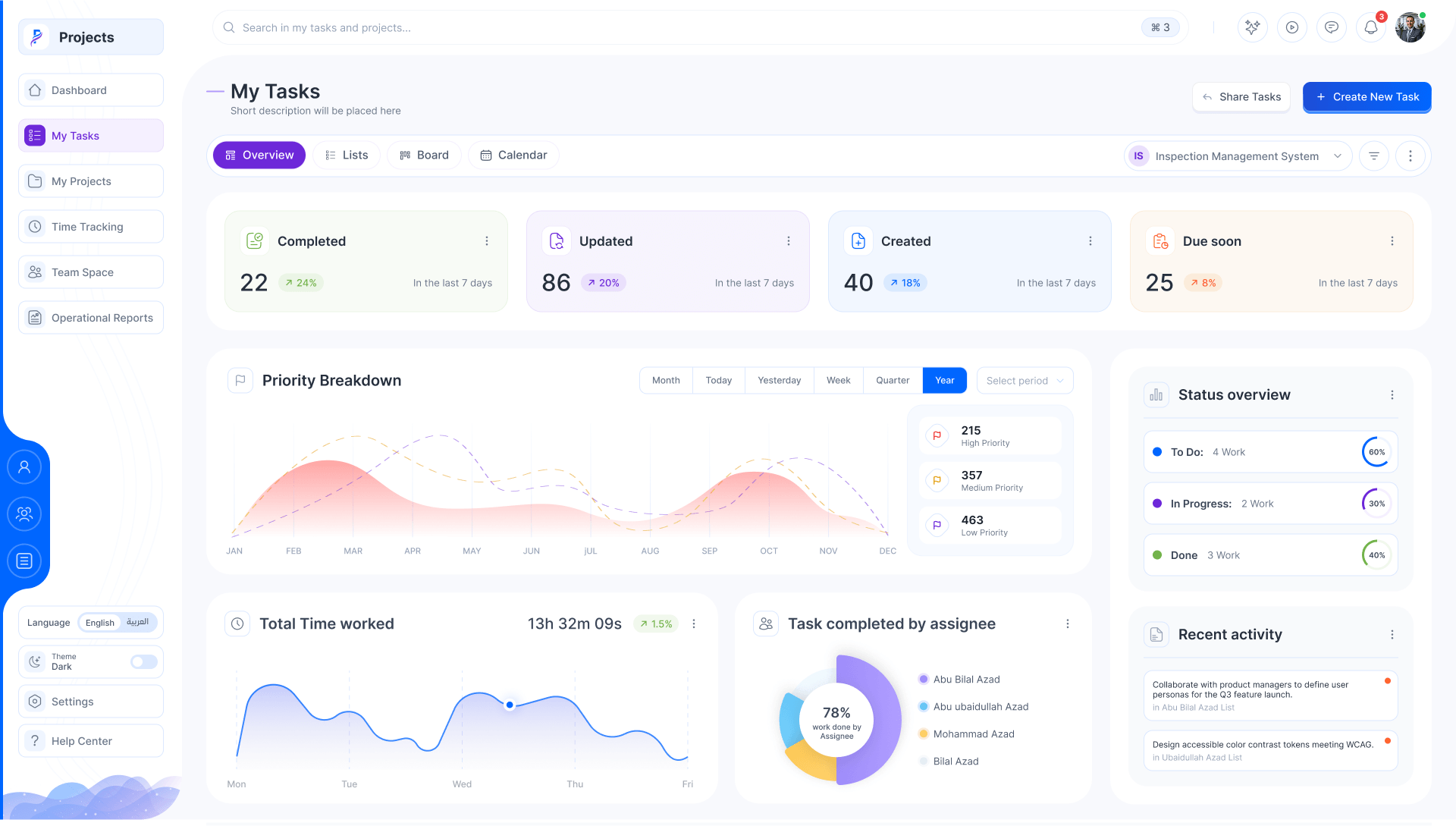
    2. My tasks, the overview

      What I created, updated and have due, by priority and by status.

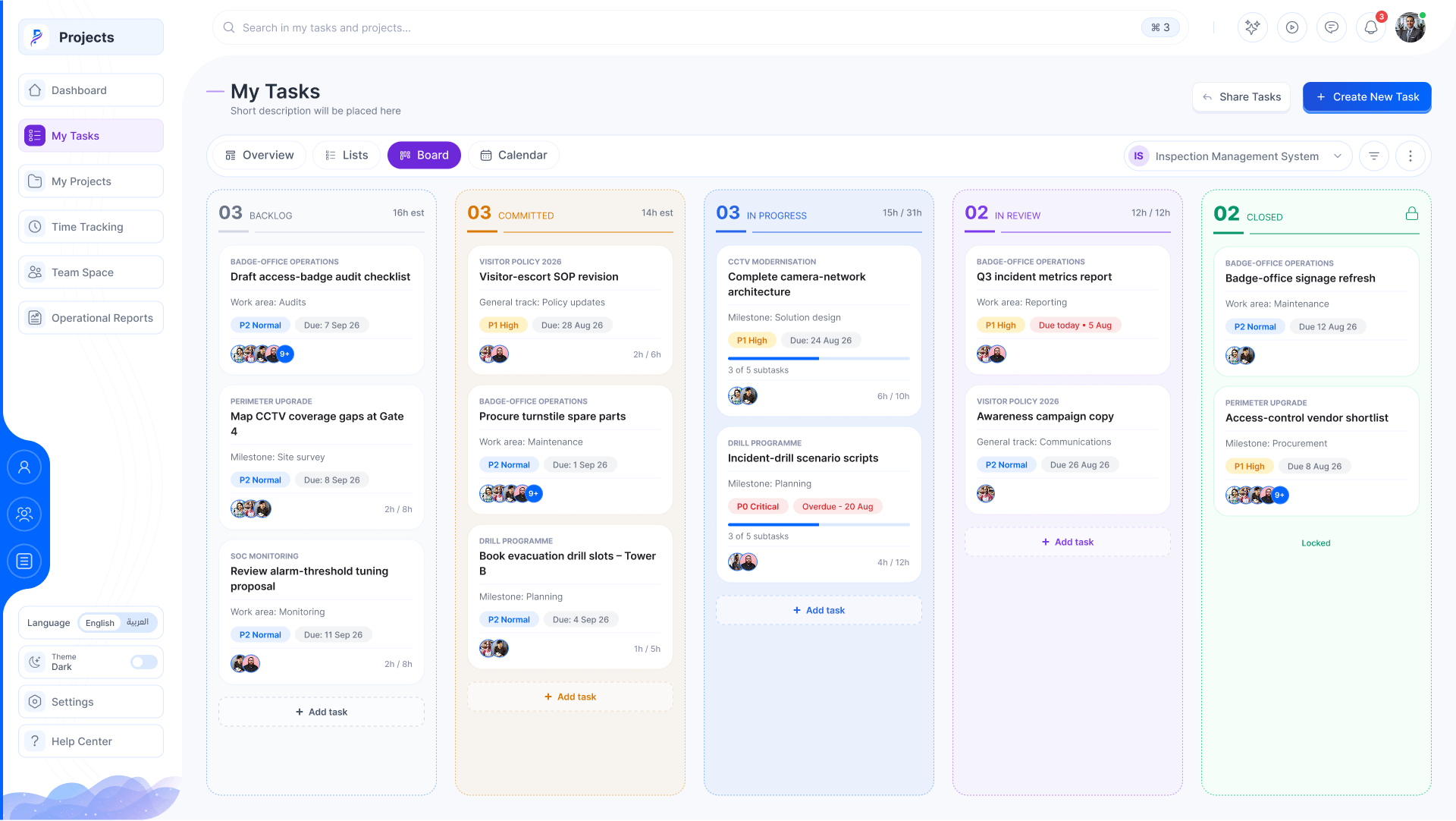
    3. The board

      Backlog to closed, with estimates, milestones and subtasks on each card.

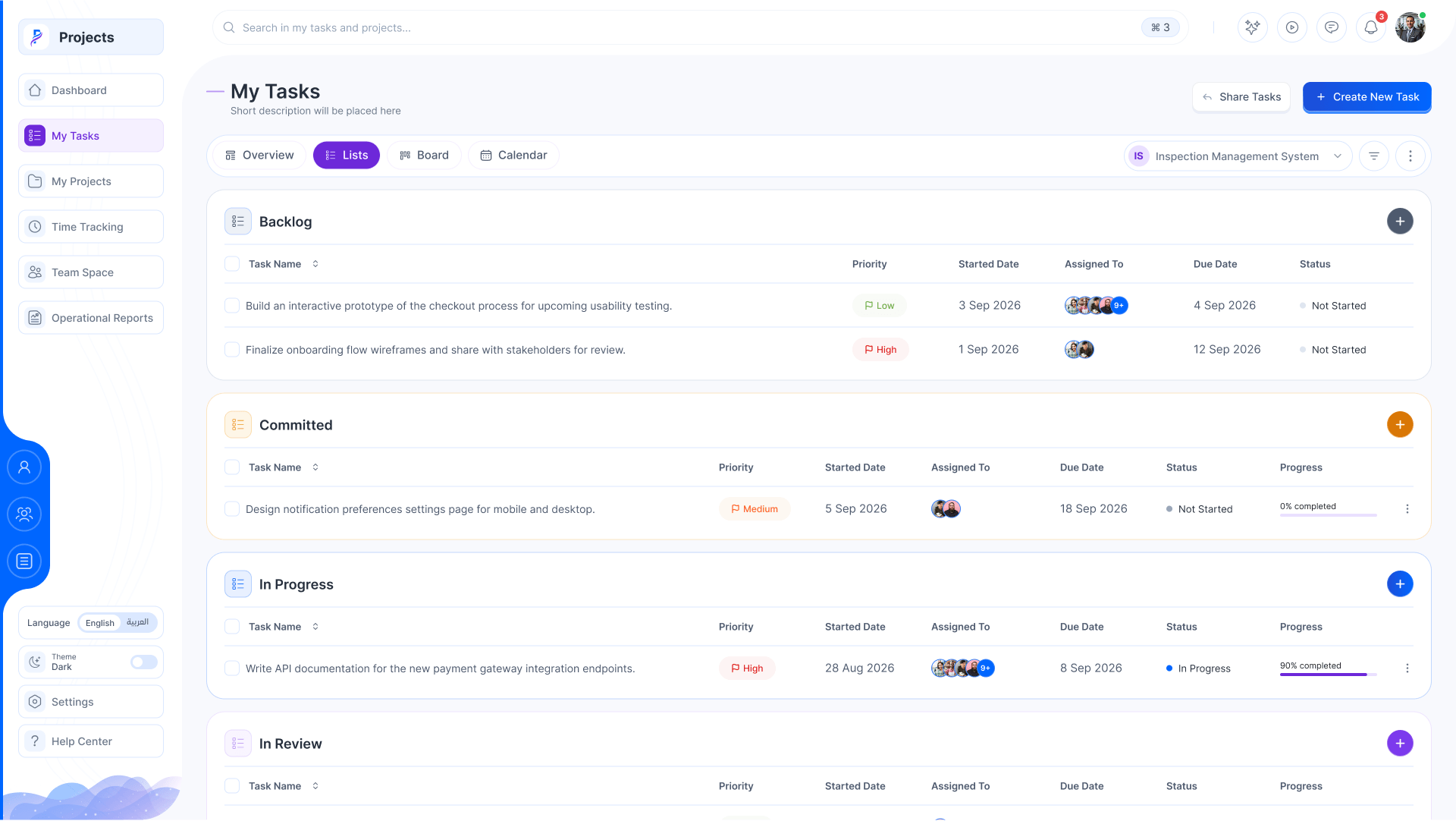
    4. Grouped lists

      The same tasks as lists, grouped by status.

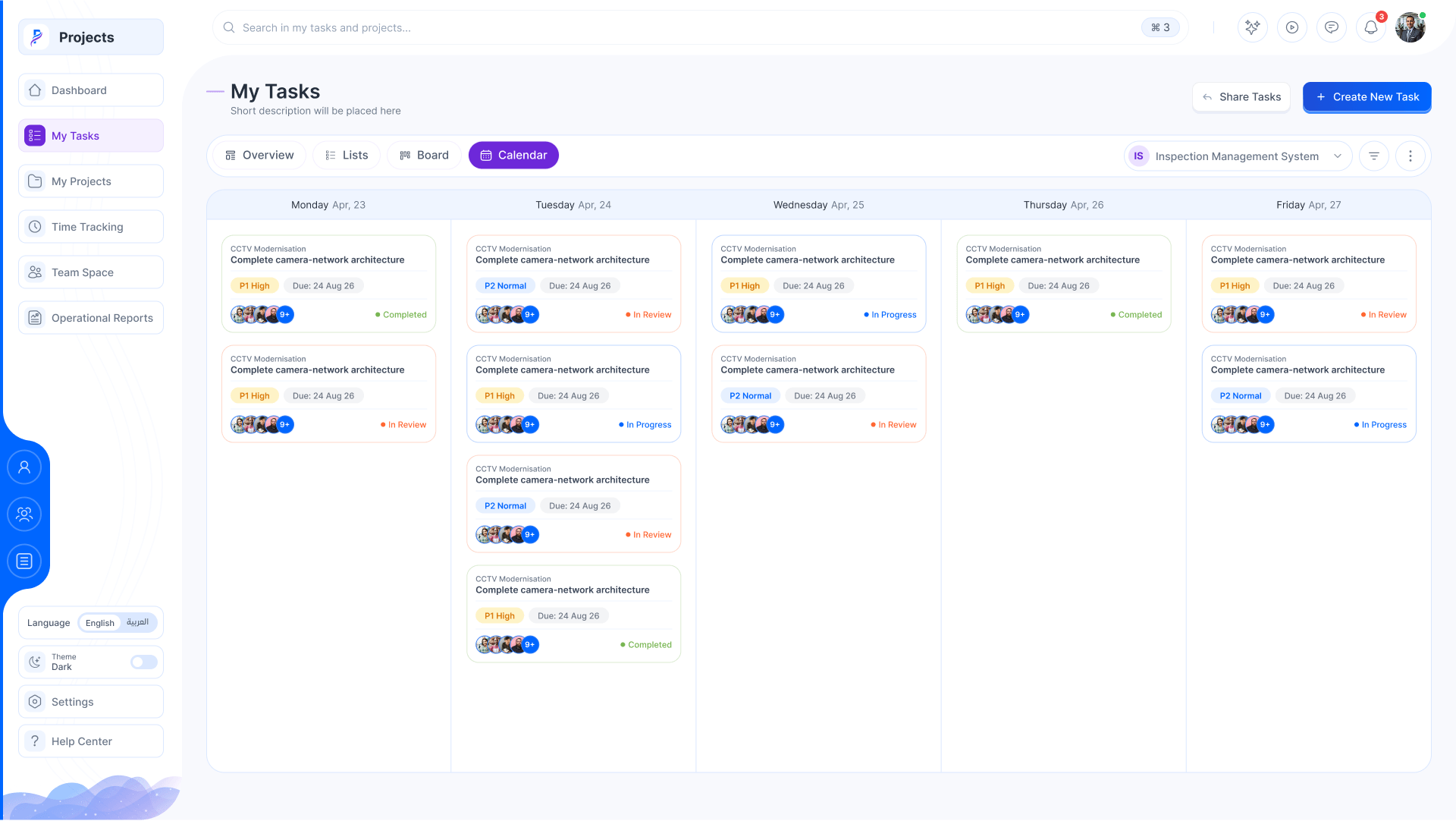
    5. The calendar

      Tasks on the days they’re due.

    6. What changed

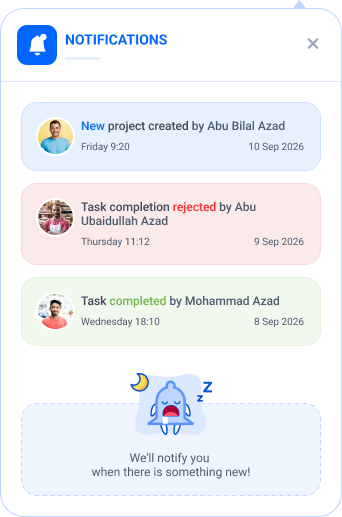
      New projects, rejected completions, mentions: each with who and when.

    7. The workspace copilot

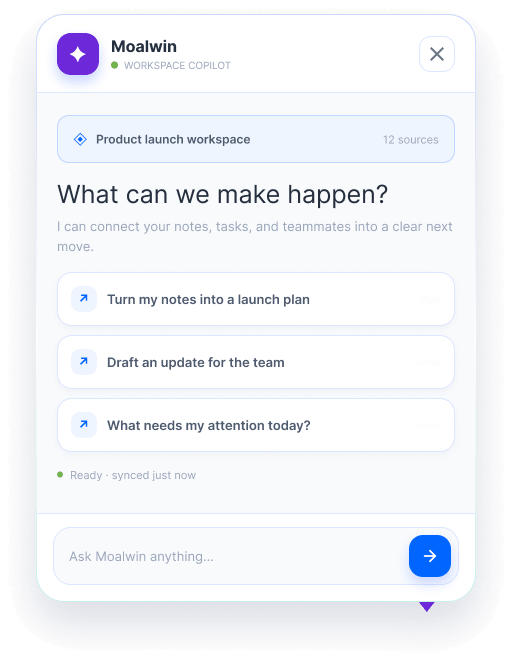
      Notes, tasks and teammates turned into a plan or an update.

    8. Every project

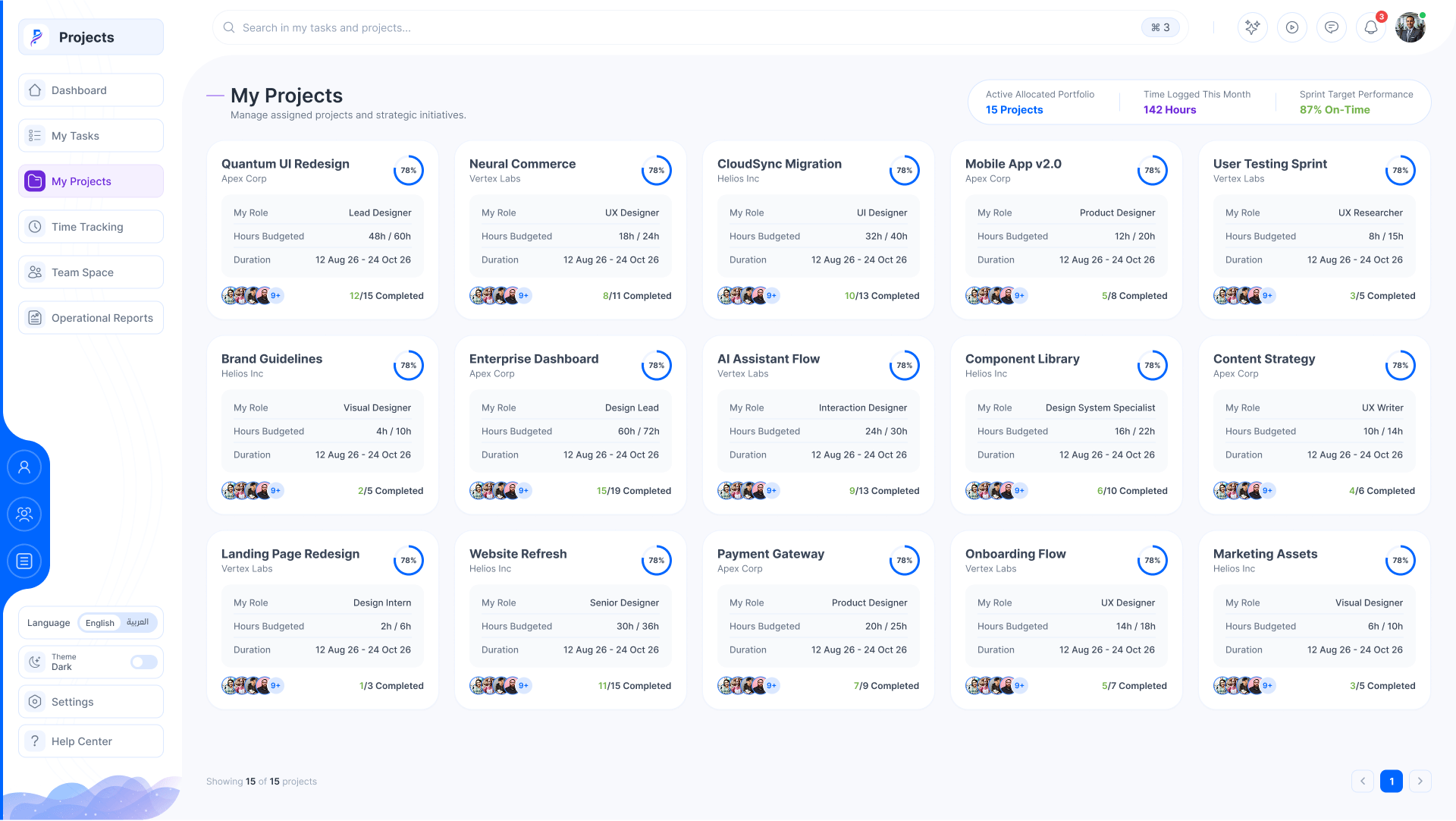
      My role, hours budgeted, duration and completion on each card.

    9. A project, at a glance

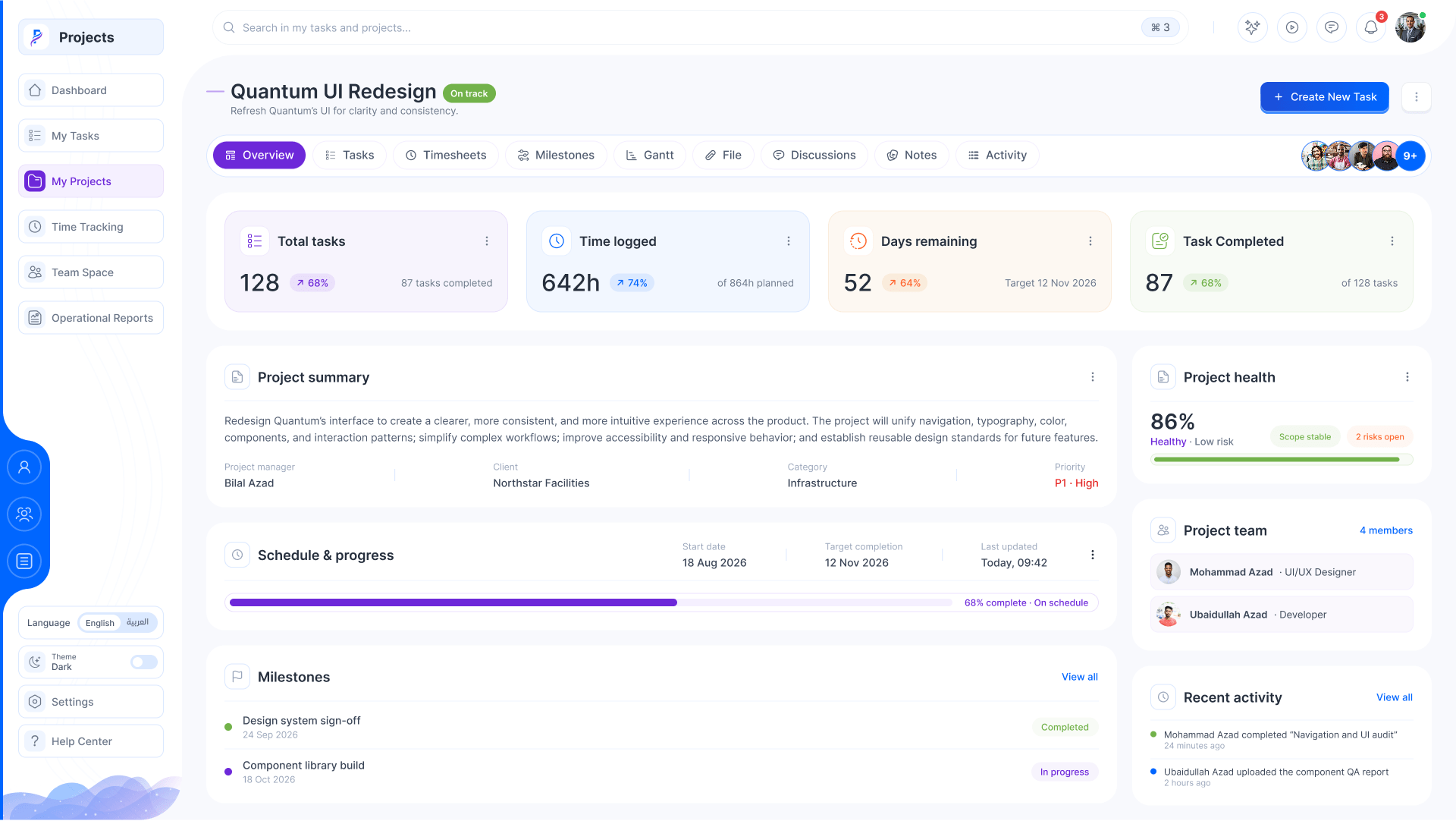
      Summary, health, schedule, the team, milestones and recent activity.

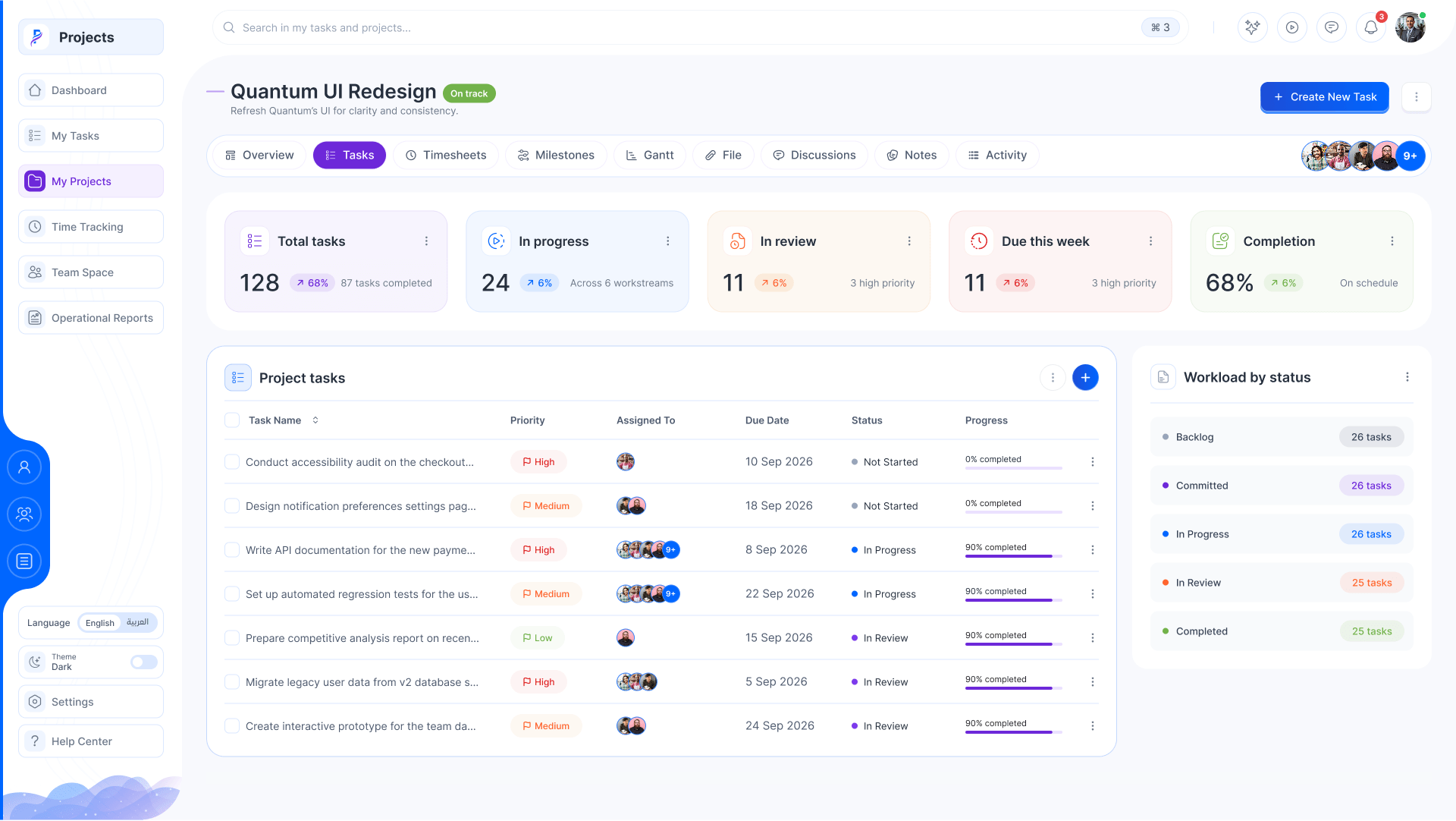
    10. The project’s tasks

      Each with its priority, dates, owners and progress.

    11. The Gantt

      Tasks on a timeline, each with its owner and progress.

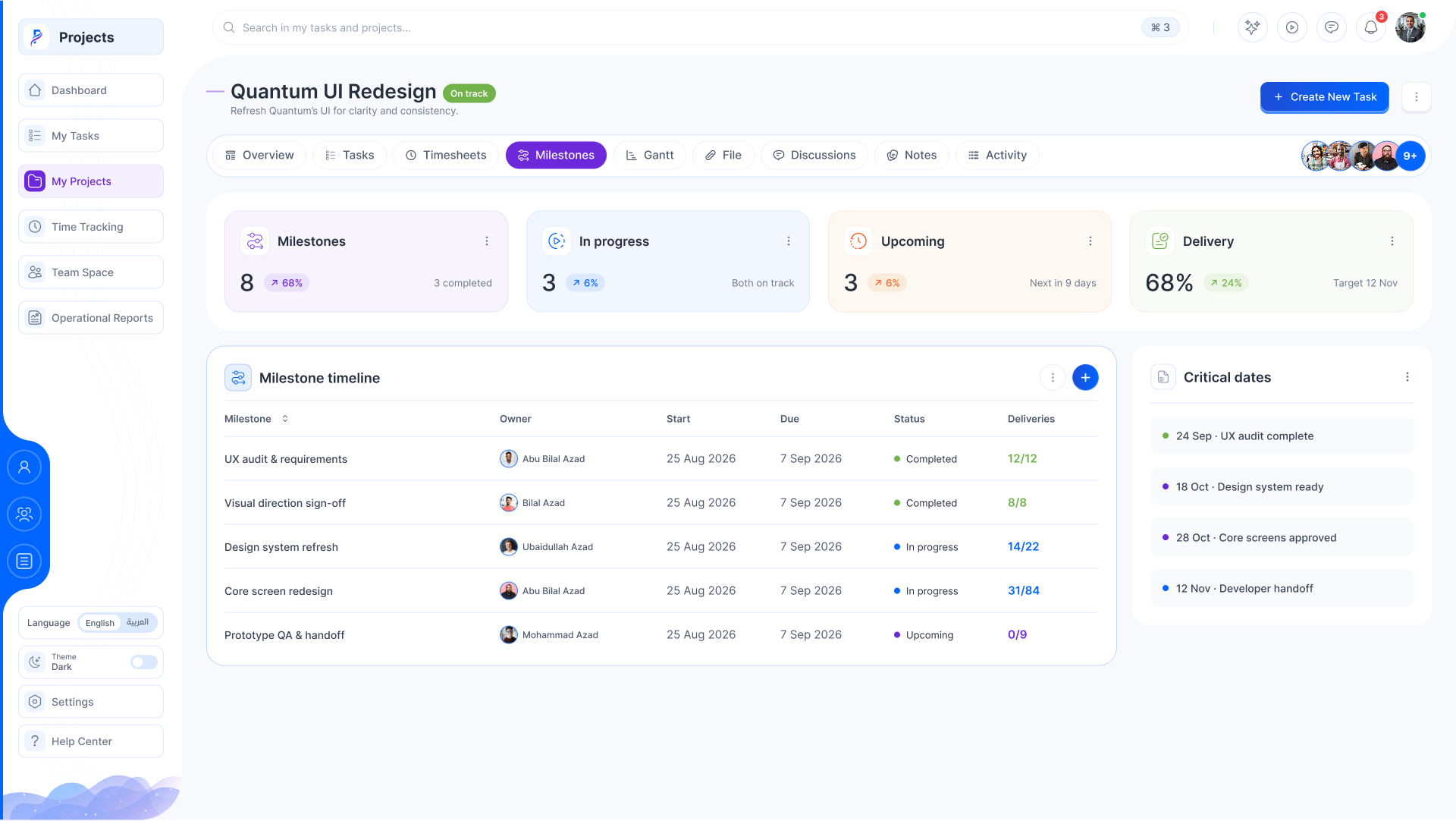
    12. Milestones

      Owner, dates, status and deliverables, with the critical dates beside.

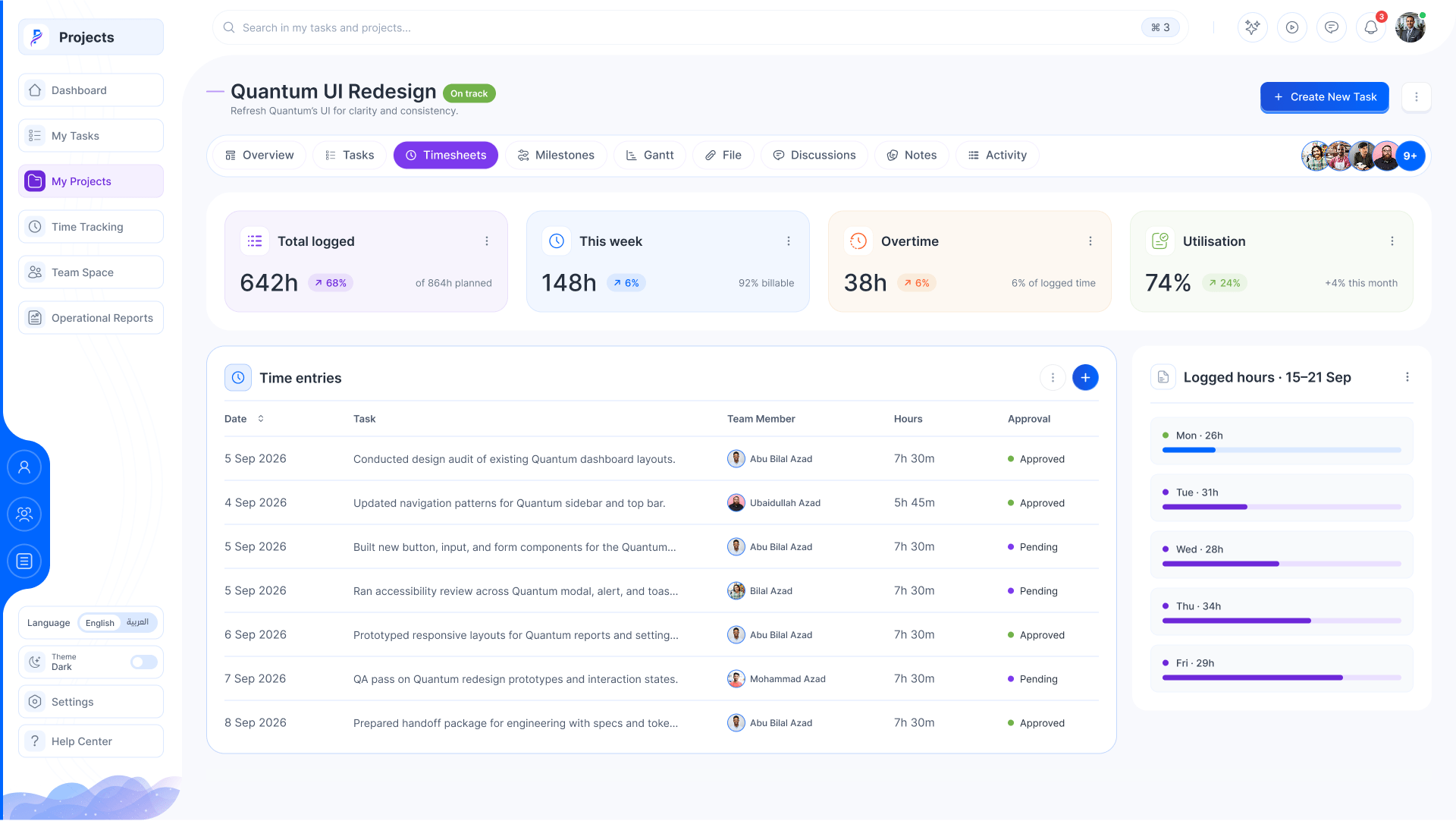
    13. Timesheets

      Every entry by member, approved or pending, and the hours by day.

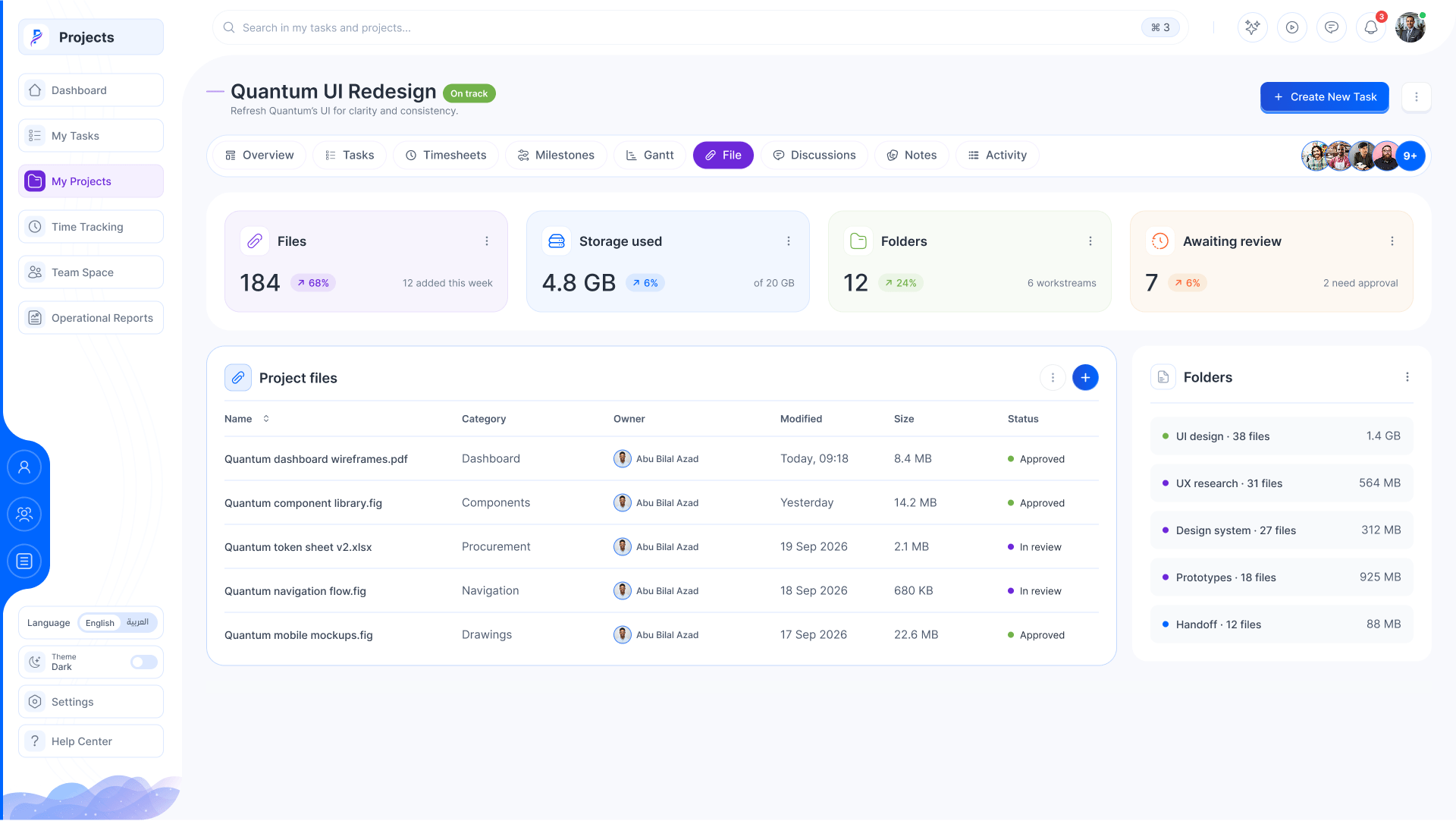
    14. Files

      Every file, by type, size and who shared it.

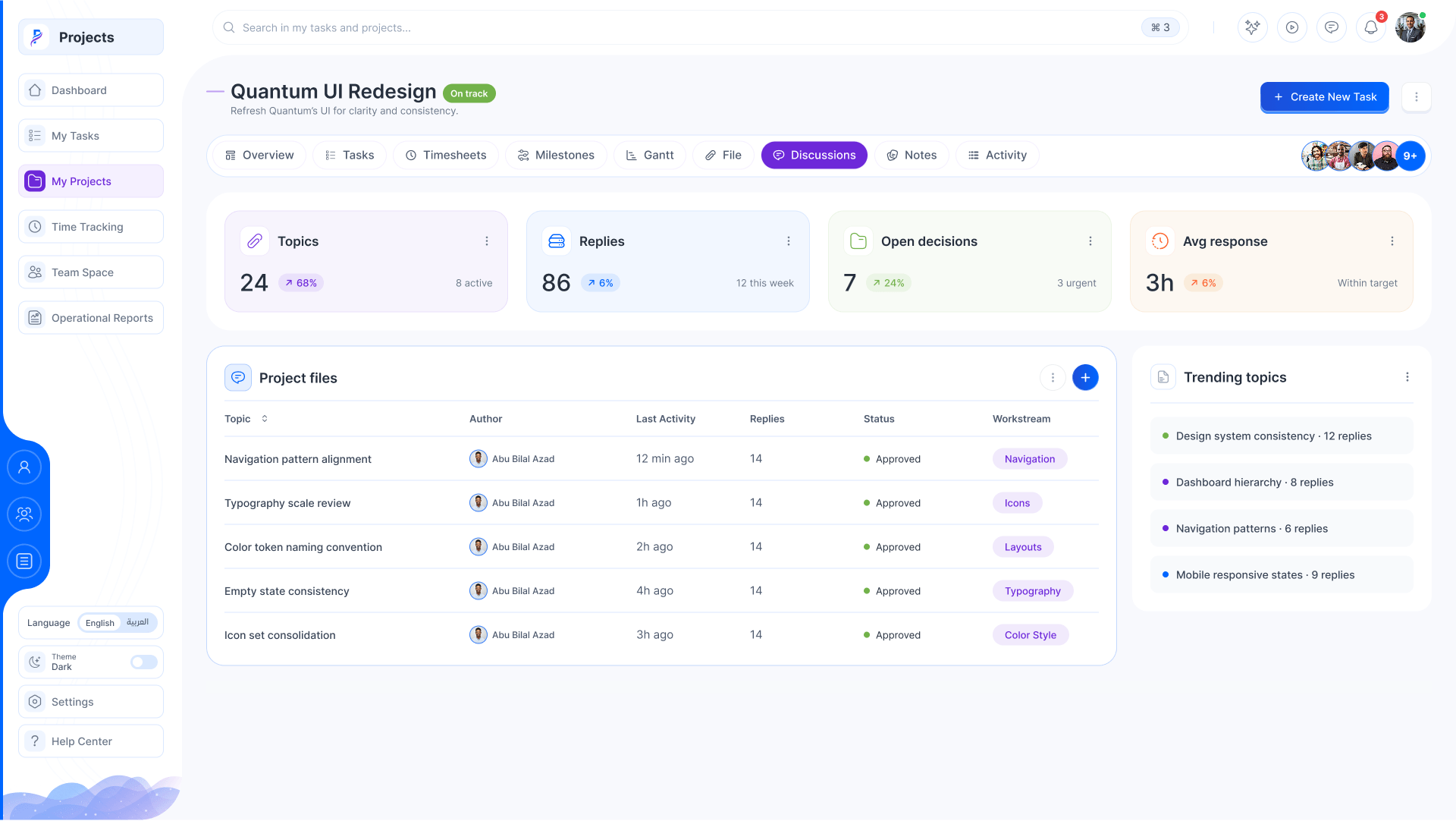
    15. Discussions

      Threads per topic, with what’s trending.

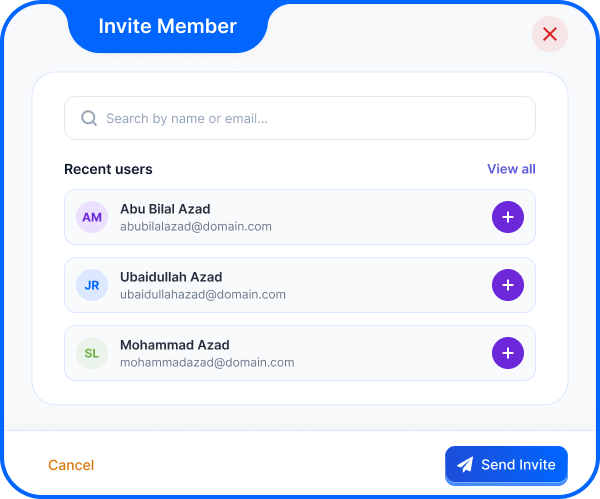
    16. Invite a member

      Search people and add them to the project.

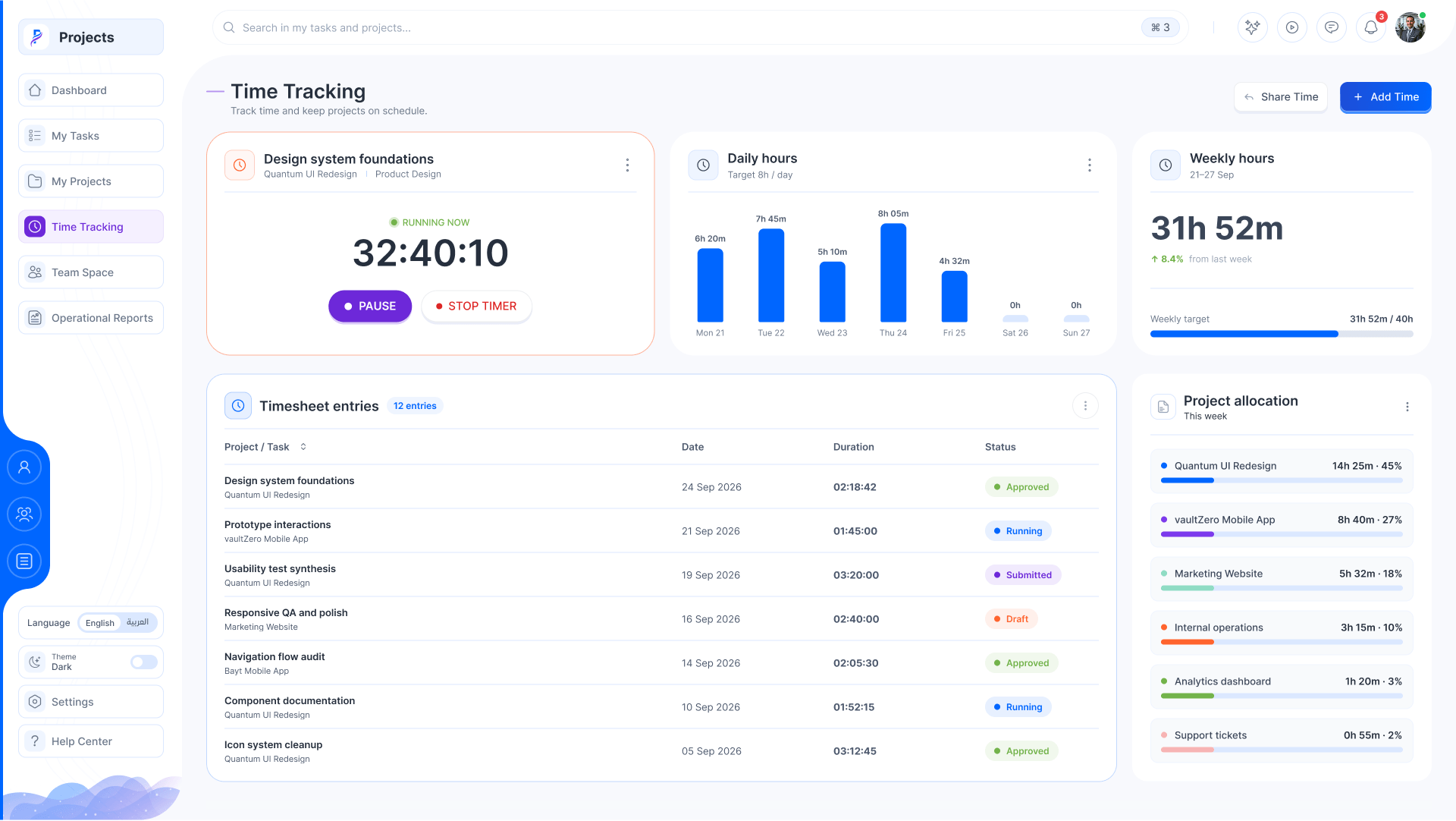
    17. Time tracking

      The timer, daily and weekly hours, timesheet entries and where the time went.

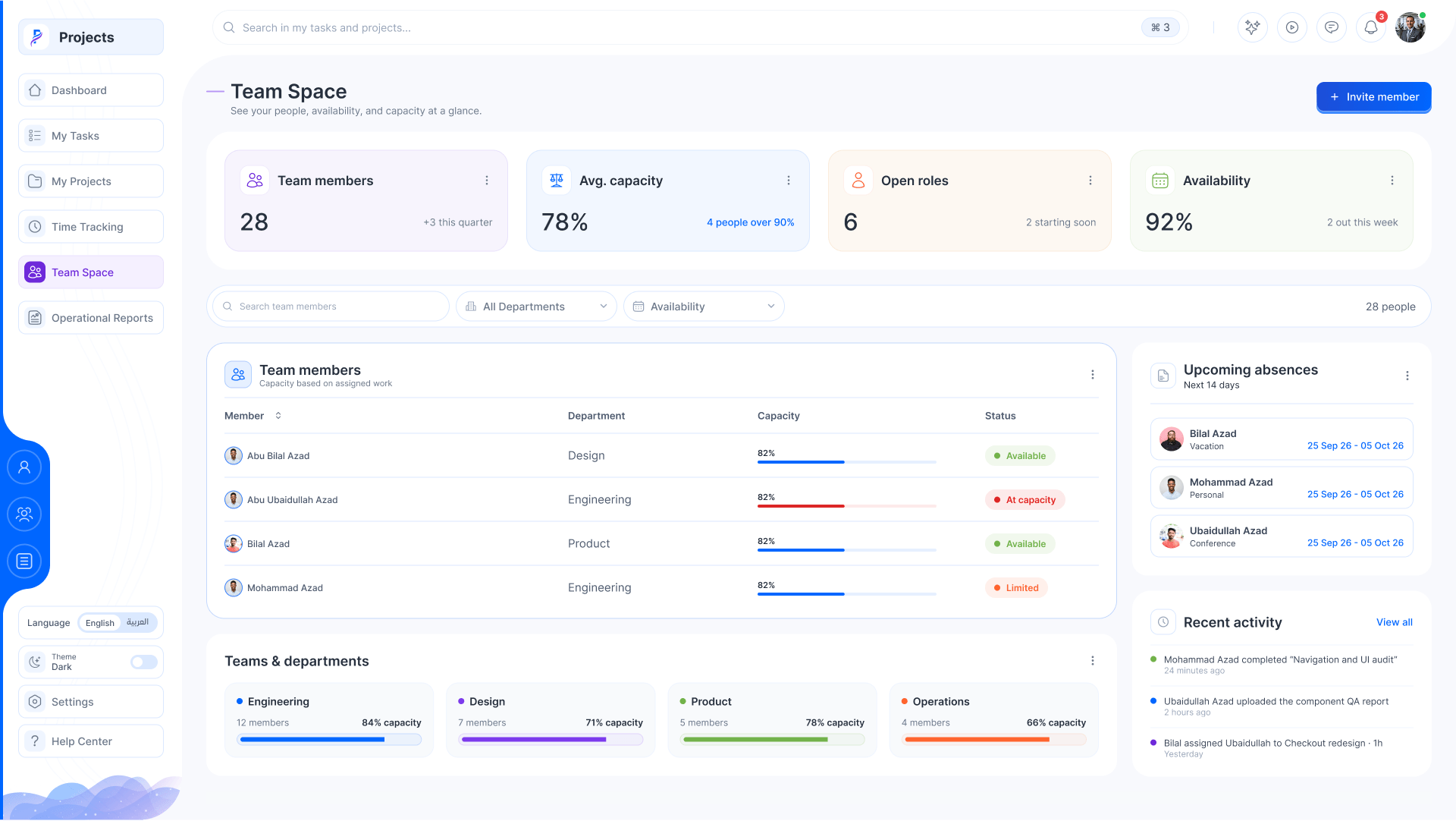
    18. The team

      Capacity, availability, open roles and upcoming absences.

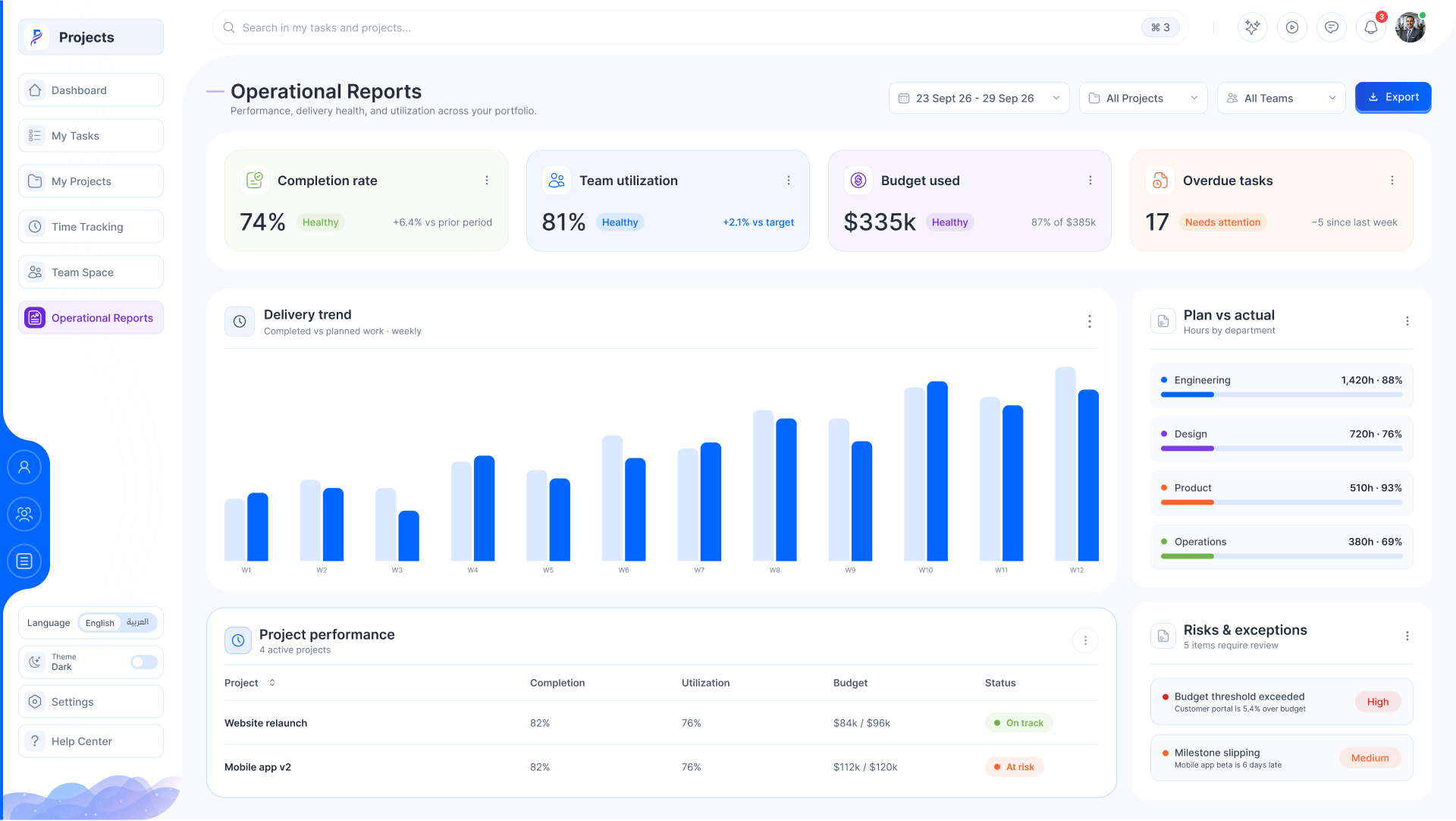
    19. Operational reports

      Completion, utilisation, budget, the delivery trend and the risks.

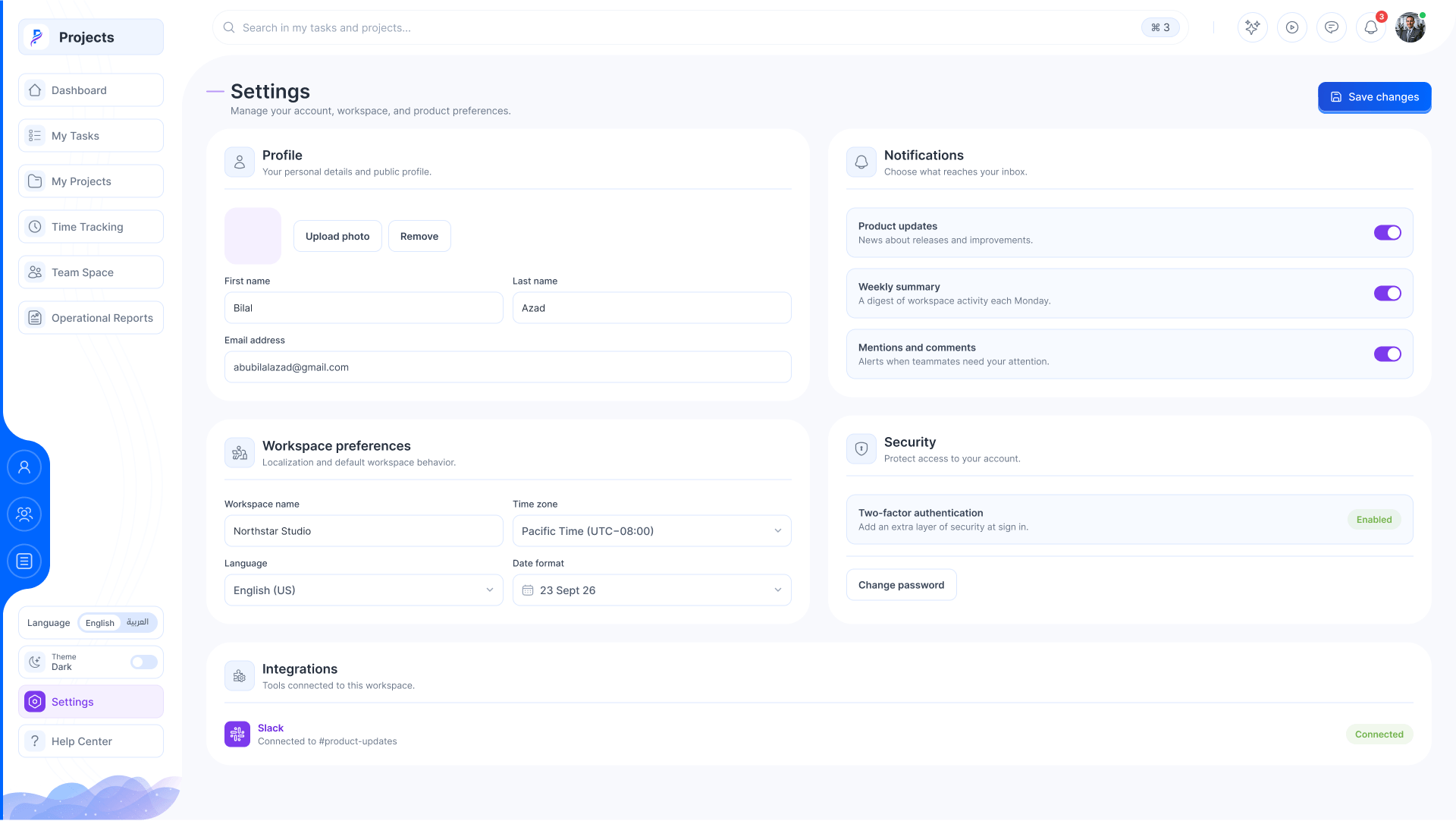
    20. Settings

      Profile, notifications, workspace preferences and integrations.

    21. The help desk

      Its own menu: tickets, knowledge base, customers and the team.

    22. The queue

      Every ticket with its customer, priority, category, owner and status.

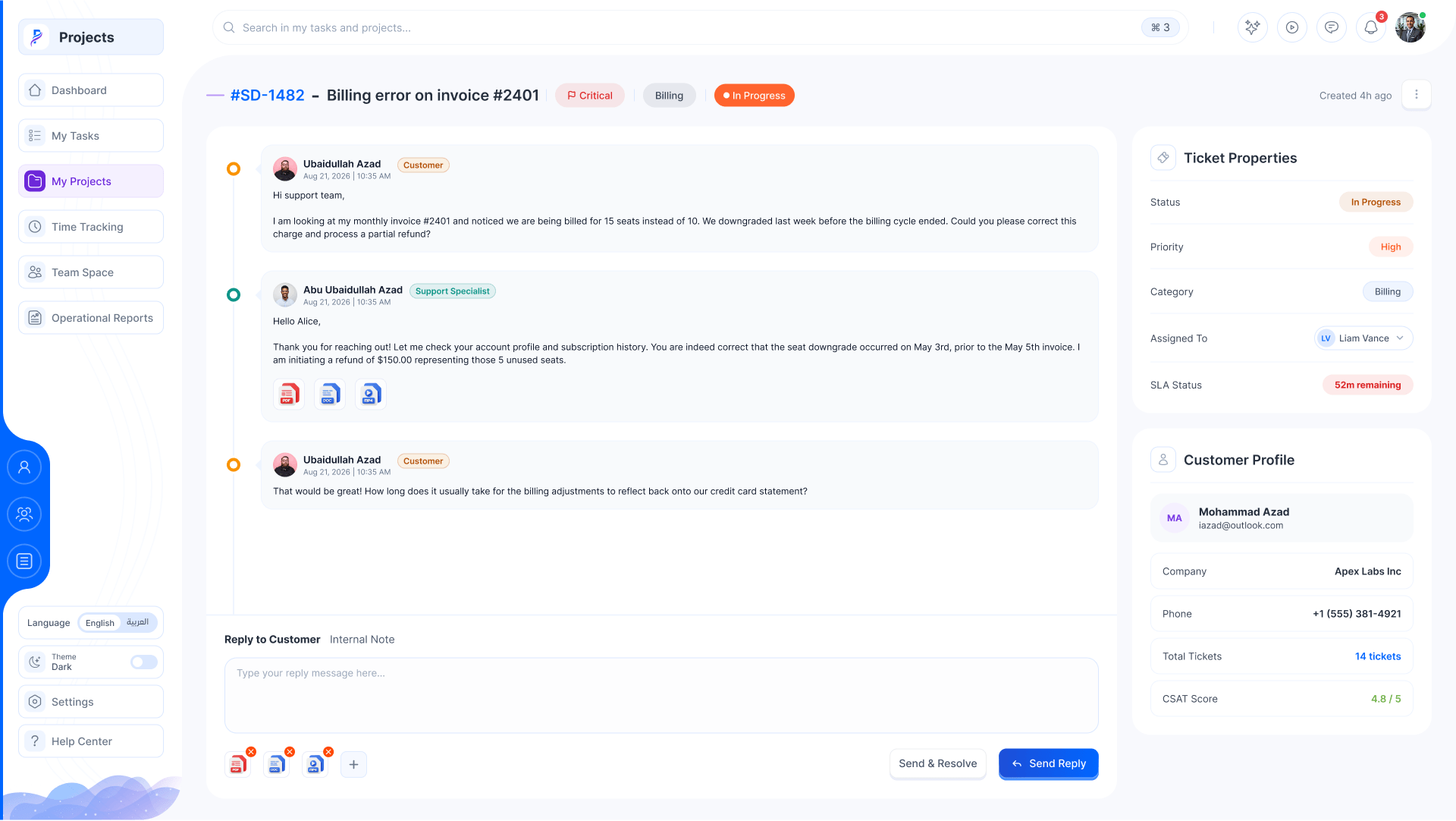
    23. A ticket

      The conversation, the ticket’s properties, its SLA and the customer.

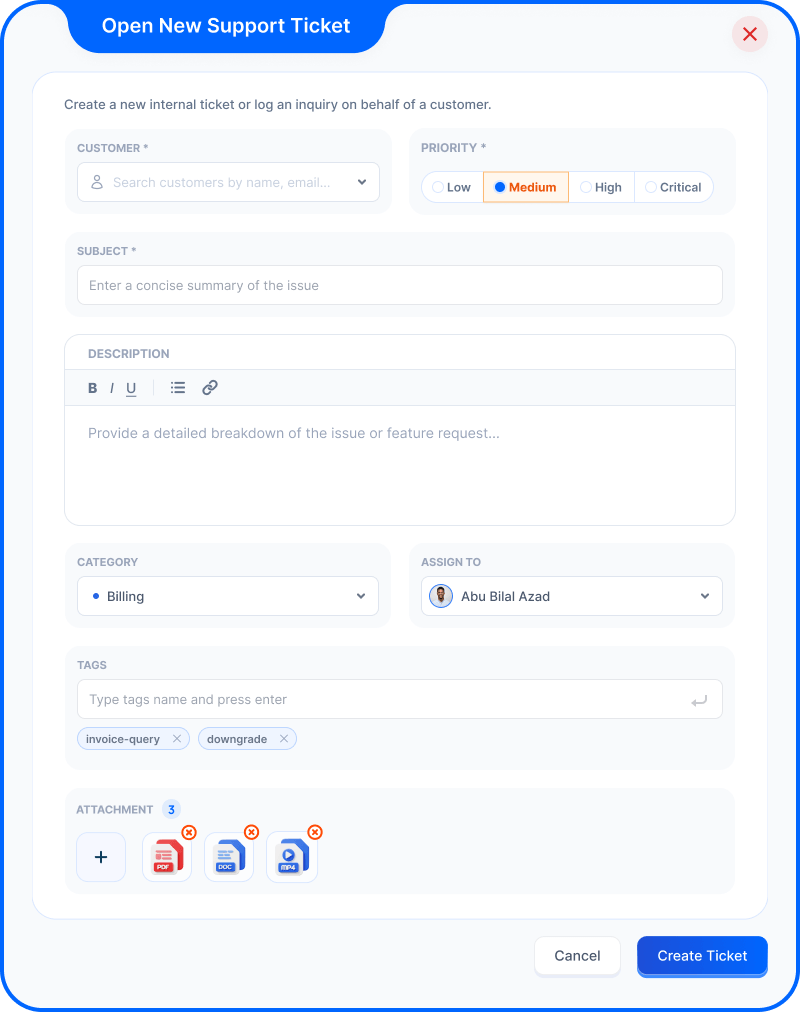
    24. Open a ticket

      For a customer, with priority, category and who it’s assigned to.

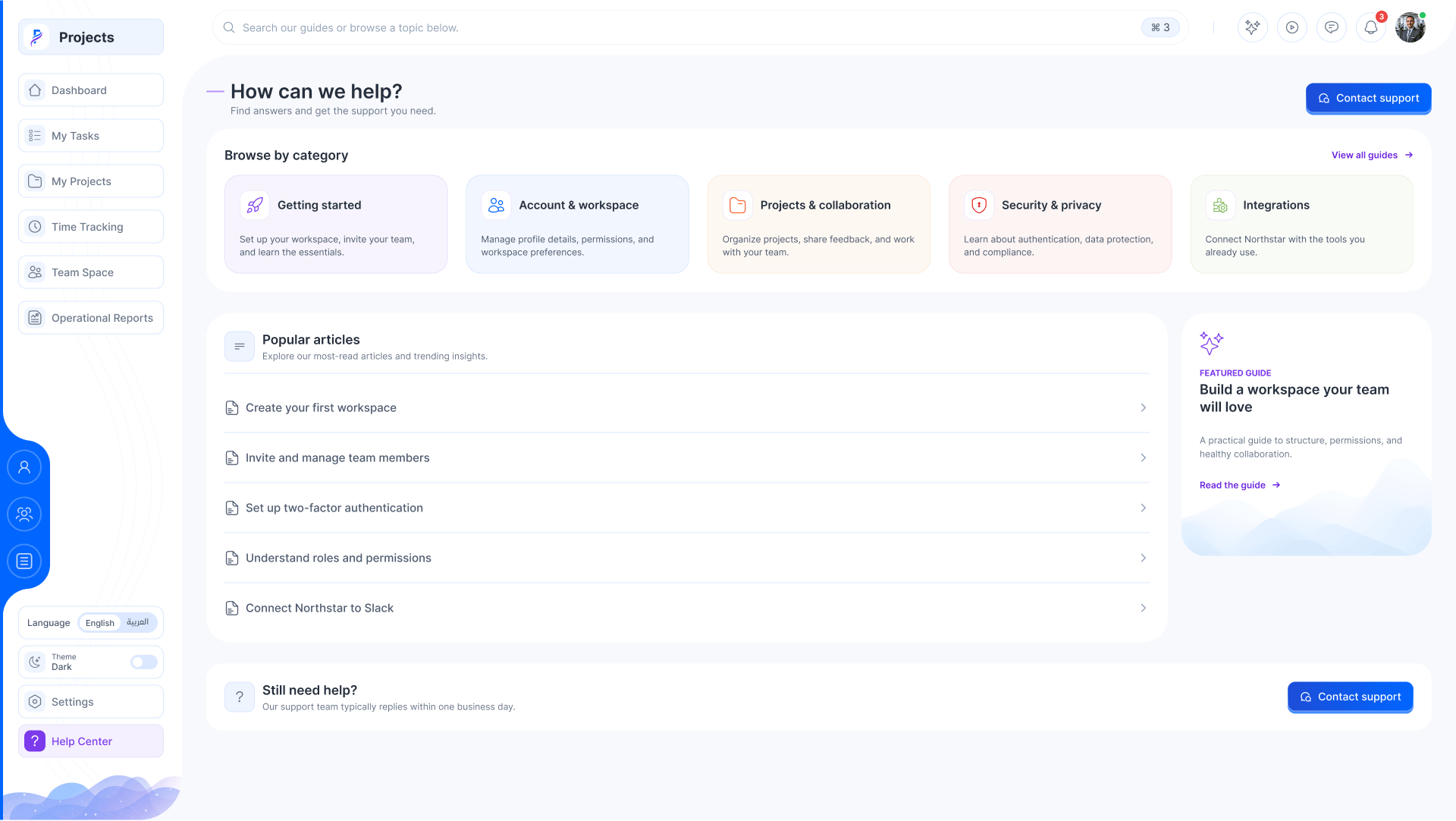
    25. The help center

      Answers by category, popular articles and a way to reach the team.

    01 / 25
    Projects · Dashboard
    The dashboard: task counts, workload by status, the time tracker, a project timeline and the task list
    My tasks overview: counts, priority breakdown, status overview and time worked
    My tasks as a board: backlog, committed, in progress, in review and closed
    My tasks as lists grouped by status
    My tasks on a week calendar
    What changed: New projects, rejected completions, mentions: each with who and when
    The workspace copilot: Notes, tasks and teammates turned into a plan or an update
    My projects as cards with role, hours, duration and progress
    A project overview: counts, summary, health, schedule, team and milestones
    The project’s task list with workload by status
    The project Gantt with task bars, upcoming and project status
    Milestones with deliverables and critical dates
    Timesheets with approvals and logged hours by day
    Project files with storage and folders
    Project discussions with topics and decisions
    Invite a member: Search people and add them to the project
    Time tracking: the timer, daily hours, weekly hours, entries and allocation
    Team space: members with capacity and status, absences and departments
    Operational reports: KPIs, the delivery trend, plan versus actual and risks
    Settings: profile, notifications, workspace and integrations
    The support dashboard with its own menu
    The ticket queue with filters
    A ticket: the thread, properties, SLA and customer profile
    Open a ticket: For a customer, with priority, category and who it’s assigned to
    The help center with categories and popular articles
    Next

    More company work