visitor monitoring loading
Company project · High-security site command centre

Visitor Monitoring for sensitive sites

Not a reception desk: a security command centre for a highly sensitive site. Permits asked for and approved before anyone arrives, every visitor, contractor and car in and out, where they are on a live heatmap, the threat level for the whole site, and emergency alerts that take over the screen until they’re handled.

  • UX · UIMy role
  • 3Threat levels
  • 9Screens
The permits dashboard: requests by state, staff by zone and the blacklist
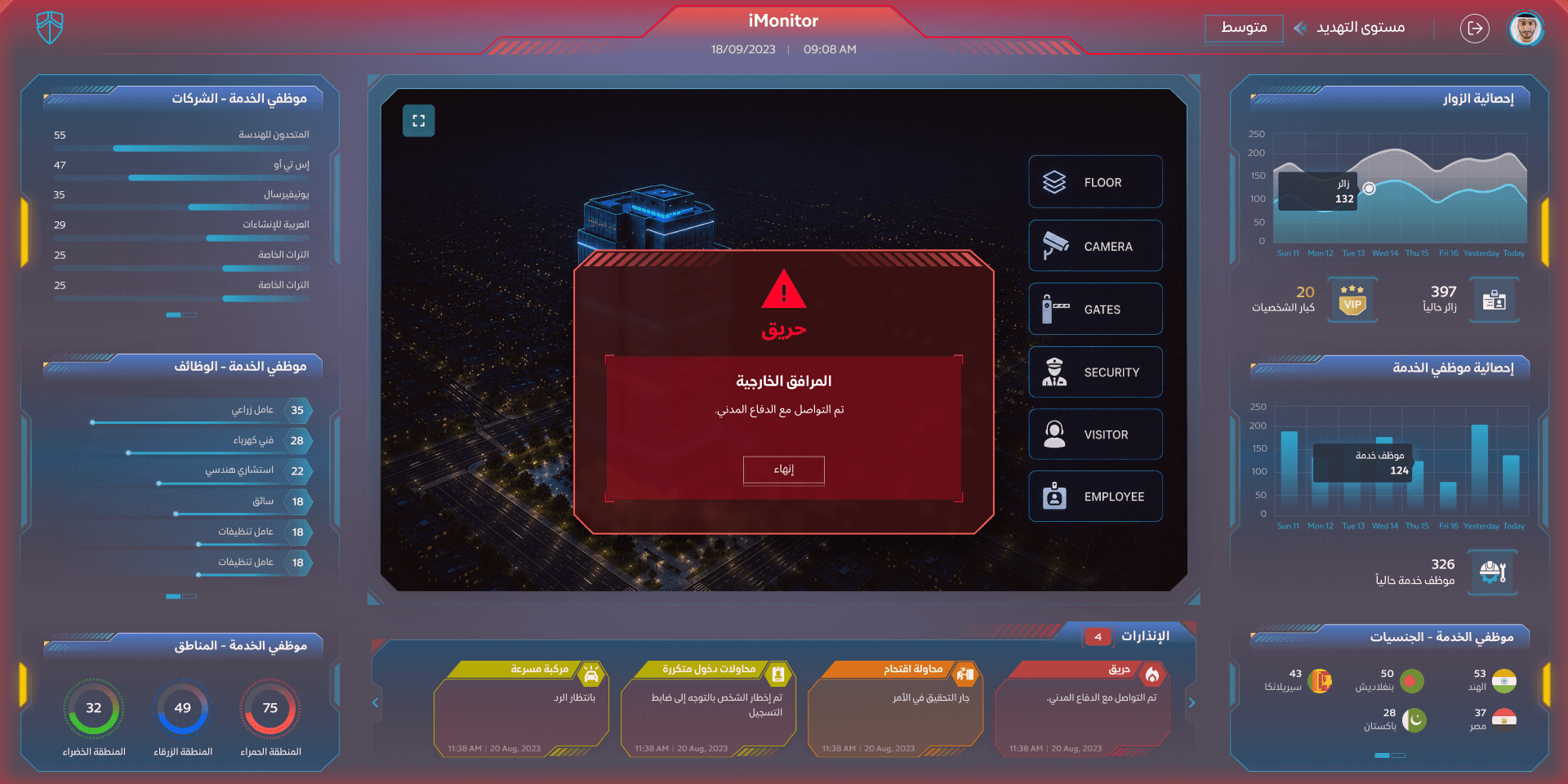
The command centre on alert: a fire in the outer facilities
Visitor Monitoring · Command centre
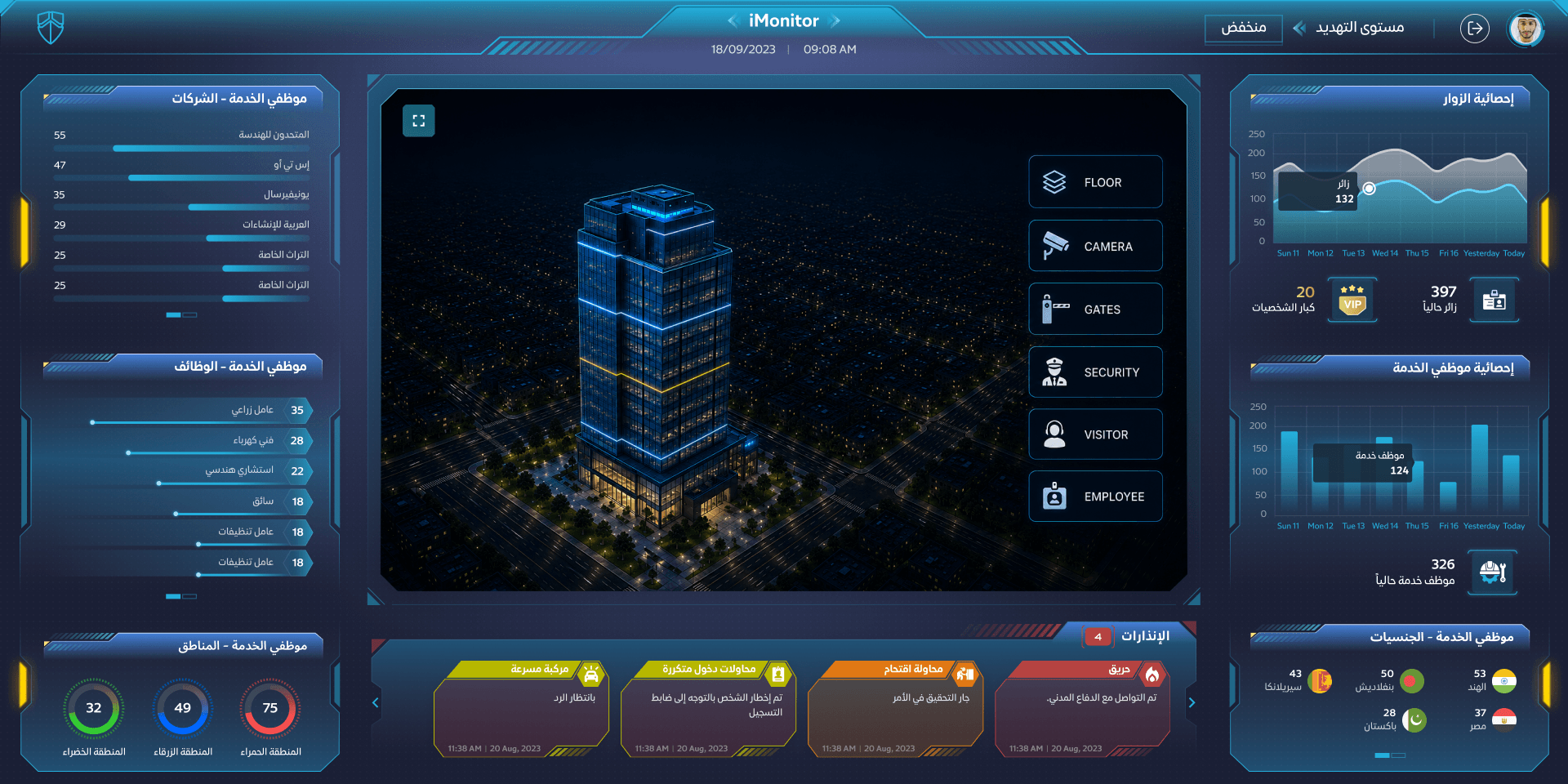
The command centre: service staff by company and job, the tower in 3D with its layers, visitor statistics and the alerts
Overview

From a visitor book to a command centre

The shift

  1. Names in a book at the gate, cars on a clipboard
    A permit approved before arrival, then every person and car in and out, gate by gate
  2. Once inside, nobody knew where a visitor was
    A live heatmap by floor and zone; restricted zones watched
  3. Emergencies called in by radio, one guard at a time
    Alerts take over the screen, with who was told and what to do next
  4. The same checks on a quiet day and a tense one
    One threat level for the whole site that changes what every screen shows

My role

  1. 01UXA command centre for people, cars and emergencies on a sensitive site
  2. 02UI designThe permits portal and the wall, calm and on alert, in Arabic
  3. 03Design systemRequest cards, threat level, layer controls and the alert takeover

In numbers

6Layers: floors, cameras, gates, security, visitors, staff
3Threat levels for the site
4Kinds of emergency alert

On site now

  • Visitors397
  • VIPs20
  • Service staff326
  • Vehicles84
  • Open alerts04

What the room handles

  • PeoplePermit requestsApprove, reject, returnBlacklistVisitors & VIPsStaff by company, job, zone
  • VehiclesIn and out by gateParkingSpeedingRepeated entry attempts
  • WhereHeatmapFloors in 3DCamerasGatesRestricted zones
  • CommandThreat levelEmergency alertsCivil defenceBreak-in attempts

Tools & methods

  • Figma
  • UI/UX design
The core

Run the command centre

People and cars come through the gates and spread across the site; the heatmap shows where they gather. Someone tries the restricted zone, a car speeds in the yard, a fire starts outside: each alert takes over the plan until it’s handled. Raise the threat level and the whole room changes. It runs on its own; click anything and it’s yours.

Threat level
  • 0Visitors inside
  • 0Vehicles
  • 0VIPs
  • 0Open alerts

Site plan

Gates

In & out

    Alerts

    Pick one
    Calm and on alert

    When something happens, the screen says so

    An emergency turns the whole command centre red, raises the threat level and puts the alert in the middle of the wall, with what has already been done. Drag across the screen to wipe between the two.

    Visitor Monitoring · Command centre
    The command centre at a low threat level The command centre on alert Calm On alert
    9 key screens · 3 parts
    1. The permits office

      Requests by state, staff by nationality and zone, unauthorised movements, and who was just added to the blacklist.

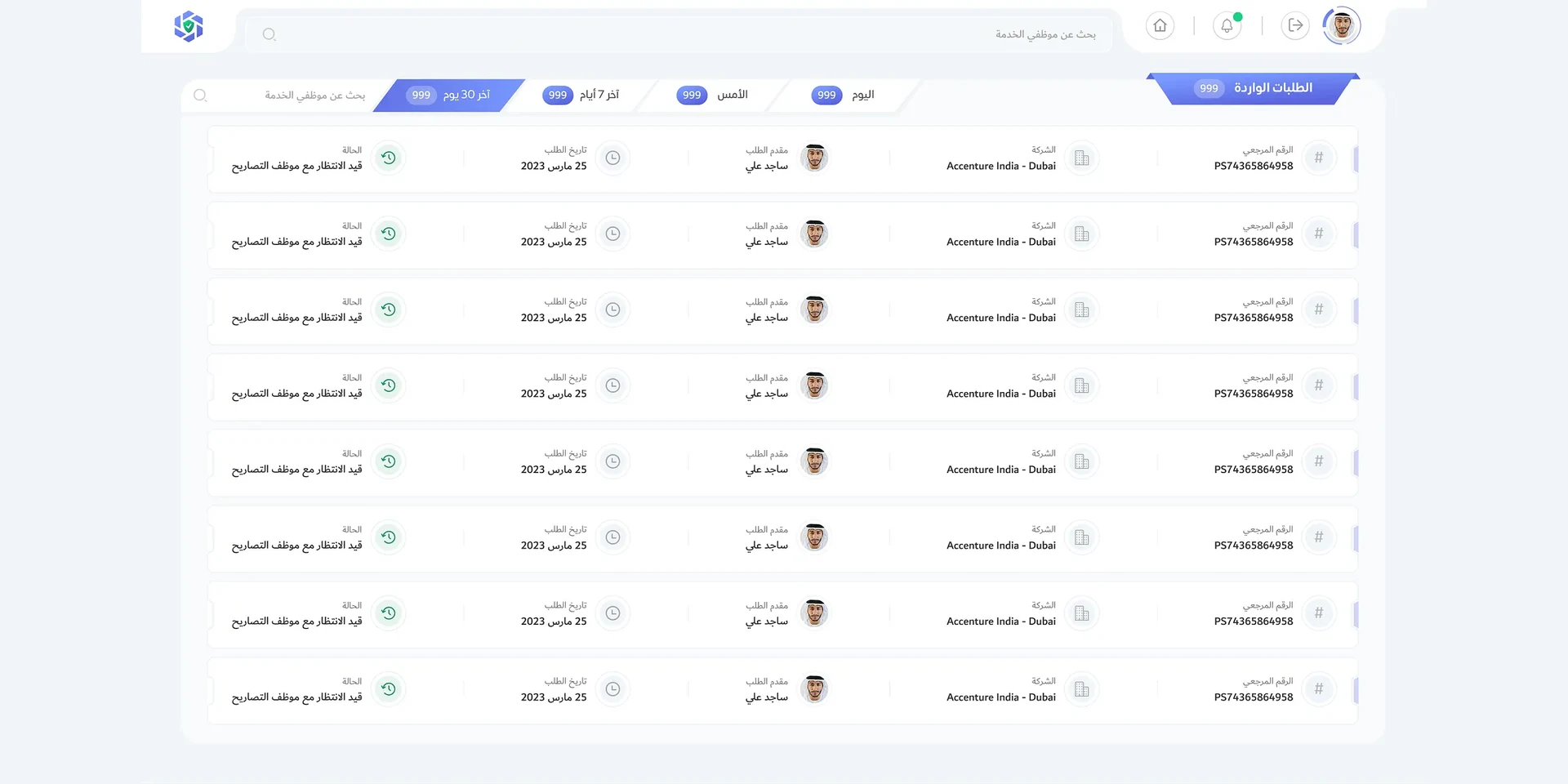
    2. Incoming requests

      Every permit request with its company, who asked and where it waits.

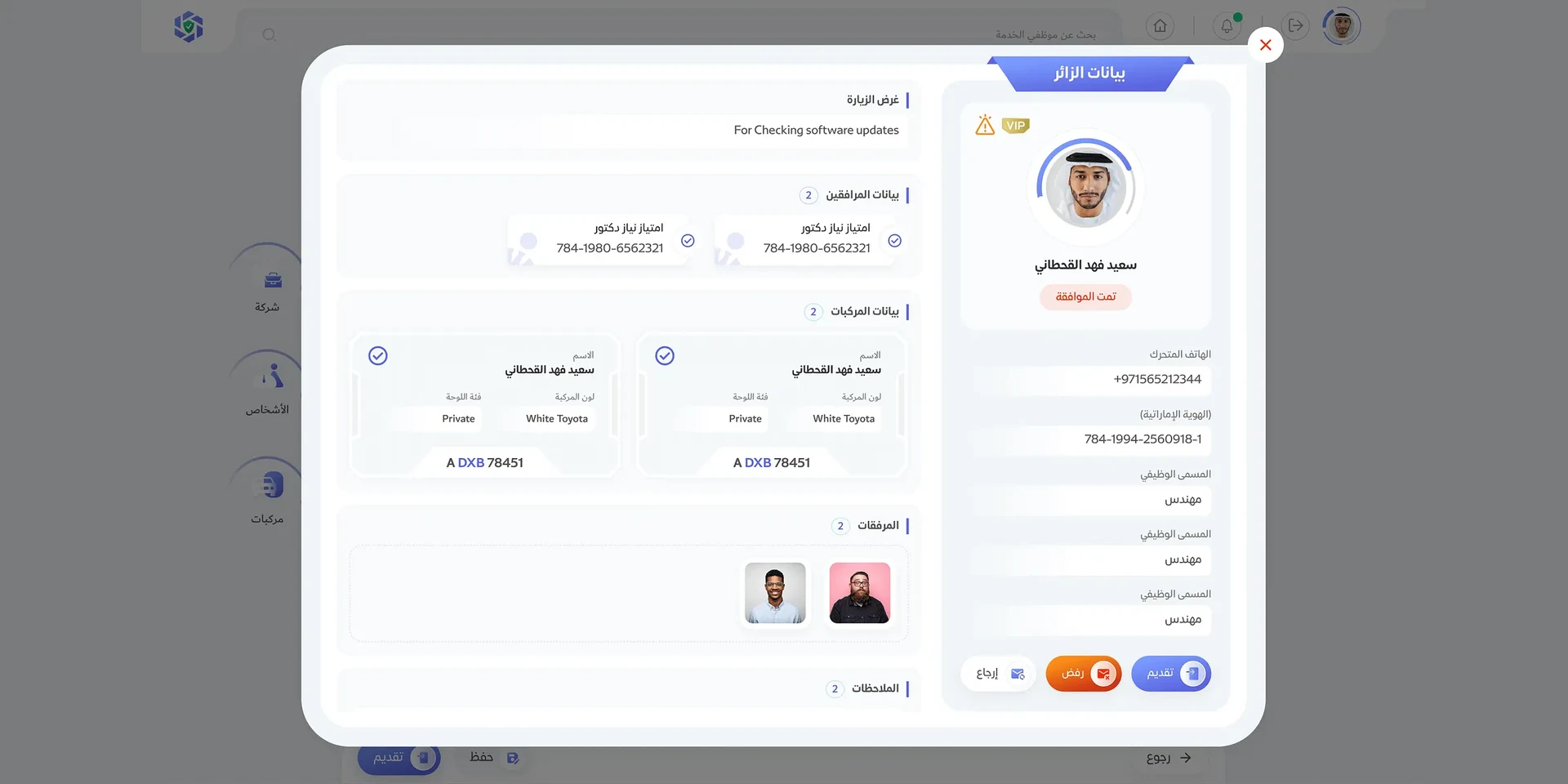
    3. A visitor, in full

      The person, why they’re coming, who comes with them, their cars and their documents, then approve, reject or return.

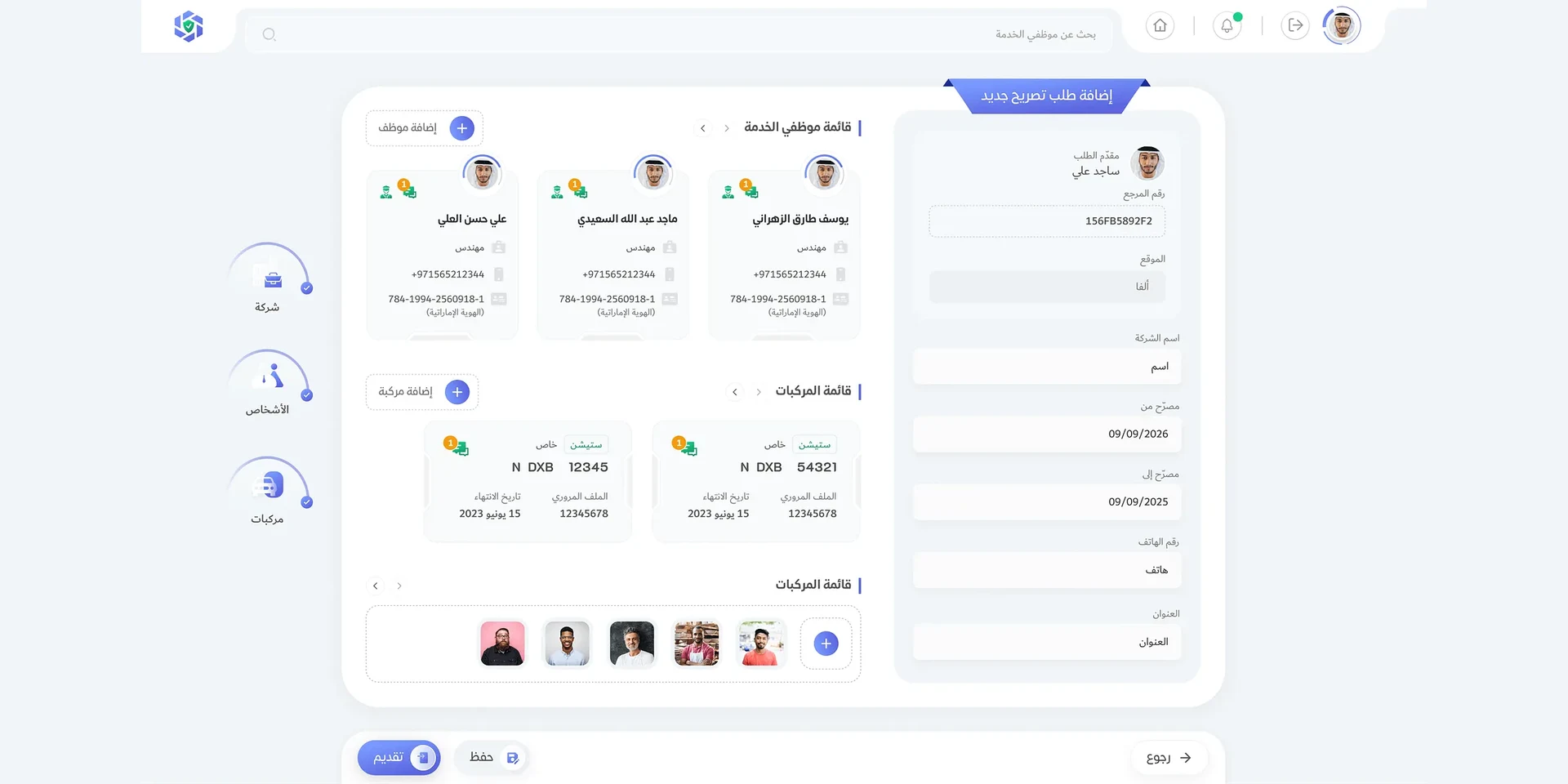
    4. Ask for a permit

      A company asks for its people and its vehicles, for dates, with the documents.

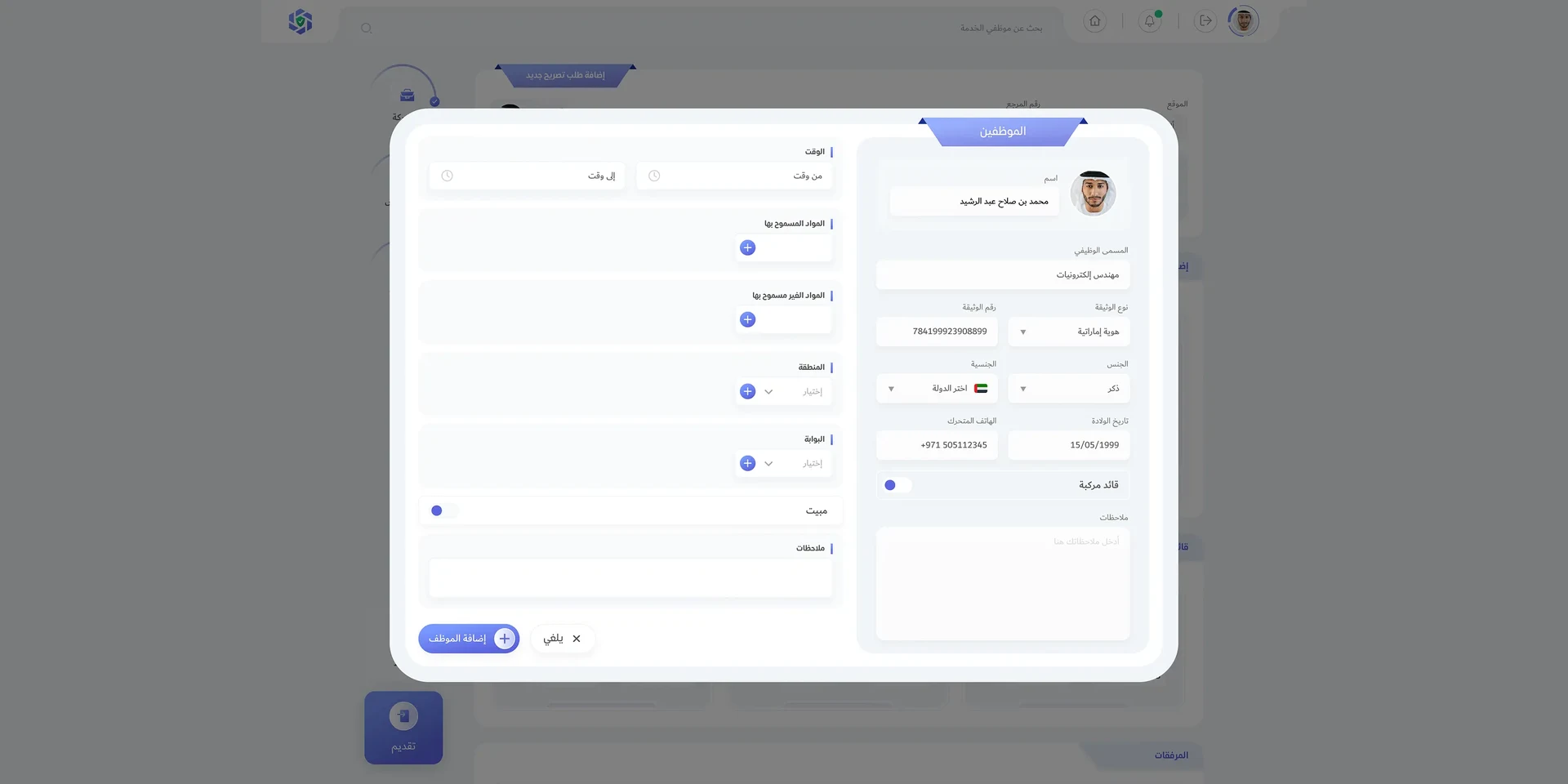
    5. Add a person

      Who they are, their ID and nationality, and the gate, zone, hours and items they may bring.

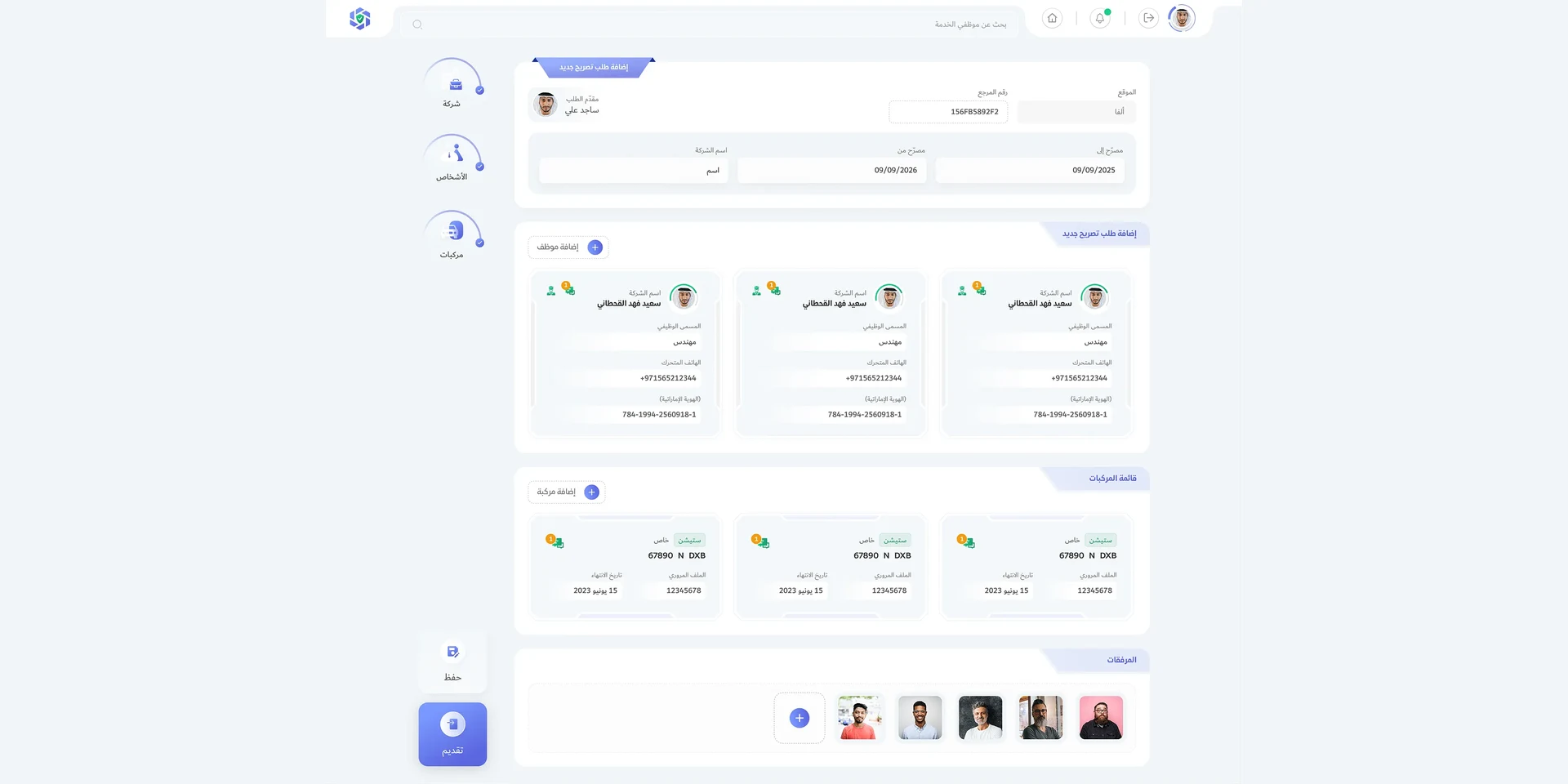
    6. The request, put together

      People, vehicles and documents in one request, saved or submitted.

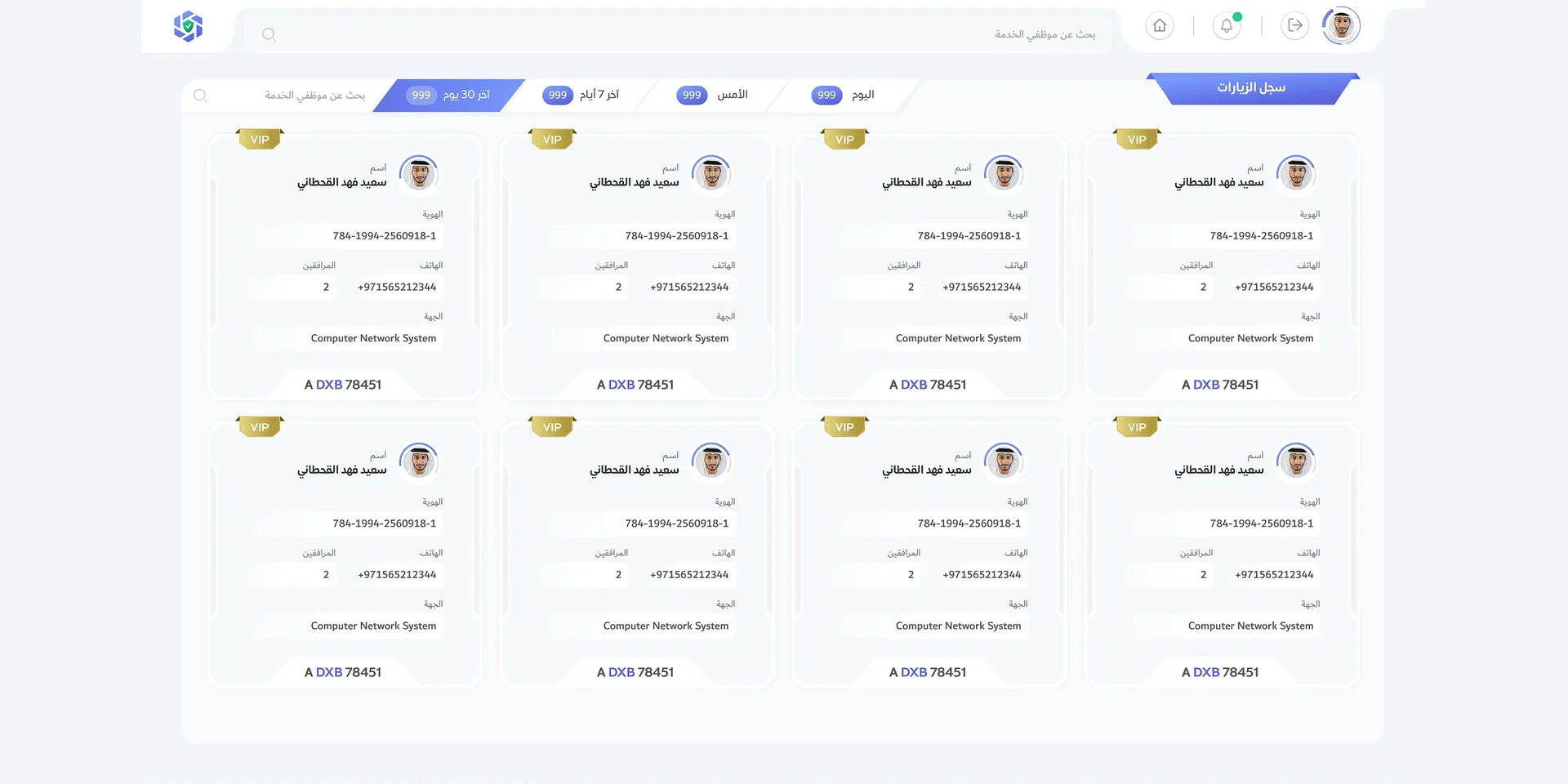
    7. The visit log

      Who came, with their ID, companions, company and plate, today or over thirty days.

    8. The wall, on a calm day

      Service staff by company, job and zone on the left, the tower in 3D with its layers, visitors and staff on the right, the alerts below.

    9. On alert

      A fire in the outer facilities: the wall turns red, the threat level rises and the alert takes the middle until it’s ended.

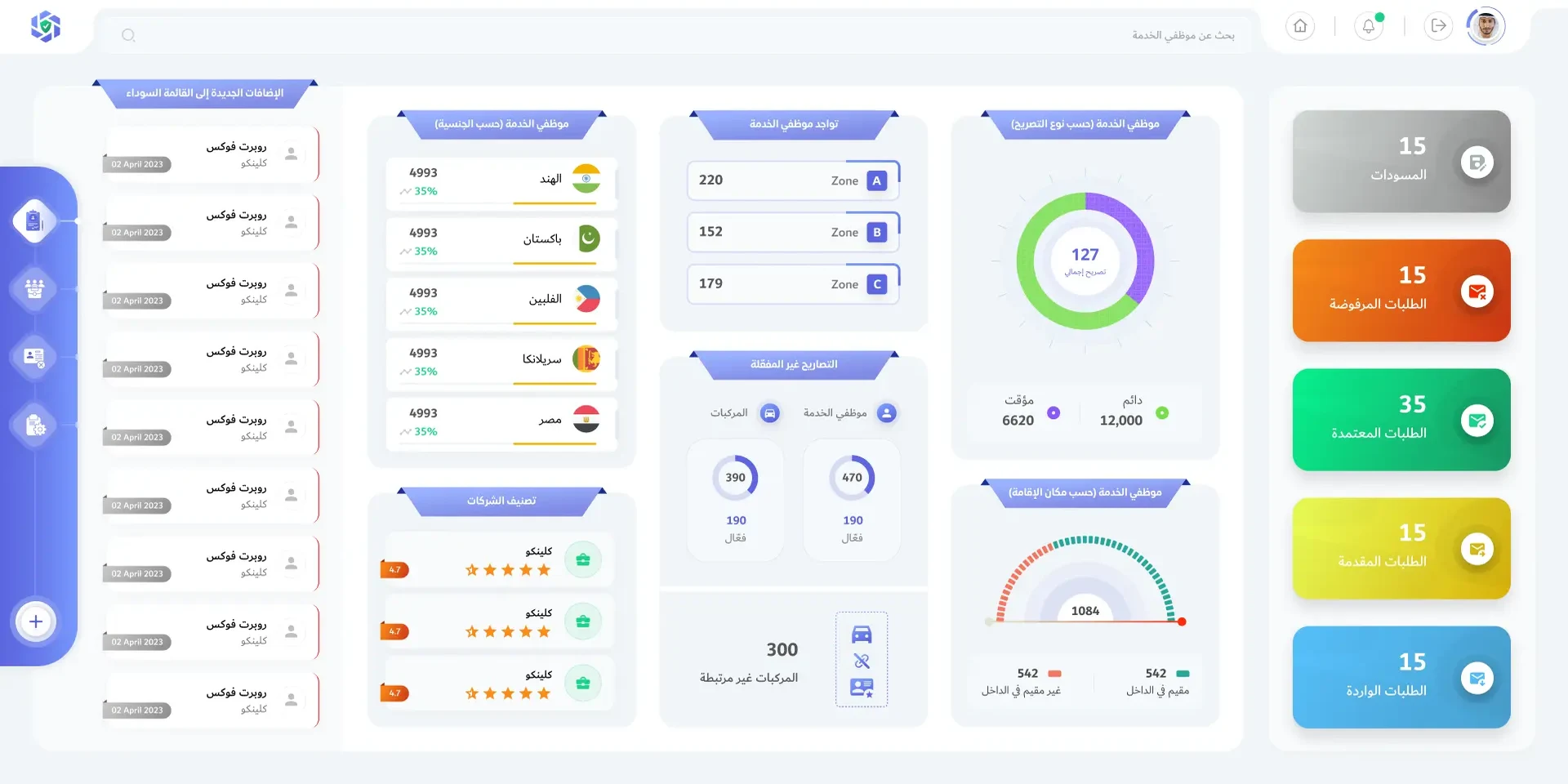
    01 / 9
    Visitor Monitoring · Requests · Dashboard
    The permits dashboard: requests by state, staff by nationality and zone, unauthorised movements and new blacklist entries
    Incoming permit requests as a list, with their status
    A visitor’s details: the person, the purpose, companions, vehicles, attachments and the decision
    A new permit request: the employees, the vehicles, the attachments and the request
    Adding an employee to a permit request: identity, gate, zone, time and permitted items
    A full permit request with its employees, vehicles and attachments
    The visit log as cards, VIPs marked, with plates
    The command centre: service staff by company, job and zone, the tower in 3D, visitor and staff statistics, and the alerts
    The command centre on alert: a fire in the outer facilities, civil defence contacted, the threat level raised
    Next

    More company work