bayt loading
Company project · Enterprise web platform

Bayt company workspace

The organisation's front door and social network. One sign-in to 20+ company apps, a space for every team, and a page of their own for every employee.

  • UX · UIMy role
  • 20+Connected apps
  • 19Screens
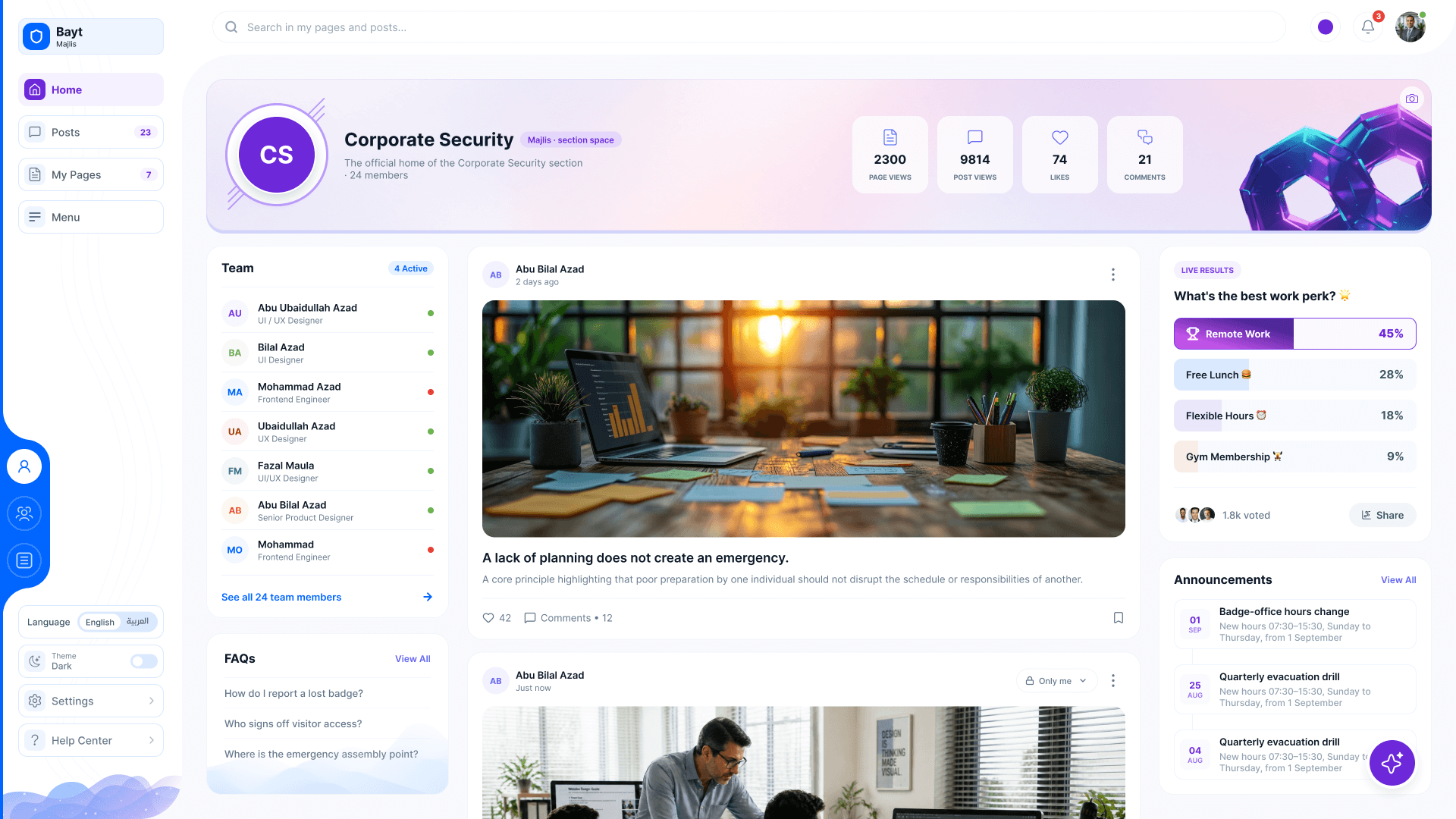
Majlis: the Corporate Security section space
The page builder
Bayt · My Space
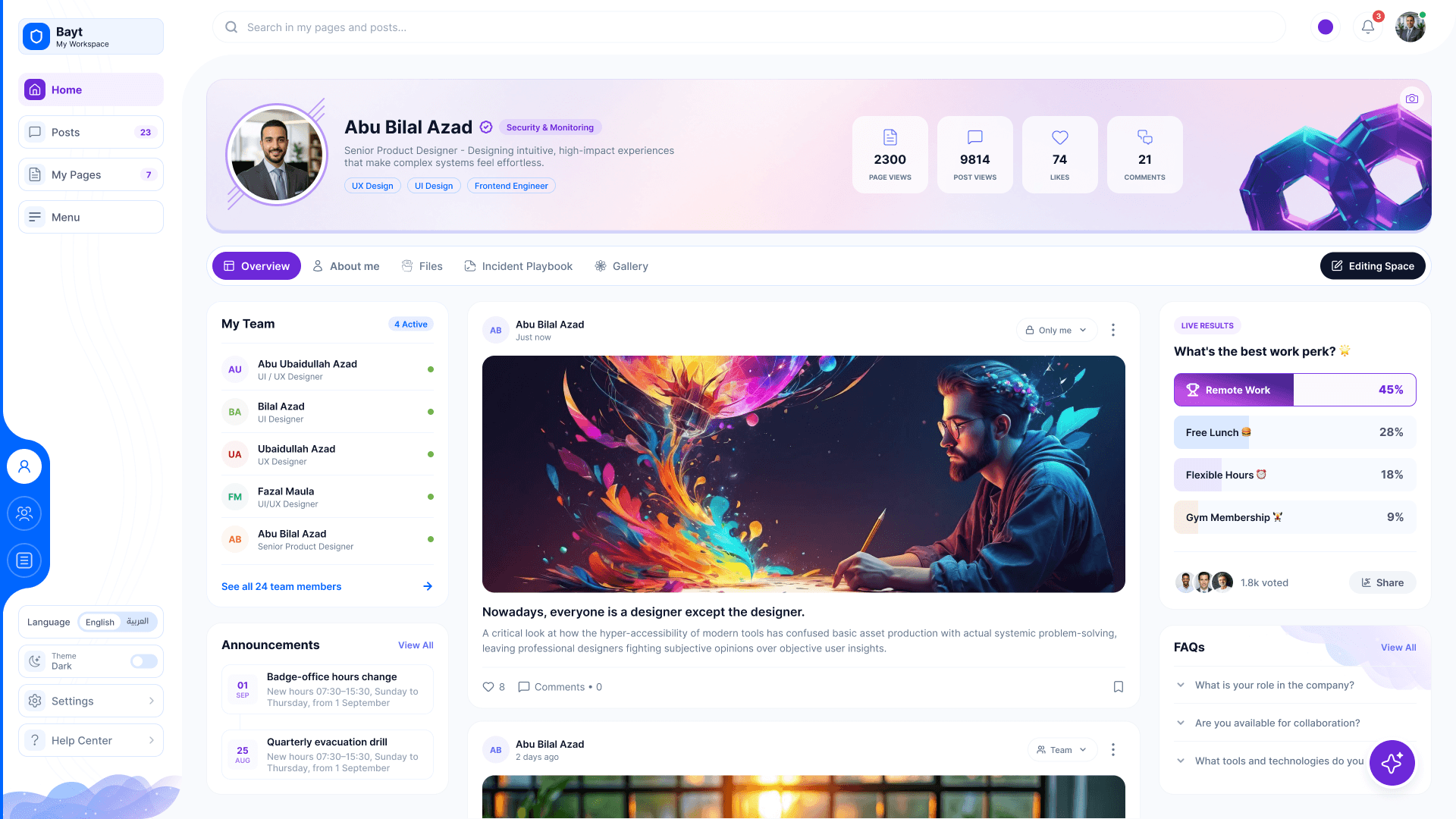
My Space: a profile banner with stats, the team, posts, a live poll and FAQs
Overview

One home for the whole company

The shift

  1. A login and a link for every app
    One sign-in, every app a click away
  2. News lost in email threads
    Posts, polls and announcements in one feed
  3. Teams with no place of their own
    A Majlis for every section and team
  4. A page needed a developer
    Every employee builds their own, drag and drop

My role

  1. 01UXOne structure for Bayt and every app it opens
  2. 02UI design19 screens, light and dark
  3. 03Design systemThemes, banners and page-builder modules

In numbers

20Company apps, plus more to come
19Screens
8Themes, in light and dark

Two languages

English and Arabic, switched from the sidebar, with the layout mirrored right to left.

A social network for the company

  • My SpaceProfile & bannerAny widgetPostsPollsFAQs
  • MajlisSection spacesTeamAnnouncements
  • PagesDrag & drop builderModulesMenu builderThemes
  • AssistantsMoalwin copilotNotificationsHelp center

Tools & methods

  • Figma
  • UI/UX design
The central system

One door to every app

The company runs 20+ apps. Employees open every one of them from Bayt, with the same sign-in, sidebar and look. Some have their own case studies here.

Bayt

The core every app plugs into: who you are, your teams, your language and theme, your notifications.

  • My Space
  • Majlis
  • Pages
  • Moalwin

And more: every new app joins through Bayt, so it starts with the company's people, teams and look.

17 key screens · 3 spaces
  1. My Space

    Your profile, team, posts, polls and FAQs on one page.

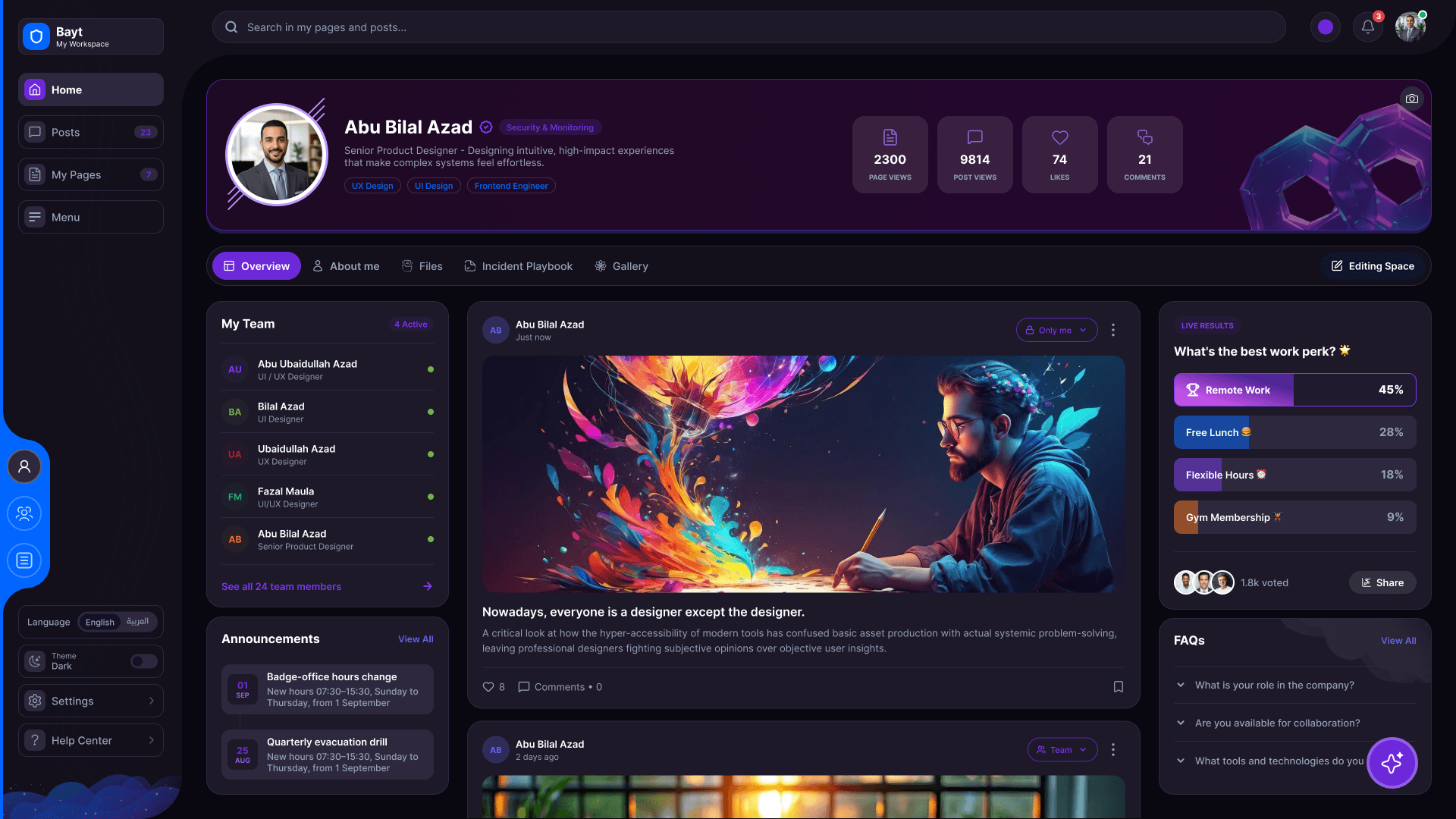
  2. My Space, after dark

    The same space in the dark theme, switched from the sidebar.

  3. Majlis

    A space for every section: its team, posts and announcements.

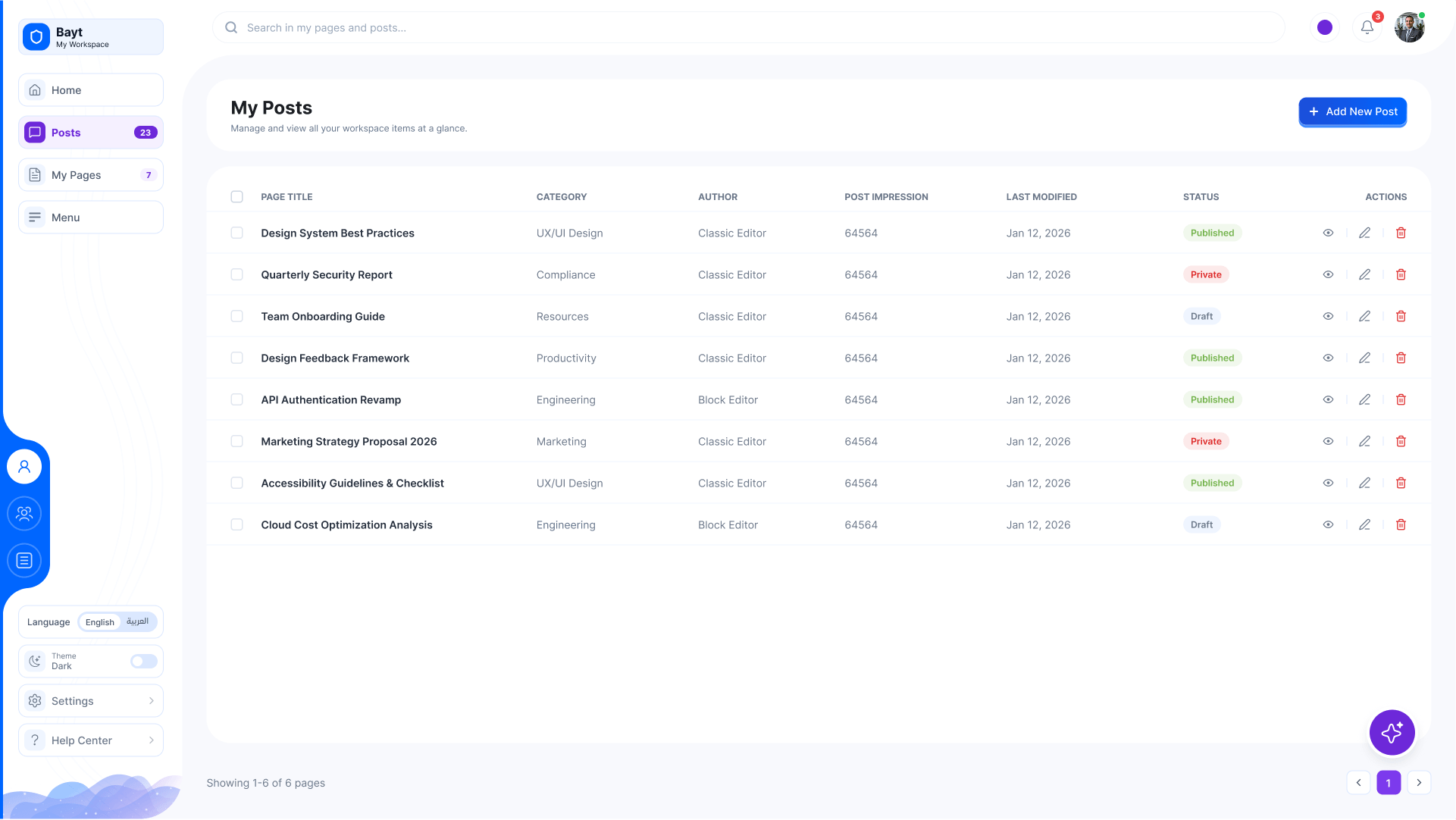
  4. Posts

    Every post you wrote, its status and its audience.

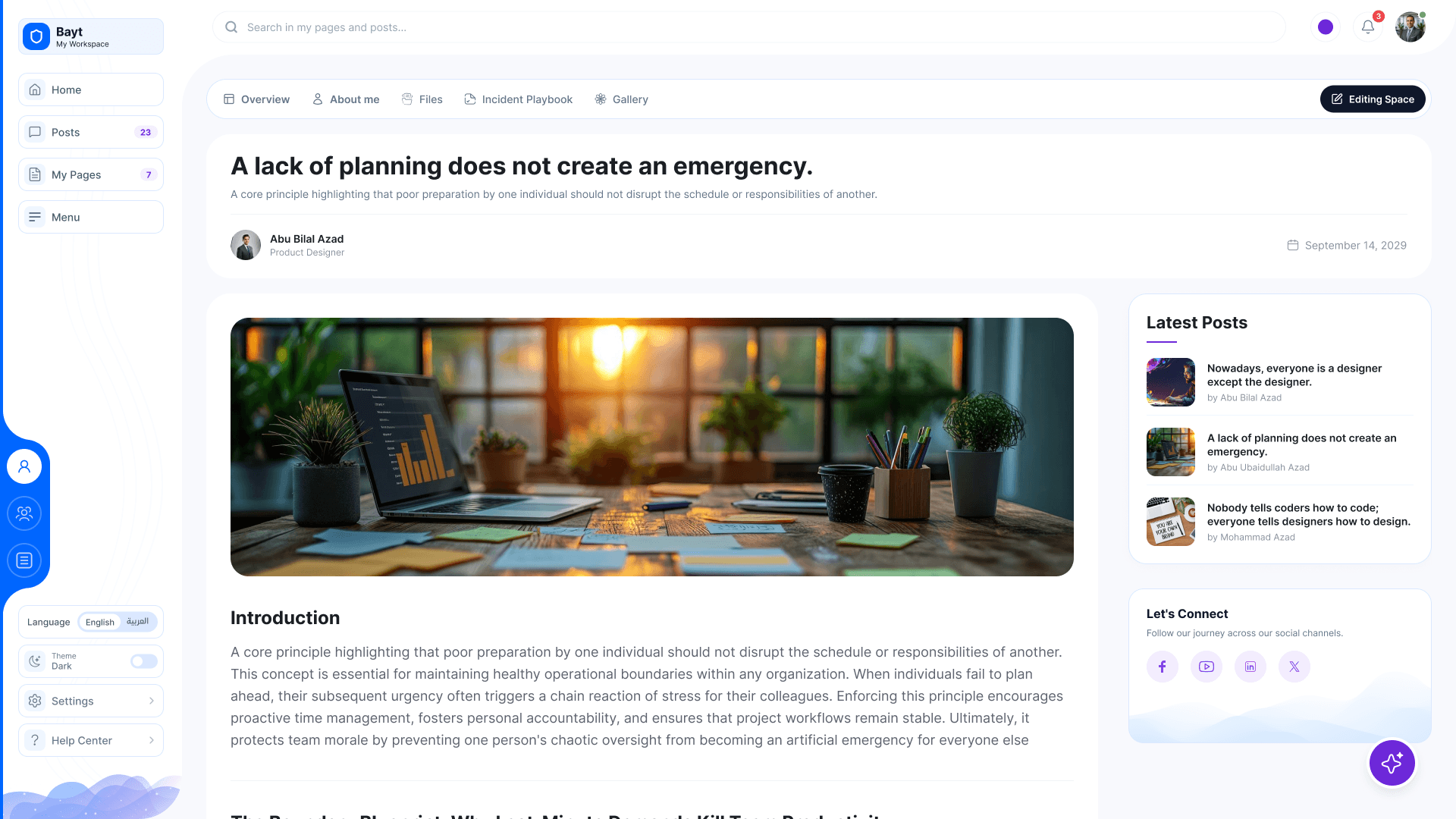
  5. A post

    Read, like and comment, with the latest posts beside it.

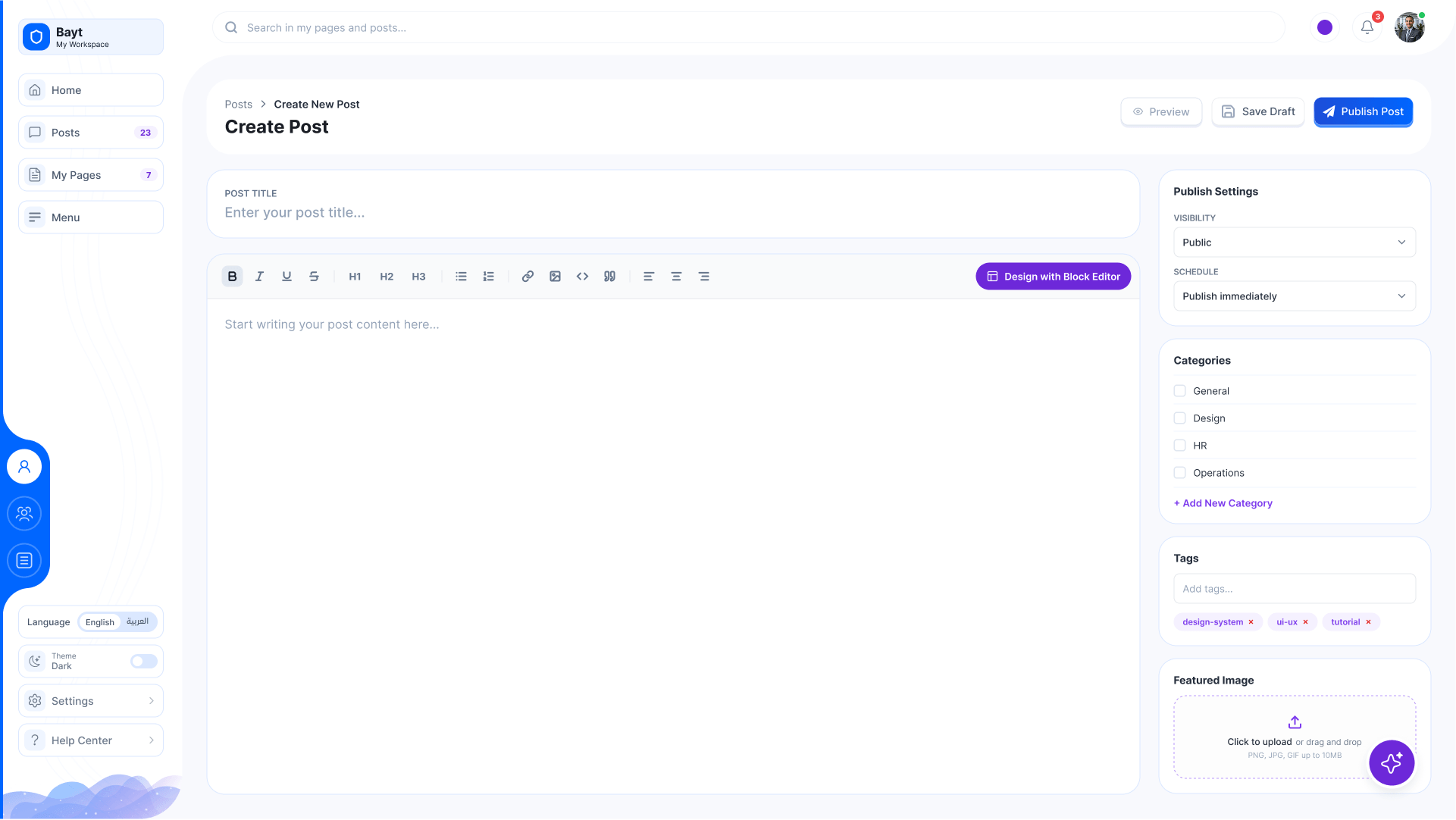
  6. Write a post

    Rich text, a cover image, categories and who can see it.

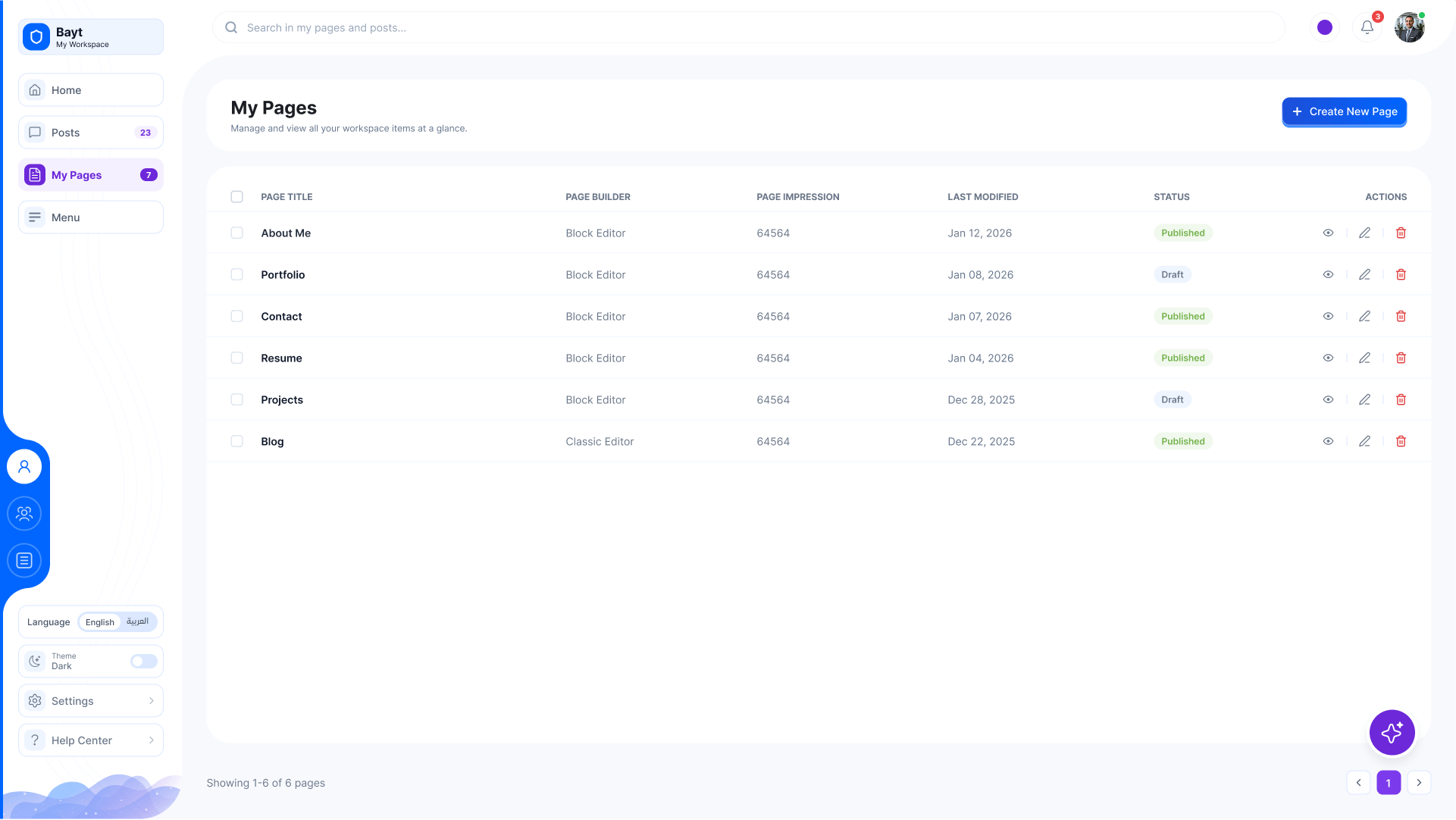
  7. My pages

    Personal pages, each with its status and last edit.

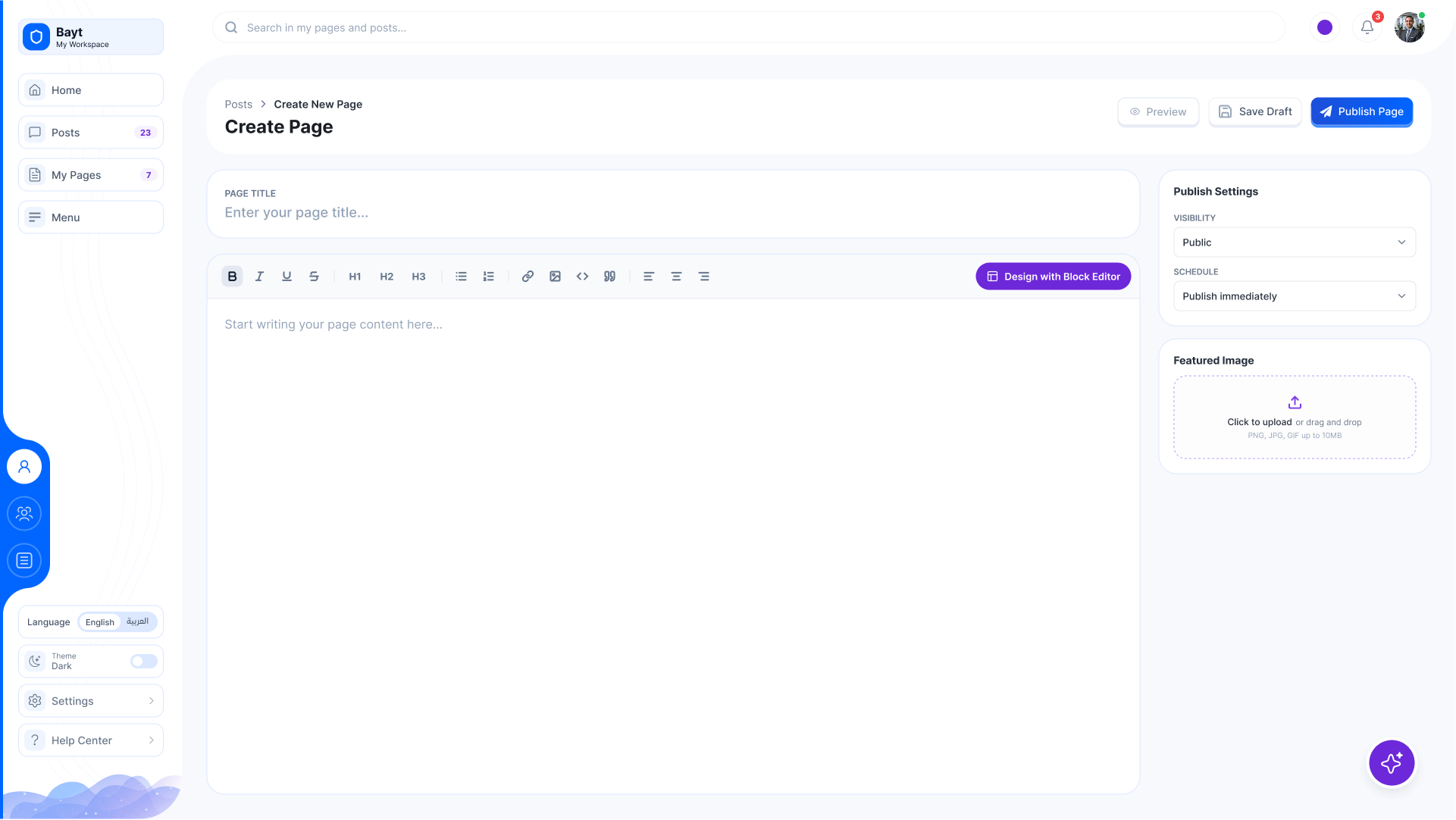
  8. Create a page

    Start from a title and a template.

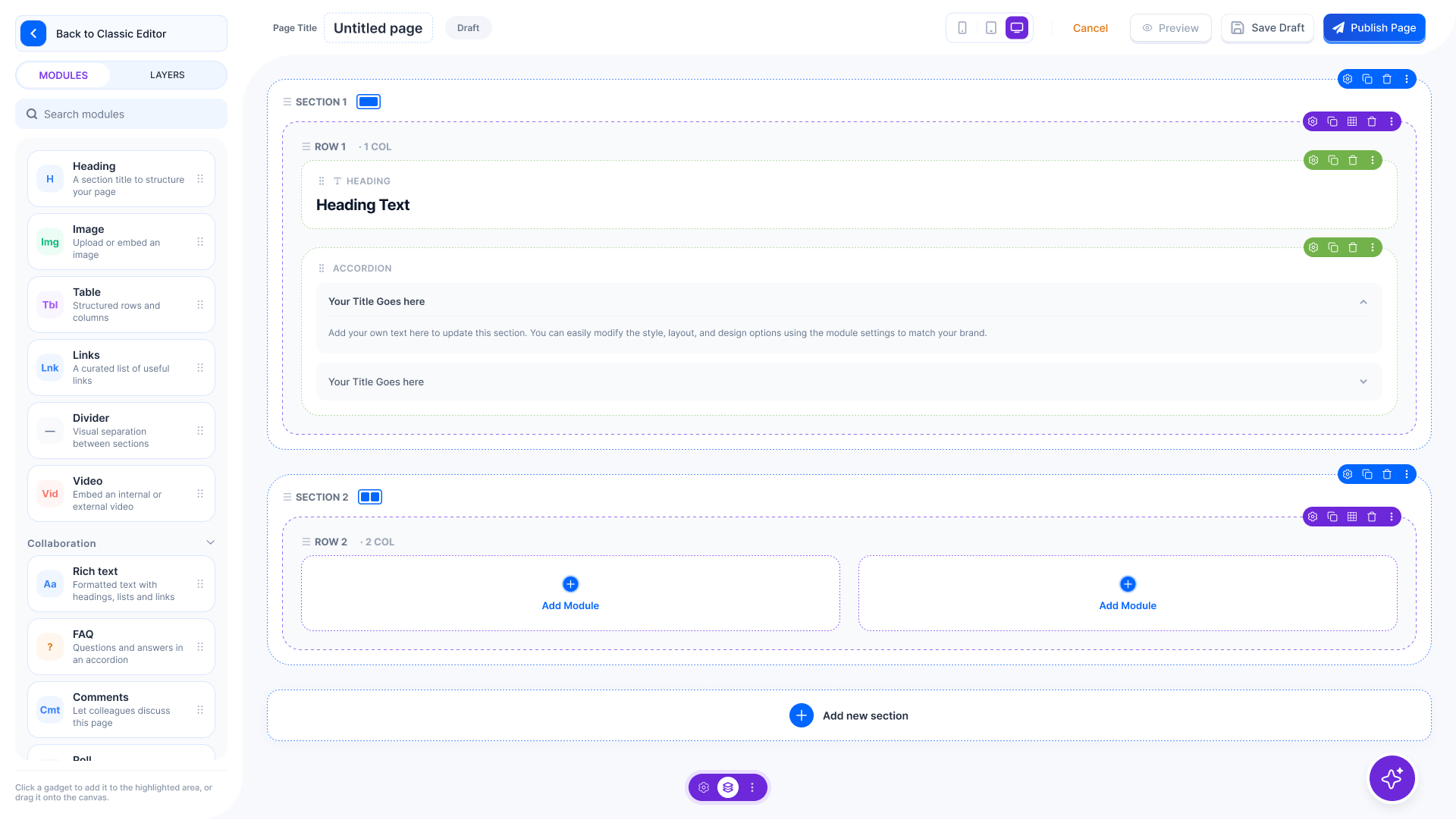
  9. Page builder

    Build a page from sections and modules, drag and drop.

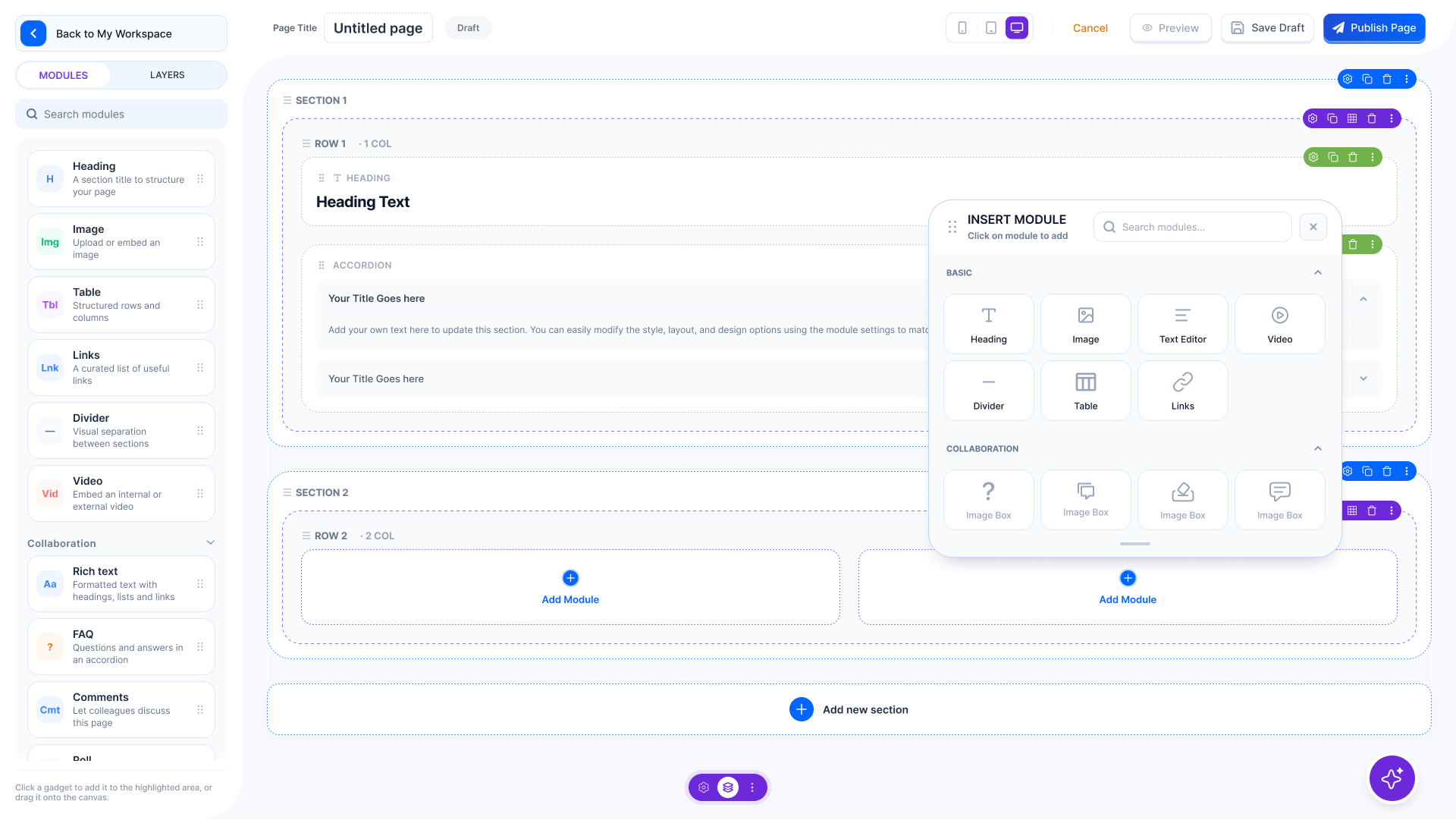
  10. Insert a module

    Pick a module and drop it into the section.

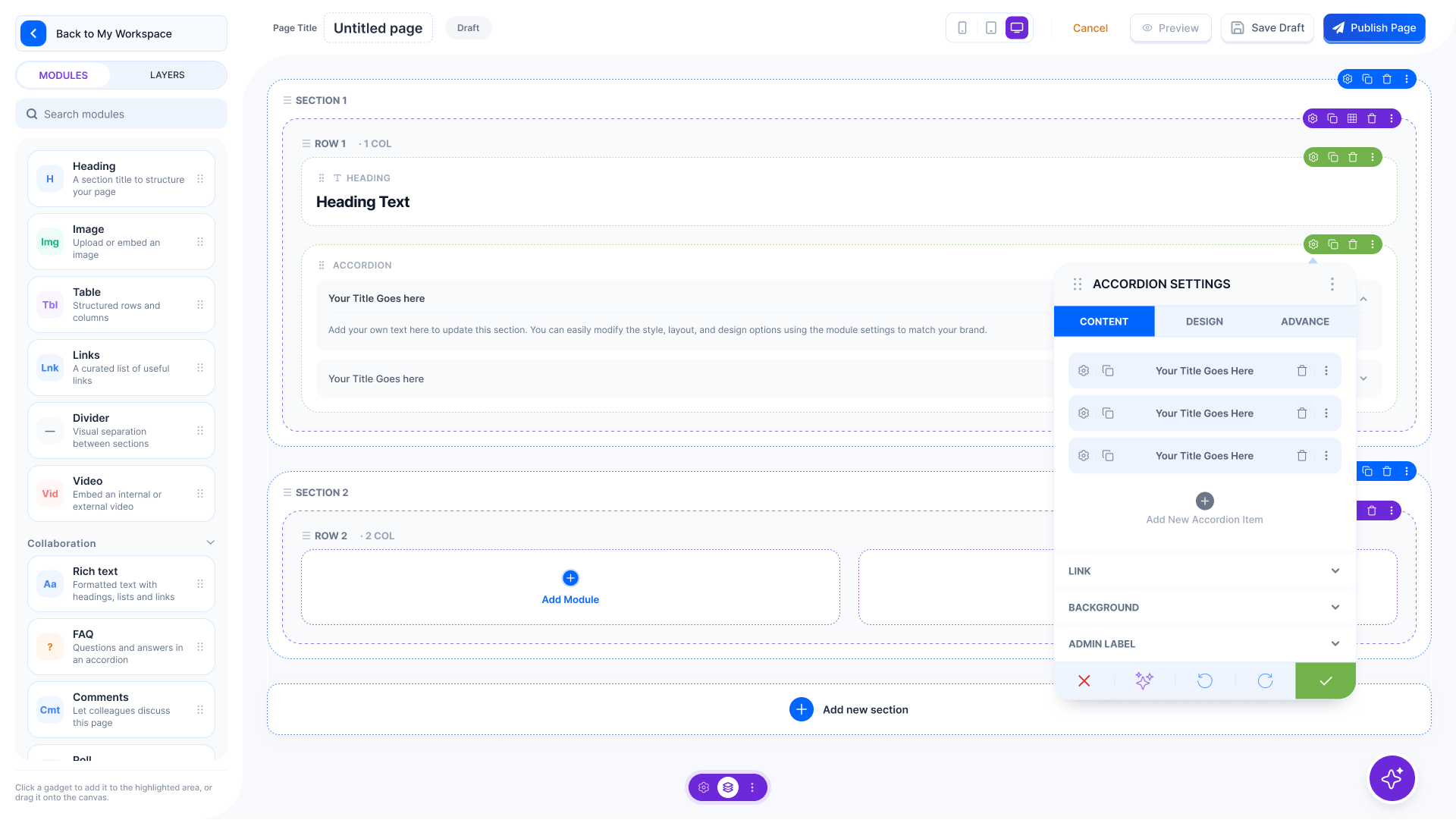
  11. Module content

    What the module says: its items, text and links.

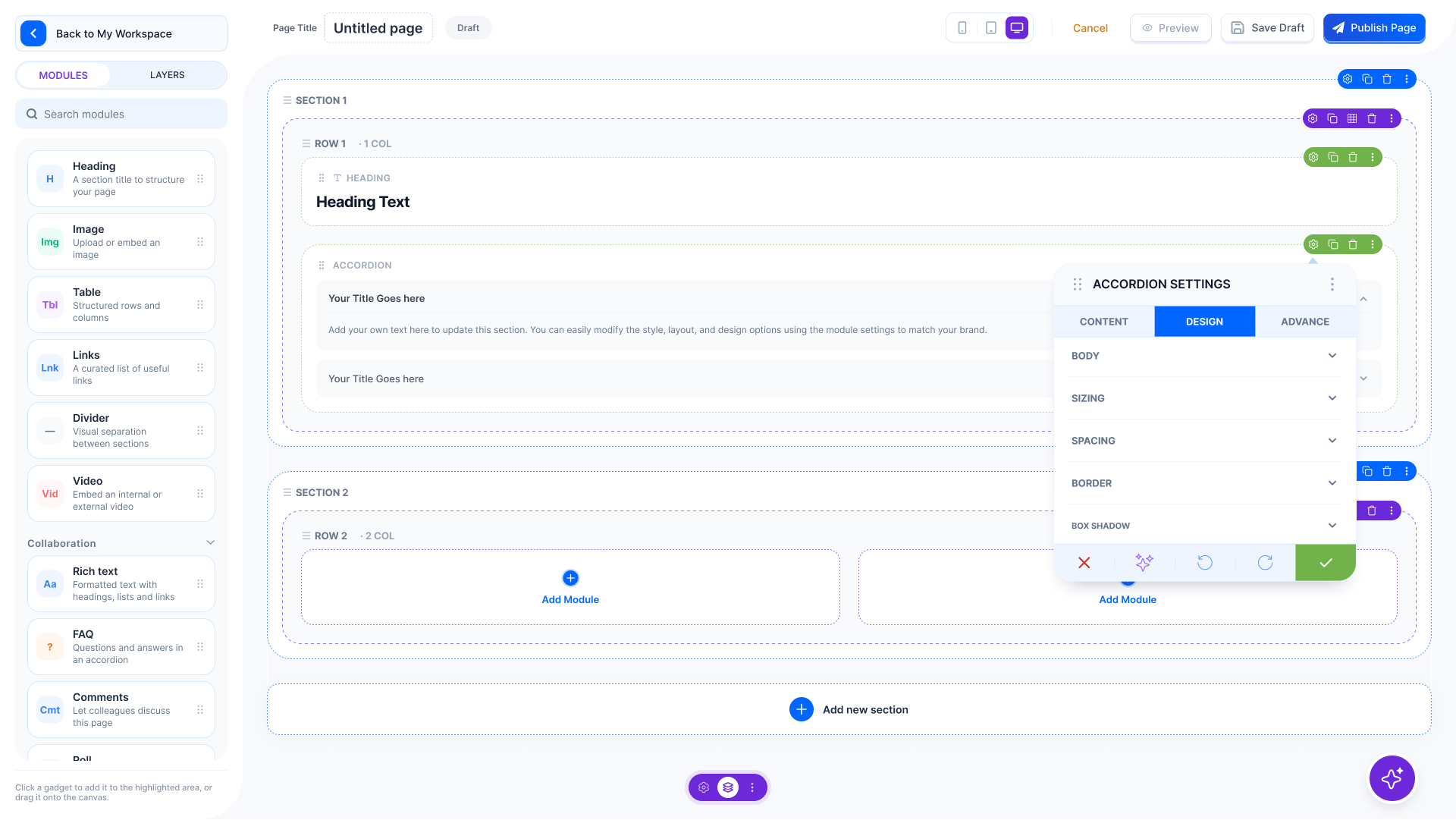
  12. Module design

    How it looks: colours, spacing and type.

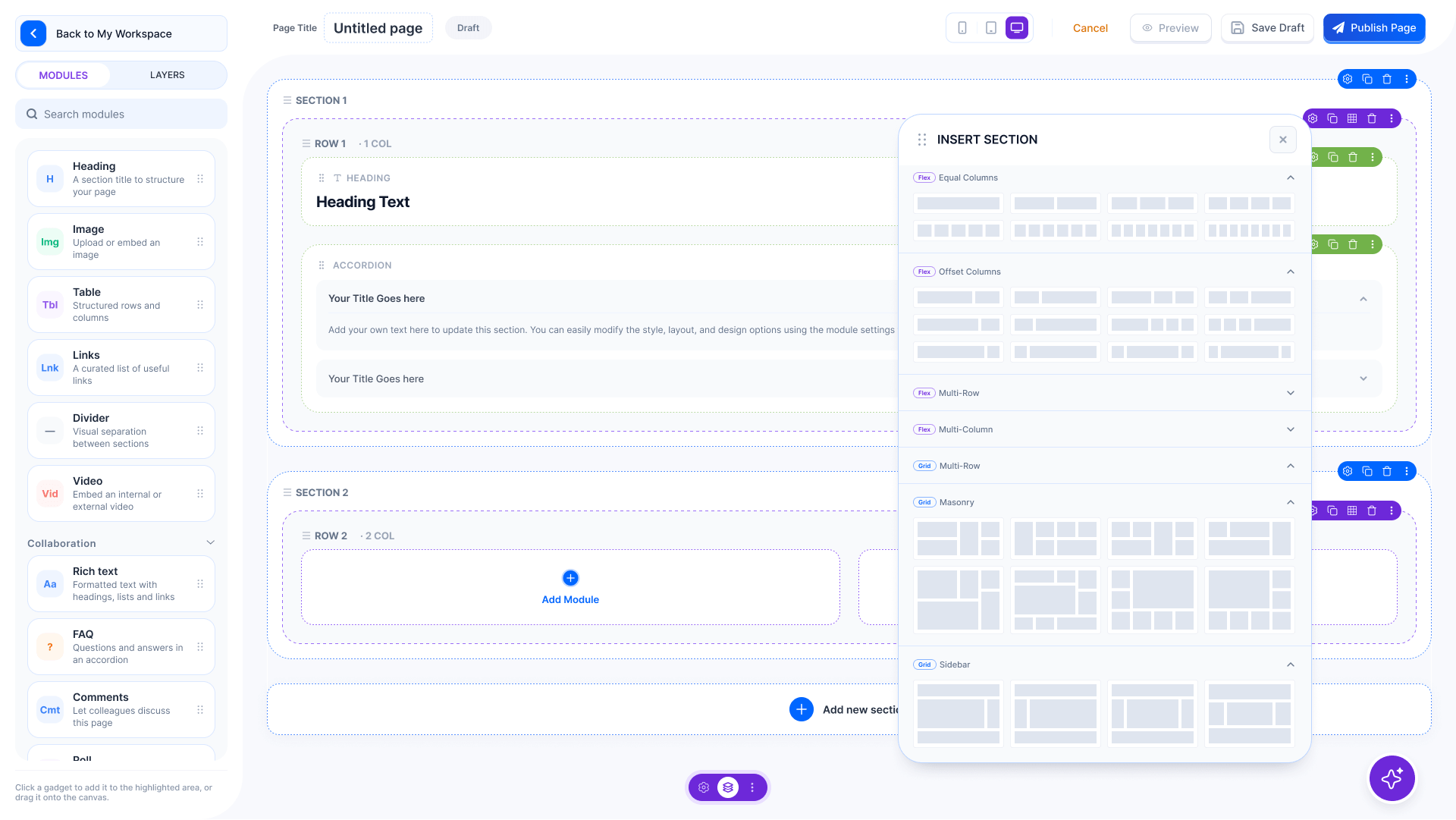
  13. Add a section

    Choose a layout: one, two, three or four columns.

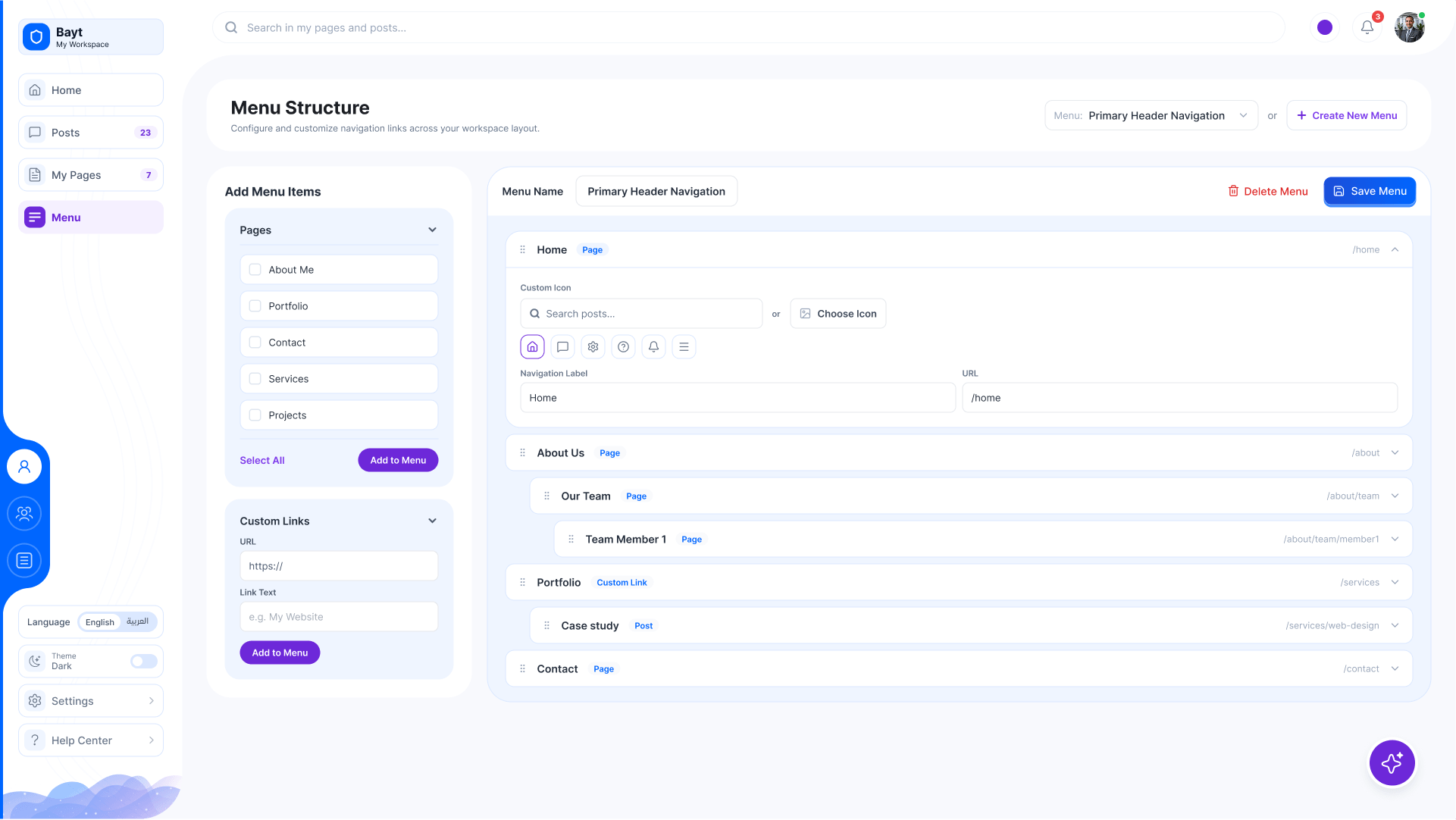
  14. Menu builder

    Arrange the menu your page visitors see.

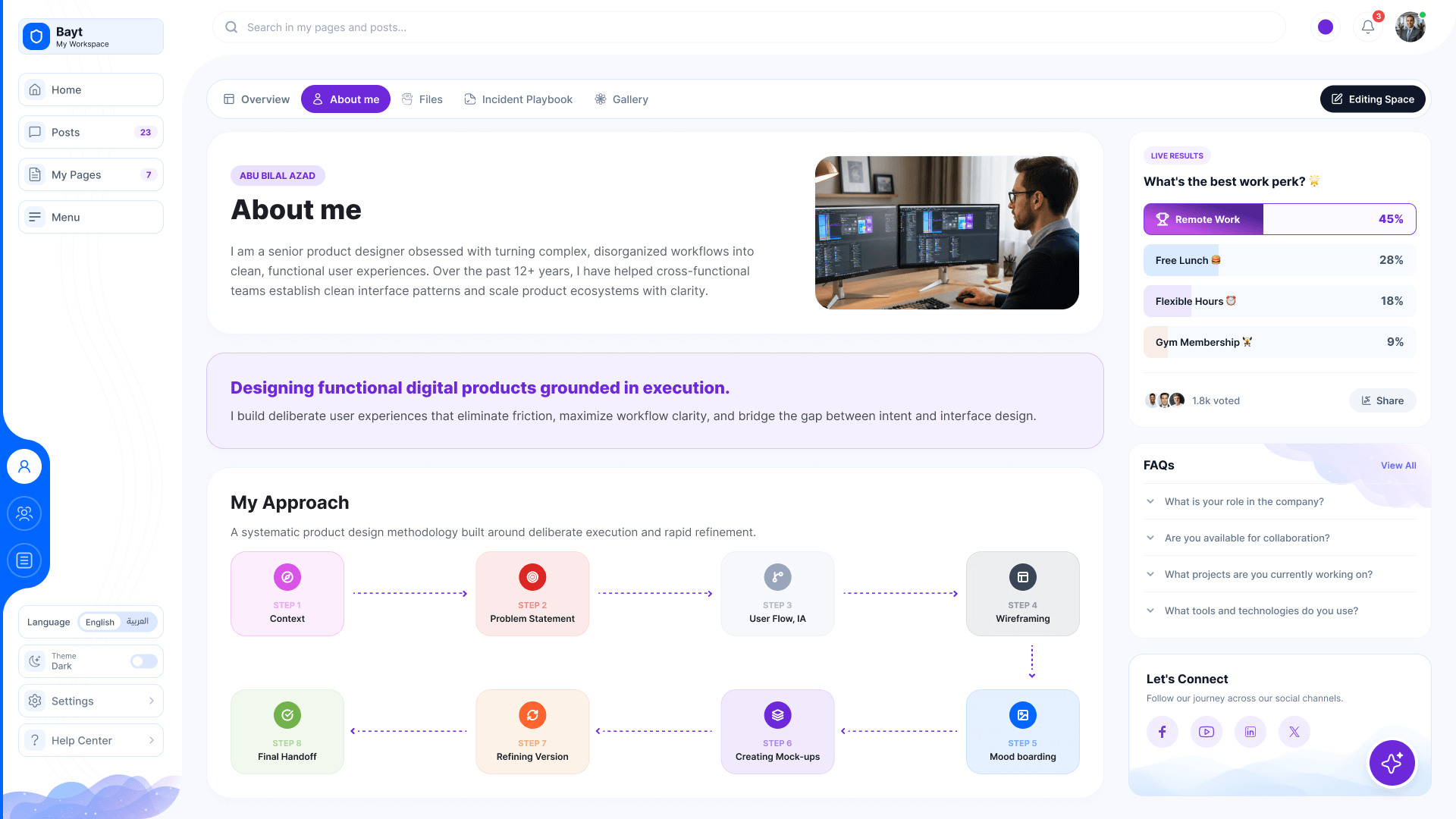
  15. Your page, published

    About me, my approach and FAQs, built by the employee.

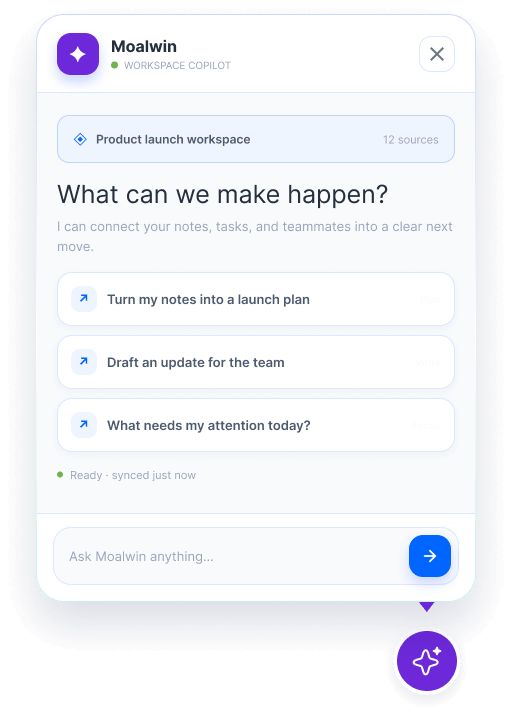
  16. Moalwin, the workspace copilot

    Turns notes into a plan, drafts team updates and says what needs you today.

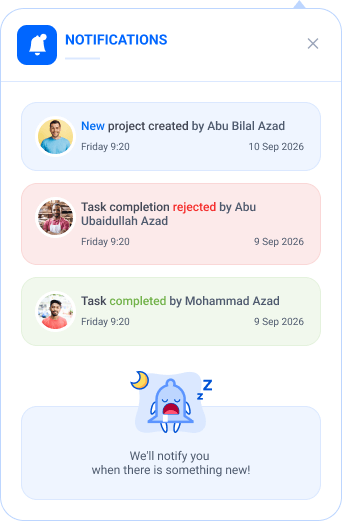
  17. Notifications

    What happened across the company apps, as it happens.

01 / 17
Bayt · My Space
My Space: profile banner with stats, my team, posts, a live poll and FAQs
My Space in the dark theme
Majlis: the Corporate Security section space with its team, posts, poll and announcements
My posts, as a list with category, visibility and status
A post with its cover image, article and latest posts
Create a post with the editor, settings, categories, tags and featured image
My pages as a list: title, author, last modified and status
Create a new page with the editor and page settings
Page builder: sections and modules on the canvas, the module list on the left
The module picker over the page builder
Accordion module settings, content tab
Accordion module settings, design tab
Insert section: a grid of column layouts
Menu builder: pages, links and categories into the menu structure
A published personal page: about me, my approach, FAQs and contact
Moalwin, the workspace copilot: Turns notes into a plan, drafts team updates and says what needs you today
Notifications: What happened across the company apps, as it happens
Design challenge

Widgets, themes and builder

My Space and every personal page are built the way you'd build a site in Elementor or Divi: drag widgets in, pick a theme, publish. No developer, no code. Widgets decide what a space holds; the theme decides how it looks. Try both, then follow a page from blank to published.

One builder for My Space and every page

Widgets

Click one, or drag it onto the page. Drag a widget on the page to move it.

Social
Content
From the apps
Theme Aurora
Bayt · My Space · Editing
0 widgets on the page Aurora
Profile banner in the Aurora theme

Drop a widget here

Next

More company work